






Bulk Send
Bulk Send lets you upload a CSV file with recipient names and emails, select a pre-built template, and send hundreds of personalised documents for signing
Reusable Templates
Build reusable PDF templates with pre-placed signature fields, text fields, checkboxes, dropdowns, dates, and initials. Save them once and send to new reci
Automated Reminders
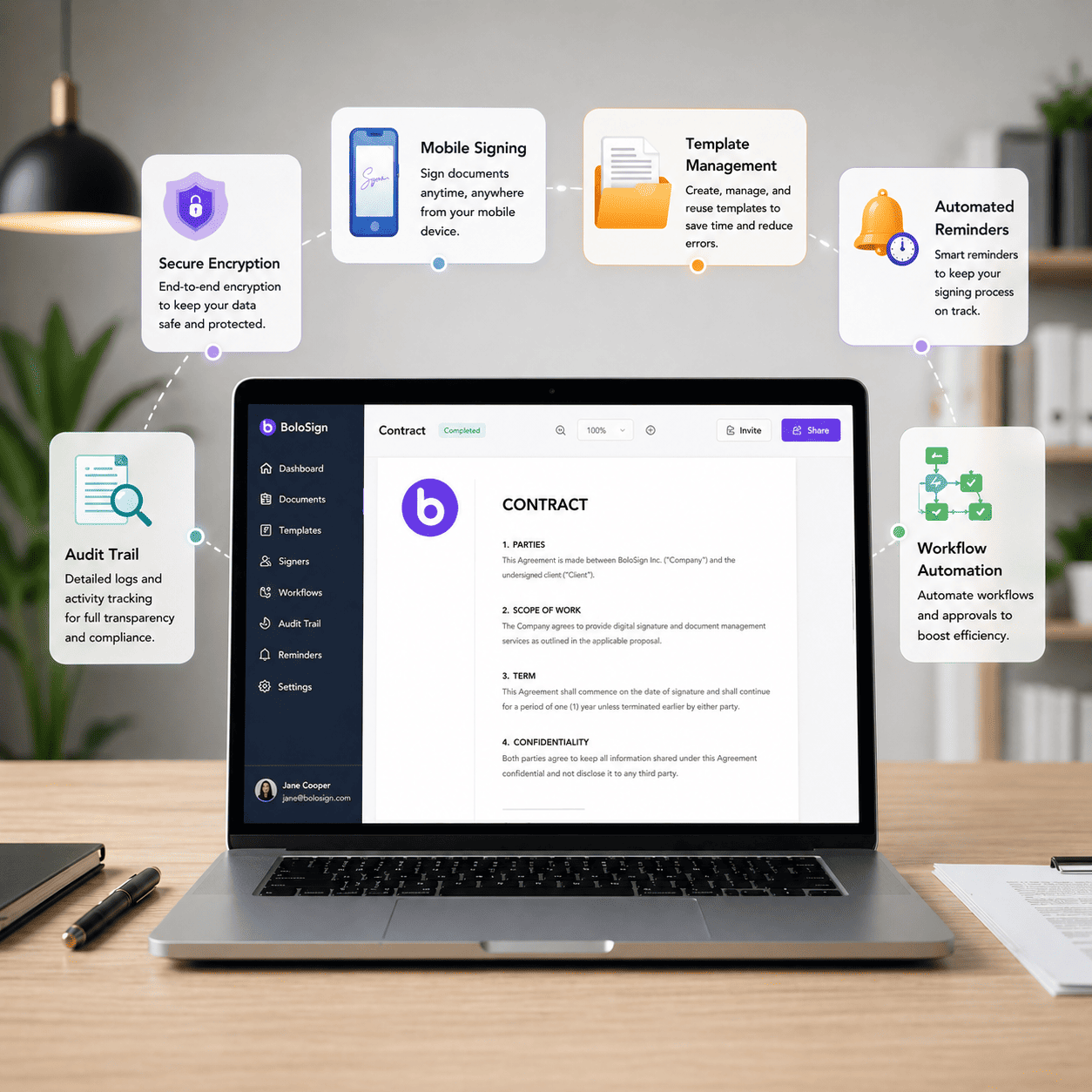
BoloSign automatically sends reminder emails to recipients who have not signed their documents. Configure reminder frequency (every 1, 3, 5, or 7 days) and
Audit Trail
Every document signed through BoloSign generates a comprehensive, tamper-proof audit trail that records who signed, when they signed, their IP address, ema
No Signer Account Needed
Signers do not need to create a BoloSign account, download an app, or register for anything. They receive a secure link via email or SMS, click it, review
Multi-Signer Workflows
Configure sequential or parallel signing order for documents requiring multiple parties. Define which signer goes first, second, third — or have everyone s
Mobile Signing
BoloSign works on every device — iPhone, Android, iPad, tablet, laptop, and desktop. Senders can create, send, and manage documents from native iOS and And
Custom Branding
Put your business brand on every document signing interaction. Customise the email notifications, signing page, and Certificate of Completion with your log
Bulk Links / QR Code
Generate a unique URL link or QR code for any signature form or template. Share the link on your website, social media, email newsletters, or print it on p
SMS & WhatsApp Delivery
Send document signing requests via SMS text message instead of (or in addition to) email. SMS delivery achieves 98% open rates compared to 20% for email, d
Qualified Electronic Signature
Qualified Electronic Signatures (QES) provide the highest level of legal assurance under the EU eIDAS Regulation. A QES is legally equivalent to a handwrit
Identity Verification
Add identity verification layers to your signing workflows to confirm that the person signing is who they claim to be. BoloSign supports email verification
Document Management
BoloSign provides a centralised dashboard for storing, organising, and retrieving all your signed and pending documents. Search by recipient name, date, st
Google Sheets Integration
Connect BoloSign to Google Sheets and every document event (sent, viewed, signed, declined) is automatically logged in your spreadsheet. Build custom dashb
Fillable Forms
BoloSign's Fillable Forms let you create Google Form-like experiences with legally binding e-signatures built in. Add text fields, checkboxes, radio button
Document Expiry & Renewals
Set an expiration date on any document — if the recipient does not sign before the deadline, the signing link automatically becomes invalid. For contracts
Developer API
BoloSign's REST API allows developers to programmatically create documents, send signing requests, manage templates, handle recipients, receive webhook not
Embedded Signing
Embed BoloSign's signing interface directly into your website, web app, or portal using an iframe or JavaScript embed. Recipients sign without leaving your
SSO / Enterprise Login
BoloSign Enterprise supports SAML 2.0 Single Sign-On (SSO) for seamless authentication with your existing identity provider. Team members log in to BoloSig
Multilingual Signing
BoloSign supports multilingual signing experiences. Change the language of your PDF forms and signing interface with one click. Senders can create document
Map PDF AI
BoloSign's AI-powered PDF mapping analyses your uploaded document and automatically detects where form fields should be placed — signature blocks, date lin
Click Through Agreements
Create click-through agreements that recipients accept with a single click — no full signature required. Perfect for terms of service, privacy policies, co
In-Person Signing
Hand your tablet, phone, or laptop to a client or visitor and let them sign documents right in front of you. In-person signing is designed for face-to-face
Customized PDF
Attach customised PDFs to your signature forms to create complete document packages. Combine a fillable form (name, email, address, custom fields) with a p
Workspaces
Create multiple workspaces within your BoloSign account to separate documents, templates, and team members by department, client, project, or business unit
Team Collaboration
Add unlimited team members to your BoloSign account. Create teams (Sales, Legal, HR) and assign shared permissions. Team members can share documents with e
Create PDF
Upload any PDF document — contracts, agreements, waivers, forms — and prepare it for e-signature in minutes. Place signature fields, date fields, text inpu
Create Forms
Create forms from scratch using BoloSign's drag-and-drop form builder — like Google Forms but with legally binding e-signatures built in. Add text fields,
Folders
Create folders to organise your documents, templates, and forms by client, project, department, or document type. Drag and drop files into folders. Nest fo
One-Click DocuSign Migration
Switching from DocuSign? BoloSign's migration tool lets you download your templates from DocuSign and upload them directly to BoloSign. AI automatically ma
Cloud Drive Integration
Connect your Google Drive, OneDrive, or Dropbox account to BoloSign. Upload documents for signing directly from your cloud storage. Automatically save sign
Password Protected PDFs & Access Code Verification
Protect sensitive documents with password-protected PDFs and access code verification. Set a custom access code that the recipient must enter before they c
Custom Feature Development
BoloSign's engineering team builds custom features for your business and ships them within 1 week. If your workflow requires a specific integration, docume
Frequently Asked Questions
Common questions about BoloSign's features
What features does BoloSign offer?
Are all features included in every plan?
Can I try all features during the free trial?
How does BoloSign compare to DocuSign's features?
Does BoloSign support custom feature development?
Try every feature free for 7 days
Set up in under 2 minutes. Full access to all 33+ features during your trial.