

What Is Custom Branding?
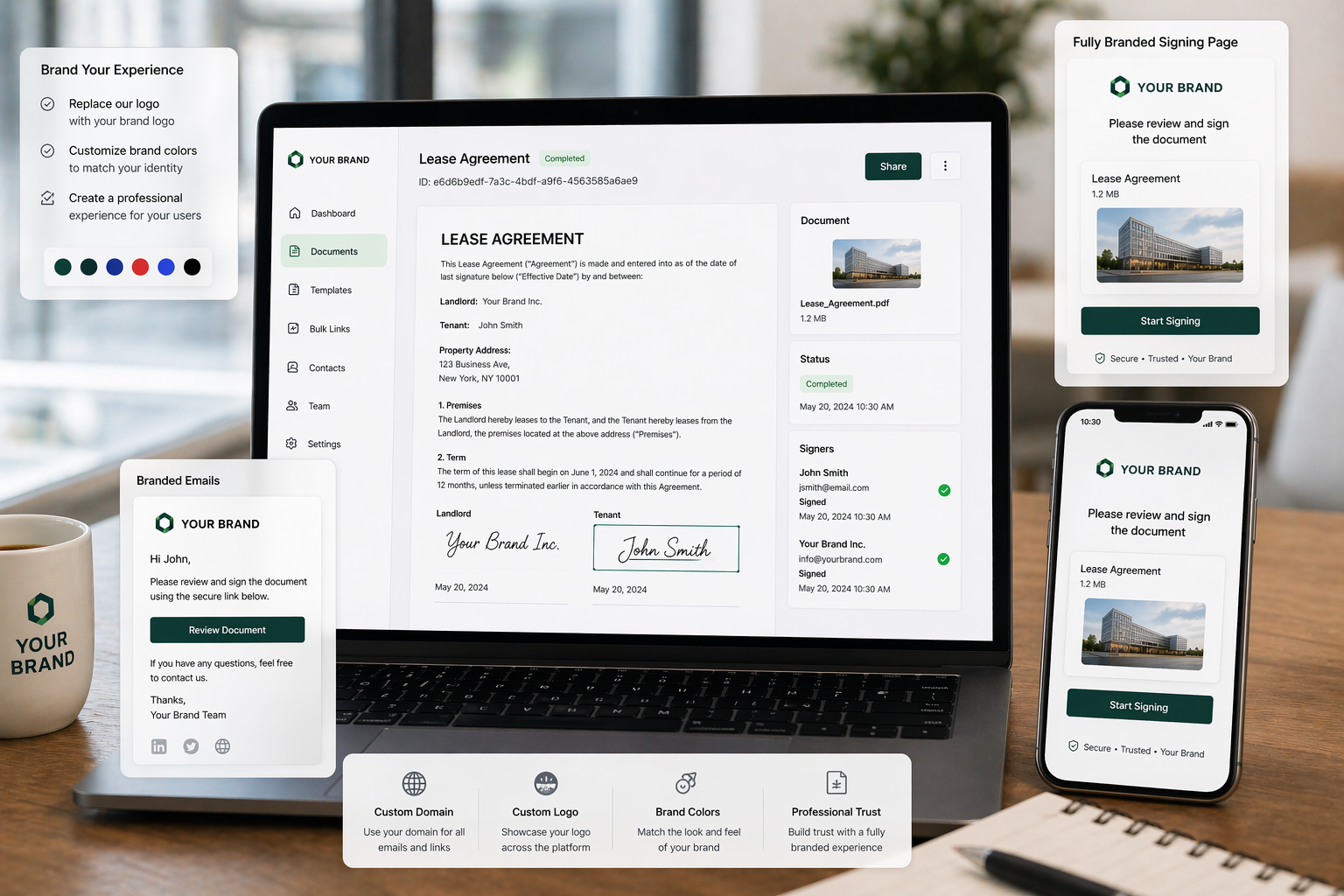
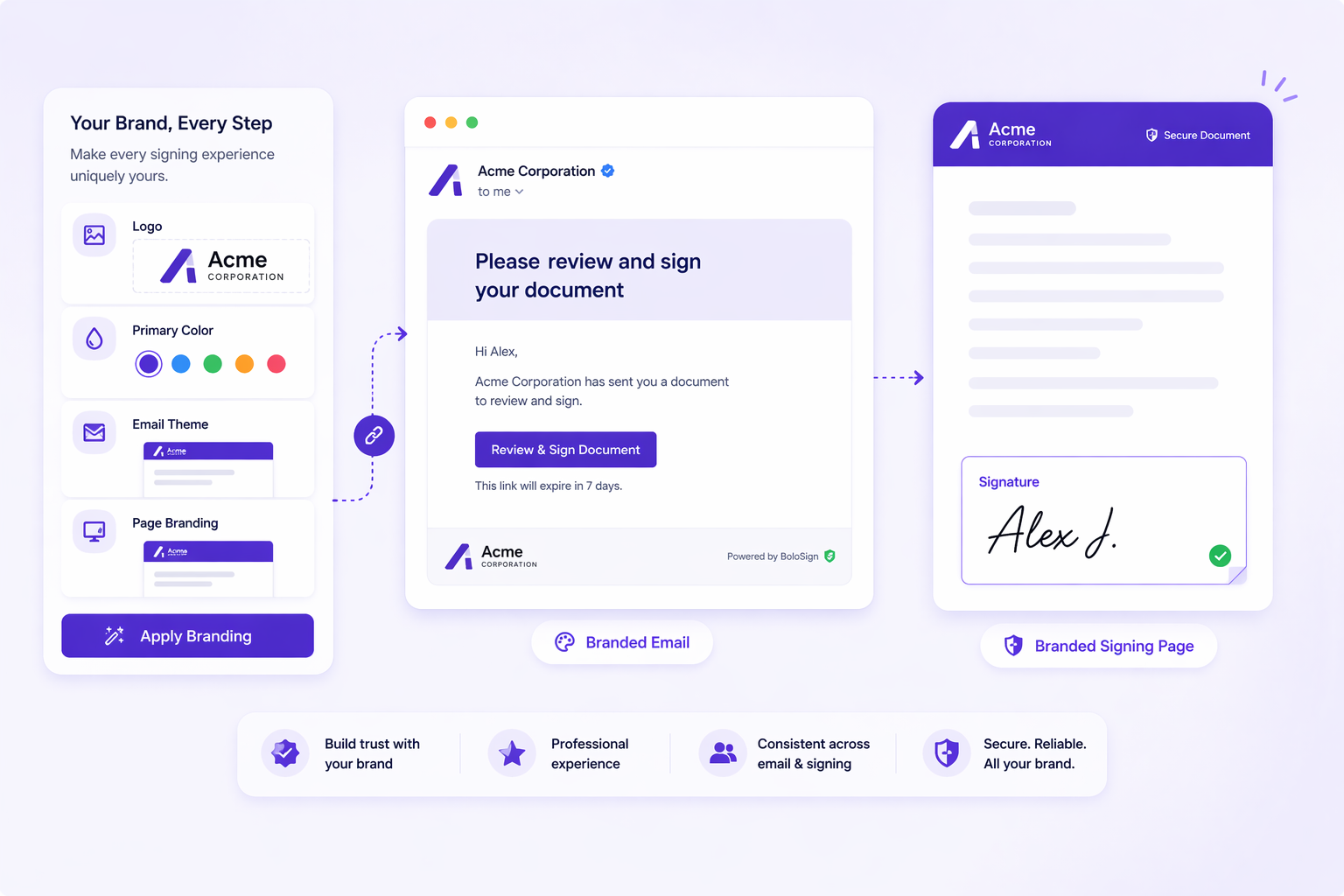
Put your business brand on every document signing interaction. Customise the email notifications, signing page, and Certificate of Completion with your logo, brand colours, and messaging. Recipients see your brand throughout the entire signing experience - building trust and reinforcing professionalism. BoloSign's branding is invisible to the signer.
How Does Custom Branding Work?
Go to Settings -> Branding. Upload your logo, set your brand colour, and customise the email subject/body text. Every document you send will use your brand settings. The signing page displays your logo. The completion email comes from your brand. Optional: remove BoloSign branding entirely with the white-label option for enterprise clients.
How Teams Use Custom Branding
Client-facing contracts that need to look professional
Agencies sending branded documents on behalf of their clients
Enterprise companies maintaining brand consistency
Real estate brokerages with custom branding requirements
Healthcare facilities with institutional branding guidelines
Why BoloSign's Custom Branding Is Different
DocuSign charges for custom branding on lower plans. BoloSign includes branding in the team plan.
Pro Tips
Start by identifying your highest-volume document type - that is where Custom Branding will save the most time.
Combine Custom Branding with reusable templates for maximum efficiency - build the template once, use Custom Branding every time you send.
Connect Google Sheets integration alongside Custom Branding to automatically track every document's status in real-time.
Test Custom Branding during the 7-day free trial with real documents - not test files - so you see the actual time savings.
If your workflow has a unique requirement, contact BoloSign - custom features are built and shipped within 1 week.
Watch BoloSign in Action
See how easy it is to use Custom Branding
Frequently Asked Questions
Everything you need to know about Custom Branding
Related Features
Ready to try Custom Branding?
Start your 7-day free trial. No credit card required.