



Quick Summary
If you are looking for a DocuSign alternative for retail, BoloSign delivers the same core features — templates, signing order, audit trails, mobile signing, and bulk send — at a fraction of the cost. A 10-person retail team pays $400+/month on DocuSign (per-user + per-envelope fees) vs $49/month flat on BoloSign with unlimited everything. That is $4,212 saved per year. BoloSign also includes Google Sheets integration, Stripe payment collection, CRM integrations (HubSpot, Pipedrive), website embedding, and form analytics — all included at no extra cost. ISO 27001 and SOC 2 Type II certified. 1-click AI-powered migration from DocuSign. 7-day free trial, no credit card required.
The Easiest Way to Sign Documents
Send, sign, and track documents with BoloSign
Why Are Retail Teams Leaving DocuSign in 2026?
The #1 reason retail teams switch from DocuSign is cost. DocuSign charges per user AND per envelope, which means your bill grows every time you add a team member or send more documents. For a growing retail team, this pricing model becomes unsustainable fast.
Per-user pricing makes every new hire a budget line item
cost problemDocuSign charges $25-50 per user per month. When your retail team grows from 5 to 10 people, your e-signature bill doubles — even if the new hires only sign occasionally. With BoloSign, you pay $49/month total regardless of whether you have 5 users or 50. Every team member gets full access. No per-seat math. No budget approvals for adding a user.
Envelope limits punish your busiest months
limit frustrationDocuSign plans include a limited number of envelopes. When your retail team has a busy period — tax season, lease renewals, new hire wave — you burn through envelopes and either pay overage fees or upgrade to a more expensive plan. BoloSign has no envelope limits on any plan. Send 10 or 10,000 documents per month for the same $49.
Essential features are locked behind expensive add-ons
nickel dimingFeatures that retail teams actually need — bulk send, SMS delivery, custom branding, advanced fields — are add-ons on DocuSign that cost $30-60/month each. On BoloSign, bulk send, SMS signing, email branding, Google Sheets integration, CRM integrations, Stripe payments, and form analytics are all included in the $49/month Team plan. No surprises.
Complex interface wastes your team's time
complexityDocuSign's enterprise-grade interface was built for Fortune 500 legal departments, not retail teams. Features are buried in menus, template setup requires multiple clicks, and new team members need training sessions. BoloSign is designed for small-to-medium teams — upload a PDF, place signature fields, hit send. Most teams are productive within 5 minutes.
No built-in Google Sheets, CRM, or payment integration
missing featuresDocuSign doesn't natively integrate with Google Sheets for document tracking, doesn't include CRM integrations with HubSpot or Pipedrive on standard plans, and doesn't support collecting payments alongside signatures. BoloSign includes all three — Google Sheets auto-tracking, HubSpot/Pipedrive/GoHighLevel integrations, and Stripe payment collection — at no additional cost.
DocuSign vs BoloSign for Retail: Feature-by-Feature Comparison
BoloSign matches DocuSign on every core feature retail teams need — templates, signing order, audit trails, mobile signing, and team management. But BoloSign includes features that DocuSign charges extra for, at a flat $49/month with no per-user or per-envelope fees.
Templates: identical functionality, unlimited on BoloSign
Both platforms let you create reusable templates for service agreements, contracts, ndas, policy acknowledgments. The difference: DocuSign limits templates on lower plans and charges for additional template storage. BoloSign includes unlimited templates on the $49/month Team plan — create as many as your retail team needs.
Audit trails: equally legally binding on both platforms
Both BoloSign and DocuSign generate tamper-proof audit trails with timestamps, IP addresses, and signer authentication records. Both are legally binding under the ESIGN Act, UETA, GDPR, and eIDAS. Both are admissible as evidence in court. BoloSign also holds ISO 27001 and SOC 2 Type II certifications — the same standards DocuSign meets.
Signing order: same routing capability, simpler setup on BoloSign
Both platforms support sequential and parallel signing order for retail documents. DocuSign's signing order setup involves multiple screens and configuration steps. BoloSign's setup is a simple drag-and-drop interface — assign signers, set the order, done in under 30 seconds.
Integrations: BoloSign includes what DocuSign charges extra for
BoloSign natively integrates with Google Sheets (auto-tracking), Google Drive (auto-save), HubSpot, Pipedrive, GoHighLevel, Stripe (payments), WordPress, Gmail, Dropbox, and OneDrive — all included at $49/month. DocuSign's comparable integrations require Business Pro or Enterprise plans starting at $40+/user/month, plus separate integration purchases.
Mobile experience: both work on any device, BoloSign has native apps
Both platforms support mobile signing — recipients sign from any smartphone or tablet via a link. Both offer native iOS and Android apps for senders. BoloSign additionally supports QR code signing links and a Gmail extension for sending directly from email, both included at no extra cost.
Feature
BoloSign
$49/month (flat — unlimited everything)
DocuSign
$400+/month (per-user + envelope limits)
For a 10-person retail team sending 100+ documents per month, DocuSign costs $400-600/month with add-ons. BoloSign costs $49/month. Same features. No limits. No surprises.
Annual Savings: $4,212/year
Ready to streamline Retail workflows?
Join thousands of Retail who use BoloSign to close deals 5x faster.
How Do I Switch from DocuSign to BoloSign? (1-Click AI Migration)
BoloSign's 1-click AI-powered migration tool imports your existing DocuSign templates, contact lists, and workflow configurations automatically. Most retail teams complete the full switch in under 1 hour — no manual rebuilding, no lost data, no downtime.
No manual template rebuilding — AI handles the conversion
zero frictionThe biggest fear of switching e-signature platforms is losing weeks rebuilding templates. BoloSign's AI migration eliminates this entirely. Your retail templates — including complex multi-page documents with dozens of fields — are automatically converted with field positions, recipient roles, and routing rules preserved.
Your existing signed documents stay in DocuSign
zero riskSwitching to BoloSign does not affect your existing DocuSign account. All previously signed retail documents, audit trails, and certificates of completion remain accessible in DocuSign. BoloSign handles all new documents going forward.
Your team is productive on day one — no training required
instant productivityBoloSign's interface was designed for teams switching from other platforms. The workflow is intuitive: upload PDF → place fields → send. Most retail team members send their first document within 5 minutes of creating their account. No training sessions, no onboarding calls, no ramp-up period.
Run both platforms in parallel during transition
parallel runThere is no hard cutoff. Your retail team can run DocuSign and BoloSign simultaneously during the transition — sending new documents from BoloSign while keeping DocuSign active for in-progress signatures. Cancel DocuSign only when you are fully confident in BoloSign.
White-glove migration support if you need it
supportIf your templates are unusually complex or you prefer hands-on help, BoloSign's support team will personally handle the migration for you at no extra cost. Email support@boloforms.com or call +1 (415) 649-6611.
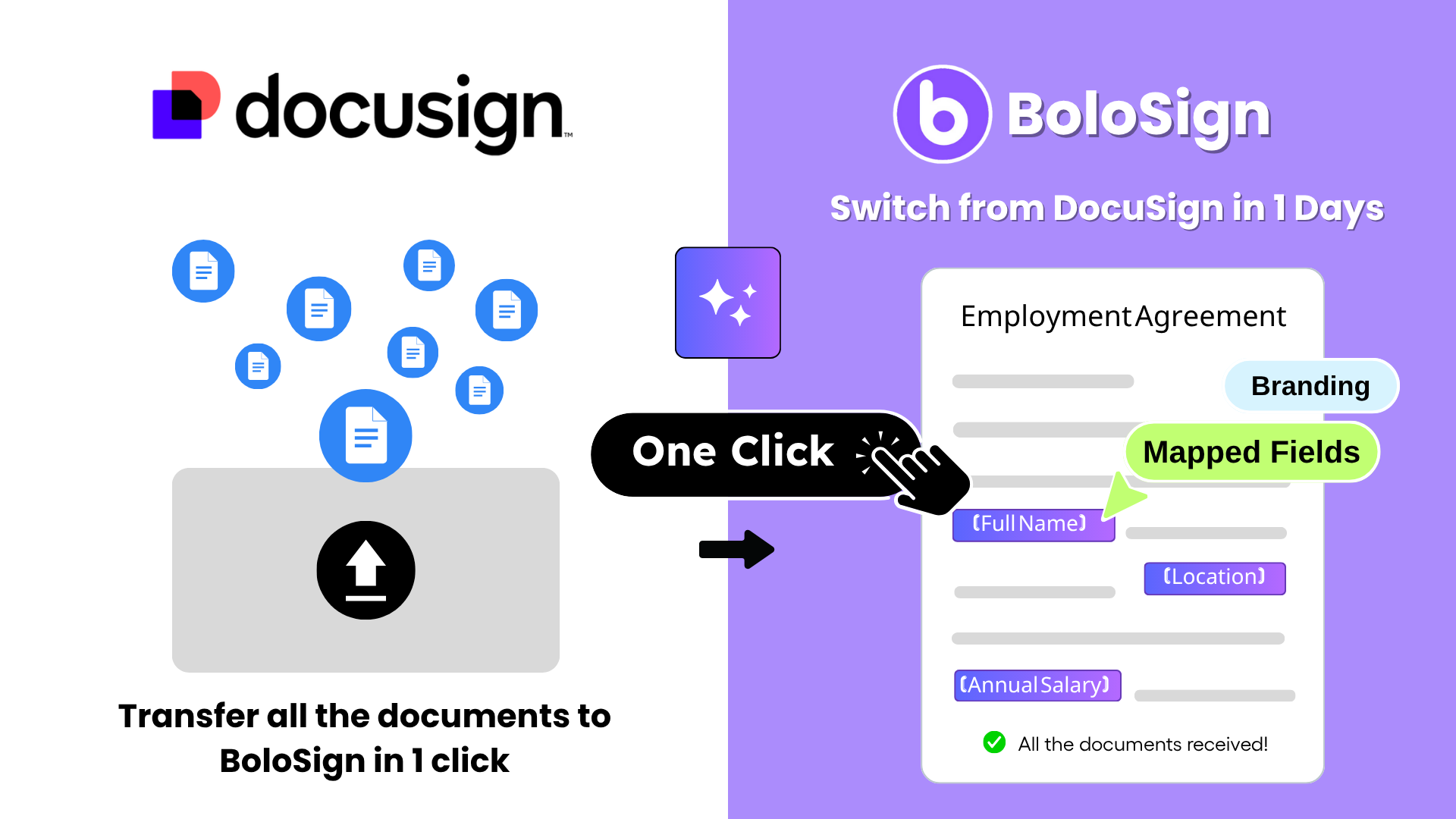
1-Click AI Migration from DocuSign
Switch in minutes, not weeks. Your templates, your contacts, your workflows — moved automatically.
Connect your DocuSign account
30 secondsAuthorize BoloSign to securely read your DocuSign account. BoloSign uses read-only access to scan your templates, contact lists, and workflow settings. No data is modified in your DocuSign account.
AI analyzes and maps your templates
2-3 minutesBoloSign's AI engine analyzes your DocuSign templates — signature field positions, recipient roles, form fields, and routing rules — and automatically recreates them in BoloSign format. Field mappings are preserved exactly.
Review and confirm the migration
2-3 minutesPreview every imported template before going live. Make adjustments if needed — though the AI typically achieves 95%+ accuracy on the first pass. Confirm the migration with one click.
Start sending from BoloSign immediately
ImmediateYour retail team sends their first document from BoloSign using the imported templates. Recipients see a professional, branded signing experience. Signed documents are stored with full audit trails from day one.
Under 10 minutes for most teams
If the migration doesn't meet your expectations, BoloSign's support team will manually set up your templates at no cost — guaranteed.
Why Retail Teams Choose BoloSign Over DocuSign
It comes down to three things: BoloSign costs 88% less than DocuSign for the same team size, includes features that DocuSign charges extra for, and offers 1-click migration so your team switches in minutes instead of weeks.
88% cost reduction with zero feature loss
Your retail team gets the same templates, signing order, audit trails, mobile signing, and team management you use in DocuSign today — plus Google Sheets tracking, CRM integrations, Stripe payments, and form analytics that DocuSign doesn't include. Total cost: $49/month flat vs DocuSign's $400+/month.
50,000+ businesses have already made this switch
No per-user and no per-envelope fees — ever
Add 5 new team members to your retail team? Still $49/month. Send 500 documents in a busy month? Still $49/month. BoloSign's flat-rate pricing means you never worry about surprise charges, overage fees, or having to justify e-signature costs to finance.
Average team saves $4,212/year vs DocuSign
1-click migration means zero disruption
BoloSign's AI-powered migration tool imports your DocuSign templates, contacts, and workflows in under 10 minutes. Your retail team goes from DocuSign to BoloSign in a single afternoon with zero template rebuilding and zero downtime.
95%+ template accuracy on first migration pass
Built-in integrations DocuSign charges extra for
Google Sheets auto-tracking, HubSpot CRM, Pipedrive CRM, GoHighLevel, Stripe payments, WordPress embedding, Gmail extension, Google Drive, Dropbox, OneDrive — all included. DocuSign charges $30-100/month extra for comparable integrations.
12+ integrations included at no extra cost
Same security certifications as DocuSign
BoloSign holds ISO 27001:2022 and SOC 2 Type II certifications — the same standards DocuSign holds. Every document includes a tamper-proof audit trail. GDPR, eIDAS, and ESIGN Act compliant. HIPAA BAA available as $49/month add-on for healthcare teams.
ISO 27001 + SOC 2 Type II certified
Ready to streamline Retail workflows?
Join thousands of Retail who use BoloSign to close deals 5x faster.
Watch BoloSign in Action
See how easy it is to send documents for e-signature
Pro Tips
Expert advice for Retail
Before switching, export a list of your most-used DocuSign templates — BoloSign's migration tool will import them automatically, but having a checklist ensures nothing is missed during the 1-click transfer.
Run BoloSign in parallel with DocuSign for 1-2 weeks before canceling DocuSign — send new retail documents from BoloSign while existing DocuSign documents complete their signing cycles.
After migration, connect BoloSign to Google Sheets immediately — you will get a free real-time document tracking dashboard that DocuSign never offered, and it takes 2 clicks to set up.
Have your team send 2-3 test documents on day one to build confidence — the interface is intuitive enough that most retail professionals are productive within 5 minutes without any training.
Calculate your actual DocuSign cost including add-ons (bulk send, SMS, branding, API access) — most teams discover they are paying 2-3x more than they realized when all the extras are added up.
Frequently Asked Questions
Everything you need to know about e-signatures in Retail
What Our Customers Say
“We switched from DocuSign to BoloSign because we were paying $400/month for a 10-person team and hitting envelope limits constantly. BoloSign gives us unlimited service agreements and contracts for $49/month flat. The templates save us 30+ minutes per day — we set them up once with all the right fields and now anyone on the team can send a perfectly formatted service agreements in under 10 seconds. The Google Sheets integration was the surprise winner — we built a live document tracker without writing a single line of code.”
Sarah B.
Business Owner, Retail, Denver, CO
“What sold me on BoloSign was the Bulk Send feature. During our busy season, we need to send contracts to 50-100 people at once. On our old platform, that meant 100 individual sends with manual data entry each time. Now I upload a CSV and everything goes out in one click — personalized for each recipient. The audit trail has also been critical for our esign act compliance documentation. Auditors love the timestamped records.”
David H.
Managing Partner, Retail, Seattle, WA
“The mobile signing experience is what our clients comment on most. They receive an SMS, tap the link, sign in under 90 seconds, and they are done. No app download, no account creation, no friction. Before BoloSign, getting signatures back on service agreements took an average of 3 days. Now it is under 4 hours. For $49/month with unlimited everything, it is not even a close comparison to what we were paying before. I wish we had switched sooner.”
Daniel R.
Founder, Retail, Portland, OR
Conclusion
50,000+ businesses have already switched from expensive per-user e-signature tools to BoloSign. Your retail team can make the same switch in under 10 minutes with 1-click AI migration — and start saving $4,212/year immediately. Try BoloSign free for 7 days. No credit card required.