

Zapier eSignature Integration for Automated Document Signing
Use BoloSign's Zapier integration to send documents for eSignature, collect signatures, and automate your signing process across your favorite apps.
10,000+ Companies Use BoloSign around the world.
Quick Summary
BoloSign + Zapier helps teams automate their document signing workflow by connecting BoloSign with the apps they already use, like CRMs, forms, spreadsheets, Slack, Google Drive, and email. Instead of manually copying details, sending contracts, tracking signatures, and updating records, Zapier can trigger BoloSign to send the right document automatically, track when it's signed, update the CRM, notify the team, save the signed PDF, or send a confirmation email. Trusted by 50,000+ businesses with ISO 27001, SOC 2 Type II, GDPR, and ESIGN Act compliance. Rated 4.5/5 on Capterra.
How Sales Teams Save Time with Zapier eSignature Automation?
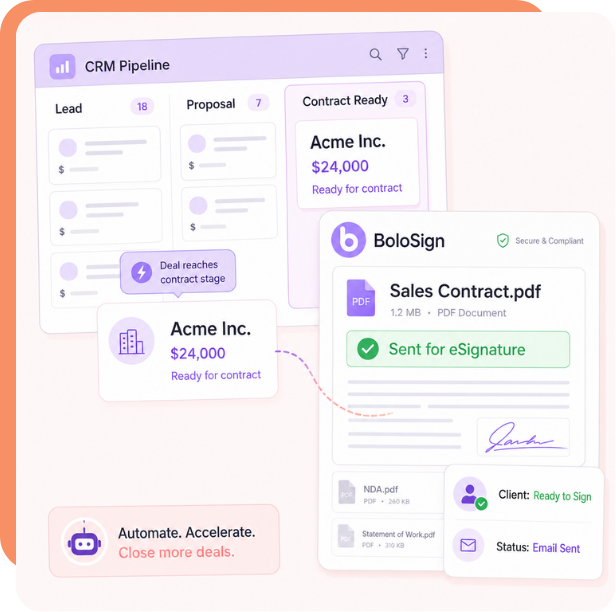
How to send sales contracts automatically from your CRM?
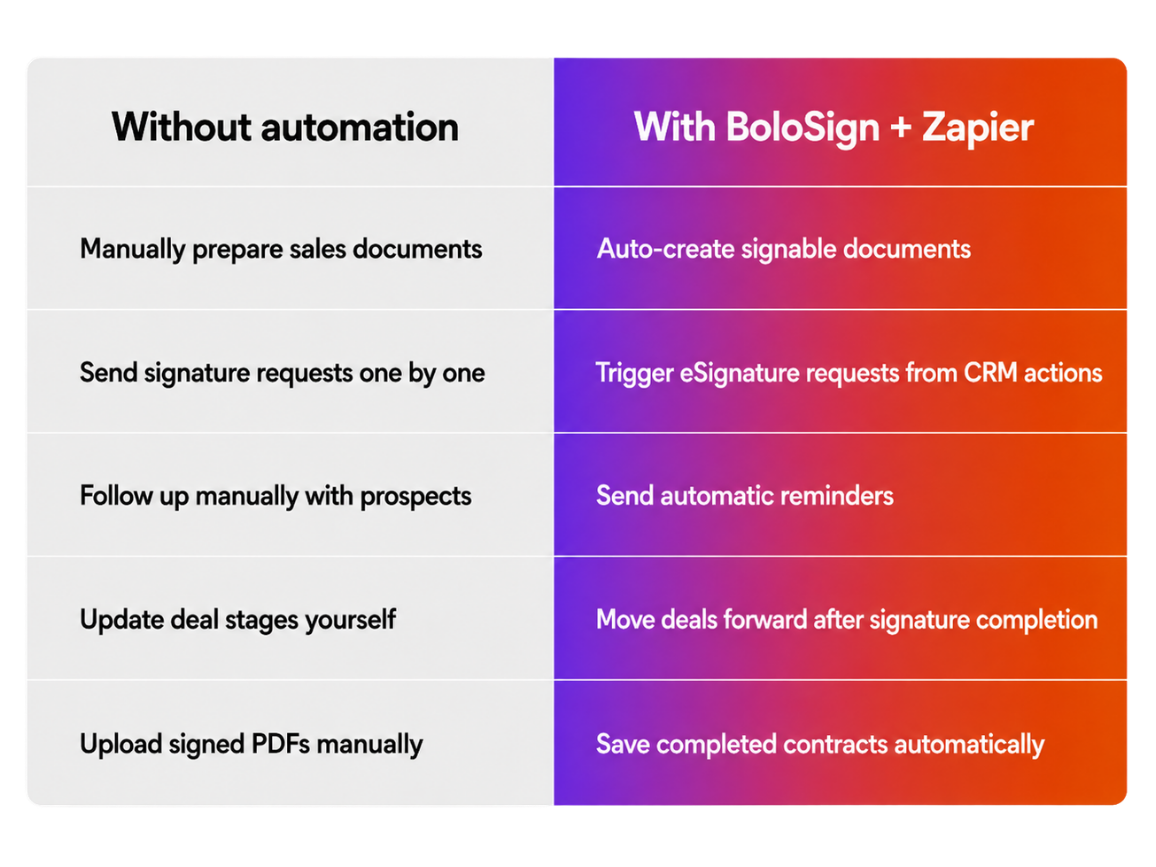
BoloSign can automatically trigger sales contracts, proposals, and agreements for eSignature whenever a deal reaches the right stage in your CRM, so your team does not have to prepare and send documents every time manually.
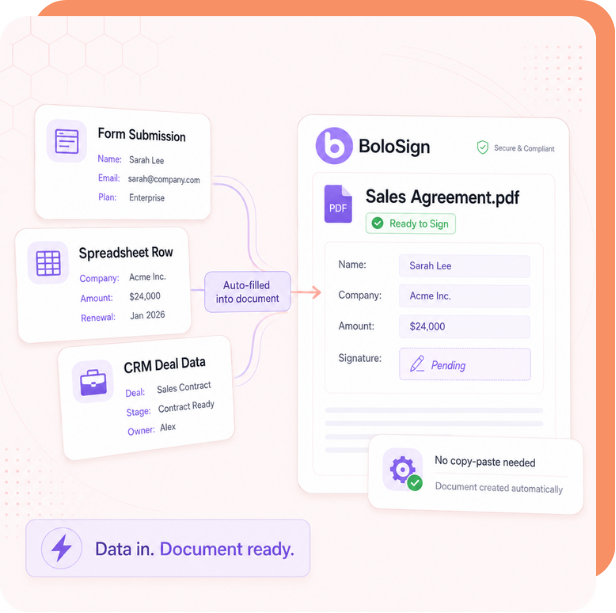
How to create signable documents from form or deal data?
With Zapier, customer details from forms, spreadsheets, or CRM fields can be sent into BoloSign and turned into ready-to-sign documents without manual copy-pasting.
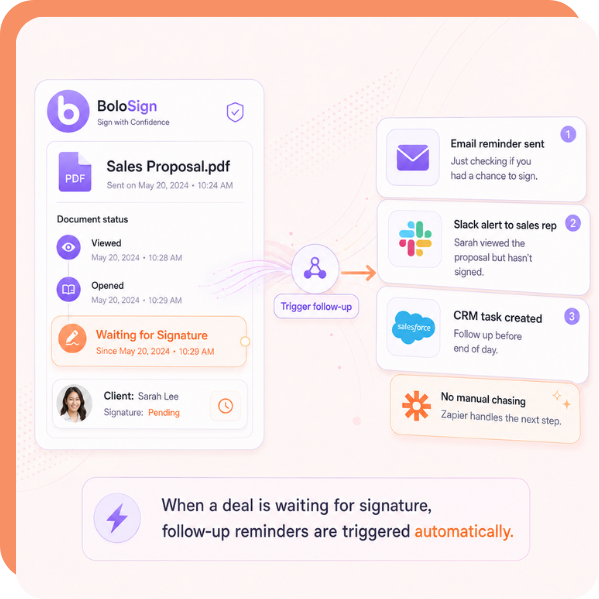
How to automate follow-ups when a deal is waiting for signature
You can send timely reminders through Zapier when a prospect has viewed, opened, or not yet signed a document, helping your team reduce delays without manually chasing every signer.
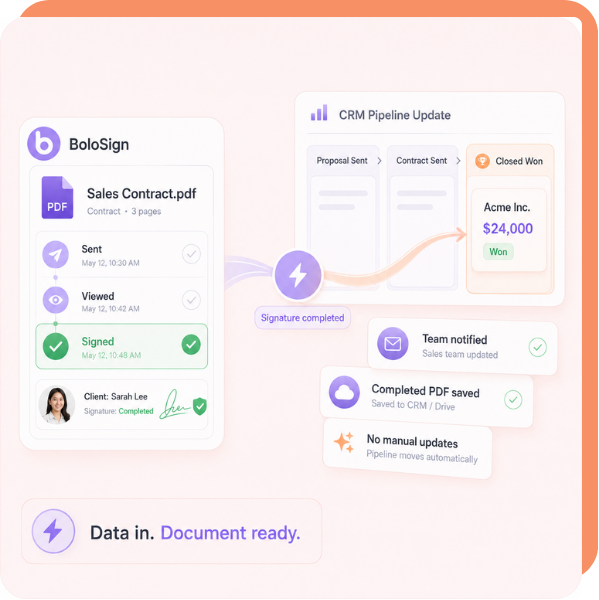
How to update sales pipeline stages after signature completion
Once a document is signed, Zapier can automatically move the deal forward, notify your team, and save the completed PDF in the right place, so the workflow continues without manual updates.
Set up in minutes
No code needed. Follow the guided steps and go live fast.
Why Sales Teams Use Zapier with BoloSign?
Sales teams use BoloSign and Zapier to reduce manual contract work, avoid delays in deal closing, and keep every signed document connected to the tools they already use.
- Close deals faster
- Reduce follow-up work
- Avoid document errors
- Keep sales records updated

Before and After Zapier Automation
What Security and Compliance Features Does BoloSign Offer for Sales Teams?
Yes. BoloSign is ISO 27001:2022 certified, SOC 2 Type II compliant, and meets ESIGN Act, UETA, GDPR, and eIDAS requirements. Every signed document includes a tamper-proof audit trail with signer identity, timestamps, and IP addresses. ISO 9001 documentation compliance features are available to meet regulatory needs.
ISO 27001:2022 certified security infrastructure
BoloSign holds ISO 27001:2022 certification — the international gold standard for information security. This means your sales documents, client data, and signatures are protected by independently audited enterprise-grade security controls. Not a self-attestation — a real certification.
SOC 2 Type II compliance verified by independent auditors
An independent auditor has verified that BoloSign consistently protects customer data across five trust principles: security, availability, processing integrity, confidentiality, and privacy. SOC 2 Type II is the highest standard for SaaS data protection.
Tamper-proof audit trail on every signed document
Every signed document includes a Certificate of Completion showing who signed, when they signed (timestamp), their IP address, their email address, and the exact document version. This is admissible as evidence in legal proceedings.
ESIGN Act and UETA compliance for legal enforceability
BoloSign meets all requirements for legally enforceable electronic signatures under US federal (ESIGN Act) and state (UETA) laws, intent to sign, consent to electronic business, association of signature with record, and record retention. Your sales agreements are as legally binding as ink signatures.
ISO 9001 documentation compliance documentation
BoloSign supports ISO 9001 documentation requirements for organizations. Maintain signed compliance records, generate audit-ready documentation, and ensure your document workflows meet regulatory standards.
Frequently Asked Questions
You can automate eSignature workflows like sending contracts, creating signable documents, triggering reminders, saving signed PDFs, updating CRM stages, and notifying your sales team when a document is completed.
Yes. Sales teams can connect BoloSign with tools like HubSpot, Pipedrive, Salesforce, Google Sheets, or other Zapier-supported apps to trigger signature requests when a deal reaches a specific stage.
No. Recipients can open the document, review it, and sign online without creating a BoloSign account.
Yes. You can create Zaps that send reminders, notify reps, or trigger follow-up actions when a document is pending, viewed, completed, or waiting for signature.
Yes. You can automatically move a deal to the next stage, update a contact record, notify your team, or start the onboarding process after the signature is completed.
Yes. BoloSign can help sales teams send proposals, quotes, NDAs, sales contracts, service agreements, and onboarding documents for eSignature.
Ready to streamline your Sales Automations?
Install BoloSign today and close deals faster.