

Quick Summary
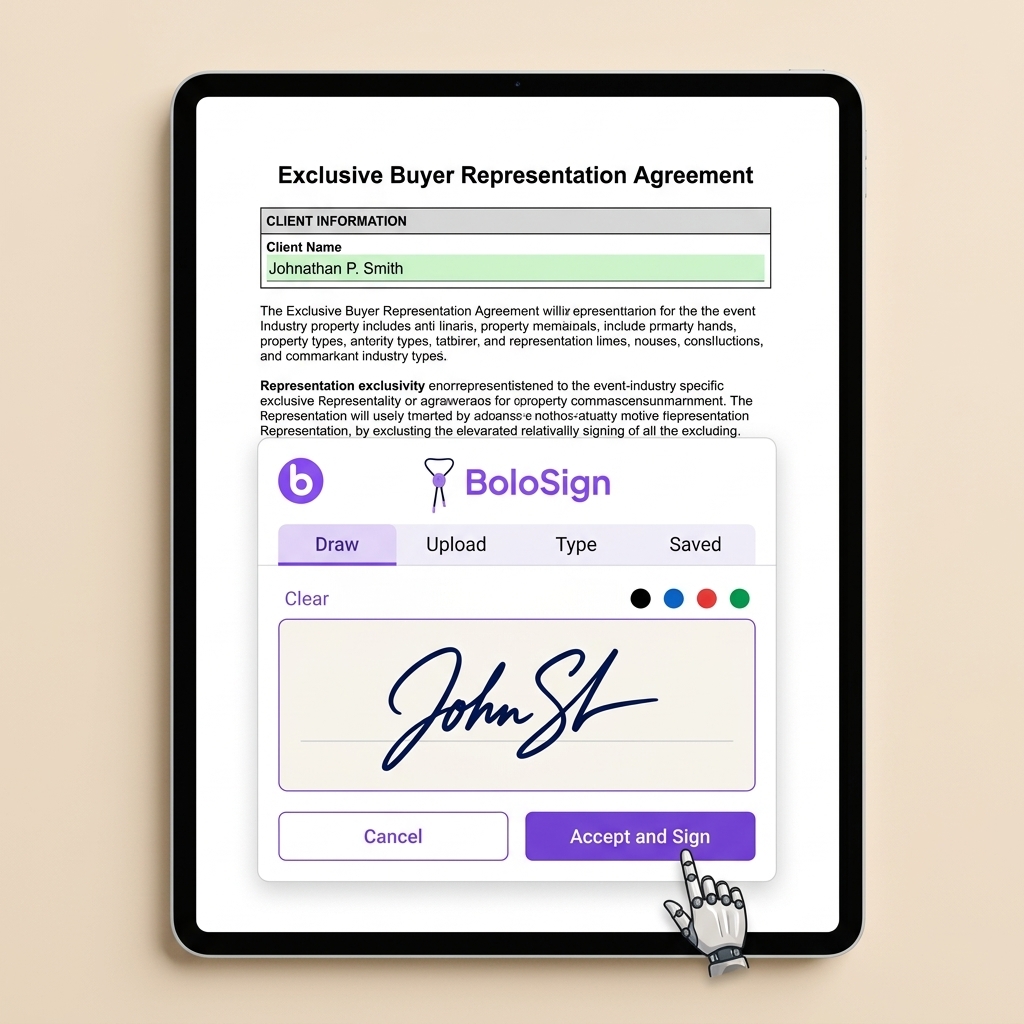
To eSign vendor contracts online: (1) Upload your vendor contracts PDF to BoloSign, (2) drag signature and date fields where each party needs to sign, (3) enter recipient email addresses and click Send. Recipients sign on any device in under 2 minutes — no app download required. Every signature is legally binding under the ESIGN Act with a tamper-proof audit trail. Try BoloSign free for 7 days.
How to eSign Vendor contracts in 3 Steps
Signing vendor contracts electronically with BoloSign takes less than 5 minutes. Here is exactly how to do it:
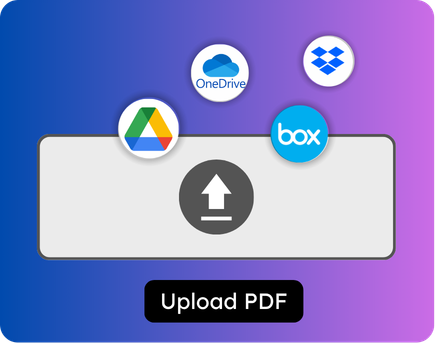
Upload your vendor contracts
30 secondsLog into BoloSign and click 'New Document.' Drag and drop your vendor contracts PDF — or select it from your files. You can also choose from your saved templates if you have already created one for this document type. The document loads instantly in BoloSign's editor.
Tip: Save this as a reusable template so you never upload vendor contracts from scratch again.
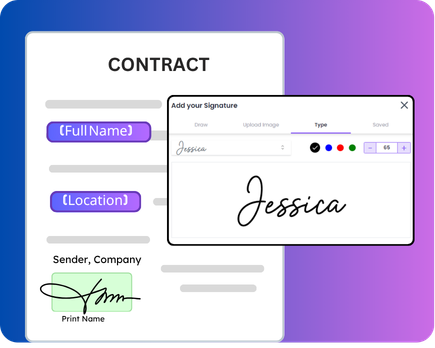
Place signature and date fields
1-2 minutesDrag signature fields, date fields, initial fields, and any custom form fields (text, checkbox, dropdown) onto the document where each party needs to sign. Assign each field to the correct recipient role. For vendor contracts with multiple signers, set the signing order so each person signs in the right sequence.
Tip: Use the 'Signing Order' feature if your document requires signers to go in a specific sequence.
Enter recipients and send
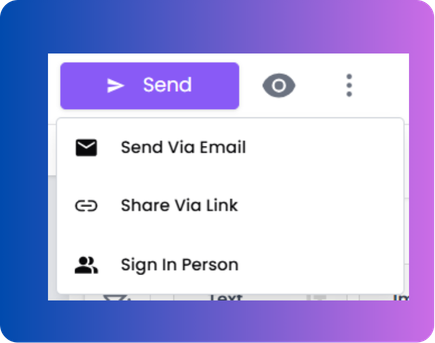
30 secondsType each signer's name and email address (or phone number for SMS delivery). Add an optional personal message. Click 'Send.' Each recipient receives a secure link to review and sign the vendor contracts on any device — phone, tablet, or desktop — in under 2 minutes. No account creation or app download required.
Tip: Use SMS delivery for faster response — 98% open rate vs 20% for email.
After signing
Once all parties sign, BoloSign emails a completed copy to everyone along with a Certificate of Completion showing who signed, when, and from which IP address. The signed vendor contracts is stored securely in your BoloSign account and can also auto-save to Google Drive, Dropbox, or OneDrive.
Why Does Event Paperwork Still Cause Last-Minute Chaos?
A single event can involve 15-50 vendor contracts, thousands of attendee waivers, and dozens of sponsor agreements — all with hard deadlines. When signing depends on email chains and manual follow-up, unsigned contracts become the #1 cause of event-day emergencies.
Unsigned vendor contracts create event-day disasters
deadline riskTwo days before a 500-person conference, the AV vendor's contract is still unsigned. Without a signed agreement, there is no legal commitment — the vendor could change pricing, reduce scope, or not show up. This scenario plays out on nearly every major event because manual contract management cannot keep pace with event timelines.
Waiver collection at the door creates entry bottlenecks
attendee experiencePhysical waiver stations at event entrances create 10-15 minute lines during peak arrival windows. Attendees are frustrated before the event even starts. Staff are overwhelmed. And paper waivers are nearly impossible to organize, store, and retrieve if a liability claim arises months later.
Sponsorship deals fall apart because agreements sit in inboxes too long
revenue lossA sponsor says yes verbally. The agreement gets emailed. It sits in the sponsor's inbox for 2 weeks because signing requires printing, scanning, and re-sending. By the time it gets signed, the event budget is locked, and the sponsor's logo is missing from printed materials. Speed of execution directly correlates with sponsorship revenue.
Event changes require re-signing dozens of amended contracts
change managementWhen a venue change or date shift happens, every affected vendor contract needs an amendment. If 20 vendors are impacted, that is 20 amended contracts to create, send, track, and collect — often within a few days. Manual amendment management at this scale is virtually impossible.
No centralized view of which vendors have signed and which have not
visibility gapWithout a centralized tracking system, event managers piece together signing status from email threads, shared drives, and memory. The question 'Has the caterer signed?' should be answerable in 2 seconds from a dashboard — not after 10 minutes of searching through email.
How Do Event Planners Use BoloSign to Manage Vendor Contracts and Attendee Waivers?
BoloSign helps event management teams eliminate paperwork bottlenecks by replacing manual document signing with instant electronic signatures. Teams create reusable templates for their most common event management documents, send them for signing via email or SMS, and track completion in real time through Google Sheets integration — all from one platform starting at $49/month.
Create reusable templates for every event management document type
Build your event management template library once and reuse forever. Upload your vendor contracts, place signature and date fields, save as template, and send to any recipient in 10 seconds. BoloSign supports unlimited templates on the Team plan ($49/mo) — create templates for vendor contracts, liability waivers, sponsorship agreements and every other document your team uses regularly.
Send vendor contracts for instant mobile signing
Upload your vendor contracts PDF, place signature fields, and send via email or SMS. Recipients sign on their phone in under 2 minutes — no app download, no printing, no scanning. BoloSign's mobile-responsive signing works on every iPhone, Android, tablet, and desktop.
Distribute liability waivers to hundreds of recipients via Bulk Send
Upload a CSV with recipient names and emails, and BoloSign sends personalized liability waivers to every person in one batch. Each recipient gets their own copy with their specific details pre-filled. Send to 10, 100, or 500 people simultaneously.
Route event management documents through the correct approval sequence
Set up signing order so each event management document goes through the right approval chain. Signer 1 receives the document first, signs, and it automatically advances to Signer 2, then Signer 3. No one signs out of order, and you see real-time status for every signer.
Track every event management document in Google Sheets automatically
Connect BoloSign to Google Sheets so every document event — sent, viewed, signed, declined — creates a new row automatically. Build a free real-time dashboard showing all active event management documents and their status. No CRM subscription needed.
Ready to eSign Vendor contracts online?
Upload, sign, and send in under 5 minutes. No credit card required.
Is BoloSign Legally Binding for Event Liability Waivers?
Yes. BoloSign is ISO 27001:2022 certified, SOC 2 Type II compliant, and meets ESIGN Act, UETA, GDPR, and eIDAS requirements. Every signed document includes a tamper-proof audit trail with signer identity, timestamps, and IP addresses. General liability waiver requirements compliance features are available to meet event management regulatory needs.
ISO 27001:2022 certified security infrastructure
BoloSign holds ISO 27001:2022 certification — the international gold standard for information security. This means your event management documents, client data, and signatures are protected by independently audited enterprise-grade security controls. Not a self-attestation — a real certification.
SOC 2 Type II compliance verified by independent auditors
An independent auditor has verified that BoloSign consistently protects event management data across five trust principles: security, availability, processing integrity, confidentiality, and privacy. SOC 2 Type II is the highest standard for SaaS data protection.
Tamper-proof audit trail on every signed document
Every event management document signed through BoloSign generates a Certificate of Completion showing: who signed, when they signed (timestamp), their IP address, their email address, and the exact document version. This is admissible as evidence in legal proceedings.
ESIGN Act and UETA compliance for legal enforceability
BoloSign meets all requirements for legally enforceable electronic signatures under US federal (ESIGN Act) and state (UETA) laws: intent to sign, consent to electronic business, association of signature with record, and record retention. Your event management agreements are as legally binding as ink signatures.
General liability waiver requirements compliance documentation
BoloSign supports General liability waiver requirements requirements for event management organizations. Maintain signed compliance records, generate audit-ready documentation, and ensure your event management document workflows meet regulatory standards.
Pro Tips
Expert advice for Event Management
Create a template bundle for your 5 most-used event management documents so your team sends complete packages in one click — this alone saves 30+ minutes per transaction and eliminates the risk of missing a required form.
Use SMS delivery for time-sensitive event management documents — SMS has a 98% open rate vs. 20% for email, which means you'll get signatures back in minutes instead of hours when deadlines matter.
Connect BoloSign to Google Sheets to build a free real-time event management document tracker — you'll see every document's status without paying for CRM software and your entire team can access it.
Enable automatic reminders at 24 and 48 hours for all unsigned event management documents — this single setting recovers 30-40% of stalled signatures without any manual follow-up from your team.
Embed signing forms on your website so event management prospects can submit and sign documents without leaving your site — capturing signed commitments at the point of highest interest instead of emailing forms back and forth.
Frequently Asked Questions
Everything you need to know about e-signing vendor contracts
What Our Customers Say
“We produce 40+ corporate events per year and each one involves 15-20 vendor contracts. Before BoloSign, we were manually emailing PDFs and chasing signatures for weeks. Now I upload all vendor details in a CSV, Bulk Send personalized contracts, and track who has signed from one dashboard. For our biggest event last month — 32 vendors — every contract was signed within 4 days. The Google Sheets tracking dashboard alone saved us 10+ hours.”
Jennifer W.
Corporate Event Director, Chicago, IL
“Collecting liability waivers from 5,000+ festival attendees used to mean tablets at the gate and massive lines. We put a BoloSign QR code on every ticket confirmation email. By the time gates opened, 78% of attendees had already signed digitally. No lines. No tablets. No staff dedicated to waiver collection. We went from 6 waiver stations to zero.”
Marcus D.
Music Festival Producer, Nashville, TN
“I manage 25-30 weddings per year and each wedding has 8-12 vendor contracts. BoloSign's templates save me so much time — I have a template for every vendor type (florist, DJ, photographer, caterer) and I just swap in the details. The branded signing experience with my company logo makes everything look professional. Couples and vendors both comment on how smooth the process is. At $49/month for unlimited everything, it is a fraction of what I was paying before.”
Ashley N.
Wedding Planner, Scottsdale, AZ
Why Event Teams Switch from DocuSign to BoloSign
A 10-person event planning team pays $400+/month on DocuSign. BoloSign costs $49/month flat — unlimited vendor contracts, unlimited attendee waivers, unlimited templates. For events with thousands of waivers, the per-envelope cost on DocuSign becomes astronomical.
| Feature | BoloSign | Competitor |
|---|---|---|
| Bulk attendee waiver collection (QR code link) | Included (unlimited) | Per-envelope cost ($$$) |
| Vendor contract templates (per vendor type) | Unlimited templates | Limited by plan |
| Google Sheets vendor readiness dashboard | Included (free) | Not available |
| Branded signing with event logo and colors | Included | Business Pro+ required |
| Bulk Send vendor contracts via CSV | Included | $60+/mo add-on |
Conclusion
That is it — three steps to eSign vendor contracts online. Try BoloSign free for 7 days. No credit card required.