

Your 2025 New Hire Paperwork Checklist: 8 Essential Forms
Streamline onboarding with our comprehensive new hire paperwork checklist. Learn which forms are critical and how to manage them efficiently and securely.

Tired of nonsense pricing of DocuSign?
Start taking digital signatures with BoloSign and save money.
A new employee's first day sets the tone for their entire journey with your company. A smooth, organized onboarding process shows you're prepared, professional, and value their time. However, behind the scenes, a mountain of paperwork can turn excitement into a frustrating administrative marathon. This is where a strategic new hire paperwork checklist becomes your most valuable tool.
It’s not just about ticking boxes; it’s about creating an efficient, compliant, and welcoming experience from the very start. A disorganized process leads to delays, compliance risks, and a poor first impression. For businesses in high-demand sectors like staffing, healthcare, real estate, and professional services, where regulations are strict and turnover can be high, a streamlined system is non-negotiable. It ensures every team member, from a nurse in a Toronto clinic to a real estate agent in Dubai, is onboarded correctly and securely.
In this comprehensive guide, we'll break down the 8 most critical documents every new hire needs to complete, why they matter, and how you can automate the entire workflow. We’ll explore how a powerful digital signing solution can transform your process, making paperwork the easiest part of bringing a new star onto your team. With a platform like BoloSign, you can create, send, and manage all your onboarding forms, collecting legally binding, compliant (ESIGN, eIDAS) eSignatures in minutes, not days. From mandatory federal forms like the I-9 and W-4 to essential company agreements like NDAs, this checklist ensures you cover every base, setting your new hire, and your business, up for success.
1. W-4 Form (Employee's Withholding Certificate)
A crucial first step in any new hire paperwork checklist, the Form W-4, or "Employee's Withholding Certificate," is a mandatory federal document in the U.S. It instructs you, the employer, on the precise amount of federal income tax to withhold from an employee’s paycheck. Accurately completing this form is vital as it directly influences an employee's take-home pay and their year-end tax liability.
The IRS redesigned the W-4 in 2020, removing the old system of allowances and focusing on a more straightforward approach. Now, employees provide information based on their filing status, number of dependents, and any other income, jobs, or deductions. This change aims to improve withholding accuracy and reduce tax-time surprises.
Why It's Essential
Proper completion of the W-4 ensures compliance with federal law and helps employees manage their finances effectively. An incorrectly filled-out form can lead to significant under-withholding (resulting in a large tax bill) or over-withholding (essentially an interest-free loan to the government). For employers, collecting and correctly processing this form is a non-negotiable part of payroll compliance.
Actionable Tips for Implementation
To streamline this part of the onboarding process, consider these best practices:
- Provide IRS Resources: Never offer tax advice, as this can create liability for your company. Instead, direct new hires to the official IRS Tax Withholding Estimator on IRS.gov. This tool helps them determine the most accurate withholding for their specific financial situation.
- Establish a Review Cadence: Encourage employees to review their W-4 annually or after significant life events like marriage, the birth of a child, or a change in a spouse's employment. This proactive approach prevents outdated information from causing payroll issues.
- Digital Collection and Storage: Use a secure platform like BoloSign to sign PDFs online and store W-4 forms electronically. This not only speeds up the collection process but also ensures that signed documents are organized, easily accessible for audits, and securely stored in digital personnel files.
- Understand Remote Work Nuances: For remote employees, state withholding can be complex. While the W-4 is a federal form, you must also consider state-specific withholding forms based on where the employee lives and works.
By handling the W-4 with diligence, you set a foundation of compliance and financial clarity for your new employees from their very first day. You can use online tools to help employees understand how their W-4 selections impact their net pay; you can learn more about salary and withholding calculations here.
2. I-9 Form (Employment Eligibility Verification)
A cornerstone of any new hire paperwork checklist, the Form I-9, or "Employment Eligibility Verification," is a mandatory U.S. Citizenship and Immigration Services (USCIS) document. Its purpose is to verify an employee's identity and legal authorization to work in the United States. Every U.S. employer must properly complete, collect, and retain a Form I-9 for every person they hire. Failure to comply carries significant financial penalties and legal risks, making it a critical HR function.
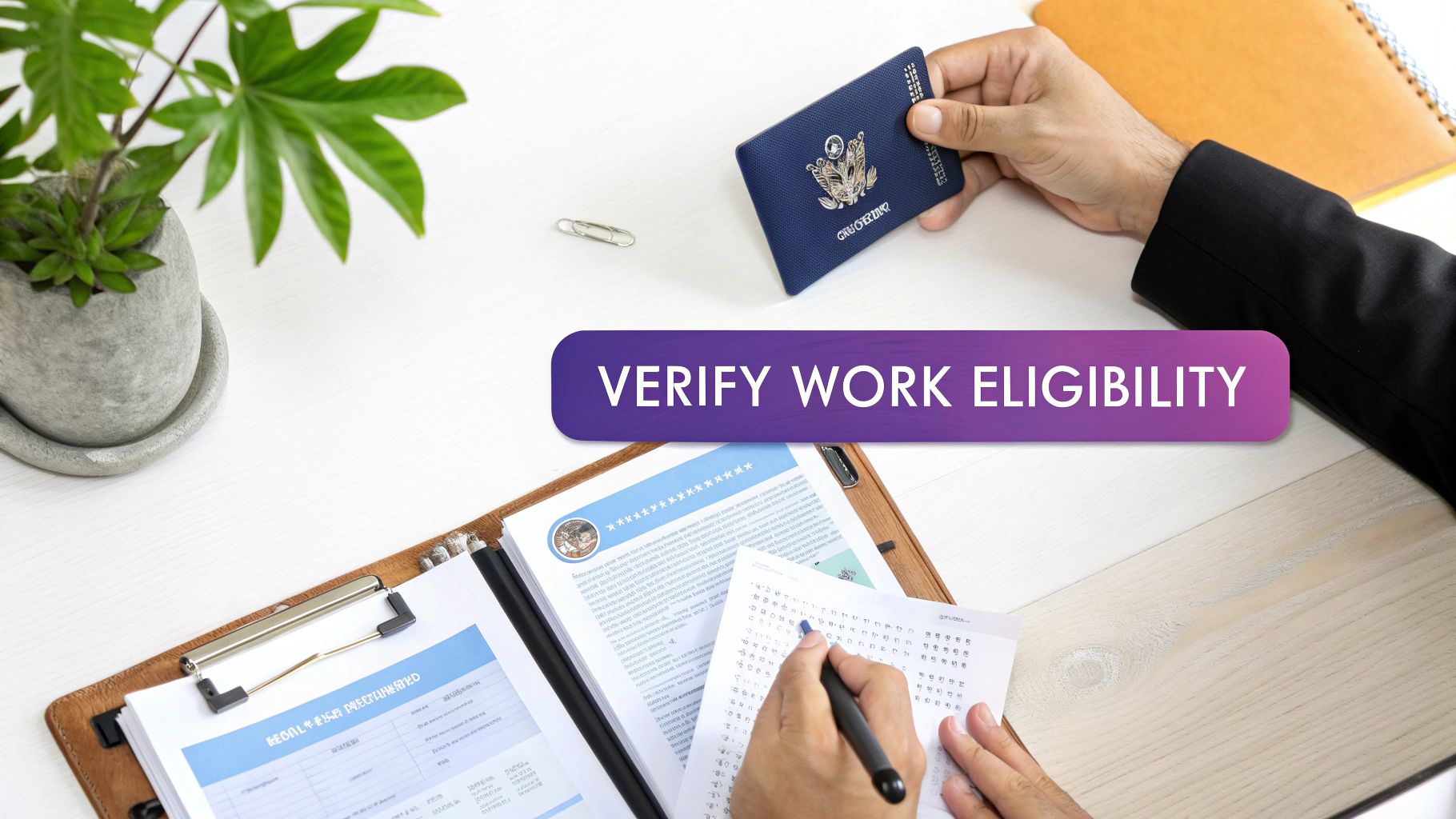
The form is divided into sections. Section 1 is completed by the employee on or before their first day of employment. Section 2 is completed by the employer within three business days of the employee's first day. This involves the employer physically examining the original documents presented by the employee from the USCIS List of Acceptable Documents.
Why It's Essential
Properly handling the Form I-9 is non-negotiable for legal compliance. It confirms that your workforce is legally authorized to work, protecting your business from the severe consequences of hiring unauthorized workers. Diligent I-9 management is also a sign of a well-organized HR process, which builds trust with new employees and prepares your company for potential audits by government agencies like ICE (Immigration and Customs Enforcement).
Actionable Tips for Implementation
To ensure your I-9 process is compliant and efficient, follow these best practices:
- Mind the Timeline: The deadlines are strict. Ensure the new hire completes Section 1 on or before their first day of work. You, the employer, must complete Section 2 within three business days of their start date after physically inspecting their original documents.
- Use E-Verify for Added Assurance: Many states now mandate the use of E-Verify, a free, internet-based system that compares information from the I-9 to government records. This provides an extra layer of verification and can help identify fraudulent documents.
- Digital Collection and Auditing: While physical inspection is often required, you can use digital tools to manage the process. Platforms like BoloSign allow you to securely store digital copies of I-9s and supporting documents, set retention-period reminders, and streamline your auditing process. A centralized, secure system simplifies compliance tracking.
- Train Your Team Thoroughly: Anyone responsible for completing Section 2 must be trained on how to properly examine documents, identify potential fraud, and avoid discrimination. Never specify which documents an employee must present; they are free to choose from the USCIS-approved lists.
By creating a systematic and compliant I-9 workflow, you mitigate significant legal risks and demonstrate a commitment to lawful employment practices from day one.
3. Direct Deposit Authorization Form
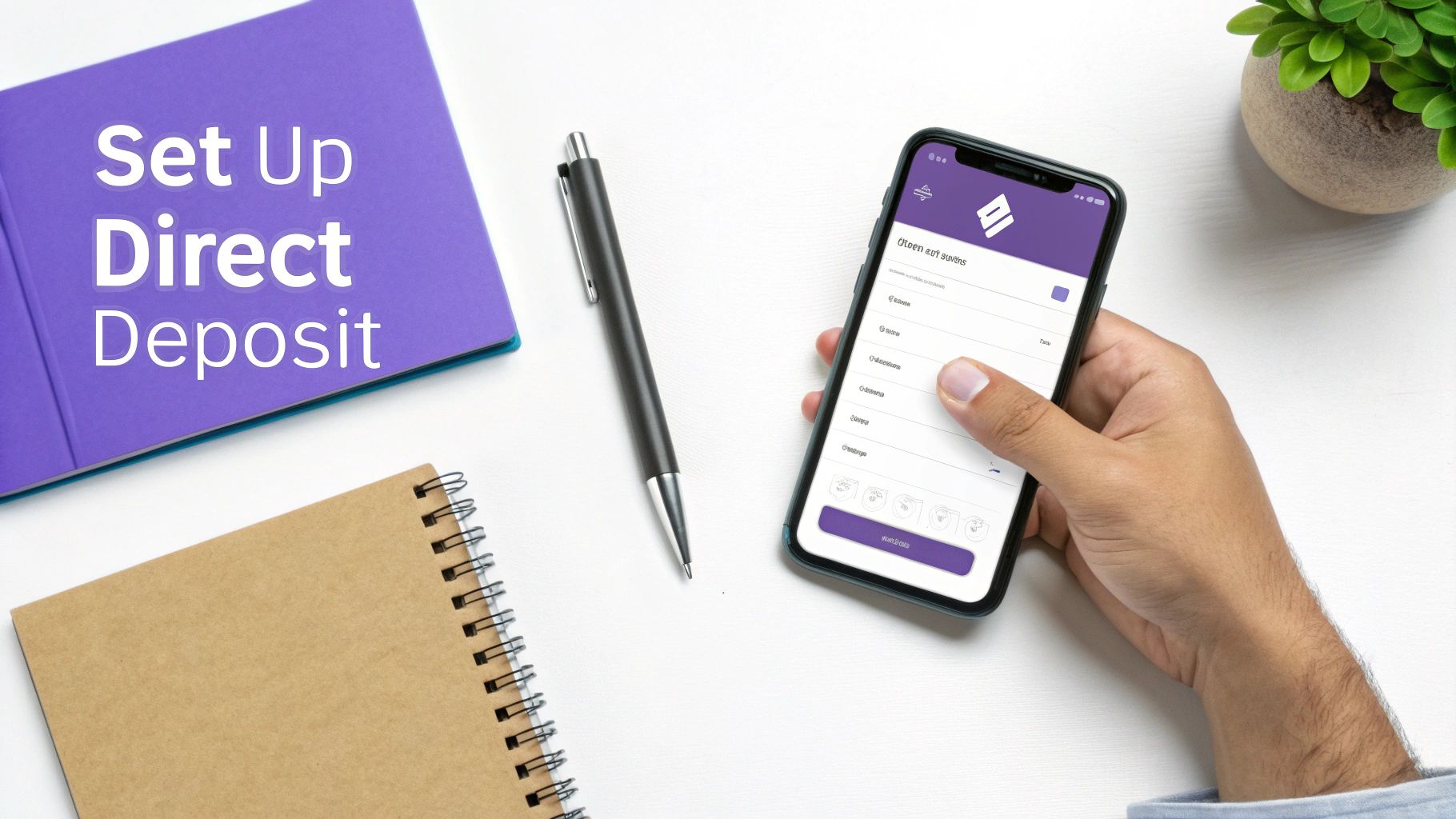
The Direct Deposit Authorization Form is a standard and highly efficient component of any modern new hire paperwork checklist. This document grants you, the employer, permission to transfer an employee's net pay directly into their designated bank account(s). By collecting essential banking details like routing and account numbers, you can automate payroll, reduce administrative costs, and provide a secure, convenient payment method that today's workforce expects.
This process eliminates the need for physical paychecks, significantly streamlining payment distribution and minimizing the risk of lost or stolen checks. This is the standard in global business hubs from Sydney to Toronto, reflecting a broad move towards digital, paperless HR operations.
Why It's Essential
Beyond convenience, offering direct deposit is crucial for operational efficiency and employee satisfaction. It ensures timely and reliable payment, which is a cornerstone of employee trust. For employers, it reduces the costs associated with printing and distributing paper checks and simplifies payroll reconciliation. Securely managing this sensitive financial data is also a key compliance responsibility, protecting both the employee and the company from potential fraud.
Actionable Tips for Implementation
To ensure a smooth and secure direct deposit setup, follow these best practices:
- Use a Secure Digital Form: Collect banking information using a secure, encrypted digital form. A tool like BoloSign ensures that sensitive data submitted by new hires is protected with enterprise-grade security and is compliant with regulations like GDPR, keeping employee financial information confidential.
- Verify Information Accurately: Implement a verification step, such as asking for a voided check or a bank specification letter, to confirm routing and account numbers. This simple check prevents payroll errors and delayed payments.
- Offer Split Deposit Options: Allow employees to split their deposits between multiple accounts, such as checking and savings. This flexibility is a valued benefit that can help employees with their personal financial goals.
- Provide Alternatives for the Unbanked: While direct deposit is ideal, be prepared with alternatives for employees who may not have a traditional bank account. Payroll cards (or pay cards) are a common and effective solution that still allows for electronic payment.
- Communicate Clearly: Ensure your onboarding process clearly explains how to complete the form, the company's pay schedule, and when the first direct deposit will occur.
By implementing a secure and user-friendly direct deposit process, you demonstrate a commitment to modern, efficient operations from the very beginning of the employee relationship. You can create and send secure digital forms to streamline this step in your onboarding workflow.
4. Emergency Contact Information Form
Often considered a standard but critical component of any new hire paperwork checklist, the Emergency Contact Information Form is a document that safeguards your employee's well-being. It is used to collect the names, relationships, and contact details of individuals who should be notified in the event of an on-the-job accident, sudden illness, or other emergency situation affecting the employee. This form is a vital tool for responsible and compassionate communication when it matters most.
While seemingly simple, this document is foundational to workplace safety protocols. It ensures that in a crisis, your HR or management team can act swiftly to inform an employee's loved ones, which is a duty of care for every employer. The information collected typically includes primary and secondary contacts, their phone numbers, and their relationship to the employee.
Why It's Essential
Beyond being a best practice, maintaining an up-to-date emergency contact list is a crucial part of your company's risk management and employee support strategy. In an emergency, having immediate access to this information can be critical for medical personnel and allows your company to provide necessary support to the employee's family. It demonstrates that you prioritize employee safety and are prepared for unforeseen circumstances, whether in a high-risk logistics warehouse or in a standard office or remote setting.
Actionable Tips for Implementation
To handle this sensitive information effectively and ensure its readiness, consider the following best practices:
- Request Multiple Contacts: Ask new hires to provide at least two or three emergency contacts. This provides a backup if the primary contact is unreachable and is especially important for distributed or remote teams where an employee may not have colleagues physically nearby.
- Establish a Review Cadence: Personal information changes. Make it a standard practice to ask employees to review and update their emergency contact details annually, perhaps during performance reviews or benefits open enrollment periods.
- Digitize Collection and Storage: Use a secure digital form and eSignature solution to gather and store this information. A tool like BoloSign allows you to create secure, accessible digital forms that can be updated easily by employees, ensuring HR always has the most current data at their fingertips in a centralized, secure location.
- Communicate Privacy and Purpose: Clearly explain to employees how this information will be used and stored. Reassure them that it will only be accessed in a genuine emergency and is kept confidential, separate from their general personnel file, to protect their privacy and that of their contacts.
5. Employee Handbook Acknowledgment Form
An essential component of any comprehensive new hire paperwork checklist, the Employee Handbook Acknowledgment Form is a signed document confirming that a new employee has received, reviewed, and understands the company's policies and procedures. This simple yet powerful form is a critical legal safeguard, establishing a clear record that the organization has communicated its expectations regarding conduct, benefits, safety, and compliance.
This document serves as tangible evidence of policy communication. Should a dispute or legal issue arise later, this signed acknowledgment proves the employee was made aware of the rules governing their employment. It transforms the employee handbook from a mere informational guide into an enforceable set of standards, protecting both the employee and the employer by ensuring everyone is operating from the same set of guidelines.
Why It's Essential
The primary purpose of the handbook acknowledgment is to mitigate legal risk. By having an employee formally acknowledge receipt of the handbook, you create a defense against potential claims of wrongful termination or discrimination where an employee might argue they were unaware of a specific policy. It reinforces the at-will employment relationship (where applicable) and establishes a baseline of accountability from day one, setting a professional tone for the entire employment journey.
Actionable Tips for Implementation
To effectively integrate this form into your onboarding, consider the following best practices:
- Require a First-Day Signature: Make signing the acknowledgment form one of the very first tasks a new hire completes. This ensures there is no ambiguity about when they were provided with the company’s core policies and expectations.
- Leverage Digital Workflows: Use an eSignature platform to send the acknowledgment form along with the digital employee handbook. This creates an immediate, time-stamped, and legally binding record. Tools like BoloSign allow you to bundle this form with other new hire documents for a seamless, one-click signing experience, which is especially useful for remote employees.
- Update and Re-Acknowledge: Your company policies will evolve. When significant changes are made to the employee handbook (such as new anti-harassment policies or remote work guidelines), distribute the updated version and require all employees to sign a new acknowledgment form.
- Ensure Clarity and Accessibility: The handbook itself should be written in clear, jargon-free language. Consider providing translations for a diverse, multilingual workforce to ensure genuine understanding. During orientation, have an HR representative briefly walk through key sections like the code of conduct and safety procedures.
6. Confidentiality and Non-Disclosure Agreement (NDA)
A Confidentiality and Non-Disclosure Agreement (NDA) is a legally binding contract that establishes a confidential relationship between an employer and an employee. This critical document prohibits new hires from sharing proprietary, sensitive, or confidential company information with any unauthorized third parties, both during and after their employment. It is a foundational element in any robust new hire paperwork checklist for protecting your most valuable assets.

This agreement is standard across most industries but is particularly crucial in sectors where competitive advantage is tied to intellectual property. For example, a tech firm in Silicon Valley uses strict NDAs to protect upcoming products, while a professional services firm in the UAE relies on them to safeguard client data. For startups, a well-drafted NDA can be the first line of defense against competitors.
Why It's Essential
The primary purpose of an NDA is to protect your company's trade secrets, client lists, strategic plans, financial data, and other intellectual property. Without it, a departing employee could potentially share sensitive information with a new employer or start a competing business, causing significant financial and reputational damage. Enforcing an NDA demonstrates that you take the protection of your proprietary information seriously.
Actionable Tips for Implementation
To ensure your NDA is effective and enforceable, consider the following best practices:
- Define "Confidential" Clearly: Avoid vague language. Specifically list the types of information covered, such as customer data, marketing strategies, source code, and internal processes. This clarity prevents ambiguity and strengthens the agreement's legal standing.
- Specify Duration and Scope: The agreement should have a reasonable and clearly defined duration, typically lasting 2-5 years after employment ends. Also, ensure the scope is not overly broad, as courts may deem overly restrictive agreements unenforceable.
- Use Digital Signatures for Efficiency: Integrate a secure eSignature tool to manage NDAs. This allows you to send the document to new hires before their first day, track its status, and store the signed copy securely in their digital file. With compliant digital signing solutions, you can streamline the entire process.
- Consult Legal Counsel: Always have your NDA template reviewed by a qualified legal professional. Employment laws vary significantly by state and country, and a legal review ensures your agreement is compliant and enforceable in your jurisdiction.
By making a well-drafted NDA a standard part of your onboarding, you create a clear framework of expectations around confidentiality from day one. You can learn more about sending and managing NDAs with secure eSignatures here.
7. Benefit Elections and Enrollment Form
A critical component of any comprehensive new hire paperwork checklist, the Benefit Elections and Enrollment Form is where employees choose their company-sponsored benefits. This includes selections for health insurance, dental and vision plans, retirement contributions (like a 401(k) or RRSP), and ancillary benefits such as life insurance, disability coverage, or flexible spending accounts (FSAs). Completing these forms is essential for payroll to make the correct pre-tax and post-tax deductions.
These forms serve as the official record of an employee's choices, which are typically binding until the next open enrollment period or a qualifying life event. For employers, collecting this information accurately is fundamental to benefits administration, vendor management, and ensuring compliance with regulations like the Affordable Care Act (ACA) in the U.S., which mandates specific enrollment notifications and coverage offers.
Why It's Essential
Proper and timely benefits enrollment is crucial for both employee satisfaction and legal compliance. It ensures new hires are covered by the plans they select without delay, which is a major factor in their overall job satisfaction. For the company, these forms authorize payroll deductions and provide the necessary data for reporting to insurance carriers and retirement plan administrators. Failing to manage this process correctly can lead to compliance penalties, administrative errors, and significant employee frustration.
Actionable Tips for Implementation
To make the benefits enrollment process clear and efficient, consider the following strategies:
- Provide Decision-Support Tools: Don’t just hand over a stack of forms. Offer a benefits overview guide, plan comparison charts, and cost calculators. This helps employees make informed decisions based on their personal needs and financial situation. It also helps them in understanding the full scope of a total compensation package, which goes far beyond just their base salary.
- Set Clear Deadlines with Reminders: Communicate the enrollment deadline clearly and send automated reminders as the date approaches. This minimizes the risk of employees missing their window to enroll, which could leave them without coverage for an entire year.
- Digitalize the Enrollment Process: Use a benefits administration platform or a secure eSignature tool to manage enrollment electronically. This simplifies the experience for employees, reduces paperwork, and ensures all selections are captured accurately. It also creates a seamless workflow, which is a key part of the approval process for benefit forms.
- Offer Educational Resources: For many, benefits terminology can be confusing. Provide resources like explainer videos, FAQs, and even one-on-one sessions with an HR representative to answer questions about deductibles, co-pays, and plan networks.
By creating a structured and supportive benefits enrollment experience, you empower new hires to make confident choices and demonstrate your company’s commitment to their well-being from day one.
8. Tax Form W-9 or Foreign Tax Identification (For Contractors/1099s)
While not part of a traditional employee new hire paperwork checklist, the Form W-9, "Request for Taxpayer Identification Number and Certification," is absolutely essential when engaging independent contractors, freelancers, or consultants in the U.S. This IRS form collects the contractor's name, business name, address, and Taxpayer Identification Number (TIN), which can be a Social Security Number (SSN) or an Employer Identification Number (EIN). It also certifies that they are a U.S. person and not subject to backup withholding.
This form is the cornerstone of your 1099 reporting process. Each year, you are required to issue a Form 1099-NEC to any contractor you paid $600 or more. The W-9 provides all the information needed to complete this reporting accurately. For non-U.S. contractors, a similar form, typically the Form W-8BEN, is required to certify their foreign status and claim any applicable tax treaty benefits.
Why It's Essential
Failing to collect a W-9 can lead to significant compliance headaches. The IRS can impose penalties for not filing 1099s or for filing them with incorrect information. Furthermore, if you cannot provide a valid TIN for a contractor, you may be required to implement backup withholding, which involves withholding a percentage of their payments and remitting it to the IRS. Properly collecting and managing W-9s and W-8s is a non-negotiable step in maintaining compliant contractor relationships and avoiding potential tax penalties.
Actionable Tips for Implementation
To effectively manage this crucial piece of compliance, integrate the following practices into your contractor onboarding workflow:
- Collect Before Payment: Make it a strict policy to collect a completed and signed W-9 before any work begins or any payment is issued. This prevents a scramble for documents at year-end and ensures you are compliant from day one of the engagement.
- Use Digital Solutions for Collection: Utilize an eSignature tool to send, sign, and store W-9s securely. BoloSign's contract automation features simplify the process for contractors, creating an organized digital record and an easily searchable database for your accounting team or for audit purposes.
- Establish a Refresh Cycle: While W-9s don't expire, it's a best practice to request an updated form every two to three years or whenever a contractor informs you of a change in their address, name, or business structure. This ensures your records remain current.
- Differentiate Between U.S. and Foreign Contractors: Train your team to identify when a W-8BEN is needed instead of a W-9. If a contractor indicates they are not a U.S. citizen or U.S. resident alien and perform their work outside the U.S., the W-8BEN is the appropriate form to collect.
- Maintain Clear Records: Ensure that all payment records for a contractor are clearly linked to their corresponding W-9. This creates a transparent and auditable trail, which is invaluable for year-end tax reporting and if the IRS ever questions your contractor classifications.
8-Item New Hire Paperwork Comparison
| Document | Implementation Complexity 🔄 | Speed / Resource Requirements ⚡ | Expected Outcomes 📊 | Ideal Use Cases & Tips 💡 | Key Advantages ⭐ |
|---|---|---|---|---|---|
| W-4 Form (Employee's Withholding Certificate) | Moderate — requires correct inputs and occasional updates | Quick to complete but may need annual reviews; minimal admin resources | Accurate federal withholding; affects take-home pay and tax liability | Onboarding and after life changes; use IRS withholding calculator | Customizable withholding; federally standardized; reduces refunds/penalties |
| I-9 Form (Employment Eligibility Verification) | High — in-person document review and strict rules | Time-sensitive (complete within 3 days); training and secure storage needed | Legal work-eligibility compliance; reduces hiring risk and penalties | Mandatory for all hires; use E-Verify and train HR on acceptable docs | Legal compliance; standardized verification; enforces hire eligibility |
| Direct Deposit Authorization Form | Low — straightforward bank info and authorization | Fast implementation; requires secure handling of banking data | Faster, reliable pay distribution; reduces check-related costs | Payroll onboarding; support multiple accounts and secure storage | Faster access to funds; cost-effective; reduces lost/stolen paychecks |
| Emergency Contact Information Form | Low — simple collection but needs updates | Quick to collect; requires periodic verification and secure storage | Enables rapid communication during emergencies; supports duty of care | Safety-sensitive workplaces; request 2–3 contacts and annual updates | Improves emergency response; low administrative burden |
| Employee Handbook Acknowledgment Form | Low — signature/acknowledgment of receipt | Fast to obtain; needs version control when policies change | Documented proof of policy communication; mitigates liability | All employees at hire and after major policy updates; use clear language | Legal evidence of notice; standardizes expectations |
| Confidentiality / NDA | Moderate–High — requires tailored language and legal review | Moderate speed; legal resources advisable for enforceability | Protects IP/trade secrets; restricts disclosures during/after employment | Use for R&D, finance, sensitive roles; limit scope and duration reasonably | Strong legal protection for proprietary info; sets clear handling rules |
| Benefit Elections & Enrollment Form | High — complex options, counseling and payroll integration | Time-consuming during onboarding/open enrollment; benefits admin required | Correct benefit coverage, proper payroll deductions, compliance | New hires and annual open enrollment; offer decision tools and counseling | Enables personalized benefits; ensures regulatory compliance |
| Tax Form W-9 / Foreign Tax ID (Contractors) | Low — contractor-completed but needs verification | Quick to collect; must be obtained before payments and retained | Correct 1099 reporting; avoids backup withholding and penalties | Use for contractors/1099s; collect before first payment and update periodically | Standard IRS compliance; simplifies contractor tax reporting |
Automate Your Onboarding and Transform the New Hire Experience
Navigating the complexities of a new hire paperwork checklist is more than just a procedural necessity; it’s the first tangible interaction a new employee has with your company’s culture and operational efficiency. As we've detailed, from the essential Form I-9 and W-4 to NDAs and direct deposit authorizations, each document serves a critical legal, financial, and organizational purpose. A haphazard, paper-based approach not only creates administrative friction but also sends a clear message: that your processes are outdated and inefficient. Conversely, a streamlined, digital-first system sets a tone of professionalism, organization, and respect for the new team member's time.
The ultimate goal is to shift your perspective from simply completing paperwork to curating an experience. By understanding the specific requirements of each form, the ideal timing for its delivery, and the legal implications of compliance, you lay the groundwork for a scalable and secure onboarding process. This proactive management prevents costly errors, ensures you meet federal and state regulations, and frees up your HR team to focus on more strategic initiatives, like training, development, and cultural integration.
The Power of a Digital-First Onboarding Workflow
The true transformation happens when you move beyond a static checklist and embrace a dynamic, automated workflow. A modern eSignature platform doesn't just collect signatures; it orchestrates the entire onboarding journey. Imagine a system where completing a form with basic new hire details automatically triggers a pre-configured onboarding packet. The W-4, state tax forms, employee handbook, and direct deposit form are sent in a logical sequence, with automated reminders ensuring nothing falls through the cracks.
This is the power of a tool like BoloSign. It acts as the central nervous system for your document workflows, allowing you to create PDFs, templates, and forms quickly. For industries where speed and compliance are paramount:
- Healthcare: Instantly send and track HIPAA consent forms and employment contracts with a full audit trail, ensuring patient data and employee records are handled with the utmost security.
- Staffing & Recruitment: Onboard dozens of contractors or temporary staff in a single day by sending customized contract packets and collecting legally binding eSignatures in minutes, not days.
- Professional Services: Securely manage NDAs, client engagement letters, and independent contractor agreements, all from one centralized, compliant platform.
From Administrative Burden to Strategic Advantage
Ultimately, mastering your new hire paperwork checklist is a strategic move that pays dividends across the organization. It reduces compliance risk, accelerates the time-to-productivity for new employees, and creates a positive, lasting first impression. By leveraging AI-powered automation and a secure, compliant eSignature platform like BoloSign, you are not just ticking boxes; you are building a foundation of operational excellence.
The best part? This level of sophistication is no longer reserved for large enterprises. BoloSign is designed to be accessible, offering unlimited documents, team members, and templates for a single, fixed price, making it up to 90% more affordable than traditional solutions. Stop chasing paper and start building a world-class team from day one. This isn't just about efficiency; it's about making your company a better place to work, right from the very start.
Ready to see how a seamless digital signing solution can revolutionize your onboarding process? Start your 7-day free trial of BoloSign today and experience the future of secure document workflows firsthand.
For organizations dedicated to optimizing every aspect of their operational workflow, from onboarding to contract management, the right technology partner is key. Closer Innovation Labs Corp. provides powerful, intuitive solutions like BoloSign to help businesses automate document processes, ensure compliance, and create exceptional user experiences. Discover how our tools can transform your business at Closer Innovation Labs Corp.

Paresh Deshmukh
Co-Founder, BoloForms
5 Dec, 2025
Take a Look at Our Featured Articles
These articles will guide you on how to simplify office work, boost your efficiency, and concentrate on expanding your business.



