
How Do Digital Signatures Work? a Plain-English Guide
Still asking how do digital signatures work? Plain-English steps on hashing, key pairs, verification, certificates and how they differ from e-signatures.

Tired of nonsense pricing of DocuSign?
Start taking digital signatures with BoloSign and save money.
Which does a digital signature prove: that the file hasn't changed since it was signed, or that the person named on page one is the one who signed it?
Most explanations answer the first and let you assume the second. That assumption is where signing problems begin. A signature can be mathematically flawless and still tell you nothing about who was sitting at the keyboard, whether they read the terms, or whether they had authority to commit a company.
Cryptography settles integrity with near certainty. Identity, intent and authority depend on the certificates, identity checks and records built around the signature. Keep that line clear and the mechanism itself becomes far easier to follow.
How a Digital Signature Works in Three Steps
A digital signature is a short cryptographic code attached to a document. It proves the document hasn't changed since signing, and it proves that one particular private key was used to create the code. The mechanics of how digital signatures work come down to three steps, and none of them is difficult on its own.
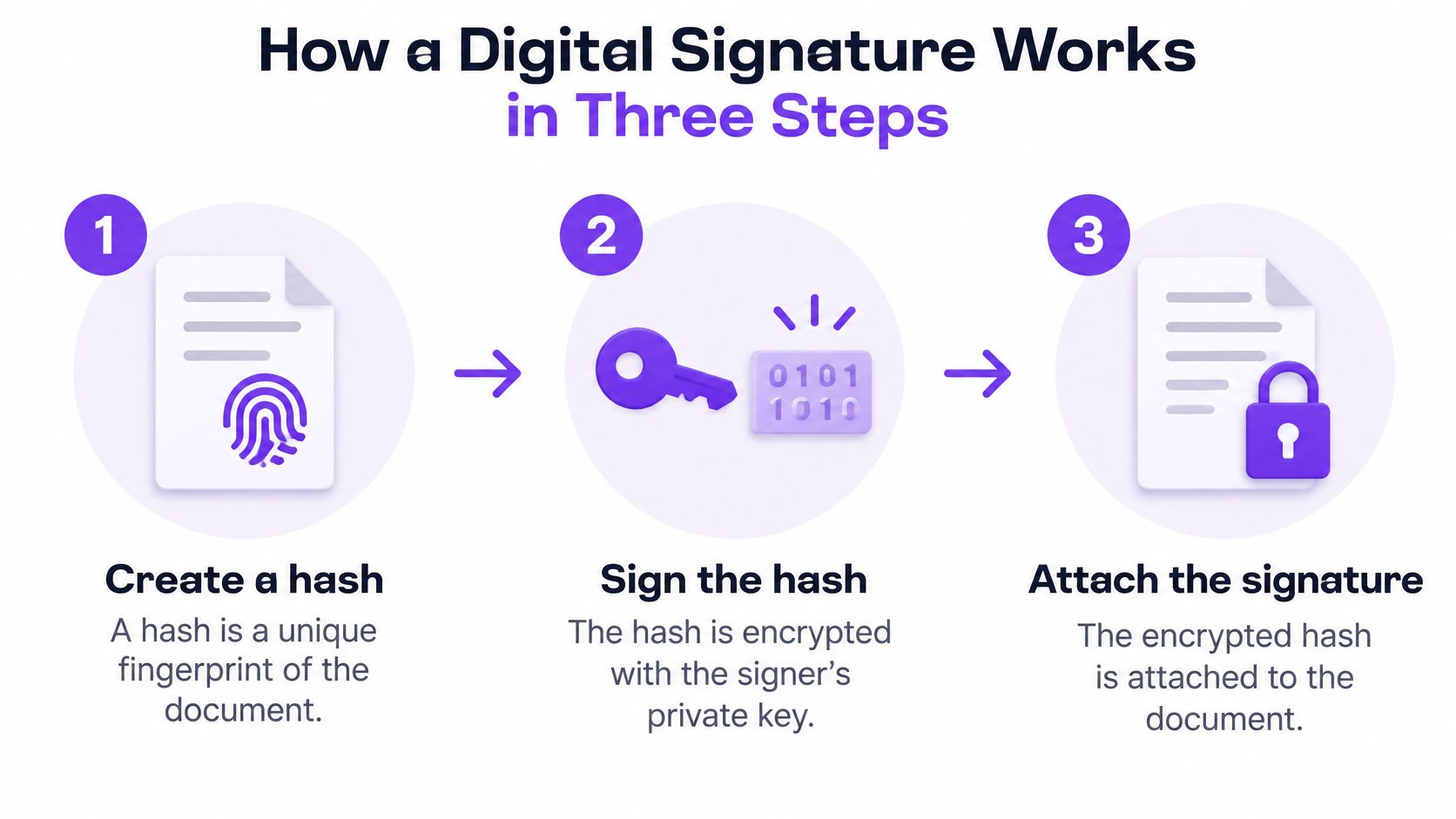
Step one, hash the document. A hash function reads the entire file, whether it's a two-line receipt or a 300-page merger agreement, and reduces it to a fixed-length string called a digest. The digest works like a fingerprint for that exact content.
Step two, sign the digest. The signer's private key turns that digest into a signature, and the signature travels with the file. The file itself stays unencrypted, so anyone who opens it can read every word. Only the short digest gets signed.
The part people miss: signing is not encryption. A signed PDF remains fully readable. What the signature removes is deniability about the contents.
Step three, verify. The recipient's software recalculates the digest from the file it received, then uses the signer's public key to check that the signature matches. Two matching digests mean the file in hand is the file that was signed, and the signature came from the holder of that private key.
A wax seal makes a decent mental model. Only the person with the signet ring can press a clean impression, and the wax cracks if anyone opens the letter in transit. What the seal can't tell you is who owns the ring. That question belongs to certificates, not cryptography.
Three steps, two keys, one result the recipient can check. The difficulty lives in the trust details, not in the mechanism.
Why a Hash Exposes Every Change
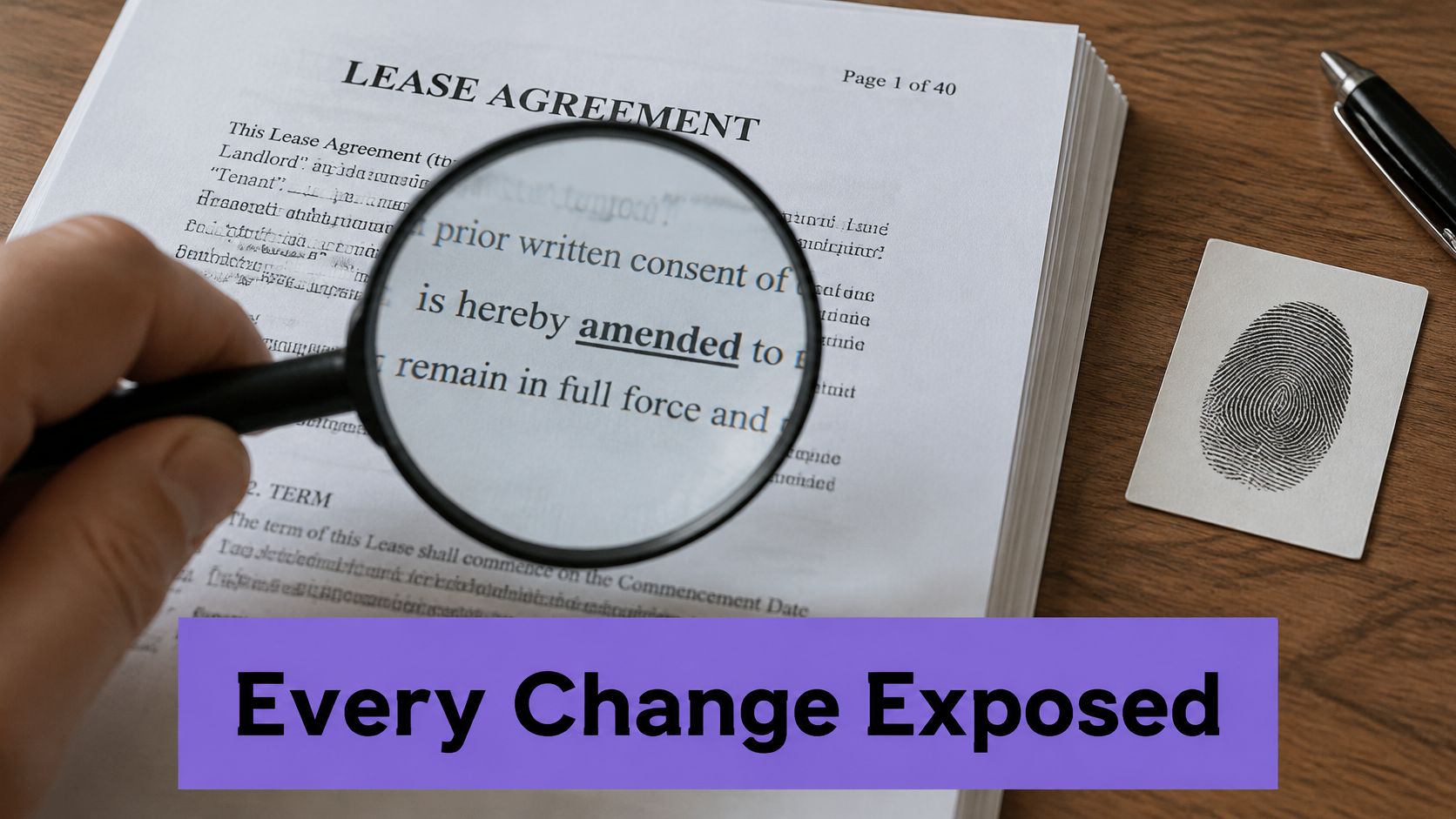
Change one comma in a signed file and the hash becomes a different value. That is the whole trick, and it is why a short digest can stand in for a much larger document during signing.
A hash function is deterministic: the same input always produces the same digest. It is also fixed-length, so a two-line receipt and a 300-page merger agreement end up with outputs of identical size. The useful part is sensitivity. A tiny edit produces a digest with no obvious resemblance to the first one.
Run a 40-page commercial lease through SHA-256 and you get a 256-bit digest, usually written as 64 hexadecimal characters. Move the rent commencement date from March 1 to April 1, save the file, and the new digest shares no pattern with the old one. Cryptographers call that the avalanche effect: one changed character rewrites a large share of the output.
Signing software signs the digest rather than the whole document for a practical reason. A digest is small, quick to compute and cheap to compare, so the signer never processes a 40-page file twice. The design also draws a clean boundary: two different files should not be easy to force into the same digest.
The trap that breaks otherwise valid signatures
The hash runs over the exact bytes of the file, not the words you see on screen. Re-save a signed PDF in a different viewer, let a tool rewrite its metadata, or convert it to another format and back, and the bytes can change while the visible text stays the same. The signature remains genuine. It no longer matches the file in front of you.
The design depends on that strictness. If a program could alter the bytes and still verify, the signature would prove nothing at all.
Practical rule: archive the signed original, not a re-saved copy. If a colleague needs a version with comments, keep both files and label the annotated one clearly.
Try the check mentally. One character in a signed contract changes. The digest changes completely, so the recipient's recalculation produces a different value and verification fails on that exact file. The tampering has nowhere to hide, even when the page looks identical to the eye.
This proof is narrower than people expect. A matching digest shows the received bytes equal the signed bytes. By itself, it does not show who the human was, whether that person agreed, whether they had authority, or whether the public key should be trusted. Those answers come from certificates and signing records, a different layer of evidence.
The U.S. government put this model into public standards rather than leaving it to vendors, and NIST's history of cryptography standards describes how FIPS 180 and FIPS 186 established the hash and digital signature standards in the early 1990s.
The Key Pair Behind Every Signature
Two keys are generated together as a matched pair, and they do opposite jobs. The private key stays with the signer and creates signatures. The public key can be emailed to a counterparty, published on a website or stored in a directory, and its only job is to check signatures the private key produced.
A mailbox analogy holds up well. The slot in the door is public, so anyone can drop a letter through it. Only the key in your pocket opens the box. Handing out copies of the slot doesn't let anyone sign in your name.
Three ways a key pair fails
The key is stolen. Whoever holds it can sign as the owner, and every forged signature will verify cleanly. Nothing in the mathematics flags the theft.
The key is lost. New signatures become impossible, though signatures made before the loss usually stay verifiable. A lost token is an operational headache rather than a legal catastrophe.
The public key is swapped. Convince a counterparty that a different public key belongs to you and a forged document can pass. Certificates exist to close this gap.
A signature is only as trustworthy as the custody of the key behind it.
Controls that help: keep private keys in a hardware token or a managed key store rather than a downloads folder, restrict which people and systems can invoke them, require multi-factor authentication on signing accounts, and log which key signed which document so a later dispute has an answer.
Where signing keys and certificates come from
Keys are generated locally, either in a software tool or on a hardware device, and the private half never needs to leave it. A certificate authority, or a qualified trust service provider in Europe, then issues a certificate binding the public key to a verified name. That certificate is what lets a stranger connect a signature to a person.
Verifying a Signature Step by Step
Verification follows a fixed sequence, and the order matters. Skip a step and a valid signature can look broken, or a broken one can look fine.
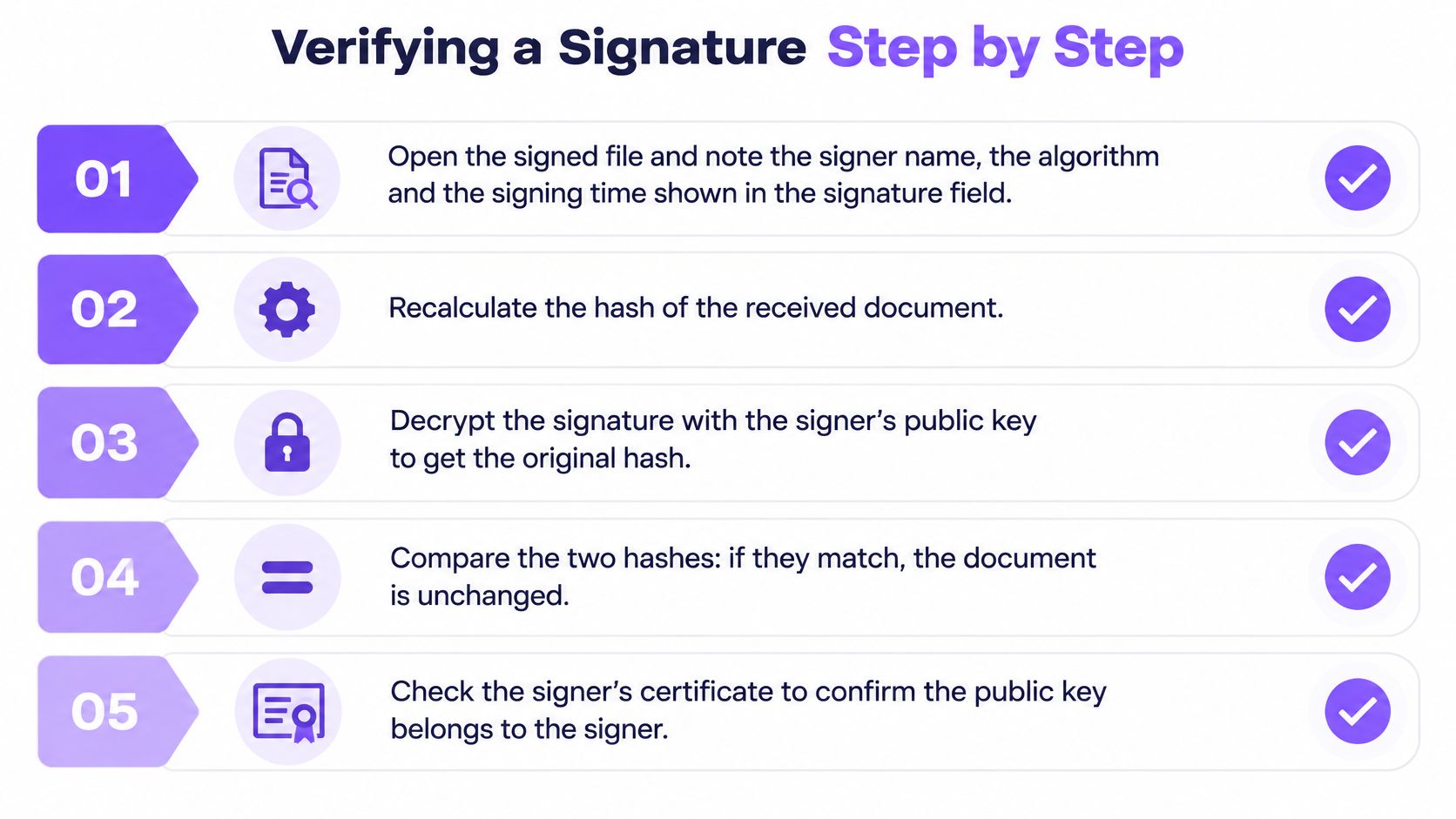
- Read what the signature claims. Open the signed file and note the signer name, the algorithm and the signing time shown in the signature panel.
- Recalculate the hash of the received document using the same hash function the signer used.
- Check the signature against that hash with the signer's public key.
- Compare the results. A match means the content hasn't changed since signing.
- Trace the certificate back through its chain to a trusted authority, confirming the public key belongs to the named signer.
- Check dates and revocation status. The certificate needed to be valid on the signing date and must not have been revoked since.
- Record the outcome with the date, the document version and the name of whoever verified it.
That last step gets skipped constantly and costs the most later. A verification done today is worth little in a dispute two years from now unless someone wrote down what was checked and when.
NIST's Digital Signature Standard publication frames the same work as three checks: the signature must correspond to the claimed signer, the document must match the signed content, and the verification key must itself be trusted. Steps one to four handle the second. Steps five and six handle the third.
The walkthrough below shows the same sequence running on screen.
Three slips that produce wrong answers
- Verifying a re-saved copy. The signature is authentic, but the file isn't the one that was signed, so the check fails for the wrong reason.
- Accepting an expired certificate because the arithmetic still works. The math doesn't care about dates. A relying party should.
- Trusting a self-signed certificate without knowing who issued it. Anyone can generate one in seconds.
A passing check means the file in hand is the file that was signed, and a specific key was used. Whether that key belongs to the person named on the contract is a separate question with a separate answer.
Certificates, Trust and What a Signature Does Not Prove
Here's the gap that surprises people most: a signature can be mathematically perfect and still not prove who signed.
Cryptography confirms two things. The document matches what was signed, and the private key paired with a given public key was used. It says nothing about whether the key holder is the person named on page one, whether that person read the terms, or whether they had authority to commit a company.
A certificate authority narrows the identity gap by issuing an X.509 certificate that binds a name to a public key. Verification then becomes a chain-building exercise. RFC 5280, the standard for certificate path validation, has the verifier check signatures and names along the chain, validity periods, key-usage and basic-constraints extensions, policy constraints, and whether the path ends at a trust anchor the verifier already accepts.
Why a scanned signature proves so little
A picture of a pen signature is just pixels. Nothing in it is tied to the bytes of the file, so pasting it onto a different page produces an identical-looking result. A cryptographic signature is bound to the content, which is why editing one character after signing breaks verification.
| Check | What it proves | What it does not prove |
|---|---|---|
| Hash match | The document is unchanged since it was signed | Who the signer was or that they agreed to the terms |
| Signature math | The signature came from the private key paired with this public key | That the key holder is a specific person |
| Certificate chain | The public key is bound to a named identity by a trusted authority | That the signer had authority to bind a company |
| Validity dates | The certificate was valid on the signing date | That the signer was not pressured into signing |
| Revocation and timestamp | The key had not been revoked when the document was signed | Whether the contract terms were understood |
Long-term trust needs one more piece of evidence. A certificate that expires or is revoked next year can't be checked online the way it was today, so what matters is a trusted timestamp showing the certificate was valid at the moment of signing. Save it with the file, not in a separate folder that gets lost.
For a small business, the lesson is uncomfortable and useful. A signature that passes every technical check can still be weak evidence if nobody recorded who authenticated, which version of the document was displayed, or whether the signer could bind the company. The legal standing of an eSignature rests on that surrounding record as much as on the cryptography.
Digital Signatures vs Electronic Signatures
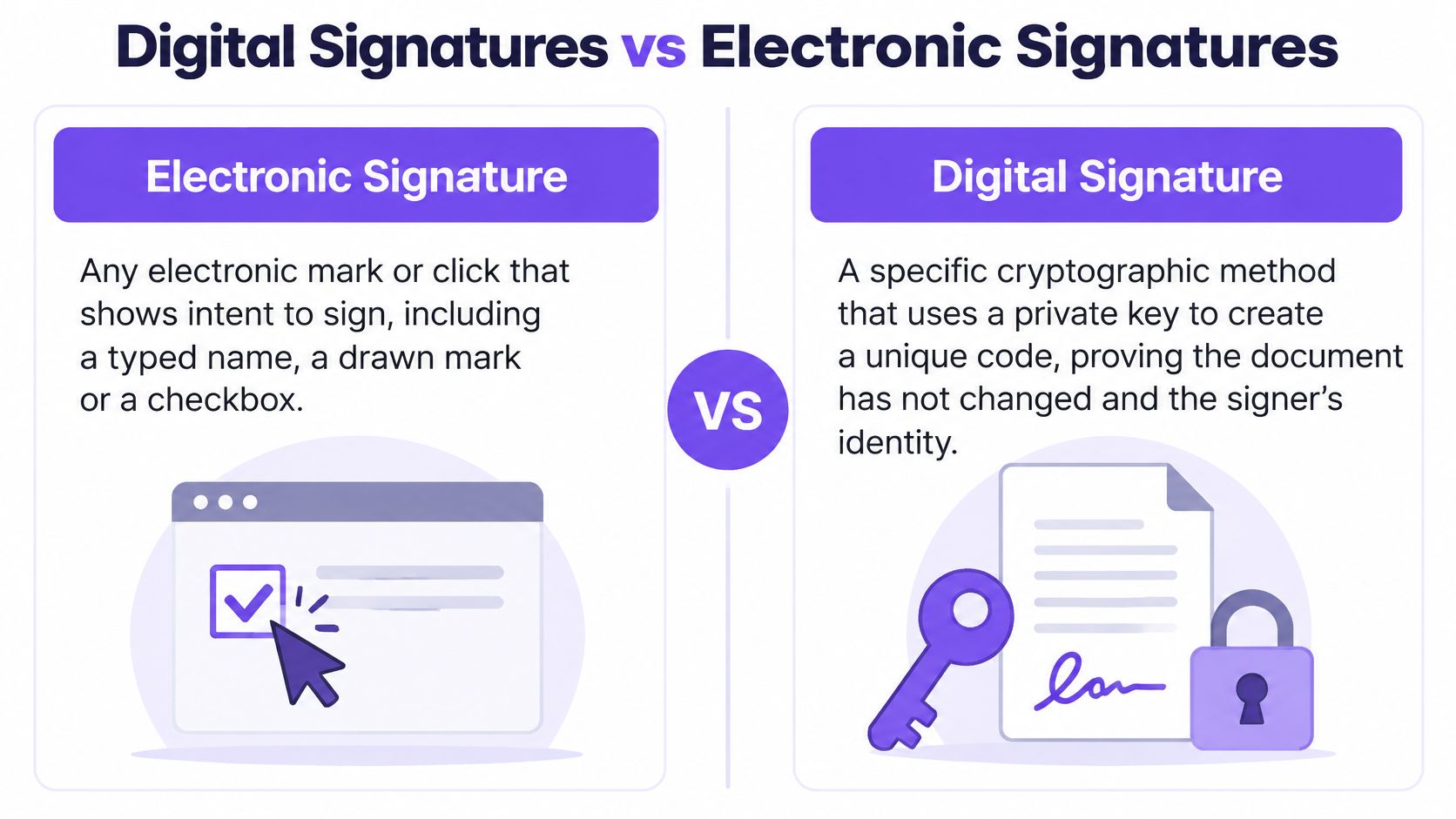
Electronic signature is the wide category. It covers any electronic mark or action that shows intent to sign: a typed name, a finger-drawn squiggle, a checkbox, a click on a button that says "I agree". Digital signature is one specific technology inside that category, built on key pairs and hashing, and it's the variety that detects a changed byte with mathematical certainty.
| Criterion | Electronic signature | Digital signature |
|---|---|---|
| Integrity checking | Depends on the platform's audit trail | Hash comparison detects any change to the file |
| Identity assurance | Email login, typed name or drawn mark | Certificate binds the key to a named identity |
| Audit evidence | Certificate of completion from the platform | Signed hash, certificate chain and timestamps |
| Legal recognition | Valid under ESIGN and UETA in general | eIDAS qualified tier equals a handwritten signature in the EU |
The legal side carries more layers than most buyers expect. In the United States, the ESIGN Act and state UETA laws make electronic signatures enforceable in general. The UNCITRAL Model Law on Electronic Signatures takes a different route, setting reliability criteria that many countries have written into their own statutes, which is how a signature gets recognized across borders instead of only at home.
Europe adds tiers. eIDAS, as explained in the European Commission's eSignature guidance, distinguishes simple, advanced and qualified electronic signatures. A signature can't be denied legal effect merely because it's electronic or doesn't reach the qualified level. A qualified signature, built on a qualified certificate and a qualified signature-creation device, carries the same legal effect as a handwritten signature across EU member states.
A decision rule for the document in front of you
- Internal approvals and routine vendor forms: an electronic signature with a solid audit trail covers the need.
- Regulated or high-value agreements: a cryptographic signature, and a qualified one where EU law applies.
- Cross-border paperwork: confirm which framework governs each side before choosing anything.
If you're weighing tools for consent-heavy workflows, this comparison of electronic consent software options is a useful reference for how evidence capture differs between platforms.
Compliance regimes govern the handling around a signature, not the signature type itself. HIPAA controls how protected health information moves and GDPR controls personal data, and neither one turns a typed name into a cryptographic signature. Learning how to eSign a document properly starts with knowing which of the two categories the paperwork needs.
Digital Signing in Staffing, Healthcare, Real Estate and More
The evidence you need depends on the document and who might challenge it later, not on which app you happen to use. A delivery receipt and a hospital consent form both need a signature, but they need very different proof around it.
| Sector | Typical document | What the signature must show |
|---|---|---|
| Staffing | Candidate onboarding and placement contracts | Signer identity, version of terms and signing time |
| Healthcare | Patient consent and insurance forms | Authenticated signer, tamper-evident record and secure storage |
| Real estate | Leases and purchase agreements | Agreed version, all parties signed and retained copy |
| Logistics | Proof-of-delivery and vendor agreements | Signing time, signer identity and an unchanged record |
| Education | Admission, consent and certification forms | Guardian or student identity and retained audit trail |
| Professional services | Statements of work and client contracts | Authority to bind the firm, signer identity and version |
Two cases worth walking through
A staffing agency placing a candidate needs to prove, months later, that this person accepted these terms on this date. That means the signed record, the identity behind the signature and a timestamp. When a client disputes a placement fee or a candidate disputes a start date, that bundle is the whole argument, and agencies running eSignature workflows built for recruiters and staffing teams keep it in one place rather than across three inboxes.
A clinic collecting consent before a procedure needs a tamper-evident record stored under the rules that govern patient information. If the record can be altered unnoticed, or stored somewhere the clinic can't account for, the consent is weaker than it looks on paper.
The rule of thumb is blunt. Start from the strongest evidence any party could later demand, then pick a signature type that delivers it. Choosing the lightest option first and retrofitting evidence afterward rarely works, because the person who needed convincing has usually stopped answering emails by then.
Three mistakes show up again and again:
- Sending a scanned signature for a contract that could face a dispute, which leaves no way to detect a swapped page.
- Sending one document to several signers with no signing order, so someone signs a version that a later signer then changes.
- Keeping only the finished PDF without the audit trail showing who authenticated and when.
Multinational teams carry a double obligation. EU customers bring eIDAS expectations, US customers bring ESIGN and UETA expectations, and cross-border recognition leans on frameworks such as the UNCITRAL electronic commerce texts, adopted in more than 100 States. Checking both sides at the start of a rollout costs an afternoon. Finding the gap during a dispute costs considerably more.
For firms whose bottleneck is candidate volume rather than signatures, this guide to automating outreach for staffing agencies covers the upstream half of the same paperwork problem.
Start a 7-Day Free Trial and Send Your First Signed PDF
The whole mechanism now fits in one sentence: the file is hashed, the hash is signed with a private key, and the recipient verifies both against the public key. A signing platform handles that cryptography in the background, so your team only sees the document, the fields and the status updates.
Sending a first document through BoloSign runs in five steps:
- Upload a PDF contract or a reusable template.
- Place fields for signatures and dates wherever each party signs.
- Add recipient emails and set the signing order so each person receives the file only when it is their turn.
- Send and watch each signer's status update in real time.
- Collect the finished file when BoloSign emails everyone a completed copy with its Certificate of Completion.
That five-step flow covers PDFs and reusable templates. A separate capability places legally binding signature fields inside Google Forms, so an intake or consent form that already gathers information can gather a signature too. Signing forms can also be embedded on a business's website, letting prospects submit and sign without leaving the site.
Pricing is where many signature tools surprise a growing team. BoloSign charges one fixed price with unlimited signatures, templates, forms and team members, so there is no per-user seat or per-envelope charge to count before a hiring push.
- Audit trail: every signed document carries a tamper-proof record showing each signer's email address, signing timestamp, IP address and the exact document version, and that record is admissible as evidence in legal proceedings.
- Compliance: BoloSign meets ESIGN Act and state UETA requirements, with adherence extending to eIDAS, GDPR, HIPAA, ISO 27001 and SOC 2.
- Speed: setup to first send takes under 2 minutes, and recipients can sign on a phone with no app download, printing or scanning.
Start a 7-day free trial and push one real document through the flow. Watching a signature verify on a file you care about teaches more than any explainer can.
Closer Innovation Labs Corp. builds BoloSign for teams that want the cryptographic side handled without a per-document bill, and the workflow side simple enough that a first contract goes out the same afternoon. The fastest test is to send yourself a real PDF and watch the pieces line up: the signature proves the file is unchanged and a specific key signed it, while the certificate and audit trail supply the evidence of who signed and when. Visit Closer Innovation Labs Corp. to start the 7-day free trial and send that first document.

Paresh Deshmukh
Co-Founder, BoloForms
17 Nov, 2026
Take a Look at Our Featured Articles
These articles will guide you on how to simplify office work, boost your efficiency, and concentrate on expanding your business.