

Enterprise E-Sign with Custom Branding: A Practical Guide
Learn how enterprise e-sign with custom branding builds trust, lifts conversion, and keeps you compliant. Practical features, integrations, and ROI tips inside.

Tired of nonsense pricing of DocuSign?
Start taking digital signatures with BoloSign and save money.
A contract is ready, the buyer is ready, and your sales team sends the signing email. Then the recipient sees an unfamiliar vendor name in the footer, lands on a page that looks nothing like your website, and pauses to ask whether the request is legitimate. That pause is where branded e-signature projects become commercial problems.
Enterprise e-sign with custom branding should remove that friction without weakening governance. The right setup lets legal, HR, sales, and operations create, send, and sign PDFs, templates, and forms through a consistent identity, while administrators control permissions, evidence, integrations, and retention. It also has to work for a staffing agency onboarding candidates, a healthcare provider collecting consent, a real estate group executing leases, a school managing enrollment, a logistics operator capturing delivery signatures, and a professional services firm closing statements of work.
The market context supports treating this as infrastructure rather than decoration. One major estimate values the global e-signature market at USD 2,580.3 million in 2023 and projects USD 13,407.3 million by 2030, a 26.7% CAGR. Another forecasts USD 8.99 billion in 2026 and USD 30.46 billion by 2031, at a 27.65% CAGR. The estimates differ, but both point to the same procurement reality: enterprise signing is now a strategic workflow category. (Mordor Intelligence market analysis)
The Day a Branded Signature Almost Saved a Deal
The CFO at a mid-market SaaS company was ready to cancel a newly rolled-out e-signature process. A large customer had opened the contract email, noticed the vendor's footer, reached the consent screen, and found the same third-party name in the audit trail PDF. The CFO's question was blunt: “Why are we asking a strategic customer to trust someone else's brand at the moment they're committing to us?”
Procurement had two choices. Revert to wet signatures and accept the delays, or find a way to remove every unnecessary vendor cue from the signing experience. The team had already invested in templates, CRM automation, and approval routing. The failure wasn't the workflow. It was the missing identity layer.
That meeting exposed a mistake I've seen in two branded e-sign rollouts. We treated the logo as a launch task and governance as a later admin exercise. Legal wanted a controlled company name, sales wanted regional flexibility, HR needed separate onboarding templates, and customer support had no clear answer when a signer replied to a white-label email. The platform could send documents, but the operating model wasn't ready.
Practical rule: If the recipient-facing experience looks outsourced, buyers will treat the signature request as an outsourced risk.
A proper rollout answers four questions before anyone sends a live contract. What does the signer see? Who can change it? Which evidence proves what happened? How does the workflow connect to the systems that own the document? The rest of this guide focuses on those decisions, including what shipped, what teams ignored, and what I'd skip when rebranding signature workflows across legal, HR, sales, and regional operations.
What Enterprise E-Sign With Custom Branding Actually Means
An enterprise e-signature platform supports multiple teams, regions, identities, and workflows, not just an individual sending a document. Role-based access, single sign-on, audit trails, reusable templates, APIs, and integrations matter because the signing process usually starts in a CRM, HR system, ERP, or customer portal.
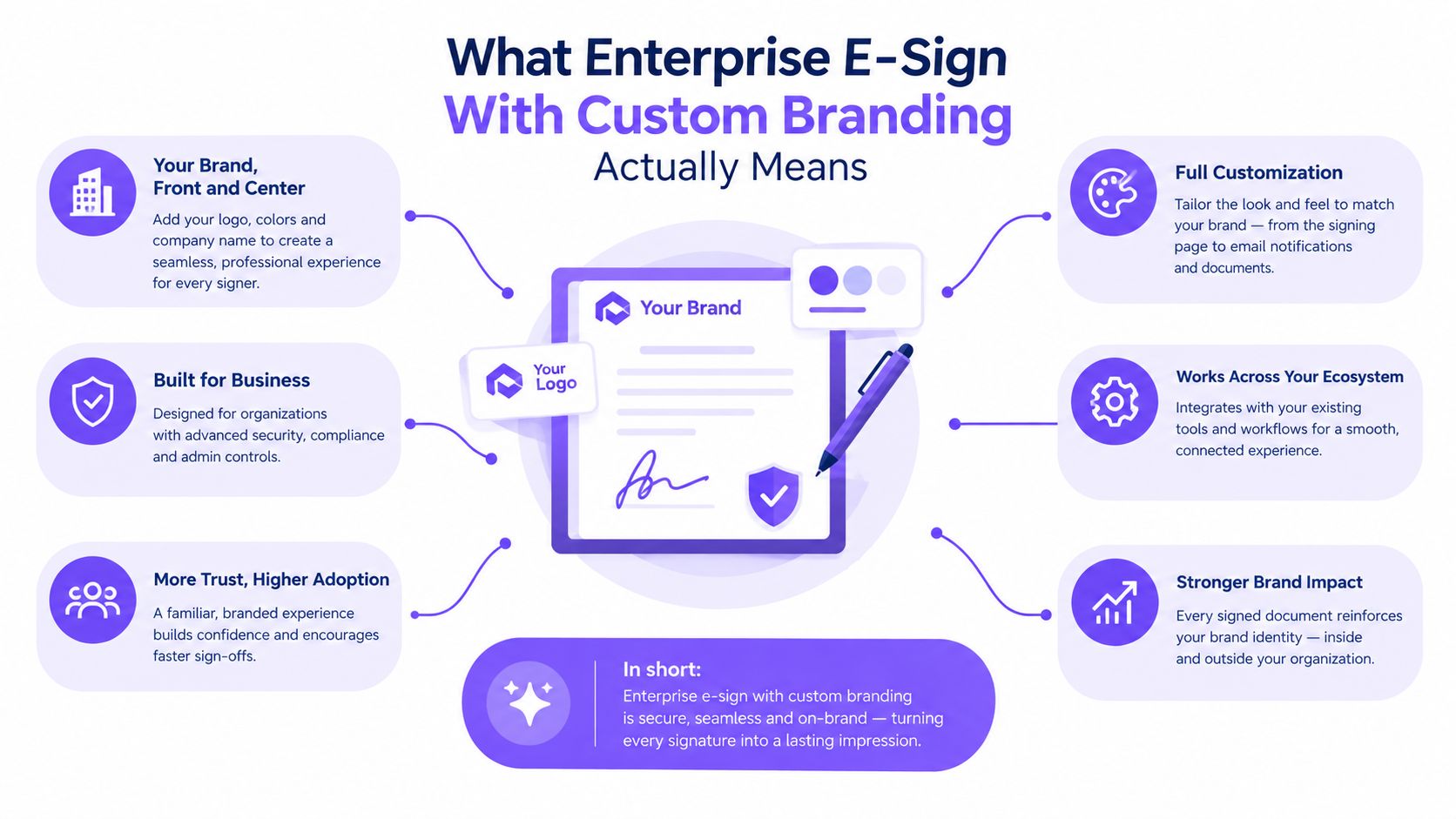
Custom branding controls the recipient-facing surfaces. That can include the sender domain, email copy, reply-to address, logo, colors, typography, consent language, signing interface, signed PDF presentation, audit certificate, and support handoff. A logo on the first email isn't enough if the signer later sees a vendor domain or an unbranded completion certificate.
Think of the platform as a hotel. The workflows are the rooms, and your brand is the lobby, signage, in-room materials, and concierge tone. Guests shouldn't encounter the property management software's name while checking in, requesting help, or receiving a receipt. In a signing workflow, the same principle applies from invitation through completion and evidence retrieval.
The surfaces buyers often miss
A serious requirements list includes:
- White-label email delivery: Branded sender identity, reply handling, reminders, and expiration notices.
- Domain authentication: Controls that help messages arrive as legitimate business communications rather than unfamiliar vendor mail.
- Branded templates: Locked logos, colors, language, clauses, and field structures.
- Tenant-level theming: Separate subsidiaries, regions, or customer portals without uncontrolled forks.
- Customizable audit trails: Consistent presentation while preserving evidence, timestamps, authentication details, and document integrity.
- Developer APIs: Embedded signing inside a portal, app, or workflow rather than a disconnected redirect.
- Support handoffs: A clear route from the branded experience to the party responsible for technical or signing issues.
At enterprise scale, branding is a governance problem first and a design problem second. Adobe's enterprise materials show why centralized controls matter, and its documentation highlights a practical gap: a company-name setting can still be overridden by individual users unless administrators explicitly govern that behavior. (Adobe Acrobat Sign enterprise solutions) A platform can have excellent theming and still produce fragmented sender identities across legal, HR, and sales.
Why Custom Branding Moves Real Business Metrics
A prospect receives a signing request after marketing, sales, and account teams have established trust. The email comes from an unfamiliar domain, the signing page uses different colors, and the completed record carries another identity. The buyer pauses to verify the request instead of signing it.
Recipients judge the entire interaction, not only the contract. Sender domain, email design, signing page, consent language, and completion record must present one controlled identity. A familiar branded experience can reduce hesitation and help the recipient distinguish a legitimate request from an unexpected vendor message.
That consistency affects completion, reminder volume, support questions, and the time from approval to execution. It also prevents legal, HR, and sales teams from creating separate brand treatments that confuse recipients and weaken governance.
An industry analysis reports that full brand control in white-label eSignature flows can improve completion by 23% and that eSignature adoption can reduce document turnaround time by 35%. It also reports that 95% of businesses are either using or planning to use eSignature technology. (Deloitte analysis of the e-signing market and vendor overview)
Treat those figures as a hypothesis for your business case, not a guaranteed result. Run a 30-day A/B pilot on one template, comparing a branded and unbranded sender. Measure completion rate and time-to-sign in your CRM, then compare reminder and support-ticket volume before citing the 23% figure internally.
Custom Branding Impact on Signing Metrics
| Branding Element | Metric Influenced | Reported or Required Evaluation |
|---|---|---|
| Full brand control across the white-label flow | Completion rate | 23% improvement reported in the cited industry analysis |
| Consistent signing identity | Document turnaround | 35% reduction reported for eSignature adoption |
| Branded emails and signing pages | Recipient confidence and drop-off | Validate through the A/B pilot |
| Consistent identity across departments | Internal adoption and support demand | Track usage and ticket trends |
Procurement teams should convert these outcomes into operating measures. Higher completion protects pipeline from avoidable abandonment. Faster turnaround reduces time spent by sales, legal, and finance teams chasing signatures. A recognizable sender also keeps support requests focused on contract questions rather than basic legitimacy checks.
I would approve custom branding only after reviewing the full journey: invitation email, reminder, consent language, signing page, signed PDF, audit certificate, and support route. That makes branding a revenue protection layer, not a cosmetic upgrade.
Compliance, Security, and the Feature Checklist Behind the Logo
The legal floor comes before visual polish. In the United States, the ESIGN Act and UETA generally support enforceability when the signer intends to sign electronically, consents to electronic business, the signature is associated with the record, and the signed record can be retained and reproduced. (ESIGN and UETA compliance mechanics)
For European workflows, eIDAS uses a tiered framework. A Qualified Electronic Signature, or QES, carries the strongest legal recognition and is described as legally equivalent to a handwritten signature in the EU. Choose the signature level based on the document, jurisdiction, identity risk, and internal legal advice, not because a vendor labels every workflow “compliant.” (eIDAS and UETA compliance overview)
Build the procurement checklist in layers
Legal requirements should include intent, consent, signer association, retention, reproduction, and an accessible evidence trail. The audit record should preserve the authentication method and relevant event history rather than replacing evidence with a branded visual treatment.
Security requirements should cover SAML SSO, SCIM provisioning, encryption at rest and in transit, customer-managed key options where required, independent security reports, regional data residency, and tamper-evident audit records. Ask whether the vendor can provide current SOC 2 Type II and ISO 27001 documentation, not just a badge on a webpage.
Governance requirements prevent brand drift. Require role-based administration, template ownership, version history, approval routing, reminder and expiration policies, bulk-send controls, and customizable consent disclosures. A sales manager shouldn't be able to replace a legal entity name in a shared contract template, while a regional HR team may need a controlled language variant.
BoloSign's custom branding feature is relevant to this checklist because its branded signing experience covers email notifications, signing pages, completion certificates, logo, colors, messaging, and a white-label option for enterprise customers. Evaluate those controls alongside the platform's AI-powered automation, secure document workflows, and support for ESIGN, eIDAS, HIPAA, and GDPR.
A compliant workflow can carry a brand. A branded workflow can't compensate for missing evidence, weak access control, or unsuitable data handling.
For healthcare, education, finance, and public-sector work, add sector-specific reviews for HIPAA, GLBA, and FERPA. Treat these as workflow and data responsibilities, not marketing labels. The final requirement should be operational: can your administrators enforce the approved identity without making every local team wait for headquarters?
Integration and Implementation Best Practices for a Clean Rollout
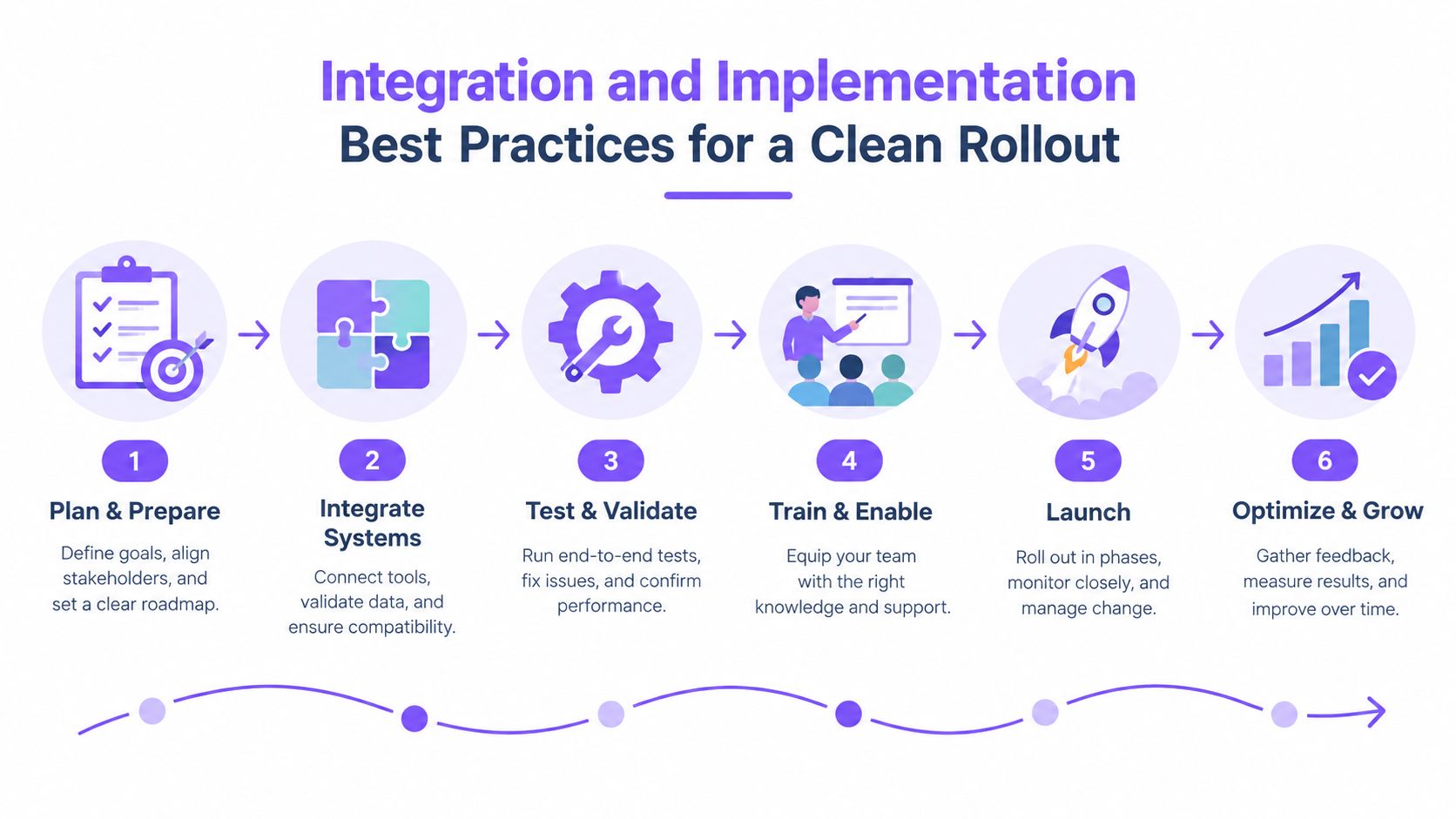
A clean rollout starts with documents, not colors. Inventory where agreements originate, who sends them, which templates exist, and which systems need status updates. Include Salesforce, HubSpot, Workday, SAP, NetSuite, and custom CPQ tools, then separate high-volume workflows from rare exceptions.
Use a phased rollout
Discovery comes first. Record current PDF, form, and template libraries, document owners, signer roles, approval paths, reminder rules, and retention requirements. Identify duplicate templates that appear different but serve the same purpose.
Vendor fit follows. Test REST API coverage, webhooks, pre-built connectors, SSO, SCIM, and embedded signing. Confirm compatibility with identity providers such as Okta, Azure AD, and Ping. A platform that looks good in a manual demo may still fail when your CRM needs reliable status synchronization.
Migrate deliberately. Export legacy templates, map merge fields, and import the approved versions into a controlled library. Run a pilot with one department, then validate signing certificates, envelope IDs, audit retrieval, notifications, failed webhooks, and completed-document storage before cutover.
Govern after launch. Assign named administrators for each business unit, lock core brand assets, define approved regional and language variants, and document when a team can request an override. BoloSign's integration options can support workflows connected to tools such as Salesforce, HubSpot, Zapier, Make, Pabbly, Google Drive, Google Sheets, Slack, and Microsoft Teams.
Test the failure paths
Use a sandbox to test duplicate webhook delivery, retries, idempotency keys, rate limits, expired links, changed recipients, and partial completion. Confirm that a failed integration doesn't create a second envelope or leave the CRM showing the wrong contract status.
Your migration checklist should also cover data residency, contract assignability, export rights, certificate validation, retention, and old-vendor offboarding. Keep signed agreements legally portable, retrieve the evidence needed for future disputes, and document who owns the data after the subscription ends.
Sector-Specific Use Cases From Healthcare to Logistics
One branded e-signature flow can serve several industries, but the controls shouldn't be identical. The document, integration anchor, regulatory pressure, and recipient concern change by sector.
A healthcare provider might use branded PDFs and forms for patient intake, consent, and business associate agreements. The first click needs to reassure a patient that the request belongs to the provider, while the workflow must support HIPAA-aligned handling and connect with an EHR. A branded healthcare signing workflow should make the provider's identity clear without burying consent language or privacy information.
Education teams face a different moment. Enrollment packets, parent signatures, financial aid documents, and certification forms often move between students, families, staff, and external organizations. A school or training provider can use a familiar sender identity and localized language while protecting records under FERPA-oriented controls and connecting the workflow to a student information system.
Finance teams prioritize KYC packets, loan documents, and advisor agreements. Their strongest branding lever is consistency across the signing portal and communications, but audit evidence, signer authentication, and tamper detection carry equal weight. The integration anchor may be a core banking platform or client-management system.
Logistics has a field-work problem. Bills of lading, proof of delivery, and vendor agreements may be signed from driver applications or mobile workflows. The experience needs clear chain-of-custody metadata, language support, and reliable capture when connectivity is limited, while the TMS remains the source of operational status.
| Industry | Typical Document | Key Regulation | Primary Integration | Branding Lever That Drives Results |
|---|---|---|---|---|
| Healthcare | Consent forms and patient intake | HIPAA | EHR | Provider-branded sender and recipient portal |
| Education | Enrollment and consent packets | FERPA | SIS | Familiar school identity and localized communications |
| Finance | KYC packets and loan documents | GLBA and applicable e-sign rules | Core banking | Consistent portal, sender, and evidence presentation |
| Logistics | Bills of lading and proof of delivery | Contract, privacy, and operational controls | TMS | Mobile-ready branding, language variants, and chain-of-custody context |
Staffing, real estate, and professional services can use the same operating model. Staffing firms can send candidate onboarding and client agreements from one approved identity. Real estate teams can manage leases and disclosures through regional templates. Professional services firms can create statements of work, change orders, and acceptance forms while keeping account teams within a common brand boundary.
For healthcare teams evaluating a dedicated workflow, BoloSign's healthcare eSignature capabilities provide a relevant starting point for comparing branded forms, secure document handling, and regulated signing needs.
Common Pitfalls That Quietly Undermine Branded Signing
The biggest failure usually isn't a missing color option. It's uncontrolled freedom.
When every department can edit shared templates, the platform recreates the vendor fragmentation you were trying to remove. Legal uses one company name, HR uses another, and sales adds a local logo to a document that crosses jurisdictions. Give teams a single governed library with approved regional and language variants, not parallel brand forks.
White-labeling also creates a support trade-off. If the vendor disappears from every customer-facing surface but support tickets still route through an unclear third-party process, signers won't know who owns the problem. During a security incident or failed signing session, that ambiguity slows escalation and can trigger another procurement review.
The quiet sources of operational cost
- Override sprawl: A user changes a company name or sender identity without a review path.
- Envelope sprawl: Ad-hoc recipients and collaborators enter workflows without field validation or ownership.
- Accessibility gaps: Color contrast, keyboard navigation, language, and screen-reader behavior receive less attention than the logo.
- Audit gaps: The certificate looks branded but omits authentication, event, or evidence details required by your policy.
- Update debt: A brand refresh requires manual changes across templates, emails, portals, and completion records.
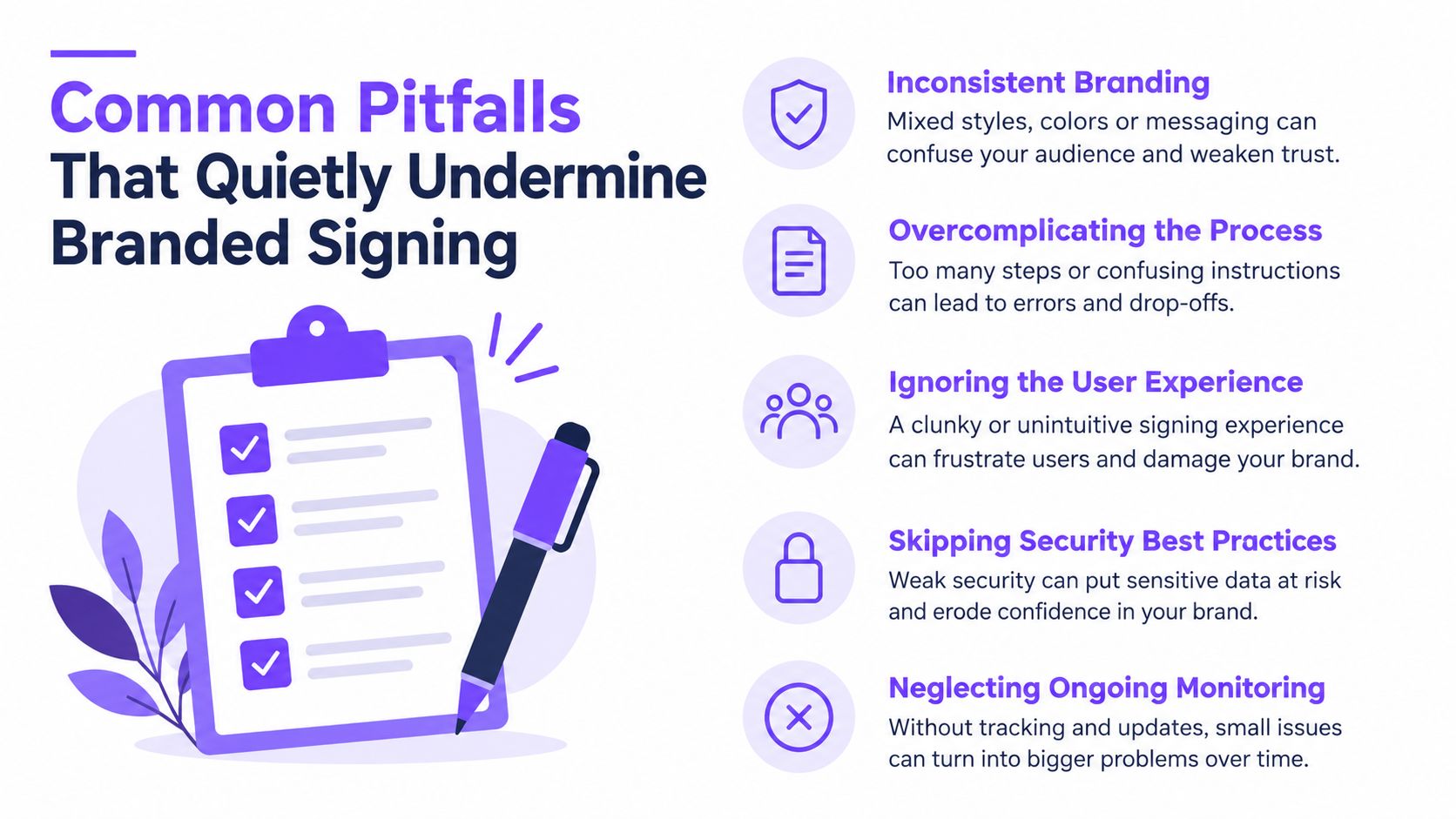
The fixes are straightforward but need ownership. Lock brand assets, version-control templates, use an intake form for new workflows, validate recipient fields, and schedule a quarterly brand audit. Also test the support route with an actual signer. If the recipient can't tell whether to contact your company, the vendor, or an account manager, the white-label design is incomplete.
KPIs, ROI, and How to Choose the Right Enterprise E-Sign
The CFO in the opening meeting didn't need another brand presentation. They needed to know whether the new workflow protected revenue, shortened contract cycles, and preserved evidence. That is the right standard.
Track completion rate, time-to-sign, deal slippage, support ticket volume, and audit preparation hours by workflow. Compare the same document types before and after the branded flow, and separate the effect of branding from changes in contract terms, signer mix, reminder policies, or sales process.
Use finance-friendly formulas
For revenue impact:
Incremental completion rate × pipeline value = estimated revenue protected
For operations impact:
Cycle-time savings × loaded hourly cost = estimated operational value
Keep the inputs owned by finance or operations. Don't use a vendor's best-case projection as your business case. Build a 12-month view with conservative and stretch scenarios, then state which assumptions must be validated during the pilot.
| Scenario | Completion outcome | Cycle-time outcome | Support outcome | Procurement interpretation |
|---|---|---|---|---|
| Conservative | Small improvement in completed requests | Modest reduction in chasing and rework | Fewer identity-related questions | Proceed if governance and compliance requirements pass |
| Stretch | Stronger completion on high-volume workflows | Meaningful acceleration from automation | Lower avoidable ticket volume | Expand after measured pilot results |
Branded E-Sign Evaluation Scorecard
| Criterion | Weight | What to verify in a demo |
|---|---|---|
| Branding depth | High | Domain, email, signing UI, completion certificate, and white-label controls |
| Template governance | High | Locked assets, versioning, regional variants, approvals, and override policy |
| Audit trails | High | Authentication method, event history, evidence files, retention, and export |
| Identity verification | High | Available methods, configuration, and jurisdictional fit |
| Integrations | High | APIs, webhooks, CRM connectors, embedded signing, retries, and status sync |
| Data residency | High | Storage locations, export process, and contractual commitments |
| Total cost | High | Fixed subscription, document limits, team access, SSO, support, and migration charges |
Ask each vendor to create, send, and sign the same PDF, template, and form in a controlled demonstration. Test a staffing onboarding packet, a healthcare consent form, a real estate agreement, a logistics proof of delivery, an education enrollment form, and a professional services statement of work. You'll quickly see which product supports real operations and which one only performs well in a slide deck.
For teams that need simple contract automation without per-user or per-envelope complexity, BoloSign offers unlimited documents, team members, and templates at one fixed price, positioned as 90% more affordable than traditional tools. Its AI-powered contract intelligence supports review and decision workflows, while its eSignature features cover PDF creation, signing, forms, integrations, audit trails, and compliance programs including ESIGN, eIDAS, HIPAA, and GDPR. Validate the stated savings against your own current contract, usage, migration needs, and support requirements.
Start with a scoped pilot on one high-volume workflow before committing to a broad enterprise rollout. Require the pilot to prove brand consistency, permission control, signed-document portability, audit retrieval, integration reliability, and recipient completion. That test will tell you more than a generic enterprise feature checklist.
Closer Innovation Labs Corp. offers BoloSign for branded eSignatures, secure PDF and form workflows, AI-powered contract automation, and integrations that can scale from small teams to enterprise operations. Visit Closer Innovation Labs Corp. to review the platform and start a 7-day free trial.

Paresh Deshmukh
Co-Founder, BoloForms
17 Oct, 2026
Take a Look at Our Featured Articles
These articles will guide you on how to simplify office work, boost your efficiency, and concentrate on expanding your business.



