

E-Sign Platform Google Workspace Enterprise: 2026 Guide
Discover how an e-sign platform Google Workspace enterprise streamlines approvals, boosts compliance, and cuts turnaround times in 2026.

Tired of nonsense pricing of DocuSign?
Start taking digital signatures with BoloSign and save money.
A sales manager has a contract ready in Google Docs, a recruiter is waiting for a signed placement agreement, and procurement is chasing a supplier form buried in Drive. Everyone can send a document for signature, but nobody has a reliable view of what happens before and after the signing event. That gap is where enterprise contract work starts to slow down.
Google Workspace gives teams a familiar foundation for creating, storing, and signing documents. The question is whether basic native signing is enough for the full workflow around those documents. An enterprise e-sign platform Google Workspace teams choose should connect drafting, approvals, signing, compliance, CRM updates, and contract intelligence without forcing users into disconnected systems.
Why Enterprise Signing Needs More Than Basic Tools
A staffing firm sends 200 placement agreements each week from Google Drive, yet recruiters spend days chasing approvals because status is scattered across individual inboxes. The same pattern appears in sales, procurement, and healthcare. A candidate, hiring manager, and internal approver may all need to act on one agreement, while sensitive forms require restricted access and a completed contract must update a CRM record or start onboarding.
Google Workspace eSignature gives teams a familiar starting point. Users can draft in Docs, store files in Drive, request signatures, monitor progress, and review an audit trail within Workspace, as described in Google's Workspace eSignature documentation. Keeping those steps in tools employees already use reduces file downloads and lowers adoption friction.
Where basic signing starts to strain
Visibility usually fails first. A manager may see that a request was sent, while legal lacks one view of pending agreements, expired requests, and completed records. Without shared reporting, teams rely on inbox searches and manual status updates.
Process control creates a second gap. Departments often use different templates, approval routes, and retention habits. An audit then depends on finding the right messages and files rather than reviewing a consistent workflow.
Signing also represents only one contract event. Before execution, teams may need intake, drafting, redlining, and approvals. After execution, they may need CRM updates, obligation tracking, renewal reminders, and secure archiving. A tool that ends at the signature leaves staff to connect those stages with email, spreadsheets, and custom scripts.
Practical rule: Treat the signature as an operational event, not the entire contract process.
Enterprise admins should therefore assess more than online signing. Confirm that they can govern access, trace each action, and move contract data among Google Drive, Gmail, CRM systems, and document repositories. AI can extend that workflow by extracting terms, identifying obligations, and supporting contract search, while CRM automation can update records and trigger downstream tasks without taking users outside Workspace.
A dedicated platform such as BoloSign can support drafting, review, negotiation, approvals, execution, and compliance while users continue working with familiar Workspace content. The practical trade-off is an added administration and integration layer, balanced against a controlled lifecycle process instead of an isolated inbox for signature requests.
Core Features and Compliance Requirements for Enterprise
Enterprise admins should test governance before judging the signing interface. A polished screen cannot compensate for weak access controls, incomplete evidence, or retention rules that differ by department. Ask vendors to demonstrate how the platform manages identity, permissions, document history, storage, and administrator oversight within Google Workspace.
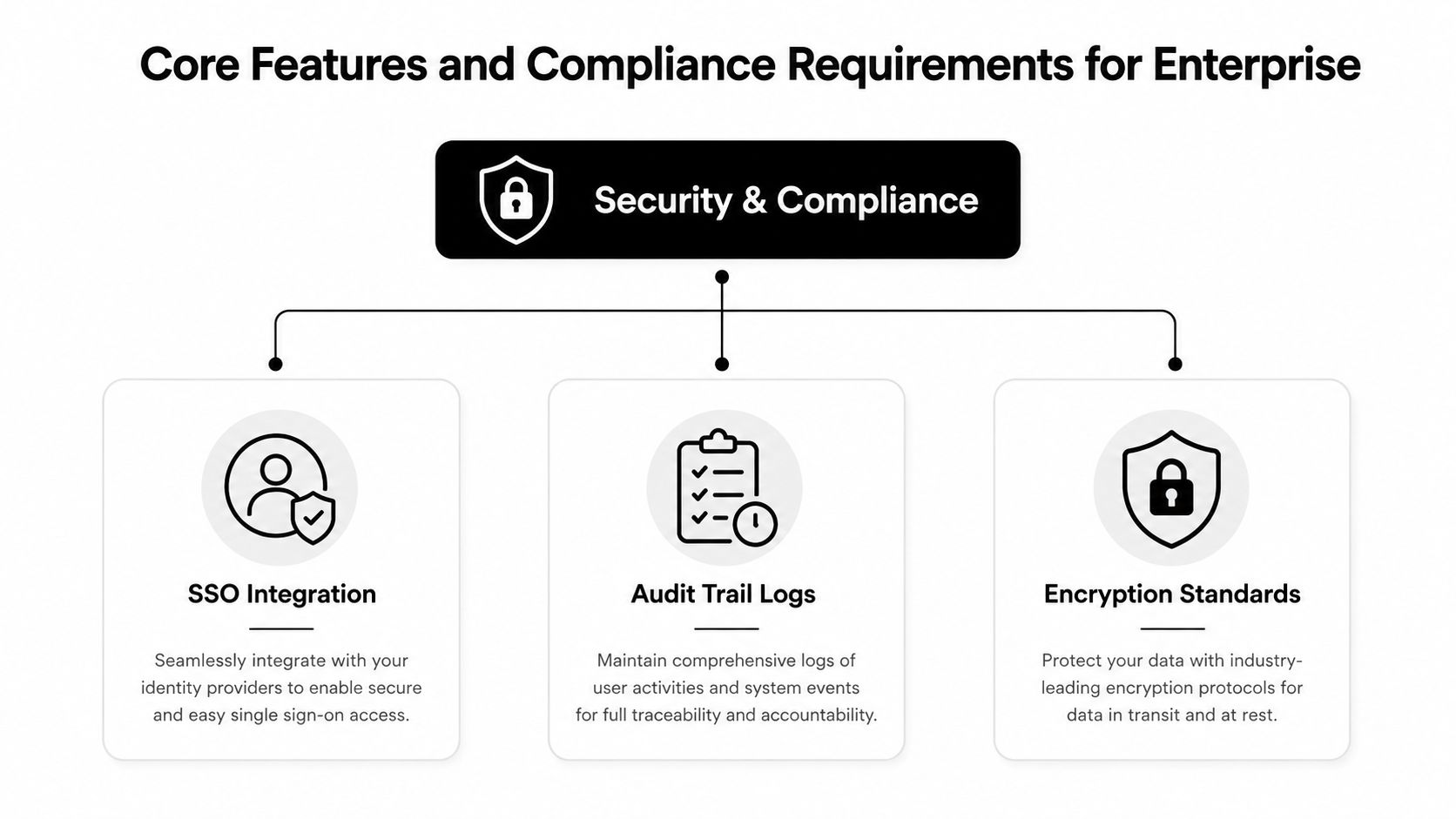
Validate the security foundation
Begin with identity and access. Single sign-on, role-based permissions, and administrator controls should define who may prepare, send, approve, or sign documents. Check whether rules can be limited by department, Workspace group, document type, or workflow stage.
Then inspect a completed transaction record. A useful audit record should identify the action, timestamp, signer email, originating IP address, completion status, and document hash, alongside the relevant document history. Google describes its eSignature capability as providing audit-trail visibility for completed contracts and administrator control through Workspace infrastructure, as outlined in Google's enterprise eSignature resource. The practical test is retrieval: can an admin find and export that evidence from the Workspace Admin console, or does a dedicated CLM provide a transaction record linked to the contract, approval history, and downstream obligations?
Security attestations require the same service-level scrutiny. Google states that Workspace infrastructure supports SOC 2 Type II, ISO/IEC 27001, GDPR, and Department of Defense IL4 authorization, while its eSignature offering is intended to support generally applicable electronic-contract requirements in many jurisdictions. Confirm which controls apply to the selected service, plan, region, and data flow.
Map compliance to actual workflows
Legal validity depends on the transaction and its operating process. For US operations, verify support for the ESIGN Act and applicable state requirements. For European transactions, assess eIDAS implications and the identity assurance required for each document type. Healthcare organizations should review HIPAA safeguards, access logging, and protected health information handling. Global teams should document GDPR responsibilities, transfer arrangements, deletion procedures, and data residency options.
Run a short validation exercise before procurement:
- Identity: Confirm signer authentication and administrator access management.
- Evidence: Review a completed audit record for the timestamp, IP, signer email, document hash, and other required fields.
- Retention: Define where signed documents live, who can retrieve them, and when records may be deleted.
- Residency: Establish where data is processed and stored in each operating region.
- Recovery: Ask how the platform handles failed requests, revoked access, and disputed transactions.
Google's support guidance lists availability for Workspace Individual accounts and selected Business and Enterprise editions when an administrator enables the feature, including Business Standard, Business Plus, Enterprise Starter, Enterprise Standard, Enterprise Plus, Enterprise Essentials, and Enterprise Essentials Plus. Verify the selected plan before rollout. A dedicated platform such as BoloSign may provide a broader CLM record and connect signature evidence with approvals, CRM updates, and obligations, but it also introduces another administration and integration layer.
Integration Patterns with Google Drive, Docs, and Gmail
The most effective integration is the one that matches workflow complexity. A small team may only need an add-on that lets users prepare and sign a document inside Google Docs or Drive. A distributed enterprise may need APIs, webhooks, CRM synchronization, and automated routing that native menus can't provide on their own.
Google's documented Drive flow is straightforward. A user opens a PDF, chooses eSignature from the top-right menu, places signer fields, and selects Request eSignature. The signer receives an email invitation and completes the request from the linked signing experience, according to Google's step-by-step eSignature guidance.
Add-ons for familiar document work
Add-ons work best when the document already exists and the workflow is uncomplicated. A legal coordinator can prepare a template in Docs, store the source in Drive, and send it without asking colleagues to learn a separate application. Gmail remains the notification layer, while Drive provides the familiar document location.
This pattern is useful for internal forms, straightforward vendor agreements, and routine HR documents. It becomes less suitable when the organization needs conditional approvals, CRM field mapping, negotiation history, or automated post-signature actions.
APIs for controlled business processes
An API makes sense when signing is part of a larger application or revenue process. A staffing system can populate candidate and employer fields, create the agreement, route it to the right people, and write the final status back to the source record. A real estate platform can generate transaction documents from property data rather than relying on users to copy information between systems.
Teams evaluating embedded signing should review this practical guide to an eSignature API with embedded signing. The key question isn't whether an API exists. It's whether the API supports the fields, events, authentication, error handling, and document states your process needs.
Webhooks for event-driven automation
Webhooks connect signing events to systems such as HubSpot, Slack, or a document management platform. A completion event can update a deal, notify an implementation team, move a file into a controlled folder, or start a renewal workflow. A declined or expired request can create a task for an account owner instead of disappearing into an inbox.
Design principle: Keep Google Workspace as the working environment, but let the system of record own business status.
That separation prevents Drive from becoming an accidental CRM and prevents the CRM from becoming an uncontrolled document archive. It also gives administrators a clearer way to decide which users need a native add-on and which processes deserve a deeper integration.
Native Workspace Signing vs Dedicated Contract Automation
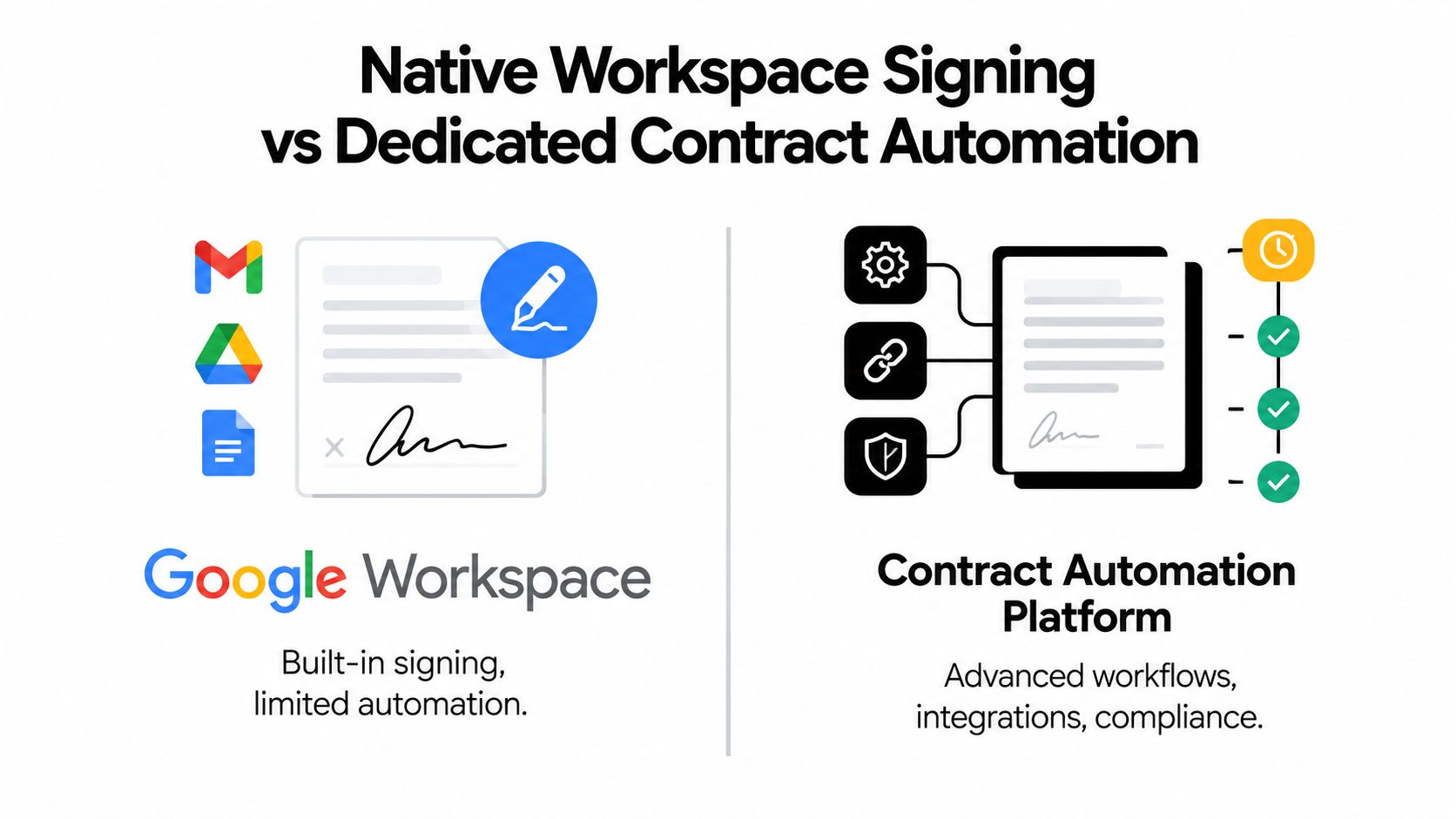
Native Google Workspace signing is attractive because it reduces friction. Users already know Docs and Drive, administrators can enable the feature within supported Workspace plans, and the signing flow stays close to the document. For routine execution, that simplicity can be exactly what a department needs.
Dedicated contract automation addresses a different problem. It manages the work that surrounds execution, including intake, authoring, redlining, approvals, risk review, data synchronization, and post-signature obligations. Comparing the two as if they were identical products leads to poor architecture decisions.
Where native signing fits
Workspace eSignature is a sensible choice when the document is already final and the team needs a clean way to request signatures. It supports signing from Google Docs and Drive, status tracking, and audit-trail visibility. A department that sends standard agreements occasionally may not need a full CLM deployment.
The limitations appear as process variation grows. Native signing generally doesn't provide the same depth of template intelligence, clause analysis, negotiation management, approval routing, or CRM orchestration that contract-focused platforms are designed to deliver. Users may still need email threads to negotiate language, spreadsheets to monitor exceptions, and manual updates to keep sales or procurement systems current.
Where dedicated automation earns its place
A dedicated platform becomes more compelling when contracts contain recurring risk, multiple approval paths, or data that must move between systems. AI-assisted drafting can help create a first version from structured intake. AI contract review can flag risky clauses and suggest alternative language for human consideration. Workflow rules can route a nonstandard indemnity clause to legal before a document reaches the signer.
For teams comparing document experiences, a DOM Studio signing block can be a useful reference for how signing interfaces may fit into a broader document workflow. The broader lesson is to evaluate the user experience and the process architecture together.
| Requirement | Native Workspace signing | Dedicated contract automation |
|---|---|---|
| Routine signing from Docs or Drive | Strong fit | Usually supported |
| Complex approval routing | May require workarounds | Built for structured workflows |
| AI-assisted drafting and clause review | Limited | Central capability |
| CRM and application integration | Often needs additional development | Commonly supported through APIs and connectors |
| Contract obligations and renewal management | Not the primary focus | Designed for lifecycle oversight |
The decision isn't native versus dedicated for every department. Many enterprises use native signing for simple requests and a dedicated platform for higher-risk, higher-volume workflows.
Deployment, Admin Controls, and Workflow Automation
A successful rollout starts with policy boundaries. Administrators should decide which departments can send documents, which templates are approved, who can change language, and where completed agreements are stored. Without those decisions, teams tend to recreate the same contract in multiple locations and apply inconsistent approval habits.
Google Workspace administrators can enable eSignature for supported users and editions, while Google's eSignature support documentation describes signing workflows from Docs and Drive. That provides a useful baseline, but enterprise deployment still needs an operating model around the feature.
Build access around responsibility
Create roles based on what people do, not just where they sit in the organization. A sales representative may prepare a standard order form but shouldn't alter legal fallback language. A procurement manager may send supplier agreements but require finance approval for specific commercial terms. Legal operations may own templates, audit reviews, and exception handling.
Use separate environments or permissions for:
- Template owners, who maintain approved language and version history.
- Requesters, who initiate signing from approved documents.
- Approvers, who review commercial or legal exceptions.
- Administrators, who manage access, policy, and reporting.
- Auditors, who need evidence without the ability to alter workflows.
Connect the signing event to business action
Contract automation becomes valuable when the completed document changes what happens next. In a HubSpot workflow, a signed agreement can update deal status, populate a customer record, notify implementation, and create a follow-up task. In procurement, it can move a supplier from review to onboarding. In HR, it can create a personnel file task while keeping the signed document in the approved repository.
The integration should also handle failure states. A declined request, missing signer, or expired invitation needs an owner and a next action. Otherwise automation only hides the problem until someone notices that the downstream record never changed.
For organizations planning centralized identity and lifecycle management, this guide to enterprise-grade e-sign tools with SSO and SCIM provides useful criteria for evaluating administrative readiness. The strongest deployments combine least-privilege access, approved templates, automated routing, and clear exception ownership.
Real-World Use Cases Across Industries
The right workflow depends on the document, the people involved, and the consequences of delay or error. A staffing team needs rapid candidate and client coordination. A healthcare provider needs careful handling of sensitive information. A logistics company may need drivers, vendors, and customers to sign from different locations.

Staffing and human resources
A staffing agency can create an agreement from a standardized template, populate candidate and client details, and send it for signature without printing or scanning. Recruiters can use a Google Form intake process and add signature capture through a signing add-on, with the signed PDF saved to Google Drive. The practical advantage is a cleaner handoff between recruiting, account management, and payroll.
For enterprise agencies, contract intelligence can identify inconsistent rates, missing clauses, or unusual termination language before the agreement reaches a client. That gives legal or operations teams a review point without forcing recruiters to become contract specialists.
Healthcare and education
A clinic may use digital signing for patient-facing forms, provider agreements, consent workflows, and vendor documents. The workflow must separate convenience from compliance. Teams should limit access, define retention rules, and verify whether the selected service and configuration support their HIPAA and GDPR obligations.
Education institutions face a similar mix of routine and sensitive documents, including enrollment agreements, staff forms, placement records, and vendor contracts. Google Workspace can provide a familiar environment for staff, while a dedicated contract layer can enforce templates and approval paths across departments.
Real estate, logistics, and professional services
A real estate team can prepare listing agreements, buyer documents, lease paperwork, and vendor forms from a central library. Agents can sign PDFs online from a client-facing workflow while transaction staff monitor completion and archive the final record.
A logistics operator may route carrier agreements, shipment instructions, and supplier onboarding documents to people who rarely sit at a desk. Professional services firms can use similar patterns for statements of work, change orders, and confidentiality agreements. In each case, the workflow should reduce manual rekeying and make ownership visible.
The following video illustrates a digital signing experience that can help teams think through how document execution fits into customer and operational workflows.
BoloSign supports creating, sending, and signing PDFs, templates, and forms, including workflows that connect Google Forms with signed PDFs saved to Google Drive. Its broader contract management capabilities cover AI-assisted drafting, review, negotiation, approvals, and eSignature, which gives organizations an option when native signing no longer covers the full process.
Migration and Rollout Best Practices
Migration fails when the project treats software activation as adoption. People don't abandon a familiar signing tool because a new feature exists. They change when the new workflow is easier, approved templates are available, and managers reinforce the process.
Start with a contained pilot. Choose one department with a visible workflow, such as sales order forms, supplier agreements, or staffing placements. Select documents that are frequent enough to reveal problems but controlled enough to keep risk manageable.
A practical rollout sequence
- Inventory current documents: Identify active templates, owners, signer paths, storage locations, and duplicate versions.
- Consolidate language: Retire obsolete templates and establish approved versions before migrating users.
- Configure administration: Set roles, access groups, retention rules, naming conventions, and audit responsibilities.
- Connect systems: Test Drive, Docs, Gmail, CRM, API, and webhook behavior with real exception scenarios.
- Train by role: Give requesters, approvers, administrators, and legal reviewers instructions specific to their tasks.
- Expand deliberately: Add departments after the pilot produces stable workflows and clear ownership.
Don't migrate every historical document into the new system automatically. Separate active templates, completed agreements, records that require retention, and files that can remain in an existing archive. Import only what the new workflow needs, then document how users retrieve older agreements.
Track adoption through operational signals rather than vanity metrics. Look at whether teams use approved templates, whether requests have clear owners, whether exceptions are resolved, and whether signed records reach the right repository. For a structured approach to replacing a legacy provider, use this migration guide from a legacy e-sign tool to a modern platform.
Change-management advice: Give every department a named workflow owner. A platform can't compensate for a process nobody owns.
How to Evaluate Your Next e-Sign Platform
Evaluate maturity before comparing feature lists. If your organization mainly sends finalized documents from Google Docs and Drive, native Workspace signing may cover the need. If contracts require negotiation, conditional approval, AI contract review, CRM synchronization, or obligation tracking, look for a dedicated contract automation layer.
Use these criteria:
- Signing fit: Can users create, send, and sign PDFs, templates, and forms without unnecessary file movement?
- Governance: Are SSO, role-based access, audit trails, retention, and administrator controls clear?
- Compliance: Can the vendor explain its support for ESIGN, eIDAS, GDPR, HIPAA, and relevant regional obligations?
- Integration depth: Does it connect with Google Workspace, Gmail, Drive, Docs, HubSpot, and other systems through suitable add-ons, APIs, or webhooks?
- Commercial clarity: Does pricing match actual usage, team size, document volume, and automation needs?
Pricing deserves particular attention. PandaDoc describes paid plans with unlimited documents and unlimited seats in its own materials, while comparisons of e-signature providers note that DocuSign plans can use user or sending limits. Reviewing enterprise Zoho Sign discounts can also help buyers compare commercial models, but the final decision should reflect governance and workflow requirements, not price alone.
BoloSign offers unlimited documents, templates, and team members at one fixed price, and positions its contract automation and eSignature capabilities for teams that need more than basic execution. Its AI features support drafting and contract review, while integrations can connect signing to Google Workspace and CRM workflows.
BoloSign combines eSignature, AI-powered contract automation, compliance support, and Google Workspace-connected workflows so teams can move from document preparation to signed agreement with fewer manual handoffs. Start a 7-day free trial by visiting BoloSign and test the workflow with a real PDF, form, or template from your organization.

Paresh Deshmukh
Co-Founder, BoloForms
1 Oct, 2026
Take a Look at Our Featured Articles
These articles will guide you on how to simplify office work, boost your efficiency, and concentrate on expanding your business.



