

DocuSign Pricing 2026: Plans, Real Costs, Cheaper Options
Compare DocuSign pricing by plan, team size and envelope limit, plus a flat-price option. Real yearly costs for 5, 10 and 25 users.

Tired of nonsense pricing of DocuSign?
Start taking digital signatures with BoloSign and save money.
DocuSign reported fiscal-year 2024 subscription revenue of $2.686708 billion, equal to 97% of total revenue, in its 2024 financial results. Recurring plan fees are the business. That is why DocuSign pricing behaves less like a software sticker and more like a capacity contract.
For a team of 3 to 50, the card price is the least useful number on the page. What matters is how many agreements the plan lets you send before the allowance runs out, and what each agreement costs after that. Seats and envelopes move on different clocks. A 10-person roster that doubles its sending volume in a quarter hits the cap long before headcount moves.
This walkthrough sticks to what DocuSign publishes about plan structure and sets those totals beside a flat e-sign flat rate pricing model. The comparison shows when a per-user plan is the sensible buy, and when volume turns it into the expensive one.
DocuSign Plans, Prices and Limits at a Glance
| Plan | Envelope limit | Key features | Source |
|---|---|---|---|
| Personal | 5 envelopes per month | Entry tier built for a single sender | DocuSign eSignature plans |
| Standard | Up to 100 per user per year (annual billing) or up to 10 per user per month (monthly billing) | Core eSignature features for team sending | DocuSign eSignature plans |
| Business Pro | Up to 100 per user per year (annual billing) or up to 10 per user per month (monthly billing) | Adds advanced workflow and admin controls on the same allowance | DocuSign eSignature plans |
DocuSign plans and pricing are envelope-based capacity contracts rather than pure seat licenses. On the official DocuSign eSignature plans page, Personal allows 5 envelopes per month, while Standard and Business Pro allow up to 100 envelopes per user per year on annual billing, or up to 10 per user per month on monthly billing. Current per-user list prices are published on that page; the figures that define the contract are the allowances.
One detail worth underlining: Standard and Business Pro carry the same envelope ceiling. Moving up a tier buys workflow and admin features while signing capacity stays flat, so a team that is short on envelopes gets no relief from the upgrade.
Why the envelope column decides the plan
An envelope is consumed when it is sent, even if the recipient never signs. Abandoned, corrected, and duplicate requests still draw down the allowance. Workflow retries, amendment cycles, multi-party approvals, and bulk form submissions raise consumption without adding headcount.
Say a business processes 1,000 agreements a year across five users. The nominal annual allowance is 500 envelopes. The other 500 requests need extra capacity or a higher-tier arrangement, assuming every request goes out from an eligible user. The practical metric is cost per completed agreement: total subscription and overage divided by documents that finalize, which is the honest alternative to comparing advertised per-user prices.
Enterprise pricing is quote-based, so it doesn't belong in a self-serve grid. Developer tiers are a separate capacity product with their own overage behavior. Any break-even against a flat-price alternative has to start from these allowances, because seat count alone never predicts the bill.
What DocuSign Costs per Year for 5, 10 and 25 Users
DocuSign bills per seat, so the yearly number is multiplication: the per-user annual price times headcount, checked against the envelope pool.
| Team size | DocuSign envelopes per year (Standard, annual) | DocuSign yearly price | BoloSign yearly price |
|---|---|---|---|
| 5 users | 500 | per-user annual price × 5 | $588 (Team, $49 per month billed annually) |
| 10 users | 1,000 | per-user annual price × 10 | $588 (Team, $49 per month billed annually) |
| 25 users | 2,500 | per-user annual price × 25 | $1,188 (Growing Business, $99 per month billed annually) |
To fill the third column, take the Standard per-user price for annual billing listed on docusign.com and multiply by seats. On annual billing, 100 envelopes per user produce the 500, 1,000 and 2,500 envelope ceilings in the second column. If your sends exceed that pool, the seat total understates the bill.
The crossover is division. A DocuSign per-user annual price above $117.60 makes five seats cost more than $588 a year. The same line sits at $58.80 for ten seats and $47.52 for 25 seats against the $1,188 plan. The flat column moves only when the plan tier changes; headcount never enters the equation.
Capacity runs out before headcount does. Five users on Standard get under 10 envelopes a week across the year, ten get about 19, and 25 get about 48. A five-person team mailing 20 requests a week sends over 1,000 a year, twice its allowance, while the flat-price row absorbs the added senders and the added sends on unlimited users and documents.
DocuSign's fiscal 2025 results put subscription revenue at $2.901 billion for the year ended January 31, 2025, up $214.6 million, or 8%, across nearly 1.7 million customers, including more than 260,000 businesses served by its direct sales force. The same release describes eSignature subscriptions as priced by the functionality selected and the number of envelopes used, generally running one to three years, with most multiyear customers paying annually in advance. The first invoice can dwarf a monthly figure.
The 10-user row, cell by cell
Ten senders times 100 envelopes is 1,000 a year, roughly 19 sends a week. The DocuSign cell is the quoted per-user annual price times 10; anything above $58.80 costs more than $588 before overage. Our Team plan is $49 per month billed annually, $588 for the year, with unlimited users, unlimited documents and unlimited templates, and it includes 500 form signatures per month. The same $588 covers the 5-user row because the price does not step up with each added person.
At 25 users the DocuSign allowance is 25 times 100, or 2,500 envelopes, about 48 sends a week, and the yearly price still scales with seats. Growing Business is $99 per month billed annually, $1,188 a year, with unlimited form signatures. The step up from Team turns on form-signature volume, since Team already includes unlimited users. Seat math alone still misses overage, SMS, identity checks and API capacity.
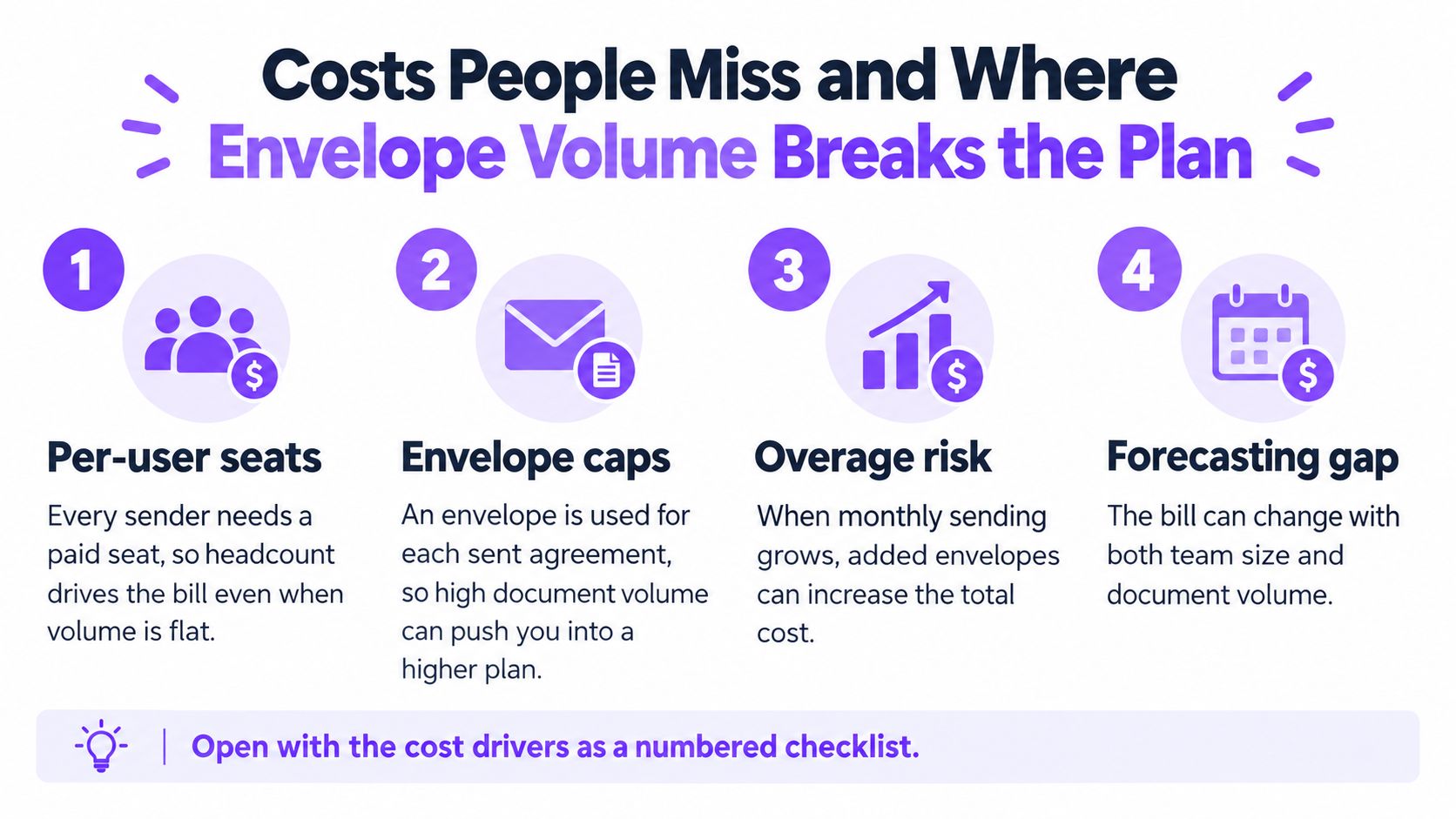
Costs People Miss and Where Envelope Volume Breaks the Plan
A five-sender team has a 500-envelope annual allowance on the Standard plan, but a workflow sending 100 envelopes each month would use 1,200 in a year. The gap is 700 envelopes, even though the team's headcount stays the same.
Automated signing can exhaust a quota faster than individual senders. DocuSign's developer plans list 50, 300, and 480 envelopes per month at annualized prices of $600, $3,600, and $5,760. PowerForm envelopes count toward the allowance, and usage beyond the included amount is billed separately at a per-envelope rate that varies by plan, according to the developer plans. At 20 automated requests per business day, a workflow would exceed the 300-envelope monthly tier in roughly 15 business days, before retries.
Teams building automated workflows can compare our document signing API with those monthly allowances. Track envelopes created, not just API calls: retries and duplicate requests can consume capacity without producing a completed document.
Five drivers that don't sit on the price card
- Per-user seats. A larger sender roster can raise the subscription cost even when document volume holds steady.
- Envelope caps. Sending a document uses allowance whether or not it gets signed. Corrections and duplicates can count alongside completed contracts.
- Overage. Usage beyond the included envelopes is billed separately at a per-envelope rate that varies by plan.
- SMS and identity checks. These can add variable charges, so they affect the total beyond the base subscription.
- API tiers. Automated workflows have their own monthly envelope allowances. CRM, HR, and web-form processes can use that capacity with each signature request.
A regulatory filing says pricing depends on the functionality and envelope volume purchased. It also describes subscription terms commonly lasting one to three years, with annual advance payment. Standard and Business Pro annual plans include up to 100 envelopes per user per year; monthly plans can provide up to 10 per user per month. A seat-based estimate alone therefore misses the effect of uneven sending patterns.
| Envelopes per month | Envelopes per year | Standard annual cap (5 users) | Monthly-billing cap (5 users) |
|---|---|---|---|
| 20 | 240 | 500 (covered) | 50 per month (covered) |
| 100 | 1,200 | 500 (700 over the annual cap) | 50 per month (50 short each month) |
| 300 | 3,600 | 500 (3,100 over the annual cap) | 50 per month (250 short each month) |
The comparison multiplies monthly sends by 12, then checks the annual total against the 500-envelope pool and the monthly peak against the 50-envelope cap. The 20-per-month case fits both allowances. At higher volumes, a monthly limit can be exceeded even when a team's annual total looks manageable.
Hiring waves at a staffing firm, batched clinic consent forms, delivery confirmations, quarter-end real-estate disclosures, and summer admissions can all create uneven demand. A business that assigns packet preparation to virtual legal assistants still uses an envelope each time an assistant sends a document. Our Freelancer plan costs $10 per month, billed annually, and includes 100 form signatures per month. That capacity may suit a solo sender, but it does not cover a five-person team's volume spike.
Practical rule: Divide subscription charges and overage fees by finalized documents. That cost per completed agreement is more useful for comparison than the seat price alone.
Per-User Versus Flat Pricing and When Each Fits
Per-user pricing fits one to three senders with steady volume and few approvers. Flat pricing fits a bench where many people sign or approve, volume outruns headcount, spikes are lumpy, or a CRM or web form creates sends on its own.
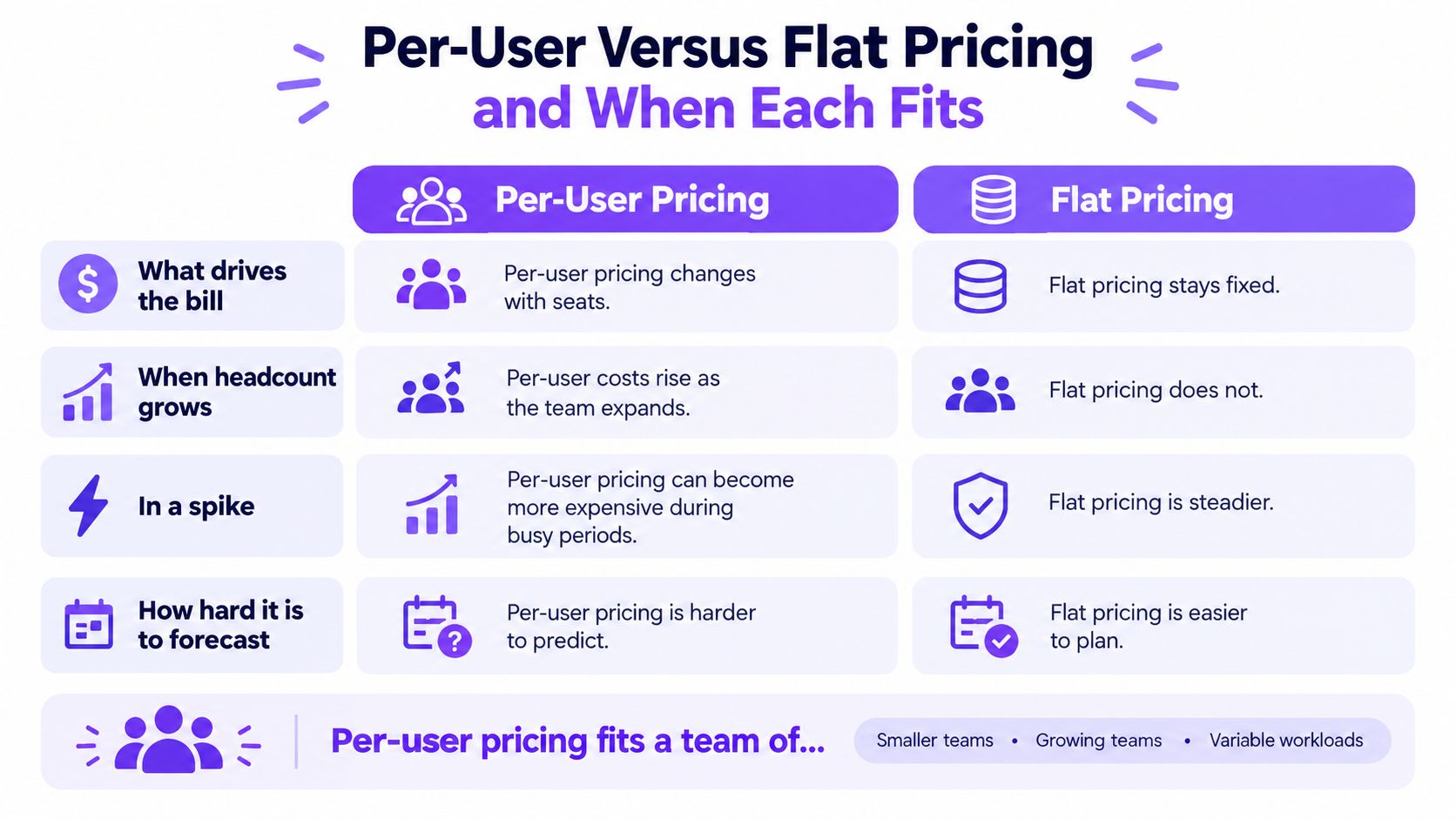
Four tests before you pick a model
- What drives the bill: Seats and envelopes on one side. A single fixed price on the other.
- Headcount growth: Each new DocuSign sender multiplies the annual price. A flat plan doesn't add a line for the new hire.
- A spike: Monthly caps (10 per user) fail a busy month that the yearly pool might have absorbed. Flat pricing removes that marginal send cost if the terms include the usage.
- Forecasting: You can budget seats. You can't budget abandoned envelopes, resends, and automated form posts unless you measure them.
A ten-person staffing agency sending about 80 agreements a month is already near 960 sends a year, against a 1,000-envelope Standard pool, with almost no slack for retries. A three-person consultancy sending about 15 a month, about 180 a year, sits inside a small per-user plan if the confirmed price is modest. A clinic batching consents on Monday, or a logistics desk chasing Friday confirmations, is the spike case: the average month looks fine and the peak month doesn't.
Break-even is the flat annual price divided by the verified per-user annual price. Leave that DocuSign figure as [PRICE: verify on docusign.com] and don't publish a seat-count crossover until the page is checked. "Unlimited" still has terms. Read the fair-use language before you treat any plan as infinite.
Per-user, in short
- Pro: Low, predictable cost when senders and volume both stay small.
- Con: The bill climbs with people and with retries. It isn't automatically the costly option.
Flat, in short
- Pro: Easier to forecast when many staff touch agreements or integrations fire sends.
- Con: You may overpay if three people send a handful of PDFs a month.
If you're also weighing Adobe's seat model, the DocuSign and Adobe Sign pricing comparison is the side-by-side to run with your own seat count, not with a vendor's sample team.
Where BoloSign Fits and When DocuSign Is the Better Buy
One fixed price covers unlimited signatures, templates, forms, contracts, and team members, with no extra charge per signature or per user. That is the unlimited e-sign plan shape: affordable eSignature when volume grows faster than the roster. The advantage is structural, and it shows up in the math. Per-user billing forces you to model two variables at once, seat count and envelope allowance, and a small team can exhaust its signing capacity months before it needs another seat. A flat price collapses that to a single line item.

Plans, in one list
- Forever Free is a low-volume lane for testing the flow ahead of any department rollout.
- Freelancer is $10 per month, billed annually, with 100 form signatures per month.
- Team is $49 per month, billed annually, with 500 form signatures per month.
- Growing Business is $99 per month, billed annually, with unlimited form signatures.
- Enterprise is custom pricing for high-volume needs and seats. It includes HubSpot, Pipedrive, and GoHighLevel, plus an import from DocuSign.
Unlimited-plan subscribers can sign unlimited documents within reasonable use, and no formal signing cap applies. Read that reasonable-use line. It is the caveat on every "unlimited" offer in this category.
The sending flow is short. You upload a PDF, place signature, date, and custom fields where each party signs, enter recipient emails, and send. Recipients get the request by email or SMS and sign on a phone without an app download, printing, or scanning. The same flow covers templates, an add signature to Google Form path, and signing forms embedded on your own site, so a prospect can submit and sign without leaving the page. No credit card is required to start, and the first document can go out in under 2 minutes.
Compliance and the EU signature ladder
Workflows should show who signed, when, and whether the file changed. The European Commission notes that eIDAS has applied directly across EU member states since 1 July 2016, covering electronic signatures, seals, timestamps, electronic delivery, and website-authentication certificates. That matters for staffing agreements, real-estate contracts, education forms, healthcare authorizations, logistics records, and professional-services engagements that cross borders.
eIDAS recognizes simple, advanced, and qualified signatures, and each level adds requirements to the one below it. Only a qualified electronic signature is explicitly recognized as having the same legal effect as a handwritten signature throughout the EU. Match the level to the document's risk. Routine onboarding calls for a different control set than a regulated authorization. Our controls are built around ISO 27001 and SOC 2.
DocuSign is the better buy when you already live in its integration ecosystem, when an enterprise contract is mid-term, or when the company standard is DocuSign and switching cost dwarfs the seat math. A larger connector catalog and existing admin workflows carry real weight that seat math alone does not capture.
Low volume, three senders, steady month: a small per-user plan can be the cheaper honest choice. Growing team with spikes: flat pricing removes the envelope cliff. A regulator or customer that names a specific provider: follow that mandate. An enterprise already standardized on DocuSign: stay, and negotiate capacity, unless you're ready to move templates. Our DocuSign alternatives page is the checklist for that last case.
Answers to Five Common DocuSign Pricing Questions
Does DocuSign have a free version?
Personal is capped at 5 envelopes per month, so confirm on docusign.com whether that tier carries a charge and treat it as a light entry point for solo senders. Our free plan is built for low volume: 5 form submissions, 2 PDFs, 2 template responses, and 5 signature forms, with the limits printed up front.
How much is DocuSign per year?
Start with the confirmed per-user price. Multiply it by the number of senders, then by 12 if you began from a monthly figure. If the quoted price already assumes annual billing, multiply by seat count alone and remember the cash leaves in one payment, not twelve. Then add any overage you can document from your own send history, because the seat line and the envelope line scale on different clocks.
What is the DocuSign cost per envelope?
The envelope counts when you send it, not when someone finishes. On the developer list, annualized prices are $600, $3,600, and $5,760 for 50, 300, and 480 envelopes per month. Run the division and all three land at $1 per envelope at full utilization, with excess billed per envelope on top. Standard-plan overage charges vary, so check DocuSign's current pricing page for the rate that applies to your tier. A three-person team can exhaust a monthly envelope ceiling while a larger flat-price team never sees one, which is why headcount alone understates the risk.
Is there an affordable eSignature alternative?
Yes, when your pain is seats plus caps rather than a missing enterprise connector. A fixed monthly price covering unlimited signatures, templates, and team members removes both variables at once, so adding a sender or absorbing a busy month changes nothing on the invoice. Run that comparison on your peak month, not your quiet one.
Does DocuSign charge for API use?
Yes. Production access sits on developer tiers with monthly envelope allowances, and PowerForms count. A demo sandbox carries no production quota, so point your engineer at the three annualized prices above before connecting a CRM. The subscription is the entry fee; the monthly allowance is the budget line.
Calculate Your Cost or Start a Team Trial
You can run the same arithmetic by hand with five inputs, all taken from your own usage and the docusign.com pricing page:
- Senders. Count only the people who initiate envelopes, since seats bill per sender rather than per signer.
- Plan price. Copy the per-user price for the tier that covers your features, then multiply by seats.
- Annualize. Multiply by 12 on monthly billing, or take the annual prepay figure directly.
- Envelope load. Compare your peak-month sends with the plan's allowance and price the gap per envelope.
- Add-ons. Add SMS delivery, identity checks, and any API or PowerForms traffic that generates sends without a person clicking.
The result is an estimated DocuSign yearly cost built only from figures you copied off docusign.com. Set it beside the flat reference: Team at $49 per month billed annually, which works out to $588 per year for a 10-person group with unlimited users, documents, and templates.
If the DocuSign estimate climbs when you add a sender or a busy month while the flat figure stays put, the flat model deserves a real test rather than a spreadsheet argument. Enterprise e-sign without per envelope pricing is what that second number shows. It counts as cheaper only after allowance, overage, and add-ons are priced into the first.
What to run in the trial
The trial includes unlimited document signing, reusable templates, signing order, audit trails, mobile signing, Google Sheets integration, and team collaboration. No credit card is required to start sending, and a first document goes out in under 2 minutes. Spend the free trial on your heaviest path: a quarter-end disclosure pack, a hiring wave, or a signing form embedded on your site so prospects submit and sign without leaving the page.
Full plan details sit on the BoloSign pricing page. If your contracts already live in DocuSign, importing DocuSign templates into BoloSign keeps you from rebuilding every PDF by hand before you have decided.
Closer Innovation Labs Corp. builds BoloSign so teams can compare a flat eSignature price with seat-and-envelope billing and then send a real agreement rather than a demo file. If DocuSign pricing for your headcount and your peak month no longer matches how you sign, visit Closer Innovation Labs Corp. and run that workflow on a free team trial.

Paresh Deshmukh
Co-Founder, BoloForms
29 Oct, 2026
Take a Look at Our Featured Articles
These articles will guide you on how to simplify office work, boost your efficiency, and concentrate on expanding your business.



