

Contract Redlining Best Practices: 8 That Work in 2026
Master contract redlining best practices with 8 practical steps, from clean baselines and tracked changes to AI review and secure eSignature execution.

Tired of nonsense pricing of DocuSign?
Start taking digital signatures with BoloSign and save money.
Your counterparty returned the MSA on Tuesday. Sales marked up Friday's PDF. Legal edited Monday's Word file. Three weeks later the deal is still open because two people changed two different copies, and nobody can say which file is current. That stall is almost never a drafting failure. It is a process failure. Comments vanish into email, a concession gets accepted twice, and the version that reaches signature is whichever attachment someone had open.
I treat contract redlining best practices as one ordered workflow, not a pile of markup tricks. The eight practices below cover versioning, negotiation etiquette, clause-level risk judgment, tool workflows, AI contract review, and secure execution. Each one pairs a working habit with a staffing, healthcare, real estate, logistics, education, or professional-services situation, plus a short checklist you can run this week.
If a messy redline later turns into a dispute, start with Insights into choosing legal representation. Legal disputes are often avoidable when the markup itself stays controlled. The sequence I use runs from a locked baseline through a trackable eSignature.
1. Start Every Redline from a Clean, Approved Baseline
A staffing agency preparing a contractor agreement for a new client should begin with its approved master, not a copy pulled from an old email. That gives reviewers a clear point of comparison and makes changes to pay rates, notice periods, or governing law easier to spot.
A clinic group can use the same approach with its approved business associate agreement before a vendor handles patient data. In both cases, the baseline captures the terms already accepted by the business; the redline shows what the counterparty wants to change.
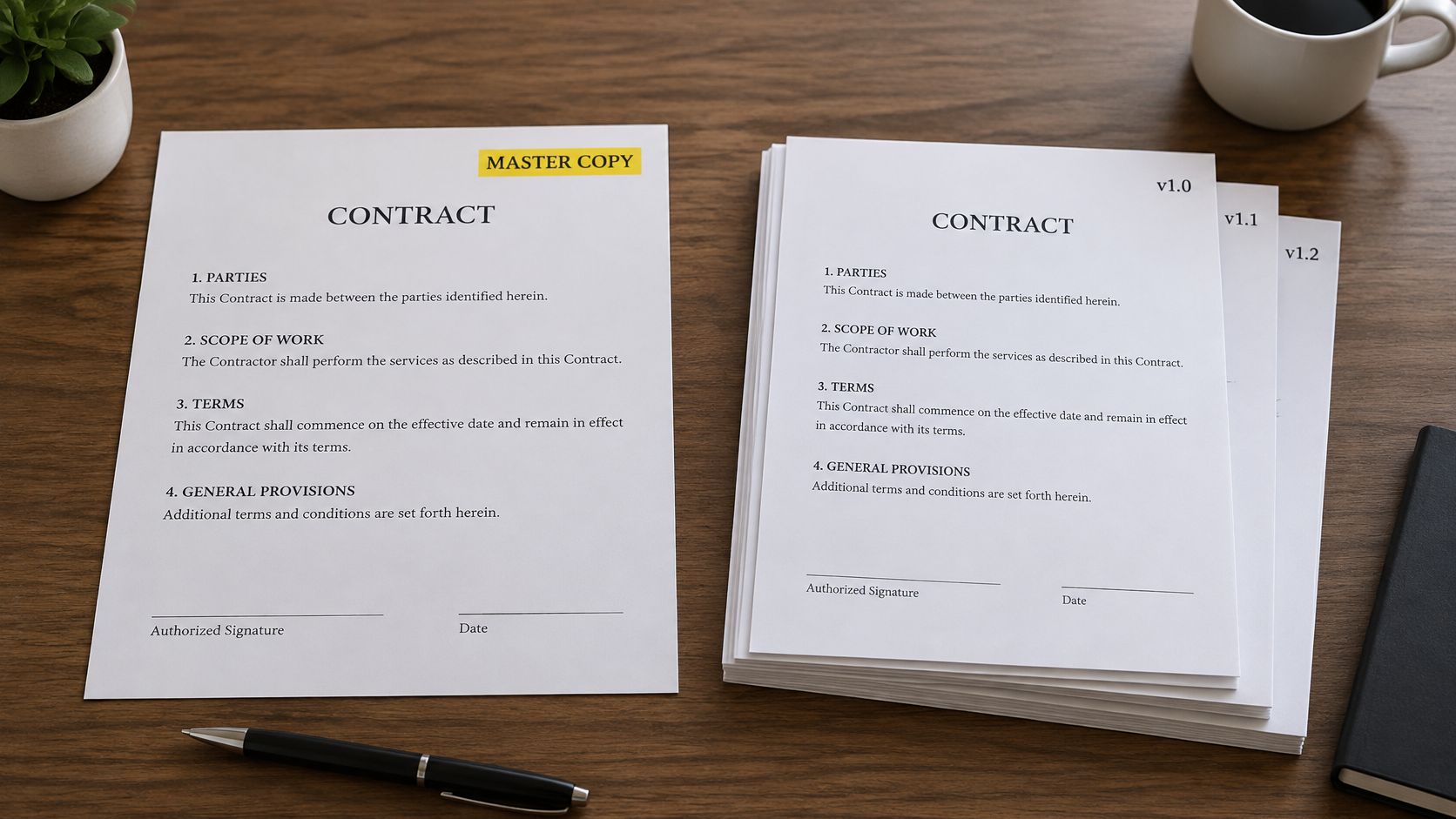
In BoloSign, teams can build a baseline from a PDF or reusable template, then send it for review and signature in one workspace. That can help a staffing desk or brokerage keep agreements organized as each deal moves through review.
Lock it before anyone edits
- Freeze the approved file: Save it as a template only after legal signs off.
- Name its status clearly: Include the client, date, and status, such as Draft, Review, or Final.
- Share one working link: Avoid circulating multiple attachments that could be mistaken for the current baseline.
Practical rule: If you cannot identify the file legal approved, confirm the baseline before making or accepting changes.
2. Maintain a Fallback Clause Library
Pressure is a bad time to invent liability language. A fallback library is pre-approved wording for the points that always move, including limitation of liability, payment, indemnification, and termination notice. The negotiator picks the option that matches the deal's risk, instead of rewriting a paragraph at 6 p.m.
A 2025 survey found that 60% of legal teams had no contract-review playbook, while only 8% had coverage across all contracts, according to LegalOn's State of Contracting report. Without those positions, every reviewer reinvents the company's risk appetite.
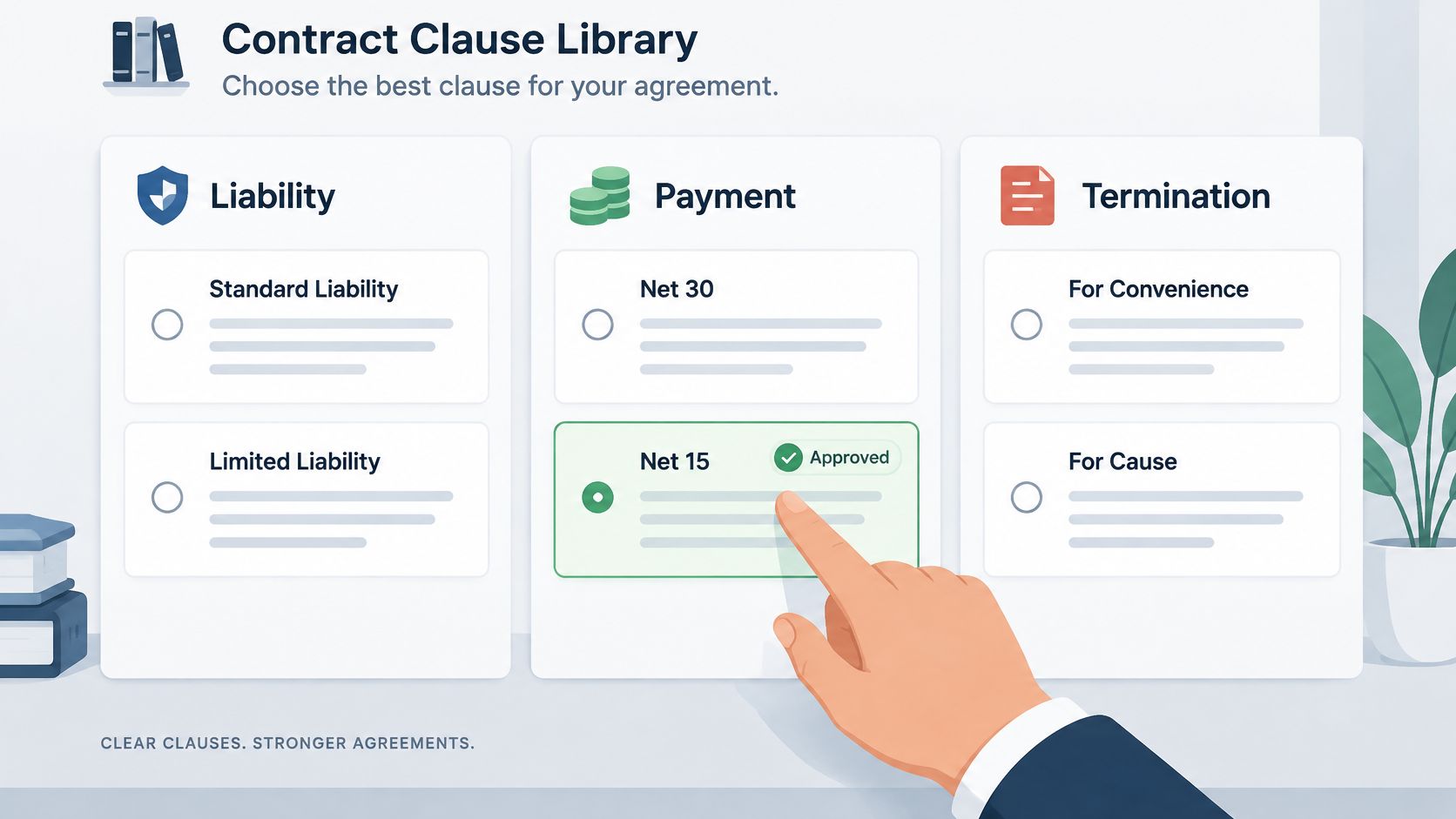
Say a logistics company keeps three liability caps for carrier agreements and escalates only the most aggressive one. A developer keeps late-payment wording tenants always challenge on commercial leases. I rank each fallback as preferred, acceptable, escalation-required, or prohibited, and I write one sentence on when to use it. A safer legal line that operations cannot perform is not a real fallback.
BoloSign's AI assistant can draft a first version, flag language that leaves the library, and propose an approved alternative. That is contract automation doing the repetitive pass so people spend time on the commercial call.
What belongs in the first library
- Start with ten clauses: Pull them from the last twenty deals that bounced more than once.
- Name an owner: Someone reviews the library every quarter.
- Attach the "when": A fallback without a use note gets applied to the wrong deal.
3. Focus Redlines on Material Risk, Not Every Comma
Rank exposure before you touch the text. Uncapped liability, muddy IP ownership, auto-renewal traps, and weak data terms get a full markup. Style preferences do not. A wall of commas tells the other side you have not decided what matters, and they start ignoring the document.
A clinic group will fight a short breach-notice window and leave formatting alone. A professional-services procurement team treats automatic renewal as critical and accepts a synonym in a boilerplate recital. That split keeps the call short and shows which points are firm.
On limitation of liability, break the clause into four questions before you edit, as the Law Society of British Columbia negotiation note frames them. Who is liable, which losses are covered, what the cap is, and which claims sit outside the cap. Collect the commercial facts first, then change only the words those facts require.
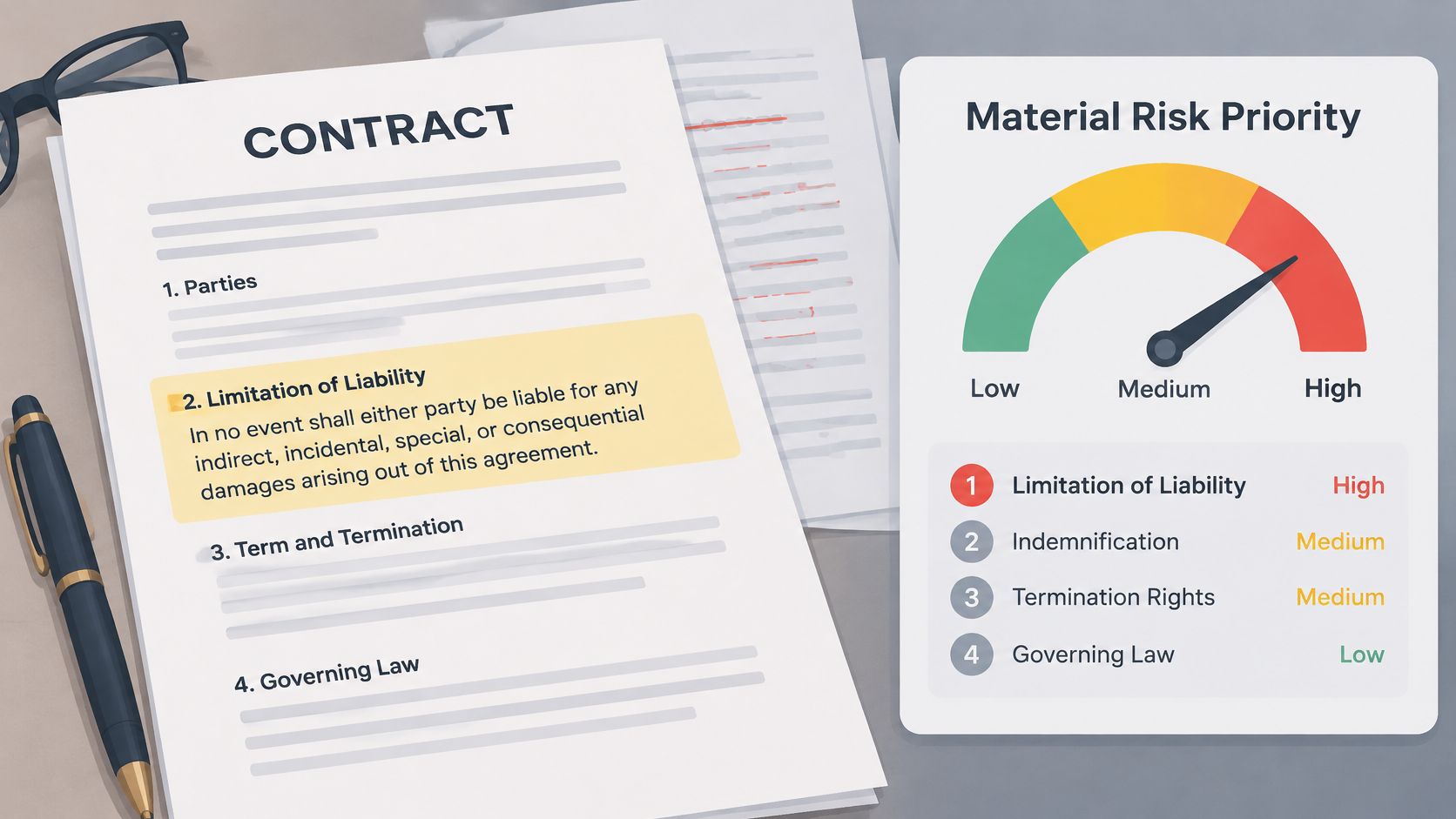
BoloSign's contract intelligence highlights high-risk clauses so reviewers spend the hour on revenue, compliance, and liability, not on heading styles.
More redlines are not better risk control. Count issues caught and concessions you can defend, not edit volume.
Batch the tidy-up into one cleanup round after the commercial points are closed. Score impact and likelihood on a simple matrix, and agree before the first call which clauses always leave the room for a senior decision.
4. Use Tracked Changes and Explain Every Markup
A redline without a reason turns each edit into a guessing game. Use Track Changes so the counterparty can see every insertion and deletion, then explain material edits in a short comment. That gives them a clear choice: accept, counter, or escalate.
Keep the working file in Word when both sides can review it there. PDF can still suit stakeholders who will not work in Word, but it makes the edits harder to respond to directly.
A staffing agency might write: “We need 30 days, not 60, because placement payroll cannot float two cycles.” An education team might tie a revised refund clause to the rule that requires it. Keep external comments factual, and keep internal debate about fallback positions out of the counterparty's copy.
This walkthrough shows how concise comments can make a markup easier to review.
BoloSign's PDF review lets several owners comment in one place and keeps each decision with the file. For a cap dispute, start from a written limitation of liability position, then explain the specific edit in the margin instead of rewriting the whole section.
Comment habits that cut rounds
- One point per note: Keep a cap change separate from a grammar fix.
- Resolve before you resend: Open comments signal unfinished negotiation.
- Separate audiences: Keep internal comments out of the external file.
5. Define Approval Thresholds and Escalation Paths
A discount approved for one deal can become an accidental precedent if nobody knows who had authority to grant it. Set approval rules by contract value, deviation from the approved baseline, and clause type. This lets sales accept terms inside policy while routing material exceptions to the right decision-maker.
For example, a developer might require executive approval for lease discounts above a set percentage. A logistics firm might let account managers accept standard payment terms while routing liability-cap changes to legal. Three levels are enough to start: standard, intermediate, and executive. Use terms sales recognizes, then test the thresholds against a quarter of closed deals. If nearly every request escalates, the matrix is too restrictive to guide a live negotiation.
Many organizations lack preapproved fallback terms. Without them, each exception risks becoming a new policy invented mid-deal. Write down the approved alternative for common disputed clauses, then define who can accept a departure from it.
For counterparties working in Word, document the steps for redlining a document in Word and the point at which a change needs approval. BoloSign's CLM can route an exception to its named approver before the agreement goes for signature.
A threshold nobody can recite will not stop a quarter-end concession.
6. Track Versions in One Source of Truth
Email attachments are how teams negotiate the wrong file and then sign it. One source of truth holds every version, comment, and status. Legal, sales, and procurement can see whether a carrier agreement is in draft, in review, approved, or signed.
Benchmarking has long shown a wide gap. The average medium-complexity negotiation took about 7 to 10 weeks, top-quartile teams finished in about 5.1 weeks, and bottom-quartile teams took nearly 16 weeks, and international agreements took about 20% longer than domestic ones, as summarized in ContractSafe's contract management trends. Cross-border work across the US, Canada, Australia, New Zealand, and the UAE needs an owner and a deadline on each round, not another forwarded PDF.
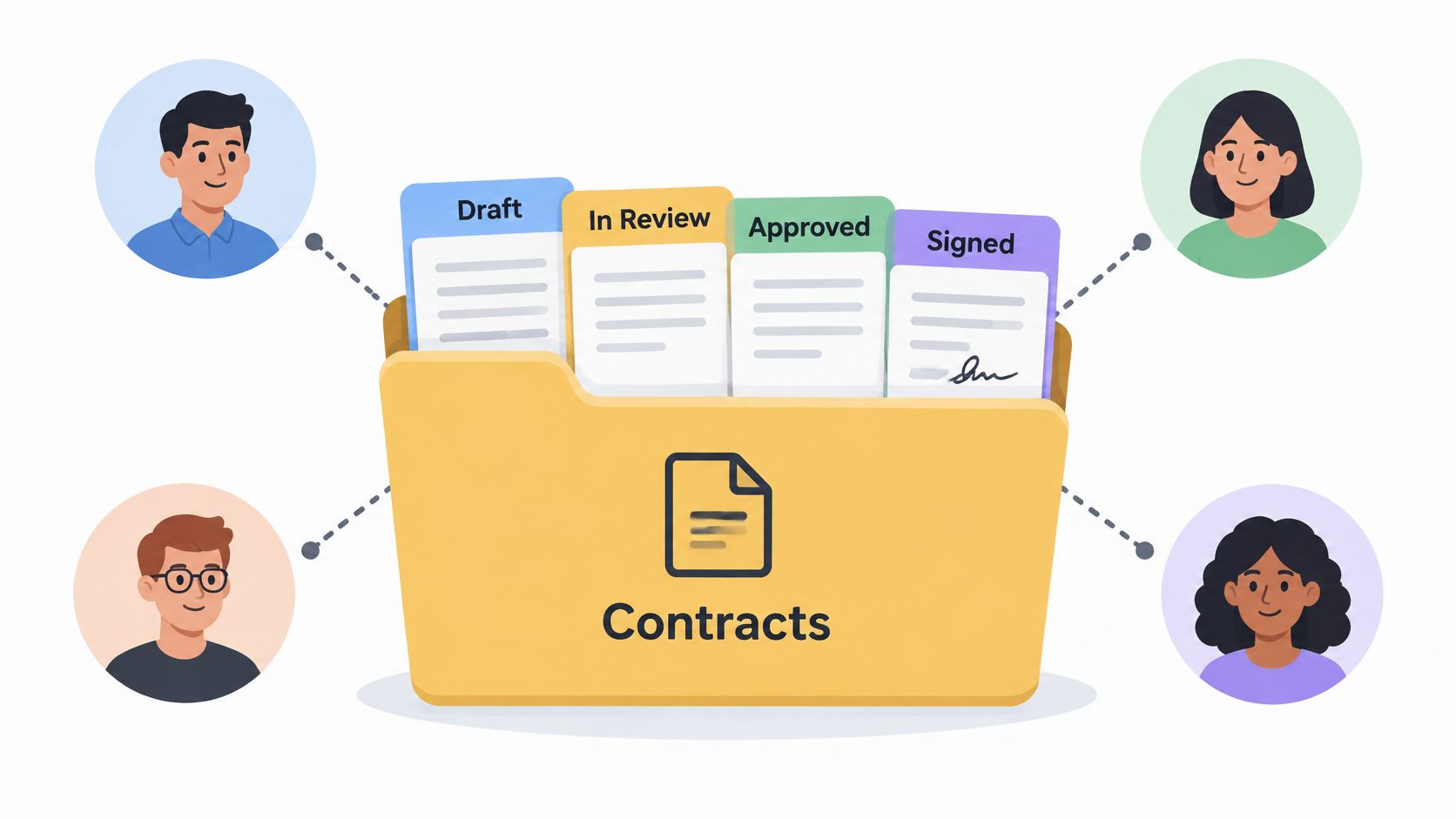
A clinic network can keep vendor agreements in one repository with renewal reminders. A recruitment firm can show each placement by status so account managers know what is waiting on a signature. BoloSign pulls PDFs, forms, and CRM-connected workflows into that same record, including stacks teams already run in HubSpot.
Version rules that survive a busy Friday
- Ban the working attachment: Email may notify. It may not be the file of record.
- Name client, date, and version: "Acme_MSA_2026-04-02_v3" beats "final_FINAL2."
- Clean up monthly: Archive expired files so search stays trustworthy.
- Compare before you accept: Silent edits show up when you diff against the last agreed copy.
7. Use AI for First Passes, Then Apply Human Judgment
AI is a fast first reader, not the person who owns the relationship. It can scan a draft, flag odd indemnity language, and suggest a library clause. A procurement lead still decides whether that flag is a deal issue or noise. An education provider can check refund wording against policy before a student agreement goes out, then a human confirms the result.
In a 2025 survey of 256 in-house legal professionals, 64% of legal-AI users applied it to contract drafting, review, or analysis, yet 60% cited insufficient trust or output quality as the leading challenge and 57% cited data privacy concerns, reported by LawNext. Those numbers are why I do not use one blanket "human in the loop" slogan. Low-risk standard clauses can take an automated suggestion. Liability caps, indemnities, data processing, IP, employment restrictions, healthcare terms, and governing-law changes get a person.
What the reviewer should be able to see
- Source of the suggestion: Which playbook rule or precedent produced the edit.
- The decision: Accepted, edited, or rejected, with a one-line reason.
- The boundary: No signature request leaves until a named reviewer clears it.
BoloSign's assistant speeds drafting, flags risky clauses, and proposes alternatives while the accept-or-reject call stays with your team. Log what you override. That log is how you catch a model drifting away from the positions you use. Faster AI contract review that nobody questions will scale the wrong risk, not remove it.
8. Close Negotiations with Secure, Trackable eSignature
The last comment is resolved, but the deal is not closed until the final file is signed and its audit trail is stored with the negotiation history. Keep the execution copy locked so no one can alter a PDF between approval and signature.
A staffing agency can use Google Form intake answers to prepare placement agreements without retyping them. A brokerage can collect several tenant signatures in sequence. For agreements sent across the US, Canada, Australia, and the UAE, set up the signing process to fit each workflow.
For electronic delivery of information that must be in writing, the US ESIGN Act requires consumer consent. Under Section 101(c)(1), the consumer must affirmatively consent after receiving specified disclosures, as explained in the FTC's ESIGN statement. Keep the consent event, disclosures, signer identity and intent, and the document presented. A signed file alone is not the full record.
Healthcare adds a separate layer: a valid electronic signature does not, by itself, address HIPAA duties around protected health information. Manage access, auditability, and breach response alongside signature evidence. BoloSign supports eSignature workflows aligned with ESIGN, eIDAS, HIPAA, and GDPR requirements, and lets teams send templates and forms and store the executed PDF with negotiation history. For practical steps, see this guide to signing a contract.
Send the signature request only after the final version is locked. Use a clear subject line and two concise lines of instruction.
8 Contract Redlining Best Practices at a Glance
| Practice | Workflow Stage | Key Benefit | Main Risk If Skipped |
|---|---|---|---|
| Start every redline from a clean, approved baseline | Preparation | Prevents outdated drafts and makes changes clear | Reviewers may negotiate from the wrong version |
| Maintain a fallback clause library | Negotiation preparation | Keeps concessions consistent and speeds routine negotiations | Teams may accept unfavorable or inconsistent terms |
| Focus redlines on material risk, not every comma | Risk review | Directs attention to high-impact issues | Critical risks may be missed or minor edits may distract |
| Use tracked changes and explain every markup | Redlining and review | Clarifies changes and documents decisions | Changes may be misunderstood, delaying agreement |
| Define approval thresholds and escalation paths | Internal approval | Prevents unauthorized concessions | Teams may approve terms beyond their authority |
| Track versions in one source of truth | Version control | Reduces confusion and improves status visibility | Teams may negotiate or sign outdated copies |
| Use AI for first passes, then apply human judgment | Contract review | Speeds routine checks while keeping decisions contextual | AI errors may go unchecked or reviewers may over-rely on suggestions |
| Close negotiations with secure, trackable eSignature | Execution | Speeds signing and provides an audit trail | Execution may be delayed or signing evidence may be incomplete |
Build a Redlining Process Deals Move Through, Not Around
A stalled contract rarely has just one problem. A team may be working from an outdated draft, debating low-impact edits, or waiting on an approval nobody knew was required. Treat redlining as a workflow: establish the approved starting point, handle changes consistently, route exceptions, keep the current version clear, and finish with a traceable signature.
Start with the gap causing the most friction. If versions keep getting mixed up, make the current draft unmistakable before changing the review process. If liability terms are rewritten from scratch in routine deals, give reviewers approved fallback language to work from. Then use the checklist above to settle practical questions: who owns the baseline, who can approve a change to the liability cap, and where the executed PDF is stored?
A placement agreement in Toronto, a clinic vendor file in Auckland, a lease in Dubai, and a carrier contract in Sydney may involve different governing laws and privacy duties. The review workflow still needs clear ownership, escalation, and a reliable signing record. For a broader view of the information that can matter during review, see contract review information types.
BoloSign brings intake, drafting, redlines, approvals, and execution into one contract management platform. Its AI assistant can help with first drafts and flag risky clauses, while secure eSignature and clickwrap capabilities support execution. A unified workspace can reduce handoffs, though teams still need to set approval rules and apply human judgment to legal decisions.
Choose two habits that would have prevented the last stalled deal. Apply them to the next agreement, and keep the checklist beside the file until the workflow is routine.
Run your next agreement through BoloSign at BoloSign, from approved baseline to signed PDF.

Paresh Deshmukh
Co-Founder, BoloForms
31 Oct, 2026
Take a Look at Our Featured Articles
These articles will guide you on how to simplify office work, boost your efficiency, and concentrate on expanding your business.



