

CLM Integration with CPQ Systems Implementation Guide
Learn CLM integration with CPQ systems step by step — architecture, data mapping, APIs, workflows, testing and security for a reliable quote-to-contract flow.

Tired of nonsense pricing of DocuSign?
Start taking digital signatures with BoloSign and save money.
The quote is approved, the customer is ready, and the sales representative expects a contract to appear. Instead, legal receives a spreadsheet, a PDF, and an email describing a discount that isn't reflected consistently across the files. Someone retypes the products, pricing, delivery terms, and renewal language into a contract template. Then finance finds a mismatch after signature.
That handoff is where CLM integration with CPQ systems either creates control or exposes risk. CPQ is built to configure an offer and apply commercial rules. CLM governs the agreement that follows, including drafting, negotiation, approval, signing, storage, and obligations. Connecting them isn't just an API project. It's a governance decision about which system owns each piece of commercial truth.
Why CLM Integration with CPQ Systems Matters for Quote to Contract
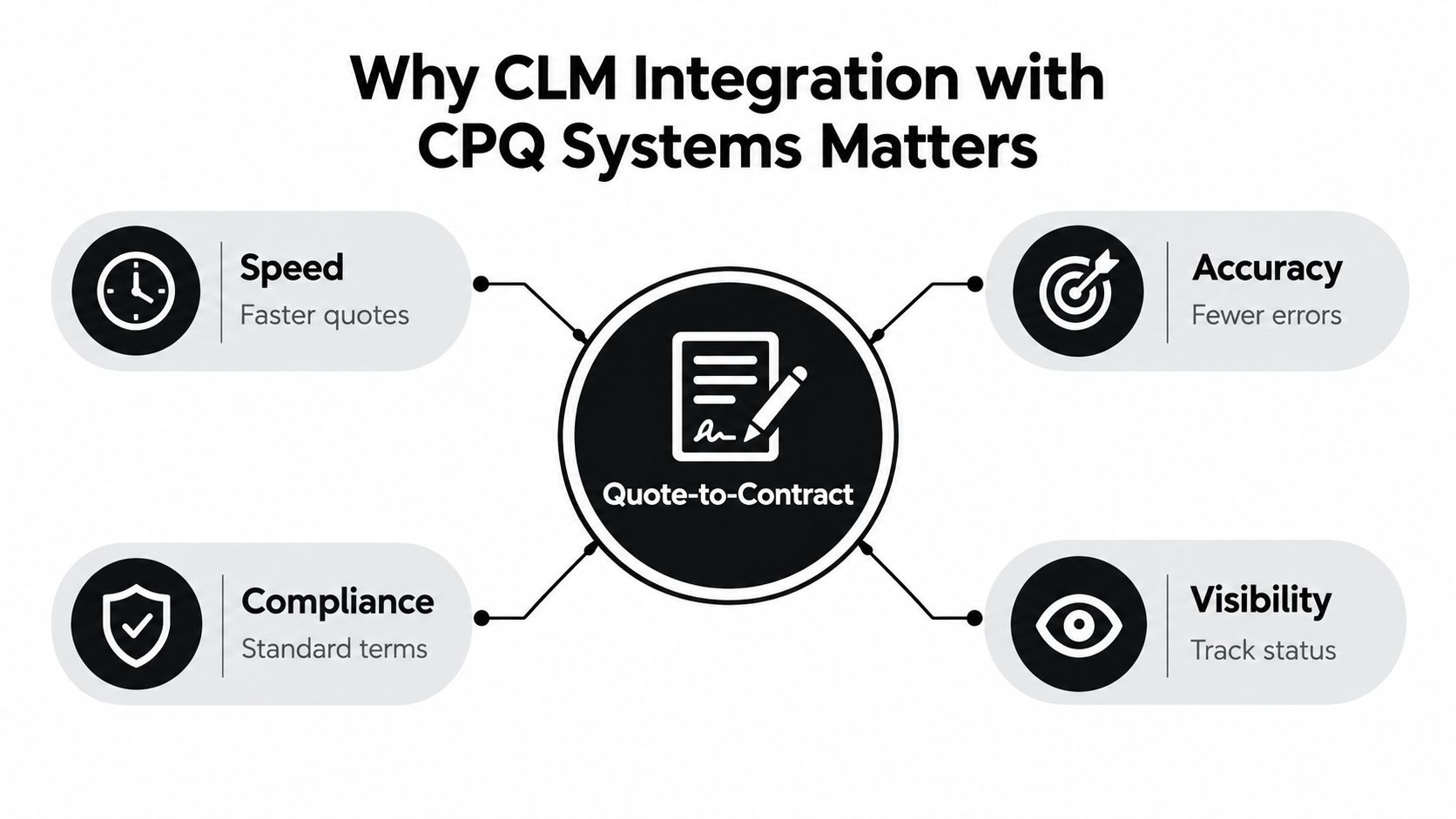
An accepted quote should create a controlled handoff, not another data-entry task. The CLM process can pull approved products, pricing, delivery terms, and commercial conditions from CPQ into the correct contract template. Sales, legal, finance, and IT then work from the same approved deal record. Industry analysis of CPQ and CLM frames this handoff as the point where quote information becomes structured contract content.
The benefit is easier to see in a staffing agreement. A CPQ record may include worker categories, hourly rates, service locations, overtime rules, and an approved margin exception. If legal receives only an attachment, the contract author must interpret those details and re-enter them. A connected flow populates governed fields from the approved quote, while legal concentrates on liability, confidentiality, data processing, and employment-specific provisions.
The operational case for integration
Manual quote-to-contract handoffs remain common across enterprise sales operations. They create billing and delivery errors when quote versions change during negotiation, or when sales, legal, and finance keep separate approval records. The risk is not only slower processing. It is uncertainty about which version represents the deal the customer approved.
The customer sees the result directly. A buyer who finds one price in the quote and another in the agreement loses confidence. A healthcare provider may need service terms to match an approved scope. A logistics customer may expect delivery commitments to mirror the proposal. A real estate client may challenge an incorrect rent schedule or renewal clause. Synchronization keeps the signed contract aligned with the governed commercial record.
Practical rule: Integrate when the cost of manual interpretation exceeds the effort required to govern the handoff.
A lightweight process can suit simple, low-volume agreements with stable templates and few approval rules. Integration carries more value when products are configurable, discounts need approval, contracts vary by jurisdiction, or sales teams work across Salesforce, HubSpot, and NetSuite. Teams reviewing the broader discipline can also use this guide to CLM software before choosing an operating model.
Start with ownership, not endpoints. Define the source of truth for products, pricing, customer identity, and approval status. Keep fast-changing quote data synchronized with controlled contract templates, and decide which changes require reapproval rather than allowing middleware to copy every update blindly. Then map fields and events, connect authentication, test realistic scenarios, and establish monitoring. The outcome should be a governed quote-to-contract process, not two applications that merely exchange documents.
Choosing Your Integration Architecture and Data Flow
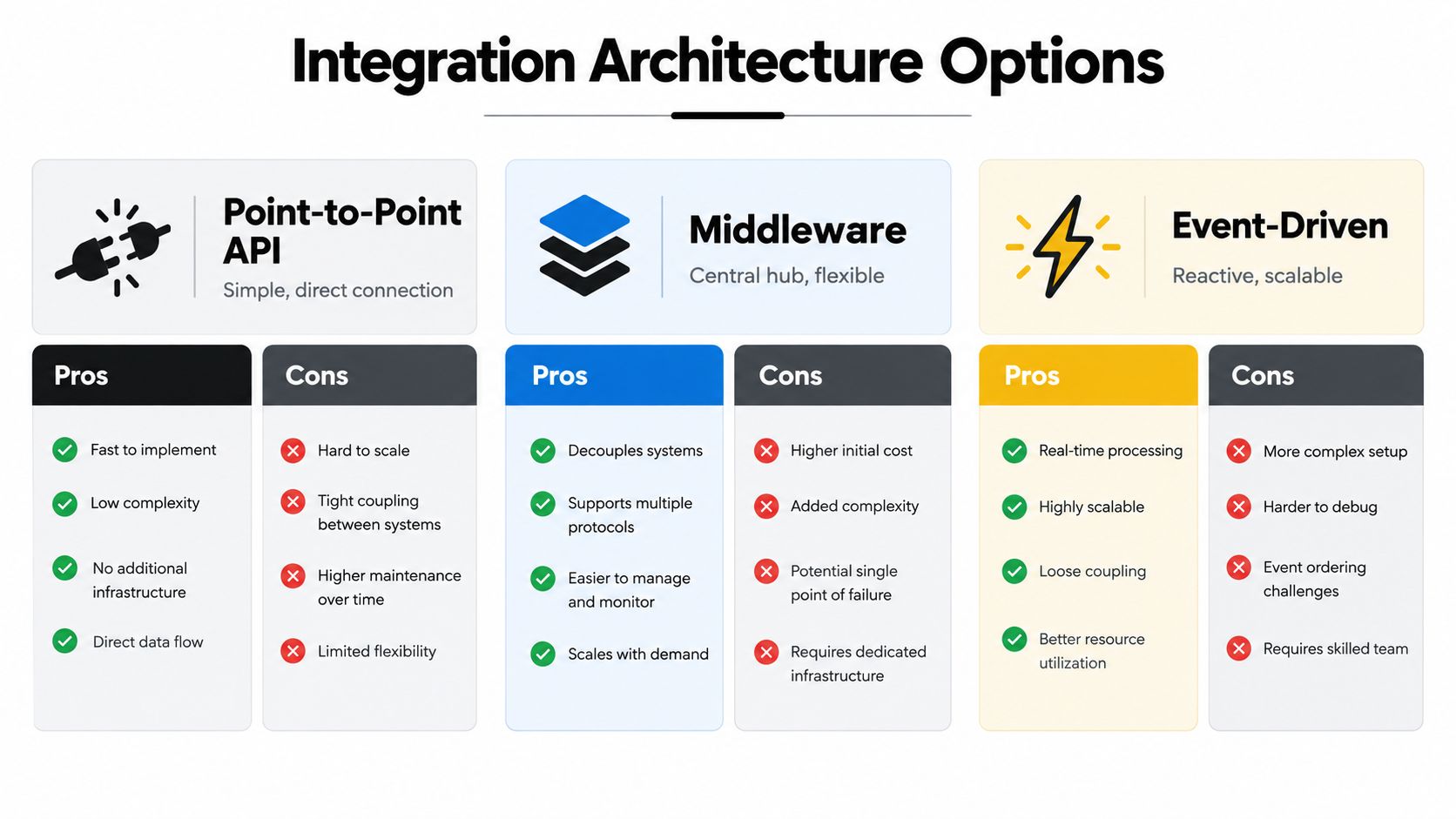
Architecture choices determine how much flexibility you'll have when pricing rules, templates, or approval policies change. The three patterns you'll consider are direct APIs, middleware, and event-driven connections. Native or embedded connectors can simplify the same decisions when the CLM and CPQ vendors already support the required objects and workflow actions.
A direct API connection is attractive when the environment is small and the process is stable. CPQ sends an approved quote to CLM, CLM returns contract status, and the CRM displays the result. The design is easy to understand, but each new system or exception adds another dependency. A Salesforce environment with one CPQ application and one CLM platform may fit this pattern. A HubSpot team with straightforward sales agreements may also prefer a limited connector over a large integration program.
Middleware provides a central translation and orchestration layer. It can normalize customer IDs, transform quote line items, route regional templates, and manage retries without putting every rule inside either business application. That flexibility comes with platform costs, monitoring requirements, and another place where logic can become opaque. Middleware works well when NetSuite, Salesforce, a CPQ tool, a CLM platform, and an eSignature service all participate in the same process.
Event-driven integration responds to business events such as QuoteApproved, ContractCreated, ContractSent, or ContractSigned. It supports asynchronous processing and can scale across multiple consumers. It also requires disciplined event schemas, durable message handling, and clear ownership when events arrive out of sequence.
A practical decision matrix
| Architecture Pattern | Best For | Pros | Cons |
|---|---|---|---|
| Point-to-point API | A small, stable application landscape | Direct data flow, fewer moving parts, fast initial delivery | Harder to extend, duplicated logic, tighter system coupling |
| Middleware | Multiple business systems and frequent transformations | Central orchestration, reusable mappings, stronger separation of concerns | Added cost, operational overhead, another platform to govern |
| Event-driven | Multiple consumers, asynchronous workflows, and changing process demand | Loose coupling, reactive processing, scalable event distribution | More complex testing, ordering concerns, stronger observability requirements |
Decide where truth lives
The most important architecture question is not whether to use REST, webhooks, or an iPaaS. It's which application owns each decision. CPQ should normally own product configuration and pricing logic. CLM should own contract templates, clause governance, negotiation, and execution status. CRM may own account and opportunity identity, while ERP or finance systems may own billing outcomes.
Don't copy every field everywhere. Replicate the fields required to execute the workflow, preserve an immutable reference to the approved quote version, and record which system controls later changes. If a sales representative changes pricing after approval, the integration should create a governed revision or exception, not overwrite the contract draft.
A native connector is useful when it supports your required objects, statuses, security model, and error handling. It isn't automatically the right answer if it forces your process into vendor defaults. Choose the least complicated architecture that can absorb foreseeable change without hiding commercial logic in custom middleware.
Mapping Data Models and Designing Trigger Events
Most integration failures start in the data model. Teams connect endpoints before agreeing on what “customer,” “approved quote,” “contract value,” or “active term” means. The connection works technically, but the contract contains the wrong item description, an old price, or a status that no downstream team recognizes.
Begin with a controlled mapping workbook. For every field, identify the CPQ object, the CLM destination, the data type, the transformation, the owner, and the validation rule. SAP's CLM guidance provides a useful implementation sequence: configure provider settings in CLM and CPQ, map CPQ document templates to CLM contract types, map fields and quote item columns, map statuses, and configure actions and the workflow matrix. See the SAP CLM and CPQ setup documentation for the underlying configuration model.
Build the mapping in a deliberate order
Identify the contract type. Map a staffing quote to a staffing services agreement, a healthcare quote to the correct provider or services template, and a property quote to the appropriate lease, purchase, or management agreement.
Map commercial fields. Carry customer identity, quote ID, quote version, currency, products, quantities, prices, discounts, delivery dates, payment terms, and approved exceptions. Don't treat a formatted quote PDF as the source. Use structured CPQ values.
Map line items separately from header data. A healthcare contract might need procedure codes, facility locations, service intervals, and data-handling requirements. A logistics agreement may need lanes, accessorial charges, delivery windows, and service-level commitments. These values shouldn't be flattened into one paragraph.
Map statuses and actions. “Approved,” “sent,” “redlining,” “signed,” “rejected,” and “expired” need precise meanings. Each status should have an owner and a permitted next action.
Define validation behavior. A missing jurisdiction, unsupported currency, or unapproved discount should stop contract creation or route to an exception queue. It shouldn't generate a document that looks complete.
Design events around business control
The core event is usually quote approval to contract creation. The event payload should include the quote identifier, approved version, customer identifier, contract type, and a reference to the source record. CLM then creates a draft from the mapped template and returns a contract identifier and status.
Amendments and renewals need separate paths. An amendment should reference the active contract and the revised quote, while a renewal should preserve the original agreement, compare changed commercial terms, and route only the required updates. A new quote shouldn't overwrite a signed contract merely because the customer record has changed.
Governance principle: Quote data can change faster than contract templates. Version both, and require the workflow to prove which approved versions produced the draft.
Consider a real estate deal where the quoted property, rent schedule, deposit, and commencement date change during negotiation. The CLM draft should show the source quote version and force a reapproval if any commercial field changes. In professional services, a revised statement of work should trigger a comparison against the prior scope. In education, course delivery dates and instructor obligations may need approval from both academic operations and finance.
Independent implementation guidance identifies incomplete data mapping at 67%, inadequate user training at 58%, and insufficient process redesign at 51% among common pitfalls, while reporting 42% fewer contract errors and 27% faster deal closure when the connection is properly implemented. These figures come from the CPQ and CLM implementation guidance, and they reinforce a practical point: API connectivity can't compensate for weak ownership, unclear mappings, or an unchanged manual process.
Connecting Systems with APIs Webhooks and Sample Workflows
Once the model is agreed, technical implementation becomes much more predictable. Start with authentication that matches the sensitivity of the records. OAuth with scoped permissions is generally preferable for user-connected workflows, while service accounts can support controlled system-to-system jobs. API keys may be suitable for narrowly restricted integrations, but they need secure storage, rotation, and clear ownership.
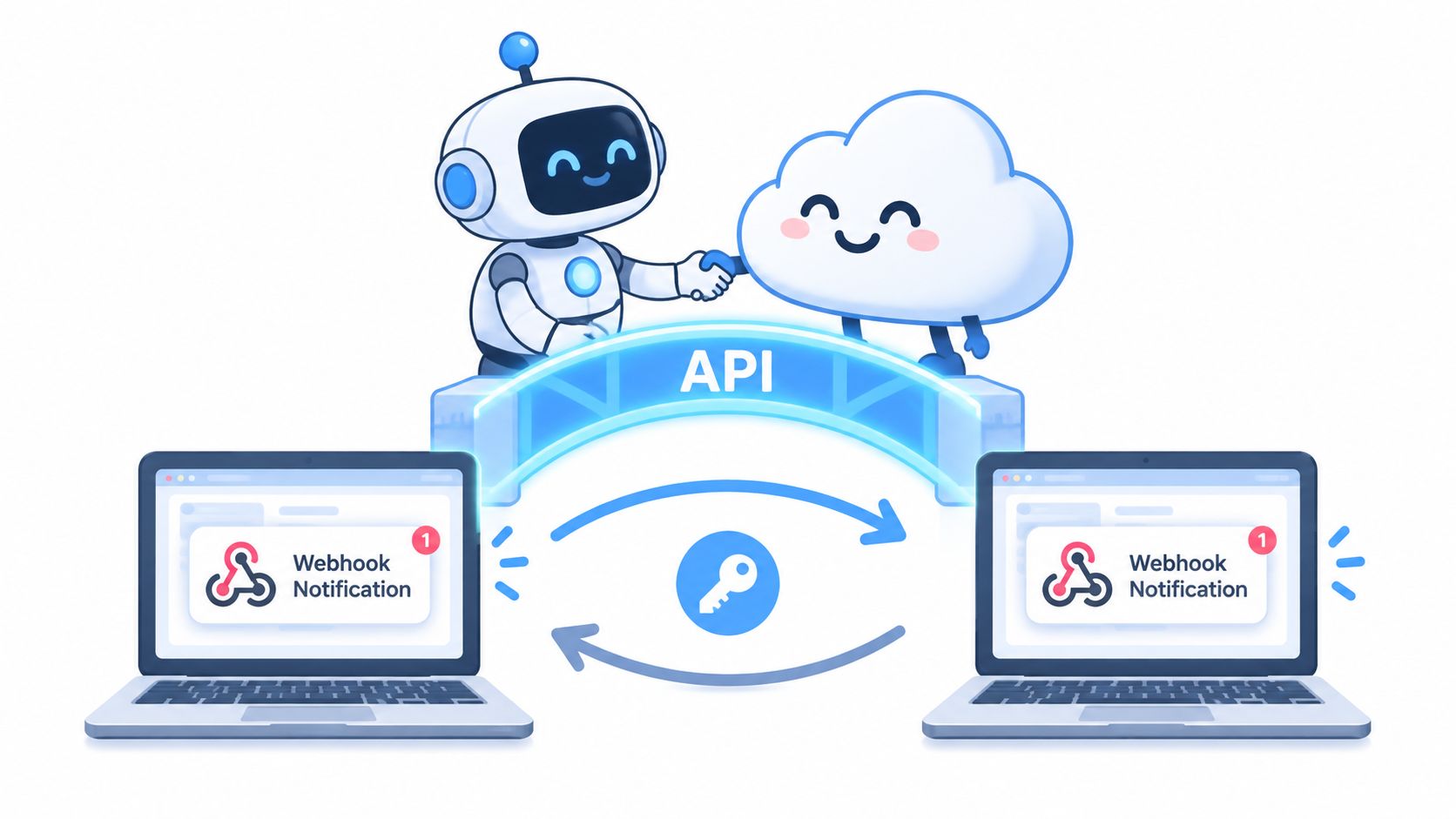
Use webhooks when the source system can reliably notify the destination that an event occurred. Polling can be a fallback, but it introduces delays and repeated queries. Either way, the receiver should be idempotent. If the same approval notification arrives twice, the system should find the existing contract by quote ID and approved version rather than create a duplicate.
A controlled quote-to-sign workflow
A staffing agency might use this sequence:
- Approval event: CPQ publishes an approved quote with the customer, role, rate, location, and term.
- Contract creation: CLM selects the staffing template, inserts approved fields, and assigns legal review if an exception exists.
- Negotiation: Legal redlines within the CLM workflow, while the original quote version remains preserved.
- Execution: The finalized PDF or template is sent for secure eSignature. BoloSign can create, send, and sign PDFs, templates, and forms instantly within a connected workflow, with AI-powered contract intelligence identifying missing obligations, risky allocation language, or clauses that deviate from the normal position. The embedded signing API guide covers how signing can be placed inside an existing application experience.
That AI review should support decisions, not approve them automatically. Independent contract-intelligence guidance describes a useful first-pass model: identify obligations, risk allocation, deviations from the normal position, and missing clauses so reviewers can focus on issues requiring judgment. See the contract-intelligence explanation for that review approach.
A healthcare provider needs tighter controls around patient-related information and business associate workflows. The integration should send only the fields required for the agreement, keep sensitive information out of unnecessary logs, and route exceptions to authorized reviewers. A real estate agency may instead prioritize signer identity, property details, escrow terms, and a clean audit trail. The workflow differs, but the control pattern remains the same.
A logistics company can generate a carrier agreement from an approved quote, route service-level terms to operations, and send the final document for signing. An education provider can issue instructor agreements and enrollment forms from structured records. Professional services teams can create statements of work from approved scopes, then return signature status to the CRM.
Use the following video as a practical visual reference for embedded signing and API-based document execution:
Every request should have a correlation ID, a retry policy, and a failure destination. Don't retry validation errors indefinitely. Store the request, response status, source version, and resulting contract ID so an operator can reconstruct what happened without searching through email.
Testing Rollout Error Handling and Ongoing Monitoring
A connected workflow isn't ready because one test quote produced one correct document. It's ready when the team can explain what happens for a valid quote, a changed quote, a rejected approval, a missing field, a duplicate webhook, an unavailable endpoint, and a contract that returns from signature with an exception.
Test the business loop, not just the API
Unit tests should verify individual transformations, such as converting a CPQ discount value into the correct CLM field or selecting a contract type from a product category. Integration tests should confirm the complete exchange between systems, including authentication, document generation, status updates, and failure responses. User acceptance testing should use realistic records from staffing, healthcare, real estate, logistics, education, and professional services.
Include scenarios where:
- A quote changes after approval. The workflow should create a new version or require reapproval.
- A required field is absent. The system should stop or route the record for correction.
- A webhook is delivered twice. The receiver should remain idempotent.
- A contract is rejected. The rejection reason should return to the right owner.
- A signer completes the document. CLM and the CRM should receive the final status and executed file reference.
- A template changes. Governance should identify which quote types use the new version.
The implementation guidance cited earlier identifies training and process redesign as material failure points, not just technical defects. Train sales on what approval means, legal on how commercial fields are protected, and operations on how to resolve exceptions. A pilot with one sales team exposes workflow friction before the organization depends on it.
Operate the connection after launch
Set up structured logs and dashboards for created contracts, failed mappings, rejected approvals, stale drafts, duplicate events, and signing outcomes. Reconciliation jobs should compare approved CPQ records with CLM contracts and flag records that have no matching destination or have mismatched versions.
Use alerts that lead to an action. “Integration failed” isn't enough. The alert should identify the quote, customer, event, failed field, retry state, and owner. Keep a replay mechanism for safe reprocessing, but require controls that prevent duplicate contracts or repeated notifications.
A go-live checklist should confirm:
- Ownership: Every field, template, event, and exception queue has a named owner.
- Security: Credentials, scopes, access roles, and logs have been reviewed.
- Data quality: Customer, product, pricing, and status values pass validation.
- Workflow coverage: Standard, amended, renewed, rejected, and exceptional paths work.
- User readiness: Sales, legal, finance, and operations understand their tasks.
- Monitoring: Dashboards, alerts, reconciliation, and replay procedures are active.
Security Compliance Best Practices and Pitfalls to Avoid
Security starts with limiting what moves between systems. A quote-to-contract integration should transfer the fields needed to draft, approve, execute, and report on the agreement. It shouldn't copy sensitive customer information into every log, middleware table, or analytics workspace because the API makes it possible.
For electronic signatures, compliance depends on the complete processing operation. European guidance on GDPR-compliant electronic signatures highlights the need to define what signer and document data is collected, why it's needed, who receives it, where it can be accessed, how long it's retained, how it's protected, and how people can exercise their rights. Those controls matter across the US, Canada, Australia, New Zealand, the UAE, and other regulated markets, even when the governing requirements differ.
Keep governance visible
Assign a single source of truth for product, pricing, approval logic, contract templates, and execution status. Use role-based access so sales can initiate approved workflows without editing protected clauses, while legal can manage templates and exceptions. Preserve version history for quotes, drafts, redlines, approvals, and signed files.
For production environments, practical access-control guidance such as LinkShip on production security is useful when reviewing file permissions, sharing behavior, and operational safeguards. These details often fail at the edges, especially when documents move from CLM to signing tools or are downloaded for offline review.
AI contract review should flag missing clauses, unusual risk allocation, and deviations from approved language. It shouldn't replace legal judgment or conceal which source data populated the document. Require human approval for material changes, and keep an audit record of the review outcome.
Avoid the common shortcuts:
- Over-customized middleware: Don't bury pricing and approval rules in transformations that only one developer understands.
- Silent overwrites: Don't let an updated quote replace a signed contract or an active amendment without a controlled event.
- Template drift: Don't allow regional teams to alter templates without version ownership and impact review.
- Excessive retention: Don't keep signer data or document copies longer than the business and legal purpose requires.
- Unbounded access: Don't expose contracts broadly because teams want easier retrieval.
BoloSign supports creating, sending, and signing PDFs, templates, and forms instantly, alongside AI-powered contract automation and eSignature workflows. It offers unlimited documents, templates, and team members at one fixed price, and is positioned as up to 90% more affordable than DocuSign or PandaDoc. Its stated compliance coverage includes ESIGN, eIDAS, HIPAA, GDPR, SOC 2 Type I and II, ISO 27001:2022, and CCPA, but each organization still needs to configure retention, access, consent, and regional workflows correctly. For a deeper review of global rollout controls, see this guide to GDPR and SOC 2 considerations for global eSign rollouts.
Implementation takeaway: The strongest integration is the one your teams can explain, audit, and safely change.
Start a 7-day free trial with BoloSign to create, send, and sign PDFs, templates, and forms while connecting contract automation to your quote workflow. Explore unlimited documents, templates, and team members at one fixed price, with AI contract review and secure eSignatures built for practical commercial operations.

Paresh Deshmukh
Co-Founder, BoloForms
18 Sep, 2026
Take a Look at Our Featured Articles
These articles will guide you on how to simplify office work, boost your efficiency, and concentrate on expanding your business.



