

Clickwrap Agreement Enforceability: A Practical Guide
Learn what makes clickwrap agreement enforceability work in court, from ESIGN and eIDAS standards to proven design and recordkeeping practices.

Tired of nonsense pricing of DocuSign?
Start taking digital signatures with BoloSign and save money.
A candidate checks a box beneath an onboarding form. A patient taps a button before entering a telehealth appointment. A buyer clicks through checkout, while a sales platform creates an account in the background. The action takes a second, but years later, that same click may become the central question in a contract dispute: What did the user understand, and can the business prove it?
Clickwrap agreement enforceability isn't secured by placing legal text somewhere on a screen. It depends on the relationship between the terms, the interface, the user's action, and the records preserved afterward. That matters to staffing agencies, healthcare providers, real estate firms, logistics companies, education providers, and CRM-driven sales teams working across the United States, Canada, Australia, New Zealand, the UAE, and other markets.
The practical standard is straightforward, but implementation requires care. Users need reasonably conspicuous notice, a meaningful opportunity to review, and an affirmative action that objectively signals agreement. The business also needs evidence showing exactly what happened. This guide explains the legal foundations, the design decisions that strengthen or weaken a workflow, the recent lessons about ambiguous consent and evidence architecture, and how AI-powered contract automation and eSignature tools can support the process.
The Single Click That Built a Legal Question
A staffing recruiter may send a candidate an onboarding form containing an offer letter, confidentiality terms, and an arbitration provision. The candidate checks a box labeled “I agree to the terms” and selects “Submit.” The recruiter sees a completed record and moves the candidate into the hiring workflow.
Later, the candidate disputes the arbitration provision. The recruiter can produce the current Terms of Service, but can't show which version appeared on the screen, whether the candidate had to select the box, or whether the form could be submitted without doing so. The dispute is no longer about whether the candidate interacted with the platform. It's about whether that interaction formed the specific agreement the recruiter wants to enforce.
A healthcare clinic faces a different version of the same problem. Its intake screen asks a patient to authorize the collection and storage of sensitive health information, then places a separate Terms of Use link beside the checkbox. If the label describes the click as privacy authorization rather than agreement to the Terms of Use, the patient may have clicked deliberately without accepting the contractual provisions in those terms.
The practical question isn't “Did the user click?” It's “What did the interface tell the user that clicking would accomplish?”
The answer affects more than litigation. It determines whether HR teams can rely on candidate acknowledgments, whether a property manager can prove disclosure acceptance, whether a logistics company can establish carrier terms, and whether a sales team can connect a CRM-triggered contract to a specific customer event.
A defensible workflow therefore combines four elements:
- Clear notice: The relevant terms are visible or directly linked near the acceptance control.
- Affirmative action: The user must take a deliberate step that can't be confused with ordinary navigation.
- Separated purposes: Contract acceptance, privacy consent, electronic-delivery consent, and marketing permissions don't blur together.
- Reliable evidence: The organization retains the user, terms version, timestamp, transaction, and rendered interface state.
BoloSign's workflow model is relevant here because teams can create, send, and sign PDFs, templates, and forms instantly, while using eSignature, clickwrap controls, contract automation, and contract intelligence in the same operational environment. The technology doesn't replace legal judgment, but it can make the intended acceptance path easier to implement and preserve.
What Clickwrap Agreements Actually Are
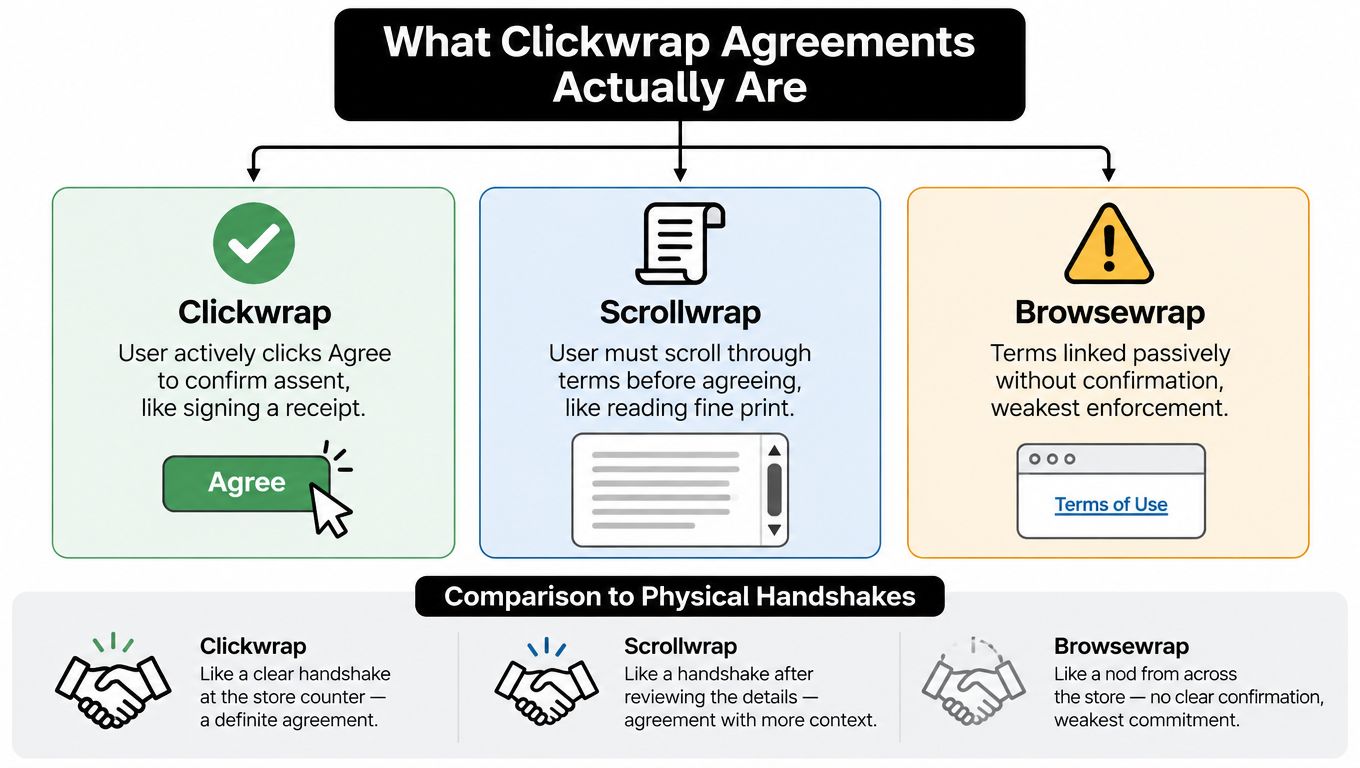
Think of a physical store counter. A customer can sign a receipt after reading the purchase terms. That resembles clickwrap. The customer takes a clear action that communicates agreement, and the terms are presented or made immediately available.
Scrollwrap is closer to a store employee requiring the customer to move through the full printed agreement before handing over the receipt. The user must scroll through the terms, or the interface may keep the acceptance control unavailable until that action occurs. Scrollwrap can create useful evidence of engagement, but scrolling alone isn't the same as assent. The final action still needs to communicate agreement.
Browsewrap is like placing a notice somewhere on the wall and treating continued shopping as acceptance. The customer may never see the notice, may not understand its contractual meaning, and doesn't take a specific action tied to the terms. That makes browsewrap substantially riskier.
Recognizing the pattern in daily workflows
A staffing agency uses clickwrap when a candidate must select an unchecked box stating, “I agree to the Candidate Terms,” before submitting an onboarding packet. A clinic uses a similar structure when a patient must separately accept a service agreement before completing intake.
A property-management platform might use scrollwrap if it presents a disclosure in a scrollable panel and activates the acceptance control only after the user reaches the end. A vendor portal may use browsewrap if it places a Terms of Use link in the footer and assumes that creating an account means acceptance.
The names matter because they describe the evidence a court will examine:
| Agreement type | User action | Main concern |
|---|---|---|
| Clickwrap | The user selects an acceptance control or clicks an acceptance button | Was the action clearly tied to the terms? |
| Scrollwrap | The user scrolls through terms and then accepts | Did the workflow require meaningful review and assent? |
| Browsewrap | The user continues using a site without a specific acceptance action | Did the user receive notice or manifest agreement at all? |
A business can also study a well-structured public agreement, such as DevArmor's legal terms, to see how service terms are organized and presented. The legal text itself isn't enough, however. The surrounding workflow must tell the user what agreement they're accepting.
For teams that need to sign PDFs online, clickwrap and eSignature serve related but different purposes. Clickwrap is often appropriate for standardized terms that users accept as a condition of access or submission. A negotiated statement of work, employment offer, lease, or supplier agreement may require a fuller signing ceremony with signer identity, document execution, and an audit trail.
The Legal Standards Courts Apply
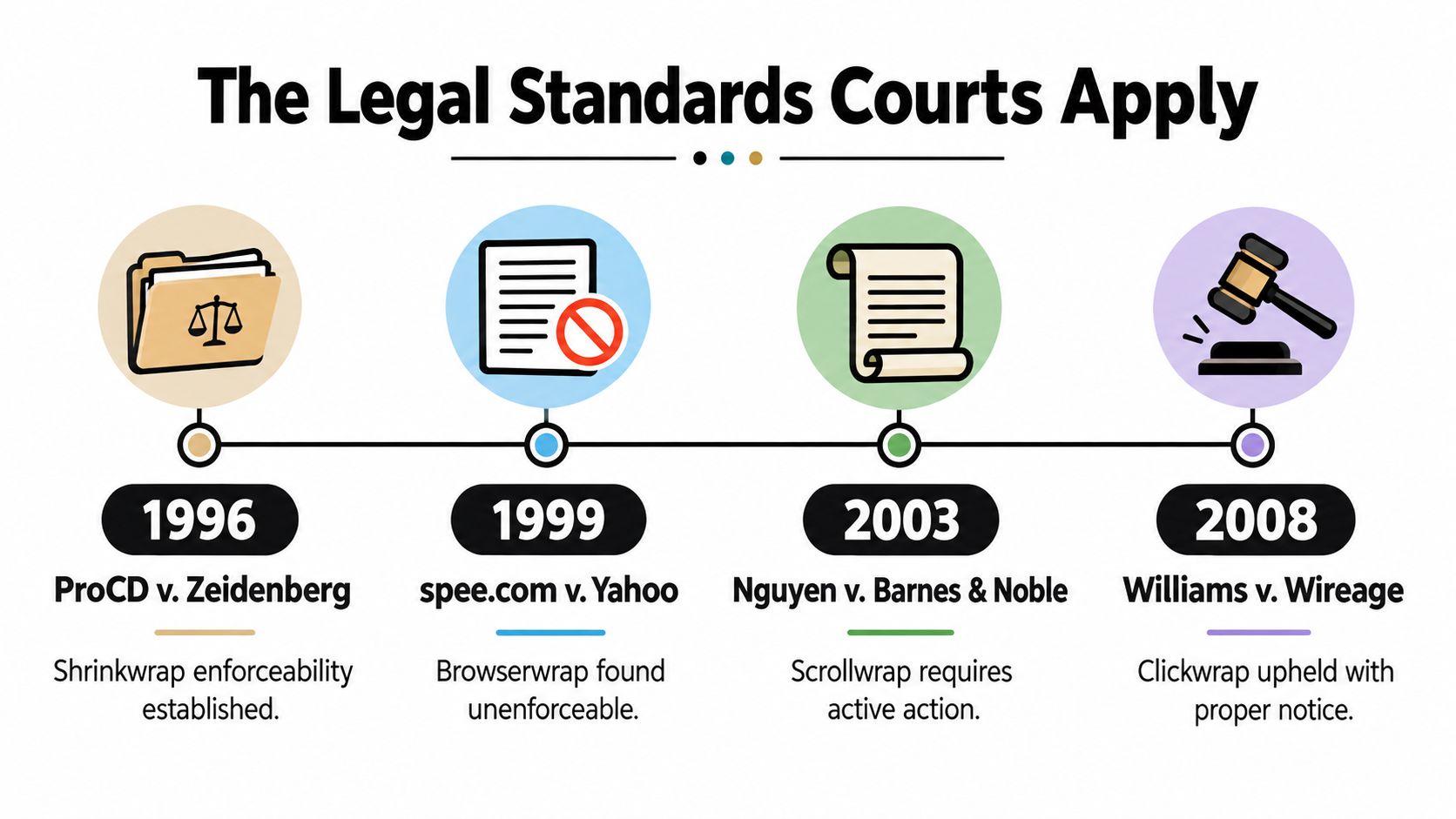
U.S. courts didn't begin with a settled rule that online contracting was valid. The doctrine developed from broader electronic-contract precedent into a relatively established framework over roughly three decades. The question gradually shifted from “Can a contract exist online?” to “Did this interface give this user notice, and did this action objectively show assent?”
In ProCD v. Zeidenberg, decided by the Seventh Circuit in 1996, the court upheld a software license presented after purchase. The decision helped establish that contractual assent can arise through a commercial transaction's digital or packaged terms, rather than only through a separately negotiated paper signature. Hotmail Corp. v. Van$ Money Pie followed in 1998 as an early federal decision recognizing that a web-based click-acceptance arrangement could support enforcement.
Statutory support followed. The Uniform Electronic Transactions Act was promulgated in 1999, and the federal Electronic Signatures in Global and National Commerce Act was enacted in 2000. In I.LAN Systems, Inc. v. NetScout Service Level Corp., identified as an early reported decision expressly enforcing a clickwrap agreement in 2002, the court held that online terms controlled over a buyer's purchase order because the terms had been accepted while the purchase order hadn't been accepted by the seller.
The modern two-part inquiry
The modern analysis concentrates on two recurring questions:
- Notice: Would a reasonable user have seen and understood that contractual terms applied?
- Assent: Did the user's action objectively communicate agreement to those terms?
Meyer v. Uber Technologies, decided by the Second Circuit on August 17, 2017, illustrates the shift toward interface-specific evidence. The court found that Uber's registration screen provided reasonably conspicuous notice under California law and that the user's assent was unambiguous. The relationship between the registration button and the nearby Terms of Service link mattered. The court didn't require a separate paper signature or necessarily require a standalone checkbox where the overall presentation made the contractual consequence clear. The decision is available through the Second Circuit opinion.
The Ninth Circuit's decision in Berman v. Freedom Financial Network reinforces the same mechanics under California or New York law. The interface should provide reasonably conspicuous notice, and the user's conduct should objectively signal agreement. A generic “Continue,” “Register,” or “Submit” button may not communicate assent unless the nearby language clearly states that selecting it accepts the terms.
The broad doctrinal pattern favors clickwrap and scrollwrap when notice and affirmative assent are clear. Browsewrap faces substantially greater risk because it relies on continued use rather than an explicit manifestation of intent. Organizations handling recorded communications should also treat consent as a workflow-specific issue, not a generic checkbox exercise. For a related example of consent analysis, review these call recording consent requirements.
Design Choices That Decide Enforceability
A court can't repair a confusing interface after the fact. The design team, legal team, and operations team must connect the terms to the action before the workflow goes live.
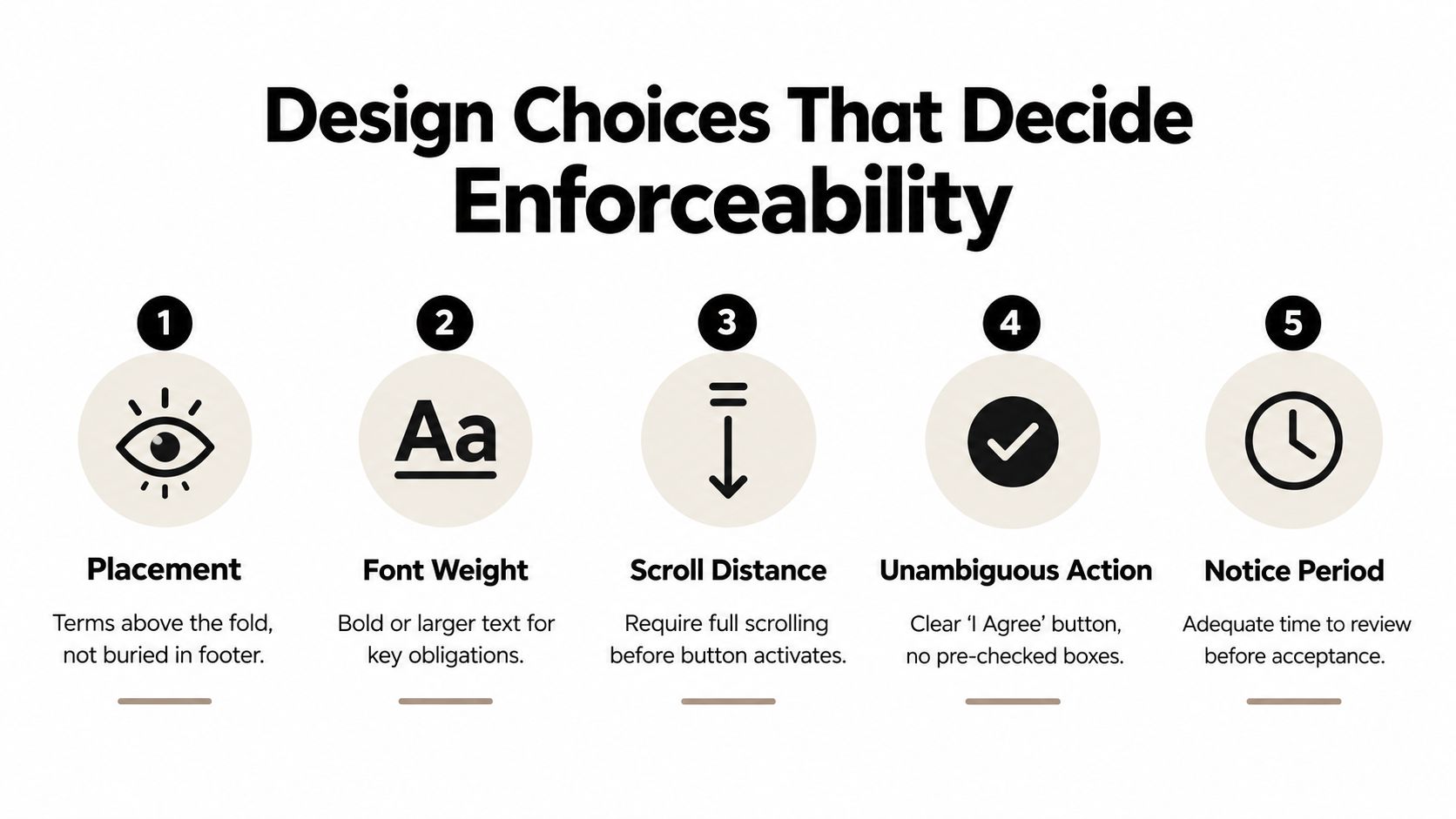
Start with placement. Put the acceptance language and terms link close to the control that completes registration, payment, onboarding, or document submission. A user shouldn't have to search a distant footer or infer that a generic button carries contractual meaning. Use readable text, adequate contrast, and a layout that works on mobile devices as well as desktop screens.
Make the action say what it does
“Create Account” can sometimes function as an assent action when nearby text clearly says, “By clicking Create Account, you agree to the Terms of Service.” A standalone “Continue” button is harder to defend because it describes navigation, not agreement.
An unchecked checkbox labeled “I agree to the Staffing Candidate Terms” creates a clearer causal link. The system should prevent progression until the user selects it. A preselected box weakens the evidence because the user hasn't taken a deliberate action.
The same principle applies across industries:
- Staffing: Separate acceptance of candidate terms, offer documents, arbitration provisions, and privacy notices.
- Healthcare: Don't describe a control only as authorization to collect health information if the business also wants assent to Terms of Use.
- Real estate: Place the property disclosure link beside the control confirming receipt, not only in a footer or email.
- Procurement: Require a vendor representative to accept the specific supplier terms version before account activation.
- Education: Distinguish enrollment acceptance, electronic-delivery consent, student-data notices, and payment terms.
- CRM sales: Tie the acceptance event to the deal, contact, account, and exact contract version created by the automation.
A button should communicate the legal consequence, not merely the next screen.
Keep material provisions visible
Arbitration clauses, forum-selection provisions, liability limits, renewal terms, and privacy commitments deserve particular attention. They should appear in the presented agreement or be clearly linked immediately beside the assent control. Incorporating them through an unstable URL, a remote footer, or a vague reference can create a notice problem even when the general clickwrap mechanism is sound.
A workflow should also preserve the screen the user saw. This includes the wording near the control, the terms link, the button label, the document version, and any material change in the flow. The electronic signature best practices guide offers a useful reference for building clearer signing and acceptance experiences.
Why Evidence Architecture Often Beats Perfect UX
A polished interface can still produce weak evidence. Recent decisions show why the record behind the screen may matter as much as the screen itself.
The 2025 Dexcom decision illustrates a subtle failure. The app's checkbox expressly described the click as authorization to collect and store sensitive health information. The court found that users could reasonably understand the action as privacy consent, not acceptance of separate Terms of Use containing an arbitration clause. The checkbox existed, the user clicked it, and the terms were nearby, but the click didn't necessarily mean what the business needed it to mean.
That distinction matters to clinics, HR platforms, benefits providers, and any business handling sensitive data. Contract acceptance, privacy consent, electronic-signature consent, and marketing permissions should have separate labels and controls when they serve different legal purposes.
Preserve a reproducible acceptance event
The Experian-related appellate rulings point in a complementary direction. The Fourth Circuit accepted screenshots as evidence of the enrollment process where bold text explained that clicking “Create Your Account” meant acceptance, the terms link was visually distinct and nearby, and users didn't need to scroll or explore. The acceptance button didn't need to say “I agree” word for word, provided the surrounding notice clearly explained the legal consequence.
Screenshots helped, but a mature evidence architecture should go further. The record should connect:
- The person: User identity and authentication event.
- The transaction: Account, document, deal, application, or session identifier.
- The exact terms: Stored text or a reliable representation of the accepted version.
- The interface: Rendered disclosure, labels, links, and control state.
- The event: Timestamp, acceptance action, and completion status.
- The change history: Any later amendment or material flow modification.
An audit trail should be exportable in human-readable form. A database flag that says “accepted” doesn't explain which terms applied or what the user saw. A complete record gives legal, compliance, and operations teams something they can review and present.
Treat versioning as a clause-level control
Version control isn't only a document-management issue. Material clauses must remain traceable to the interface and acceptance event. If an arbitration clause, renewal provision, liability limitation, or privacy commitment changes, the organization should record a new assent event when renewed acceptance is required.
A less elegant UX design can be more defensible than a smooth but opaque flow. A clearly labeled step that slows the user slightly may create stronger evidence than a frictionless registration screen that combines multiple legal purposes under one vague button.
Cross-Border Standards and the eIDAS Question
The United States generally evaluates online acceptance through ordinary contract-formation principles, supported by statutes such as the federal ESIGN Act and the Uniform Electronic Transactions Act. The core questions remain notice, opportunity to review, and manifested assent.
The European Union's eIDAS framework adds an important signature distinction. An electronic signature can't be denied legal effect or excluded as evidence merely because it's electronic or because it isn't a qualified electronic signature. A qualified electronic signature, however, receives the equivalent legal effect of a handwritten signature across all EU Member States, as explained in the European Commission's eSignature FAQ.
That doesn't mean every European workflow needs a qualified signature. It means the business should choose the signature tier based on the transaction, applicable law, identity requirements, and regulatory context. A standard clickwrap acceptance may be suitable for platform terms when notice and assent are clear. A non-qualified eSignature may suit many ordinary commercial documents. A qualified signature may be required for a particular regulated process or transaction.
| Scenario | Recommended tier | Rationale |
|---|---|---|
| SaaS user accepts standard Terms of Service | Clickwrap acceptance | The user can review the terms and take an explicit action tied to acceptance. |
| UAE logistics company accepts a supplier portal agreement | Clickwrap or standard eSignature, subject to applicable law | The business needs clear assent, version retention, and transaction evidence. |
| Australian or New Zealand education provider confirms routine enrollment paperwork | Standard eSignature | The workflow can identify the signer, present the document, and preserve completion records. |
| Canadian organization signs an ordinary services agreement | Standard eSignature | A documented signing event can support execution where no special signature tier is required. |
| European healthcare organization executes a regulated agreement | Qualified eSignature may be appropriate or required | The applicable law and process may call for the stronger legal treatment attached to a qualified signature. |
Cross-border teams should document signer identity, consent, signature method, terms version, and audit history. BoloSign's electronic signature technology overview provides useful context for evaluating these implementation choices without assuming that one signature method fits every workflow.
How Different Teams Put This Into Practice
A staffing agency can require a candidate to accept candidate terms and the offer letter in separate steps, then preserve the accepted versions before sending the record to HR. A healthcare clinic can separate privacy authorization from contractual acceptance, avoiding the ambiguity shown by the Dexcom decision. A real estate firm can place the property disclosure beside the confirmation control, while a logistics company can connect carrier or broker acceptance to the relevant account and transaction.
An education provider can use forms and templates for enrollment paperwork, while a professional-services firm can route a statement of work for review, approval, and eSignature. CRM-driven sales teams can trigger acceptance from HubSpot or another sales system, connect the event to the deal record, and retain the rendered disclosure. Teams that want to add a signature to a Google Form should first decide whether they need a simple acknowledgment, a clickwrap acceptance, or a complete eSignature ceremony.
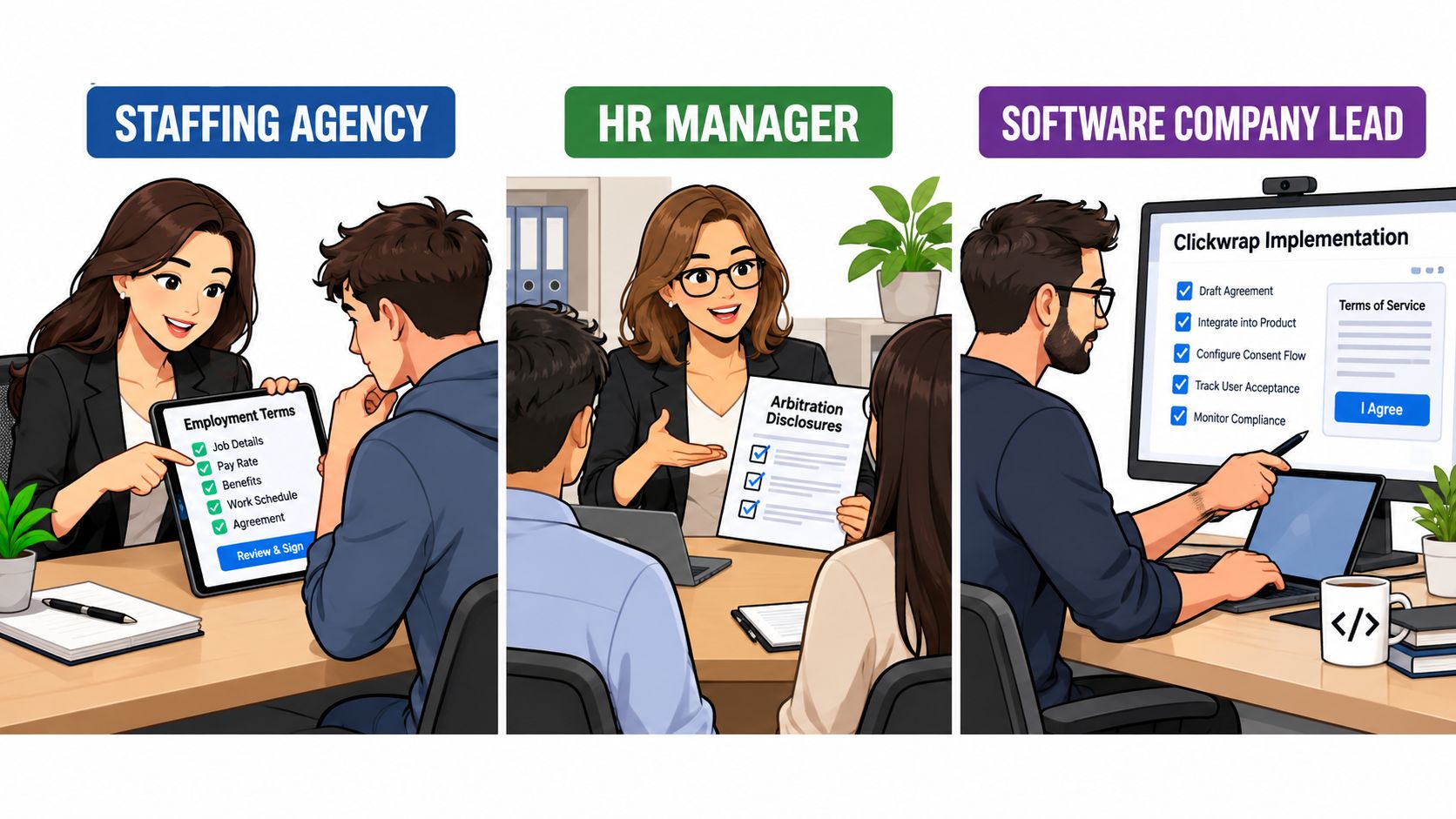
For these workflows, BoloSign can create and send PDFs, templates, and forms, capture explicit acceptance steps, preserve execution records, and support AI-assisted clause review and contract automation. Its integrations include HubSpot, WordPress, and a document signing API. BoloSign holds enterprise-grade security and compliance certifications including SOC 2 Type I/II, ISO 27001:2022, GDPR, eIDAS, ESIGN Act, HIPAA, and CCPA, and maintains a 4.7/5 rating across 2,000+ reviews according to BoloSign.
Affordability also affects adoption. BoloSign offers unlimited documents, templates, and team members at one fixed price, described as up to 90% more affordable than DocuSign or PandaDoc. A team can use the same platform for clickwrap, eSignature, AI contract review, and contract intelligence instead of maintaining separate tools for every department. More guidance on this model appears in click-wrap contract management.
Putting It All Together and Trying It Out
A practical clickwrap checklist is short:
- Show the terms clearly near the action.
- Require affirmative assent with no preselected box.
- Separate contract acceptance from privacy consent.
- Retain the exact version and rendered interface.
- Export a human-readable audit trail.
- Choose the right signature tier for the jurisdiction and transaction.
These controls travel well across staffing, healthcare, real estate, logistics, education, and CRM workflows in the US, Canada, Australia, New Zealand, and the UAE. Start a 7-day free trial to test a clickwrap or eSignature workflow with your own forms, PDFs, and templates, then check whether your records prove what the user accepted.
BoloSign combines secure eSignature, clickwrap acceptance, AI-powered contract automation, and contract intelligence with unlimited documents, templates, and team members at one fixed price. Visit BoloSign to build and test a clearer acceptance workflow before a single click becomes a legal question.

Paresh Deshmukh
Co-Founder, BoloForms
17 Oct, 2026
Take a Look at Our Featured Articles
These articles will guide you on how to simplify office work, boost your efficiency, and concentrate on expanding your business.



