

Best Enterprise E-Sign Solution 2025 Buyer Guide
Find the best enterprise e-sign solution 2025 with our buyer's guide comparing security, pricing, AI and integrations for every team.

Tired of nonsense pricing of DocuSign?
Start taking digital signatures with BoloSign and save money.
Your sales team is waiting on signed contracts, HR is chasing onboarding documents, and legal is sorting through PDFs spread across inboxes, shared drives, and legacy signing tools. Every department has its own templates, approval habits, and subscription rules. The result is familiar: delayed deals, duplicated work, unclear ownership, and a bill that grows with every user or envelope.
The best enterprise e-sign solution 2025 buyers should choose isn't automatically the platform with the longest feature list. It should fit the way your teams send, sign, approve, store, and audit documents. This guide compares the major buying criteria, explains where different platform models work, and shows why BoloSign's unlimited fixed-price approach deserves serious consideration for high-volume teams.
Introduction Why Choosing the Right Enterprise E-Sign Solution Matters Now
Enterprise signing breaks down in small ways before it becomes an obvious operational problem. A recruiter sends a candidate agreement from one system, a hiring manager edits a different version, and the candidate signs from a mobile device without a clear view of what happens next. In sales, a representative may need to create a contract, route it for approval, send it to several signers, and monitor completion without leaving the CRM.
Those delays rarely sit inside one department. They affect revenue operations, procurement, finance, legal, HR, customer onboarding, and field teams. A tool that works for occasional signing can become expensive or restrictive once multiple departments share it. Per-user plans charge for access, while per-envelope plans can make routine, high-volume workflows difficult to forecast.
BoloSign approaches the problem differently. It offers unlimited documents, team members, and templates at one fixed price, with the company positioning that model as 90% more affordable than traditional tools. That claim is a product positioning statement from BoloSign, not an independent market statistic, so procurement teams should validate it against their own incumbent invoices and projected usage.
A practical shortlist should answer five questions:
- Can teams sign PDFs online without extra friction?
- Can operations reuse templates instead of rebuilding documents?
- Can forms collect data and signatures in one workflow?
- Can legal and compliance teams retrieve reliable audit records?
- Can total cost stay predictable as adoption expands?
| Solution type | Best fit | Main advantage | Main trade-off |
|---|---|---|---|
| BoloSign | High-volume teams and growing enterprises | Unlimited documents, templates, and team members at one fixed price | Buyers should validate advanced regional or identity requirements during evaluation |
| Traditional per-user platform | Organizations with controlled user groups | Familiar administration and broad enterprise procurement coverage | Costs can rise as more employees need access |
| Per-envelope platform | Teams with predictable, limited sending | Clear usage boundaries for smaller volumes | High-volume workflows can become difficult to forecast |
| Specialist compliance platform | Highly regulated or identity-sensitive processes | Strong controls for specific legal or sector requirements | May cost more and require more implementation work |
Use the comparison below as a filter, not a final verdict. Start with your document volume, signer locations, approval paths, integrations, retention requirements, and current spend. The right choice is the one that removes operational friction without creating a compliance or cost problem later.
Enterprise E-Signature Market and Legal Context in 2025
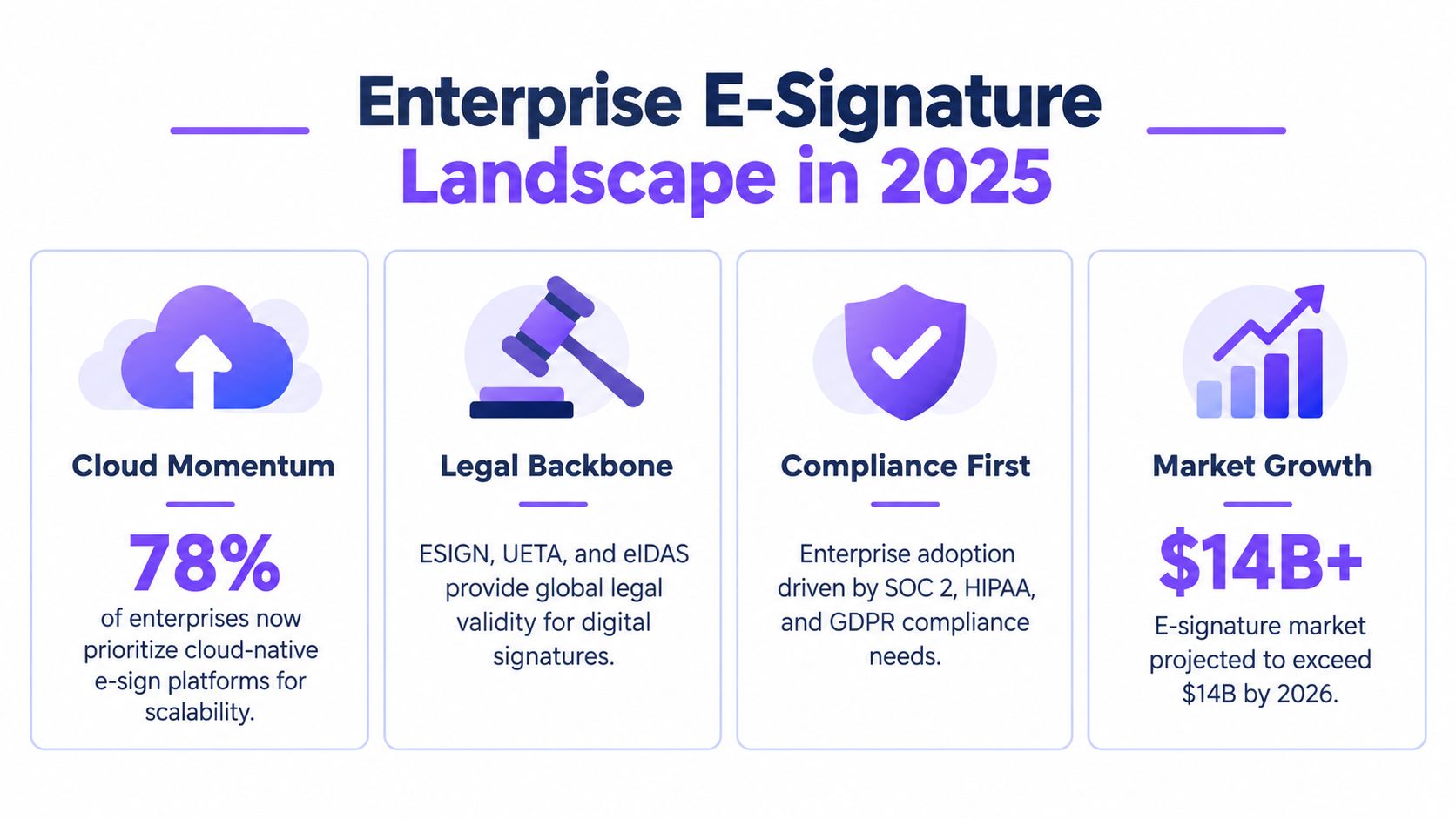
In 2025, enterprise e-signature is embedded in the systems where deals close, employees onboard, and vendors are managed. That changes the buying question. High-volume teams should compare total ownership cost and workflow fit, not feature counts alone. Per-user and per-envelope pricing can make broader adoption harder to forecast, while a fixed-price model with unlimited documents, templates, or team members can improve ROI when signing volume rises.
A market forecast places the enterprise e-signature market at about USD 7.04 billion in 2025. Large enterprises account for 62.10% of market share, while cloud deployment represents 76.05% of usage, according to World Metrics' e-signature industry statistics. The same forecast assigns North America 37.20% of 2025 revenue and projects a 27.65% CAGR through 2031. Buyers in the US and Canada are purchasing in a fast-expanding category, but growth does not remove the need to test cost and compliance assumptions.
Cloud delivery supports distributed teams without local software deployment or manual document handling. Another market summary estimates cloud at 66.22% of digital-signature market share and projects cloud growth at a 25.66% CAGR through 2031. It also identifies multi-tenant platforms that keep per-signature costs below USD 0.10 as an enterprise-scale economic benchmark, as discussed in GetAccept's enterprise e-signature software overview. For procurement, the relevant test is whether cloud access reduces administration while preserving control over records and permissions.
Legal validity requires implementation discipline
Legal recognition does not make every implementation compliant. The United States established an important basis through UETA, released in 1999, and the ESIGN Act, signed on June 30, 2000. The European Union adopted eIDAS on July 23, 2014, including qualified electronic signatures with the same legal effect as handwritten signatures across EU member states. These milestones are outlined in Falkon Sign's history of electronic signatures.
For organizations operating across Australia, New Zealand, the UAE, Europe, and North America, the platform must support signer intent, electronic consent, record linkage, retention, and suitable audit evidence. Regulated workflows may also require encryption, access management, audit logs, and, for healthcare operations, a Business Associate Agreement supporting HIPAA obligations, as explained in SignWell's e-signature compliance guidance for developers.
Enterprise buyers should verify compliance, auditability, identity controls, and cross-border validity before prioritizing branding or minor interface features. The right platform lowers ownership cost without weakening the evidence that makes signed records usable.
How to Evaluate Enterprise E-Sign Solutions
A vendor demo can make almost every e-signature platform look capable. Procurement teams need a tougher test. Ask what happens when a document is sent to multiple recipients, an approver changes, a signer fails to complete the process, or legal needs the complete record years later.
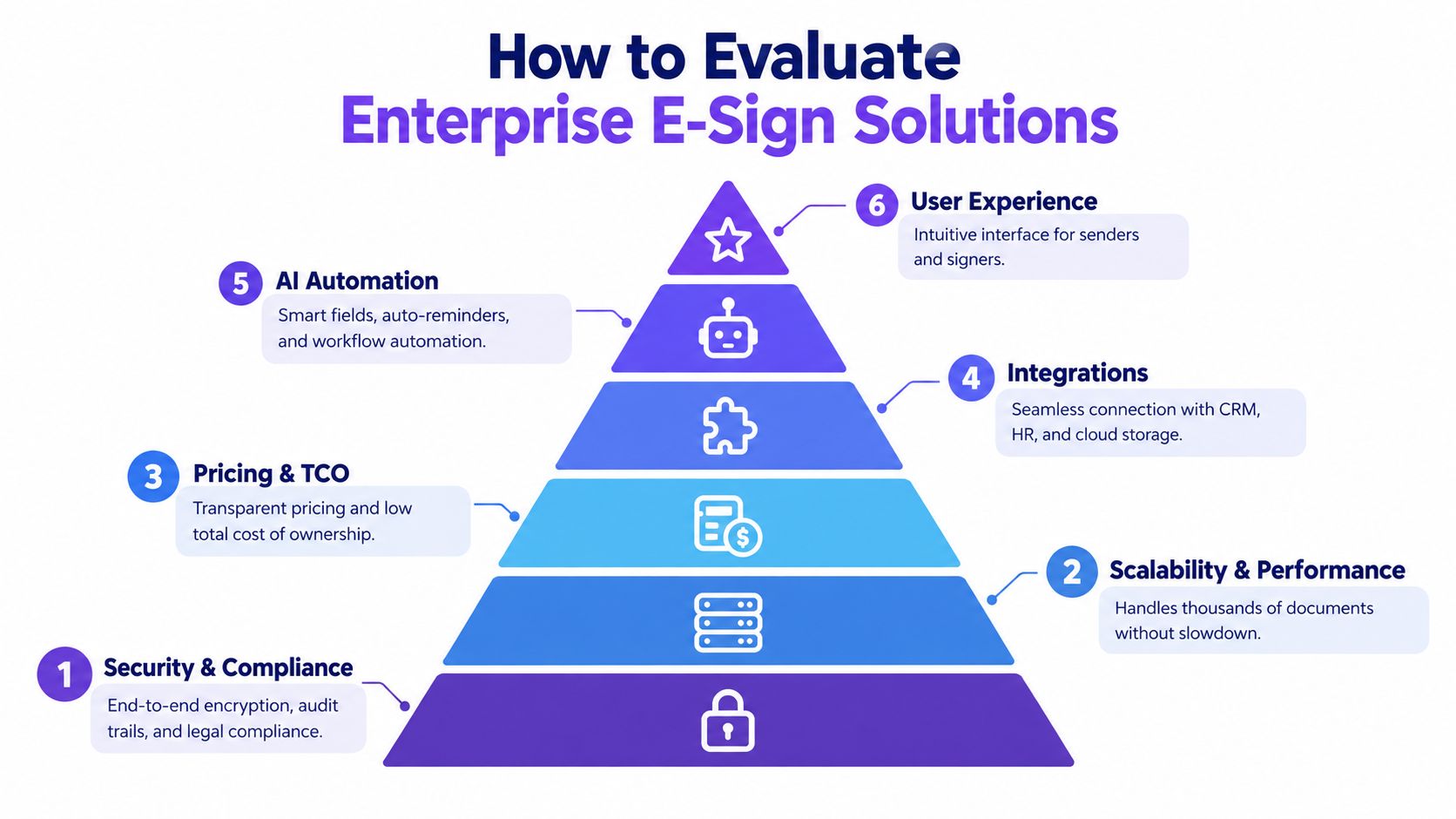
Start with the six criteria that affect ownership cost
Security and compliance: Verify encryption, access controls, audit trails, retention, signer authentication, and regional legal support. Don't accept a general compliance page as proof that a specific workflow meets your obligations.
Scalability and performance: Test concurrent sending, bulk operations, large template libraries, dashboard search, and API behavior. A platform should remain usable when HR, sales, procurement, and customer operations all adopt it.
Pricing and TCO: Model subscription fees, additional users, envelopes, API usage, storage, implementation, training, support, and migration. Pricing commonly follows per-user or per-envelope structures, and enterprise summaries frequently place plans above USD 40 per user per month. Unlimited plans are often cited around USD 40 to USD 60 per user per month, with some providers and markets reaching USD 50 to USD 100 per user per month, according to eSignGlobal's pricing trends overview.
Integrations: Check native connections and API depth for CRM, HR, storage, workflow automation, and collaboration tools. A strong integration should pass document status, signer data, and completed files back into the system where the work began.
AI automation: Look for practical automation, such as field detection, document search, reminders, routing, and contract intelligence. AI should reduce preparation and review effort without removing human approval from sensitive decisions.
User experience: Test both sides of the transaction. Senders need fast setup, while signers should understand what to do without creating an account or contacting support.
Match priorities to the buyer
| Buyer priority | What to weight most heavily | Likely trade-off |
|---|---|---|
| High-volume operations | Unlimited usage, templates, bulk sending, automation | May need deeper validation for specialized identity controls |
| Regulated healthcare or finance | Auditability, access management, legal controls, retention | More rigorous implementation and review |
| Sales-led organization | CRM integration, fast preparation, reminders, approval routing | Less value from features used only by legal |
| International enterprise | Cross-border validity, localization, data governance | Regional configuration may require legal input |
| Small or growing team | Predictable pricing, simple adoption, reusable workflows | May not need every advanced enterprise control |
Procurement rule: Compare the cost of your busiest realistic workflow, not the cost of sending one easy document.
Use a proof-of-concept with actual PDFs, templates, signers, approval rules, and integrations. If the vendor only demonstrates a clean one-recipient contract, you haven't tested the system you intend to buy.
Detailed Comparison of Top Enterprise E-Sign Solutions for 2025
The market divides into three practical models. Traditional enterprise platforms usually offer broad administration and mature procurement processes, but their per-user or per-envelope pricing can become expensive as adoption spreads. Specialist platforms can provide deeper controls for particular legal or identity scenarios. BoloSign targets teams that want enterprise workflow features without tying cost to every user or document.
| Solution | Security and Compliance | Scalability | Pricing Model | Integrations and AI |
|---|---|---|---|---|
| BoloSign | Supports ESIGN, UETA, eIDAS, GDPR, HIPAA, ISO 27001, and SOC 2 requirements as described by the publisher | Unlimited documents, team members, and templates at one fixed price | Fixed-price unlimited model | Integrations with Zapier, Make, Pabbly, HubSpot, Salesforce, Pipedrive, Google Drive, Google Sheets, Slack, and Microsoft Teams. AI-powered contract intelligence |
| DocuSign | Mature enterprise controls and broad legal adoption | Strong fit for large, structured organizations | Commonly associated with user and envelope-based purchasing | Broad integrations and workflow capabilities |
| Adobe Acrobat Sign | Strong document ecosystem and enterprise administration | Good fit for organizations already standardized on Adobe | Typically negotiated around users, transactions, or enterprise packages | Strong Adobe and business-system connections |
| BoldSign | Enterprise-oriented security and compliance capabilities | Templates, bulk sending, tracking, and multi-channel delivery support operational scale | Subscription-based plans | AI-powered search and field detection, plus workflow integrations |
| Specialist regional provider | May offer highly specific trust-service or data-residency controls | Depends on geography and use case | Often tiered or usage-based | Integration depth varies by region |
BoloSign's model is most compelling when several departments need to send documents regularly. Unlimited documents, team members, and templates remove the internal debate over who gets a license and whether a routine envelope is worth sending. It also supports PDF creation, reusable templates, multi-recipient requests, reminders, dashboard tracking, and audit-trail records.
BoloSign's differentiator: The fixed-price structure makes usage growth easier to budget, especially when signing becomes a shared operating process rather than a specialist legal function.
That doesn't make every incumbent a poor choice. Compare DocuSign and Adobe Sign options if your organization already has established administration, complex identity requirements, or a negotiated enterprise agreement that materially changes the economics. Switching costs matter, and a migration only makes sense when the new platform improves the full workflow.
BoldSign is a credible alternative for teams that prioritize ease of setup, templates, bulk sending, identity verification, tracking, localization, and AI-assisted field preparation. Adobe Acrobat Sign fits organizations invested in Adobe's document ecosystem. DocuSign remains familiar to enterprises that value established enterprise processes and a large integration footprint.
The candid recommendation is to rank vendors by workflow fit and total cost, then verify compliance for your exact jurisdictions. Don't select a platform because its feature page is longer. Select the platform that your departments can adopt, your legal team can defend, and your finance team can forecast.
Real World Use Cases Across High Demand Industries
A staffing agency may start with a candidate PDF, add signature fields, send it to the candidate and hiring manager, and reuse the same template for every placement. The operations team can track outstanding requests rather than maintain a spreadsheet of email reminders. A healthcare provider can use templates for consent and service documents, while compliance staff review access controls, audit logs, retention, and the arrangements required for HIPAA-sensitive workflows.

Real estate teams benefit from reusable agreements, disclosure forms, and offer documents. Agents can sign PDFs online, send documents to multiple parties, and keep completed records connected to the transaction. Logistics companies can use mobile-friendly signature requests for delivery confirmations, vendor agreements, and service authorizations, reducing the need to print documents at a depot or job site.
Forms and templates remove repetitive work
Education teams can build reusable admission, consent, enrollment, and certification workflows. Professional services firms can standardize statements of work, engagement letters, and change orders, while still routing unusual terms to the right approver.
BoloSign's public Google Workspace listing for eSignature, PDF signing, templates, and Google Forms states that the product is designed to send eSignatures, sign PDFs online, create templates, and collect signatures in Google Forms. That directly supports a workflow where a team can add a signature to a Google Form, collect structured information, and request legally binding signatures without rebuilding the process in a separate form system.
For sales and account teams, contract automation can connect a signed agreement to the CRM workflow. For HR, the same platform can handle offer letters, policy acknowledgments, and internal approvals. The common thread is not the industry. It's the need to create a repeatable document, send it to the right people, capture signatures, and preserve an accessible record.
Explore BoloSign's e-signature solutions by industry to map those workflows to your department's documents and approval patterns.
Migration and Implementation Without Disrupting Workflows
Migration fails when teams treat it as a file upload instead of a process redesign. Start by inventorying active templates, owners, signers, approval rules, retention needs, integrations, and reports. Separate documents that are actively used from old files that only create clutter.
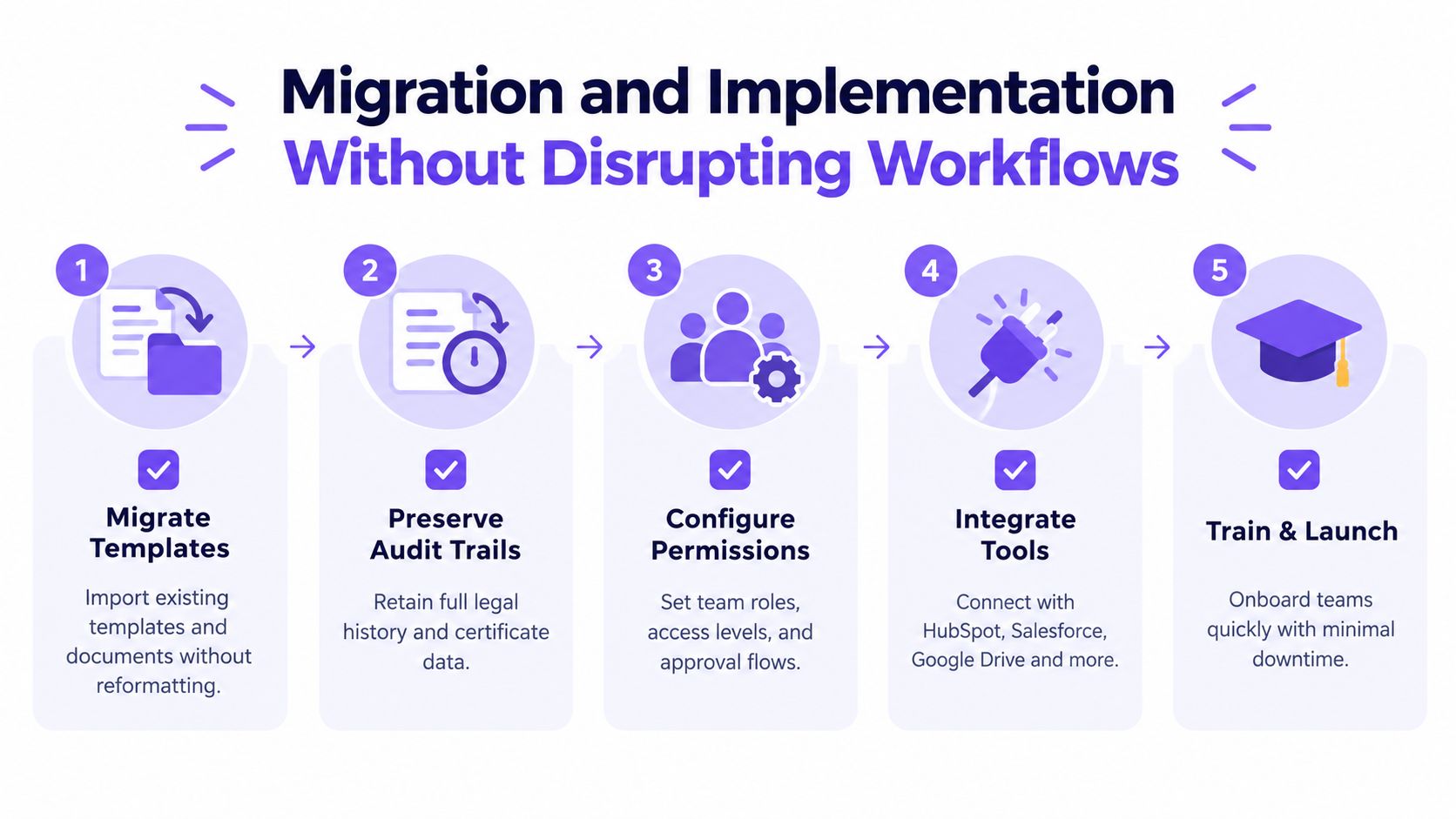
Use this rollout sequence:
Migrate templates: Import current documents, then test formatting, fields, signing order, and recipient instructions. BoloSign supports one-click DocuSign template import, which can reduce manual rebuilding for teams leaving that platform. Review BoloSign's DocuSign migration workflow before moving production documents.
Preserve records: Decide which completed documents and certificates must remain accessible. Export and validate audit evidence before closing the legacy account.
Configure permissions: Assign owners, department roles, approval access, sending rights, and administrative privileges. Avoid giving every user full control.
Reconnect tools: Rebuild connections to HubSpot, Salesforce, Pipedrive, Zapier, Google Workspace, storage tools, and collaboration platforms. Test status updates in both directions.
Train and launch: Start with a controlled department, collect sender and signer feedback, correct templates, then expand. Provide a short internal guide for common actions such as sending a PDF, using a template, and checking dashboard status.
Implementation warning: Don't migrate every historical template before confirming which workflows still belong in the business. Clean libraries produce better adoption than a perfect archive of obsolete forms.
Best Fit Recommendations and Next Steps
For a small business, startup, or department moving away from paper and scattered PDFs, BoloSign is the practical starting point. The combination of unlimited documents, team members, and templates at one fixed price makes sense when multiple people need to send agreements and usage is difficult to predict. It also gives operations teams room to standardize templates before investing in heavier contract infrastructure.
For high-volume staffing, logistics, education, real estate, and professional services teams, the same model can improve budget control. These teams don't need procurement to approve every new sender or worry that routine workflows will consume a limited envelope allowance. They need reliable PDF signing, reusable templates, forms, reminders, integrations, and an audit trail.
Regulated organizations should be more demanding. Validate ESIGN, UETA, eIDAS, GDPR, and HIPAA requirements against the specific workflow, signer population, data-retention policy, identity needs, and regional obligations. If your legal team requires a specialized trust service or a highly specific identity process, a specialist provider may be the better fit even when its total cost is higher.
Large enterprises with an existing negotiated agreement should compare switching costs against the recurring economics of the current platform. Include unused licenses, envelope overages, integration maintenance, administrative time, template migration, and adoption. A familiar platform isn't automatically cheaper when every additional department expands the bill.
BoloSign offers a simple, affordable, and secure digital signing solution with AI-powered automation for document preparation and contract workflows. Start a 7-day free trial with real PDFs, templates, Google Forms, approval paths, and integrations, then compare the completed workflow and total cost against your current tool.
Closer Innovation Labs Corp. offers BoloSign, an affordable eSignature and contract management platform with unlimited documents, templates, forms, and team members at one fixed price. Visit Closer Innovation Labs Corp. to evaluate a secure enterprise signing workflow and start your 7-day free trial.

Paresh Deshmukh
Co-Founder, BoloForms
18 Sep, 2026
Take a Look at Our Featured Articles
These articles will guide you on how to simplify office work, boost your efficiency, and concentrate on expanding your business.



