

How to Digitally Sign Documents: A Complete Business Guide
Learn how to digitally sign documents with this practical guide. Discover the best tools, legal requirements, and automation tips for your business.

Tired of nonsense pricing of DocuSign?
Start taking digital signatures with BoloSign and save money.
When you digitally sign a document, you’re not just pasting an image of your signature. You're applying a secure, encrypted "fingerprint" that proves who you are and guarantees the document hasn't been touched since you signed it.
This is a whole lot more than a simple picture of your name; think of it as a high-tech, legally-binding seal of authenticity.
What Does It Really Mean to Digitally Sign a Document?
Let's clear up some common confusion. People often throw around the terms "electronic signature" and "digital signature" as if they're the same thing, but there's a world of difference.
An electronic signature can be as basic as a scanned image of your handwritten autograph dropped into a Word doc. It shows you intend to sign, but the security is pretty thin.
A true digital signature, on the other hand, is a very specific and highly secure type of electronic signature. It relies on a technology called Public Key Infrastructure (PKI) to create a unique, encrypted identity for the signer. When you sign, this tech generates a cryptographic hash—basically, a one-of-a-kind digital fingerprint of the document.
If anyone tries to alter that document after it’s signed, even by changing a single comma, that digital fingerprint breaks. This instantly voids the signature and flags the document as tampered with, giving you three pillars of trust:
- Authentication: Proves you are who you say you are.
- Integrity: Guarantees the document is exactly as you signed it.
- Non-repudiation: Makes it impossible for someone to later deny they signed.
Digital Signatures vs. Electronic Signatures: At a Glance
To make it even clearer, let's break down the key differences. Understanding this distinction is crucial for knowing what level of security your business really needs for different types of agreements.
| Feature | Electronic Signature (eSignature) | Digital Signature |
|---|---|---|
| Verification | Simple verification, often just an email address or IP address. | Strong identity verification using certificate-based digital IDs. |
| Security | Basic encryption, vulnerable to forgery or tampering. | Advanced encryption using Public Key Infrastructure (PKI). Tamper-evident. |
| Technology | Can be a scanned image, a typed name, or a symbol. | Uses a unique, encrypted cryptographic hash ("digital fingerprint"). |
| Legal Standing | Legally binding for many use cases, shows intent to sign. | Highest level of legal validity, meets stringent global compliance standards. |
Ultimately, while any eSignature is better than none, a true digital signature provides the robust, verifiable security that critical business documents demand.
Why This Matters for Your Business
Imagine you run a professional services firm in the U.S. and you're sending a major client contract. With a proper digital signature, you're not just getting a signed PDF back in your inbox. You're getting a legally-binding agreement locked with a tamper-evident seal.
This entire process is compliant with the ESIGN Act, giving that digital signature the exact same legal weight as one signed with pen and ink.
This is the kind of security and compliance that's fueling massive adoption. The global digital signature market, currently valued at USD 8.65 billion, is expected to skyrocket to USD 238.42 billion by 2034. The need for secure, verifiable agreements is undeniable. You can explore the full digital signature market research here.
Tools like BoloSign are built to make this sophisticated tech easy for anyone to use. You don’t need to be a security expert to create, send, and track secure documents. BoloSign handles the complex compliance side of things—adhering to global standards like ESIGN, eIDAS, HIPAA, and GDPR—which simplifies everything. It turns a complex security task into a few simple clicks, ensuring every contract or agreement your business touches is both secure and fully enforceable.
Choosing the Right Tool to Sign Documents Digitally
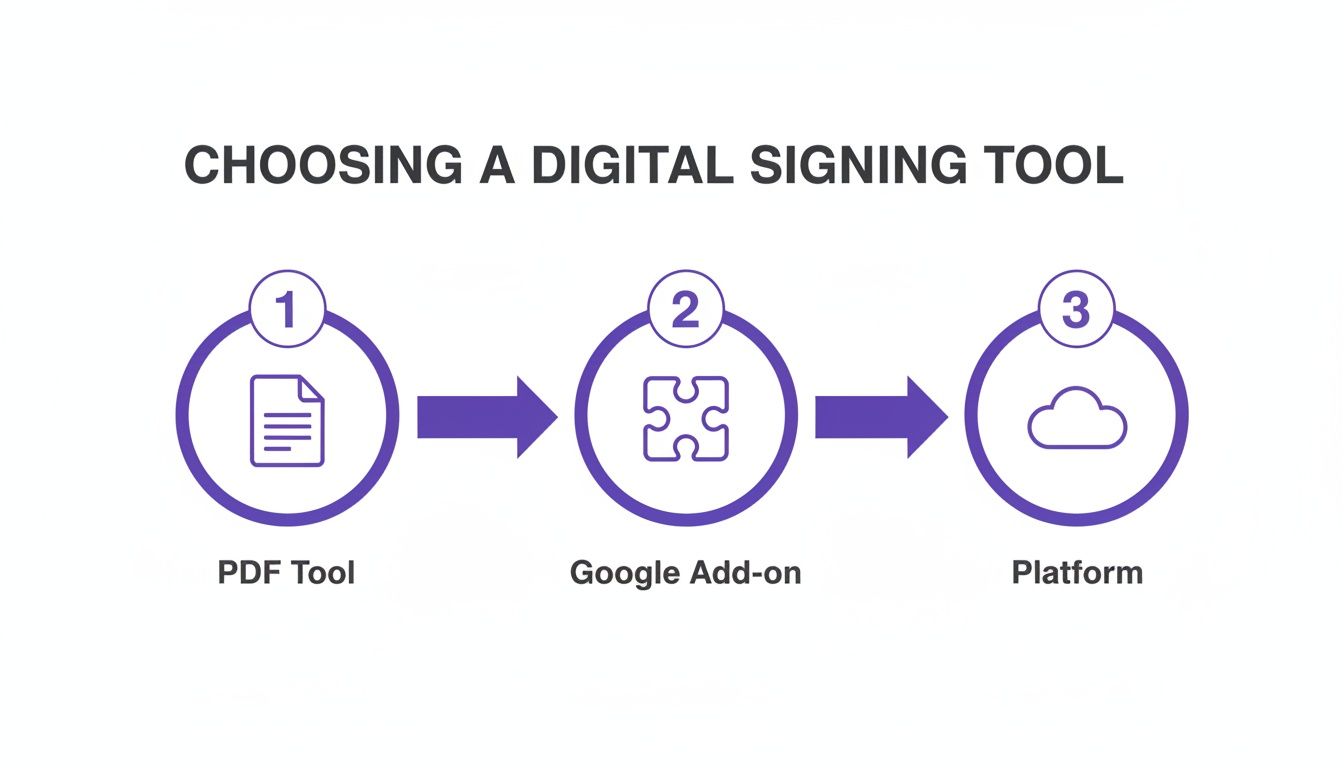
When it’s time to start signing documents digitally, you’ll quickly realize not all tools are built the same. The best choice really boils down to what your business actually needs. Your options typically fall into three buckets, each with its own set of pros and cons.
A freelancer who just needs to sign a single contract might get by perfectly fine with the built-in signature feature in a standard PDF reader. Likewise, a small team that lives in Google Workspace could probably use a simple add-on for the occasional agreement. These tools are handy for one-off tasks but don't have the muscle for a growing business.
For any organization that deals with a steady stream of agreements, a dedicated digital signing solution is the only way to go.
Comparing Your Options
Let's walk through a real-world scenario. Imagine a growing staffing agency in Canada that needs to send out dozens of onboarding packets every single day. Each packet is a mix of contracts, tax forms, and policy acknowledgments—all requiring multiple signatures and initial fields.
- PDF Readers (like Adobe Acrobat): Using a basic PDF tool would mean someone has to manually place every single signature field on every document for every new hire. It's painfully slow, wide open to human error, and there’s no central dashboard to see who has signed what.
- Simple Add-ons (for Google Workspace, etc.): These are a step up, sure, but they often come with frustrating limits. You might hit a cap on how many documents you can send per month or find they lack crucial features like automated reminders or detailed audit trails.
- Dedicated eSignature Platforms: Now, this is a tool built for the job. The agency can create one master template for the entire onboarding packet, with all the signature and initial fields pre-set for each party. They can then fire it off to new hires in seconds.
A dedicated platform transforms document signing from a soul-crushing admin task into a smooth, automated workflow. It brings the security, compliance, and scalability that ad-hoc tools just can't offer.
Why a Dedicated Platform is a Smarter Investment
For businesses in high-stakes industries like healthcare, real estate, or professional services, the efficiency boost is immediate and obvious. A real estate agent in Australia can use a template to send lease agreements on repeat. A US healthcare provider can securely manage patient intake forms while staying HIPAA compliant. A logistics company in the UAE can finally standardize all its vendor contracts.
This is exactly where a platform like BoloSign shines. It was designed to get rid of the friction and unpredictable costs that come with scaling your business. Instead of getting nickel-and-dimed per user or per document—costs that explode as you grow—BoloSign offers a single, fixed price.
This one plan gets you:
- Unlimited documents
- Unlimited team members
- Unlimited reusable templates
This simple, all-in model makes BoloSign up to 90% more affordable than traditional players. You get powerful, AI-driven automation and enterprise-grade security without the eye-watering enterprise price tag. You can take a look at the full range of BoloSign's eSignature capabilities to see how it could fit into your workflow.
By choosing a dedicated platform, you’re not just finding a way to sign PDFs online; you're investing in a system that’s ready to grow right alongside you. Ready to see what that feels like? You can start a 7-day free trial and experience just how simple, secure, and affordable your document workflows can be.
Your Practical Walkthrough for Sending a Document for Signature
Alright, let's move from theory to action. It’s one thing to understand the what and why of digital signatures, but it's another to see just how ridiculously easy it is to send a document for signing. We’ll walk through the whole process right now.
Imagine you're a real estate agent in Australia, and you need to get a new lease agreement signed. The landlord and tenant are both ready to go. You just need to get it done—quickly, securely, and without any fuss. Using a dedicated digital signing solution like BoloSign, you can knock this out in a few minutes flat.
Setting Up Your Document
First things first, you upload the lease agreement (your standard PDF) into the platform. This is where the old way of doing things—printing, highlighting, scanning—gets left in the dust. You'll use an intuitive drag-and-drop editor to place fields exactly where they're needed.
You can pop in fields for:
- Signatures for both the landlord and the tenant.
- Initials on each page, so you know they’ve reviewed all the terms.
- Dates that automatically fill in the moment they sign.
- Text fields for any little last-minute details, like the official move-in date.
This is already simple, but BoloSign’s AI-powered automation can actually detect where fields should probably go, setting up documents even faster and making it harder to miss a critical signature spot.
Assigning Roles and Sending Securely
Once all the fields are placed, you assign each one to a role—in this scenario, "Landlord" and "Tenant." This is a crucial step that basic PDF editors just can't handle. It guarantees that each person can only fill out and sign their designated parts of the agreement.
With roles assigned, you just type in the signers' names and email addresses and hit send. You can even write a custom message in the email they receive. The platform shoots out the secure signing links and immediately starts tracking everything that happens next.
This is the point where most businesses realize they need something more robust than just a simple PDF editor.
As workflows get more involved, the need for a dedicated platform with features like role assignment and a real-time audit trail becomes impossible to ignore.
Tracking Progress in Real-Time
Now you can sit back and watch from your dashboard. You get a bird's-eye view of the lease agreement's status—when it was delivered, when it was opened, and exactly when each party signed.
If someone's dragging their feet, you can set up automated reminders to give them a gentle nudge. This kind of visibility is what keeps deals moving and prevents important documents from falling through the cracks.
A modern eSignature platform gives you a complete, compliant, and auditable record of the entire signing process. You’re not just getting a signed document; you’re getting a verifiable history of every action taken, from sending to finalization.
Even if you're starting your workflow from a different place, like gathering tenant info through a Google Form, you can integrate the signing process directly. For a detailed guide on that, check out our post on how to add a digital signature on Google Forms.
What this all boils down to is that sending a document for signature is no longer a clunky, manual headache. With the right platform, you can run secure, professional, and fully compliant document workflows with just a few clicks.
Getting the Legal and Security Stuff Right
When you send a document out for a digital signature, you're not just getting a quick sign-off. You're creating a record that needs to hold up legally. A signature is only as strong as the security behind it and the legal framework that says it's valid. This is where a lot of businesses get tripped up, and it's absolutely critical to get right.
The good news is that digital signatures have the same legal muscle as old-school pen-and-paper signatures. In the United States, this is thanks to the ESIGN Act of 2000. Over in the European Union, the eIDAS regulation sets the standard for electronic identification and trust services.
These aren't just bureaucratic red tape. These laws are what give a small business in Ohio the confidence to sign a deal with a supplier in Germany, knowing the contract is fully enforceable.
The Power of an Audit Trail
Ever had to prove who signed what and when? This is where the audit trail becomes your best friend. It’s a detailed, time-stamped log that tracks every single touchpoint on a document. Think of it as a digital detective.
A solid audit trail captures everything you'd need to know:
- Who signed: Verified by email, IP address, and other digital identifiers.
- When they signed: Timestamps are recorded down to the exact second.
- Where they signed from: The IP address gives you a geographic location.
- How they interacted: The entire process of viewing, reviewing, and signing is logged.
If you ever find yourself in a situation dealing with a potential breach of contract, that audit trail is your ironclad proof. It provides an unchallengeable record showing the agreement was seen, understood, and signed.
What This Means for Compliance and Security
If you're in an industry like healthcare or finance, you know compliance isn't just a suggestion—it's the law. Regulations like HIPAA and GDPR have incredibly strict rules about how sensitive data is managed. This is exactly why you can't just use any old tool to sign documents.
This is where a dedicated platform like BoloSign really shines. Its AI-powered workflows and secure infrastructure are designed for compliance. Every document you finalize is sealed with a tamper-evident layer, meaning you'll know if anything has been changed after signing.
Once everyone has signed, the system automatically generates a Certificate of Completion. This isn't just a confirmation email; it's a comprehensive file that bundles the signed document with its full audit trail. It’s your proof of compliance, built right into your workflow.
The demand for this level of security is why the digital signature market has exploded, growing from USD 1.89 billion in 2019 to a projected USD 9.93 billion by 2024. Businesses need solutions they can trust.
When you choose a digital signing platform, you're not just buying a signature tool. You're investing in a secure, compliant system that protects your agreements and gives everyone involved peace of mind.
By prioritizing a solution with robust security and automatic audit trails, you ensure every document isn't just signed—it's legally sound and ready for scrutiny.
How to Automate Your Workflows with Document Templates
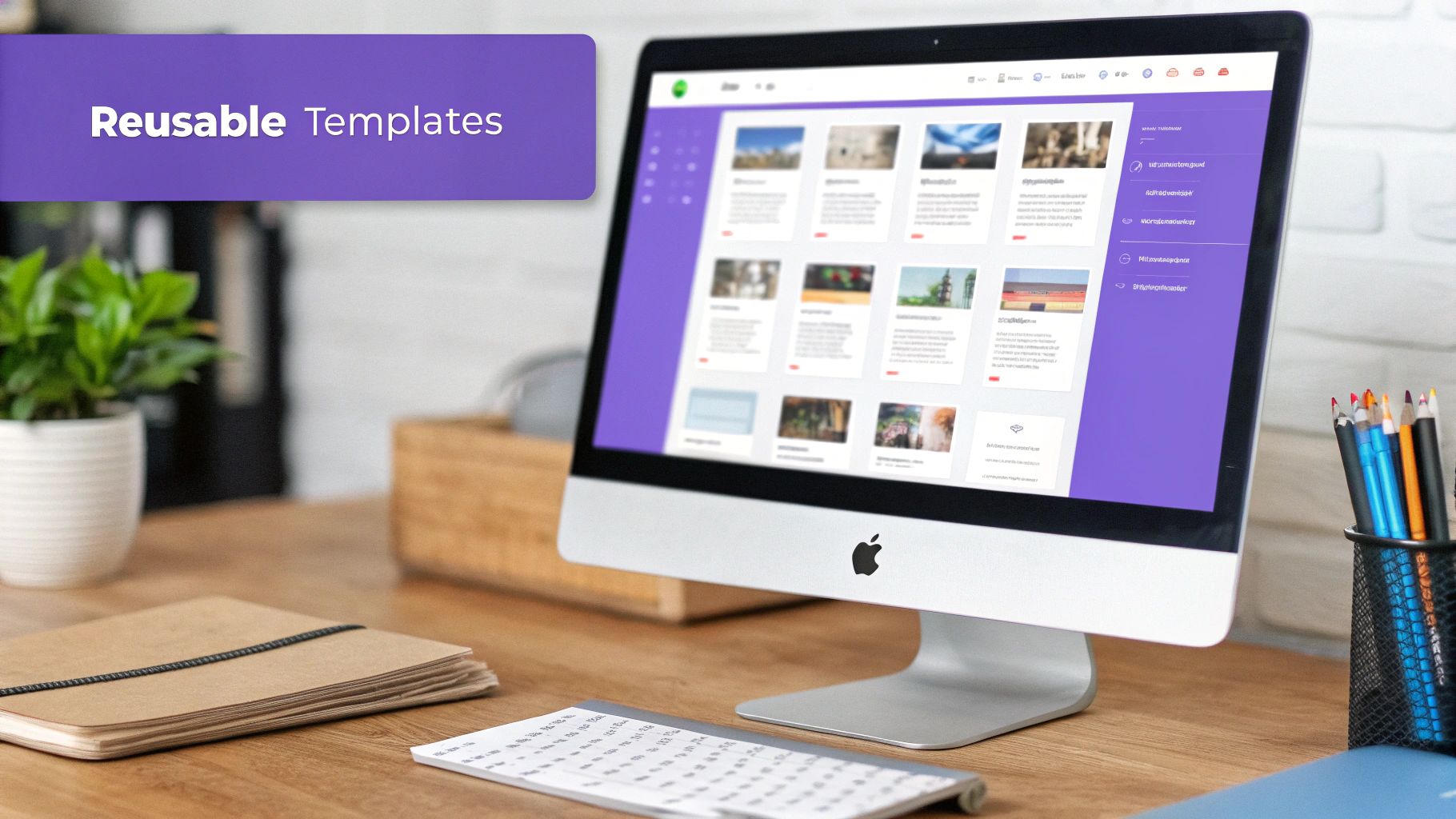
If you're still preparing every single document for signature manually, you're stuck in a major time drain. Sending documents one by one isn't just inefficient; it's a bottleneck that holds your entire business back. The real magic of a digital signing solution is contract automation, and the easiest entry point is with reusable templates.
Think of a template as the master version of any document you use repeatedly. Instead of recreating it from scratch every time, you set it up once. You place all the required fields—signatures, initials, dates, and text boxes—and assign them to the right people.
From then on, sending that document out for signature takes just a few clicks. This simple shift is what lets businesses scale without getting buried in paperwork. It's how you handle a high volume of agreements without sacrificing an ounce of accuracy.
Real-World Automation in Action
Let's look at how this plays out in a few demanding industries. A university's education administrator can build a single template for thousands of student enrollment forms. Every form is sent out with the correct fields perfectly placed for the student, parent, and registrar. No guesswork, just pure consistency.
Or take a logistics company in the UAE. They can standardize their bills of lading with a template, ensuring every single shipment document is consistent and legally solid. It's ready for an instant signature upon delivery, which helps get the whole supply chain moving faster.
For a US healthcare provider, templates for patient intake forms lock in HIPAA compliance and data accuracy for every new person who walks through the door. This practically eliminates the risk of missed signatures or incomplete information. These are perfect examples of how you can automate your business workflow and get valuable time back in your day.
A well-designed template doesn't just save you a few minutes; it creates a reliable, error-proof system for your most critical business processes. It's about building a workflow that runs itself.
Scaling Your Operations Affordably
True automation isn’t about one or two documents. The goal should be to create a template for every repetitive agreement your business touches, from HR onboarding packets and NDAs to sales contracts and vendor agreements.
This is where many platforms hit you with frustrating limits or charge you per template. BoloSign flips that script by offering unlimited templates for one fixed, predictable price. You can automate every single process without ever worrying about hitting a cap or seeing surprise fees on your bill.
This model is a game-changer, making BoloSign up to 90% more affordable than many traditional tools. It's no surprise that industries like Banking and Financial Services have jumped on digital signatures to slash document signing times from days to minutes. This has boosted efficiency in legal reviews by over 90%. You can read more about this market acceleration and see just how valuable these efficient workflows are becoming.
Ready to see how templates can completely change your own processes? You can start a 7-day free trial of BoloSign to experience firsthand how simple and powerful this kind of automation can be.
Answering Your Questions About Digital Signatures
Switching to a new way of handling agreements always kicks up a few questions. I get it. When businesses start learning how to digitally sign documents, the same practical concerns around security, legality, and just plain ease-of-use pop up time and again.
Let's tackle the big ones head-on so you can feel completely confident making the switch.
Are Digital Signatures Actually Legally Binding?
Yes, absolutely. This is usually the first question people ask, and the answer is a firm "yes."
In the United States, the ESIGN Act of 2000 basically says a digital signature has the same legal weight as a handwritten one. You'll find similar laws across the globe, like the eIDAS regulation in the European Union and others in Canada, Australia, and the UAE that make digitally signed documents legally enforceable.
The real key here is using a compliant platform that gives you a rock-solid audit trail. A solution like BoloSign, for example, automatically generates a Certificate of Completion for every single document. It details who signed, when they signed, and from where. This secure, time-stamped record is your proof of agreement, making your contracts fully defensible if they're ever challenged.
Can a Digital Signature Be Faked or Altered?
This is where digital signatures leave old-school wet ink signatures in the dust. A true digital signature, the kind built on cryptographic technology, creates what's called a tamper-evident seal.
Think of it like a digital wax seal on an envelope. If anyone tries to alter the document after it's been signed—even just changing a single comma—that seal breaks. This instantly invalidates the signature and alerts everyone that something is wrong.
This built-in integrity check is a core feature of secure digital signing solutions. It provides a level of security that a piece of paper could never match, giving you peace of mind that your agreements are locked down and protected.
What if My Clients Aren't Very Tech-Savvy?
This is a totally valid concern, especially if you're in an industry like healthcare, real estate, or education where you're dealing with people from all walks of life.
The good news is that modern eSignature platforms were designed for exactly this scenario. Signers don't need to download any special software or create an account. They just get a secure link in their email, click it to open the document right in their web browser, and follow simple, clear on-screen instructions to add their signature.
The best platforms make the signing experience incredibly intuitive for everyone involved. The whole point is to make getting a signature as easy as clicking a button, removing any tech hurdles that could slow you down.
Is This Going to Be Expensive to Set Up?
It really doesn't have to be. Some of the older, legacy tools have complicated per-user pricing that can add up fast, especially as your team grows.
Newer platforms have a much more modern and affordable approach. For instance, BoloSign offers unlimited documents, team members, and templates for one simple, fixed price. This predictable cost makes it up to 90% more affordable than other options out there. It means any business, no matter the size, can start using secure eSignatures without worrying about a huge bill.
You can see for yourself how this simplified pricing works over on our eSignature solutions page.
Ready to see just how simple, secure, and affordable your document workflows can be? Take BoloSign for a spin and find a better way to get your agreements signed.

Paresh Deshmukh
Co-Founder, BoloForms
12 Dec, 2025
Take a Look at Our Featured Articles
These articles will guide you on how to simplify office work, boost your efficiency, and concentrate on expanding your business.



