

A Practical Guide to HIPAA Compliant Document Management
Master HIPAA compliant document management with this step-by-step guide. Learn to secure PHI, select the right software, and prepare for audits with confidence.


Tired of nonsense pricing of DocuSign?
Start taking digital signatures with BoloSign and save money.
When you're dealing with sensitive health records—like patient intake forms, lab results, or insurance claims—you're holding more than just data. You're responsible for someone's private information. Storing these files in a standard digital folder is like leaving a vault door wide open. This is precisely where HIPAA compliant document management steps in.
It's not just a fancy term for secure storage. Think of it as a complete rulebook and toolkit for protecting Protected Health Information (PHI) from the moment it’s created to the second it’s archived.
PHI is any piece of information that can identify a patient, including:
- Names, addresses, and birth dates
- Social Security numbers
- Medical record numbers
- Diagnoses and treatment details
- Billing and payment information
A truly compliant system builds a digital fortress around this data using three core pillars: Administrative, Physical, and Technical safeguards. Together, they create a defense-in-depth strategy that protects you and your clients.
Why Your Standard Cloud Storage Just Won't Cut It
The shift away from vulnerable paper trails to secure digital systems has never been more critical. As a result, healthcare organizations were projected to spend over $1.2 billion on compliant document solutions by 2023. This isn't just about going paperless; it's about embedding essential features like encryption, audit trails, and strict access controls to meet HIPAA's demands.
Ignoring these requirements is a costly mistake. The average cost of a data breach for organizations with high levels of non-compliance is a staggering $5.05 million. You can explore this market shift in more detail on Research and Markets.
It’s Not Just for Hospitals Anymore
HIPAA compliance isn't limited to clinics and hospitals. Any business that touches PHI, even indirectly, is on the hook.
Consider these real-world examples:
- A staffing agency that places nurses must securely handle their credentials and health records.
- A logistics company delivering medical supplies needs to protect shipping documents that contain patient data.
- A billing services firm working for a doctor's office manages thousands of invoices filled with sensitive information.
In every one of these cases, a compliant workflow is essential. It transforms risky, manual processes into secure and auditable digital operations. With platforms like BoloSign, businesses can create, send, and sign PDFs online inside a protected environment, ensuring every document is handled correctly from start to finish.
Understanding the Three Pillars of HIPAA Security
Building a truly HIPAA-compliant document management system is about more than just buying the right software—it’s about creating a complete defensive strategy. The HIPAA Security Rule gives us the blueprint, breaking these defenses down into three core pillars: Administrative, Physical, and Technical Safeguards.
Think of these as the operational rules, physical barriers, and digital shields that protect your data fortress.
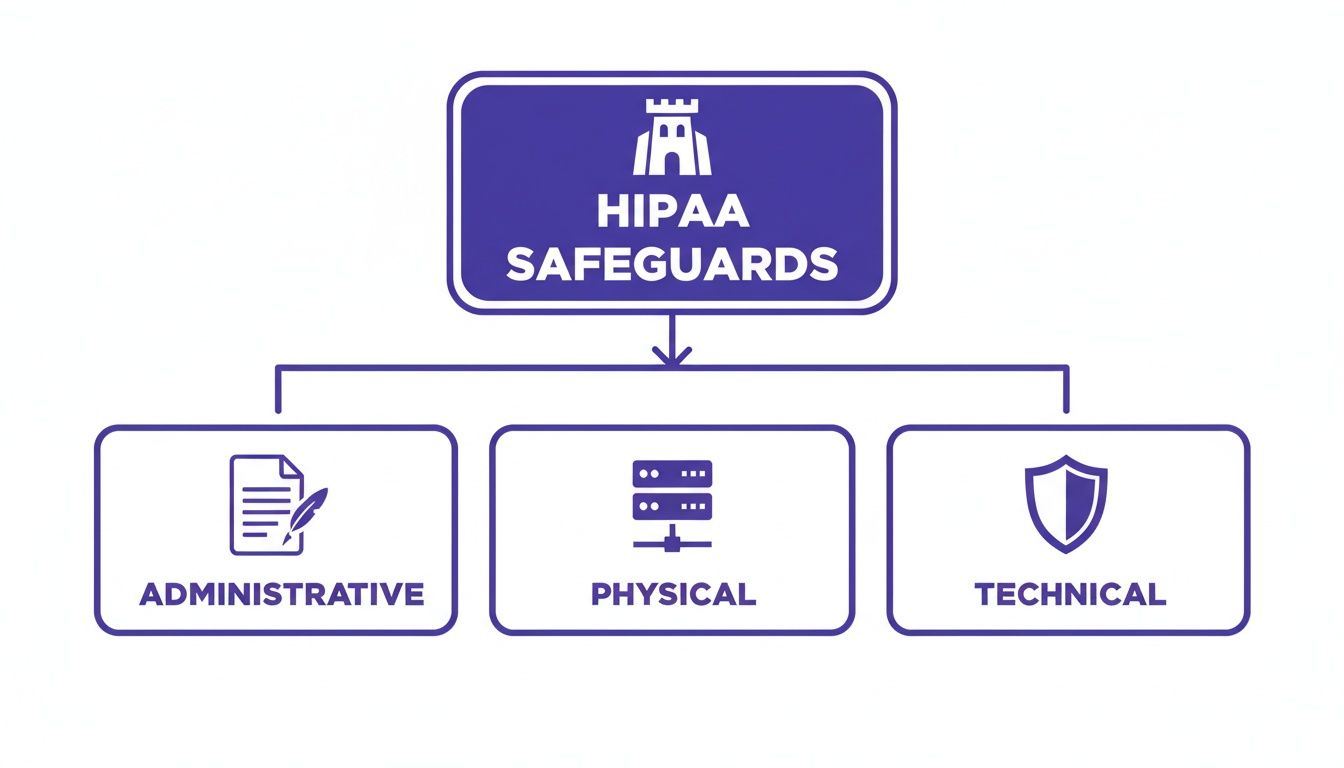
As you can see, each safeguard has a distinct but connected role. They all work together to protect the Protected Health Information (PHI) at the center of your operations.
Let's break down each pillar to see what it looks like in the real world.
Administrative Safeguards: The Human Element
First up are the Administrative Safeguards. These are the policies and procedures that dictate how your team interacts with PHI day-to-day. This is all about the human side of security—who gets access to what, why they need it, and what they’re allowed to do with it.
It’s less about fancy tech and more about smart processes. Key actions include:
- Security Risk Analysis: You can't protect against threats you don't know exist. This involves regularly identifying potential vulnerabilities to PHI and putting measures in place to shut them down.
- Employee Training: Your team is your first line of defense. This means making sure everyone understands their role in protecting patient data and knows how to spot red flags like phishing scams.
- Contingency Planning: Hope for the best, plan for the worst. This is your game plan for responding to and recovering from a data breach or system failure.
For a professional services firm handling benefits administration, an administrative safeguard would be a written policy detailing exactly how new employee health forms are collected, processed, and stored, plus mandatory annual security training for all HR staff.
Physical Safeguards: Locking the Doors
Next are the Physical Safeguards. These are the tangible, real-world measures you take to protect the actual locations and equipment where PHI is stored. This covers everything from your server room to the laptops your remote team uses.
A classic mistake is getting so focused on digital threats that you forget a stolen laptop or an improperly discarded hard drive can trigger a massive data breach. Physical security is just as critical.
Examples of physical safeguards in action include:
- Facility Access Controls: Simply put, this means limiting physical access to areas where sensitive data lives. Think locked server closets or keycard-only access to certain floors.
- Workstation Security: This is a policy requiring employees to lock their computers whenever they step away from their desks. It's a simple habit that makes a huge difference.
- Device and Media Controls: You need clear procedures for securely wiping data from old computers or phones before they are thrown out or repurposed.
Imagine a logistics company shipping medical devices. They would implement physical safeguards by using locked containers for sensitive shipments and ensuring that drivers' tablets, which might contain delivery PHI, are password-protected and tracked via GPS.
Technical Safeguards: The Digital Shield
Finally, we have the Technical Safeguards. These are the technology-based protections you put in place to secure electronic PHI (ePHI). This is where your software and IT systems play the starring role, acting as the digital shield that protects data as it's being used, sent, and stored.
Platforms like BoloForms Sign are built with these safeguards at their core. Key technical safeguards include:
- Access Control: This involves using unique user IDs and role-based permissions to ensure employees can only see the specific PHI necessary for their job. A healthcare recruiter, for instance, should be able to see a nurse’s credentials but not their entire medical history.
- Audit Controls: You need to create detailed logs that track every single action taken on a document—who viewed it, who edited it, and when. This audit trail is non-negotiable for investigating any potential security incidents.
- Encryption and Decryption: This is the process of scrambling data to make it unreadable to unauthorized eyes, both when it's just sitting on a server (at rest) and when it's being sent over a network (in transit).
To bring it all together, here's a quick look at how these safeguards function within a document management system.
HIPAA Security Safeguards at a Glance
| Safeguard Type | Core Purpose | Example in a DMS |
|---|---|---|
| Administrative | Defines the "who, what, and why" of data security through policies and training. | A formal policy that requires all new hires to complete HIPAA training before gaining access to the system. |
| Physical | Protects the physical hardware and locations where PHI is stored. | Requiring employees to enable screen locks on company-issued laptops and mobile devices used to access the DMS. |
| Technical | Uses technology to control access to and protect ePHI from digital threats. | Implementing two-factor authentication (2FA) for all users logging into the document management platform. |
By understanding and implementing all three pillars, you create a robust, multi-layered framework for HIPAA-compliant document management. This approach ensures you're prepared for threats from every angle—protecting your clients, your team, and your business.
How To Build a Compliant Document Workflow From the Ground Up
Knowing the rules of HIPAA is one thing. Actually putting them into practice? That’s where the real work begins. Building a compliant document management workflow isn't just a tech problem—it's a strategic overhaul of your people, policies, and platform.
Let's walk through a practical roadmap for turning compliance theory into your daily reality.

Shifting from risky paper trails or unsecured digital files to a truly locked-down system doesn't have to be a nightmare. It really comes down to a clear, four-step approach that creates a workflow that is not only compliant but also efficient and ready to scale.
Step 1: Conduct a Thorough Risk Assessment
Before you can protect your Protected Health Information (PHI), you first need to know exactly where it lives and what dangers it faces. Think of a risk assessment as your reconnaissance mission. The goal is to map out every single touchpoint where PHI is created, received, stored, or sent within your organization.
This means getting granular and identifying all systems, devices, and apps that handle this sensitive data—from your email servers to your team's laptops. Once you have a complete map, you can start poking holes in it to find vulnerabilities. Is data flying back and forth without encryption? Are access permissions way too broad? Answering these tough questions is the foundation of your entire security strategy.
Step 2: Develop Clear Policies and Procedures
Your risk assessment tells you what to protect; your policies and procedures define how you'll protect it. These are the documented rules of the road for handling PHI, and they need to be crystal clear, concise, and easy for every single person on your team to find and understand.
Your policies absolutely must cover a few key areas:
- Data Handling: Step-by-step instructions for managing PHI, from creating a new patient form to securely archiving old records.
- Access Control: A firm policy defining who gets to see what data, based strictly on their job function. No exceptions.
- Incident Response: A detailed playbook outlining exactly what to do the moment a security breach is suspected.
- Device Usage: Clear rules for using both company-owned and personal devices to access PHI.
These aren't documents you write once, file away, and forget. They're living guidelines that should shape daily operations and keep everyone on the same page. To tighten this up and slash the risk of human error, more and more organizations are turning to automated healthcare documentation solutions.
Step 3: Choose the Right Technology Partner
Technology is the engine that powers a modern, compliant workflow. The right software partner does more than just store your files—they provide the technical muscle needed to enforce your policies automatically. When you're vetting vendors, there is one absolute, non-negotiable requirement: they must be willing to sign a Business Associate Agreement (BAA).
A Business Associate Agreement is a legally binding contract that holds your vendor to the same high HIPAA standards you are. Without a BAA, you are not compliant. Period.
Look for a platform that offers end-to-end encryption, detailed audit trails, and granular access controls. For example, a logistics company managing medical device shipments can build a secure workflow for delivery confirmations. A driver can capture a digital signing solution on a tablet, and the document—containing PHI—is instantly encrypted and filed away in a compliant folder with a complete, unchangeable audit trail. This kind of automation makes compliance so much simpler. You can learn more about creating these types of workflows with tools that manage form approval processes.
Step 4: Train Your Team—Continuously
At the end of the day, your tech and your policies are only as strong as the people using them. Consistent, ongoing training is what turns your team from a potential liability into your strongest security asset. This can't be a one-and-done session during onboarding; it has to be a continuous part of your culture.
Hold regular sessions that cover your specific policies, how to use your chosen software securely, and how to spot emerging threats like sophisticated phishing attacks. When your team truly gets the "why" behind the rules, they're far more likely to follow them without fail, making compliance just part of how you do business.
Choosing the Right HIPAA Compliance Software
Picking a vendor for your HIPAA-compliant document management is one of the most critical business decisions you'll make. The right software becomes an extension of your compliance team, almost like having an in-house expert. Get it wrong, however, and you could be exposing your practice or business to some serious risk. It’s absolutely essential to look past the flashy marketing slogans and zero in on the features that actually protect Protected Health Information (PHI).

This isn’t just for clinics and hospitals. Professional services firms, educational institutions, and anyone handling sensitive health data needs to get this right. The goal is to find a true partner—one that doesn't just know the regulations but has built their entire platform with those rules at its core.
The Non-Negotiable Vendor Requirements
When you're vetting software solutions, a couple of things should be at the very top of your list. These are the deal-breakers, the foundational elements that separate a genuinely compliant platform from just another business tool with security features tacked on.
First up, the vendor must be willing to sign a Business Associate Agreement (BAA). A BAA isn't just a formality; it's a legally binding contract that holds the vendor to the same stringent HIPAA standards you follow. If a vendor hesitates or refuses to sign one, walk away. Period.
Next, you have to demand end-to-end encryption. This is your digital armor. It ensures data is scrambled and unreadable both when it's sitting on their servers (at rest) and while it's zipping across the internet (in transit). Without this two-layered protection, you're leaving the door wide open.
Essential Security and Audit Features
Beyond the absolute basics, a truly robust platform will give you the keys to the kingdom—complete control and visibility over your documents. These aren't just nice perks; they are the tools that let you actively manage your compliance instead of just crossing your fingers and hoping for the best.
Look for these key capabilities:
- Granular User Access Controls: You need the power to set role-based permissions. Think about it: a receptionist needs to schedule appointments, but they shouldn't have access to a patient’s entire medical chart. This is how you enforce that.
- Detailed Audit Trails: Every single action taken on a document—from who viewed it to when a signature was requested—must be logged. This unchangeable record is your proof of compliance and is absolutely priceless if an auditor comes knocking.
- Secure eSignature Capabilities: Any digital signing solution has to be compliant with ESIGN and eIDAS standards. This ensures that when you get a consent form or contract signed, it’s legally binding while keeping the PHI inside it secure.
These features are the technical safeguards that breathe life into your written HIPAA policies. You can check out a full suite of compliant BoloSign features to see how all these pieces fit together in a real-world tool.
Finding an Affordable and Scalable Solution
For a long time, enterprise-grade compliance came with a painful, enterprise-level price tag. This put it completely out of reach for most small and medium-sized businesses. Thankfully, that's changing. Modern platforms are now delivering comprehensive security without the wallet-busting costs.
The best HIPAA compliance software doesn't force you to choose between security and your budget. It should make robust protection accessible, allowing you to focus on your clients and patients.
BoloSign was built to solve exactly this problem. By offering a straightforward, fixed-price model for unlimited documents, team members, and templates, it demolishes the financial barriers to full compliance. This approach can be up to 90% more affordable than old-school tools that nickel-and-dime you for every user or document. It makes top-tier contract automation and secure, AI-powered workflows a real possibility for any business, no matter the size.
When you're ready to see just how simple and secure document management can be, taking a platform for a test drive is the best next step. It’s the easiest way to see for yourself how the right tool can help you meet your HIPAA obligations with total confidence.
Common Compliance Mistakes and How to Avoid Them
Trying to navigate HIPAA compliance can feel like walking through a minefield. It's surprisingly easy for well-meaning businesses to make simple missteps that lead to serious violations, painful fines, and a damaged reputation. Getting a handle on these common pitfalls is the first step toward building a truly solid defense for your sensitive data.
And these aren't just abstract risks. The stakes are getting higher every single year. Healthcare data breaches have hit terrifying new highs, with over 133 million patient records exposed in the US in 2024 alone. The forecast for 2025 looks even worse, which is pushing regulators to crack down hard on non-compliance. They're handing out penalties for everything from missed risk analyses to sloppy access controls.
Let's break down some of the most frequent mistakes we see and talk about how a smarter approach to document management can help you steer clear.
Using Non-Compliant Tools for Convenience
This is probably the most common—and most dangerous—mistake out there: using everyday, non-compliant tools to share Protected Health Information (PHI). Picture a real estate agent trying to be helpful by emailing a client's medical accommodation letter from their personal Gmail. The intention is good, but the action just ripped a massive hole in their security.
The Compliant Alternative: A secure, centralized platform is the only way to go when transmitting PHI. With a tool like BoloSign, that agent could have quickly created a secure document, sent it through a fully encrypted portal, and gotten a secure eSignature. Better yet, the entire transaction gets logged in a detailed audit trail, proving every step was handled with care and compliance in mind.
This isn't just a real estate problem. It applies to a staffing agency sending a nurse's credentials to a hospital or an education consultant sharing a student's health form. Convenience can never, ever trump security.
Neglecting to Sign a Business Associate Agreement (BAA)
Here’s another critical error: failing to sign a Business Associate Agreement (BAA) with every single vendor that handles PHI on your behalf. We're talking about your cloud storage provider, your email service, and yes, your document management platform. A BAA is a legally binding contract that holds your vendors to the same strict standards you are for protecting PHI.
Without a BAA in place, you are out of compliance. Full stop. A professional services firm that starts using a new payroll software without a signed BAA is immediately non-compliant, no matter how secure that software claims to be.
Providing Inadequate or Infrequent Employee Training
Your technology is only as strong as the people using it. Too many organizations run a single HIPAA training session during onboarding and then call it a day. This "one-and-done" approach is a recipe for disaster. Cyber threats evolve, and best practices change. Your team's knowledge needs to keep up.
Regular, engaging training is the only way to keep security top-of-mind. It ensures your team knows how to spot a phishing attempt, understands why strong passwords matter, and consistently follows the protocols you've established for handling sensitive documents.
Improper Disposal of Old Data and Hardware
Finally, many organizations get hit with penalties because of simple disposal mistakes. They fail to follow strict HIPAA compliant disposal practices for old hardware and digital files containing PHI. Just dragging files to the trash bin or tossing an old computer in the dumpster isn't enough—that data can often be recovered.
A compliant platform helps solve this by centralizing your data. This makes it far easier to manage retention policies and ensure that when records are no longer needed, they are securely and permanently destroyed.
How to Prepare for a HIPAA Audit with Confidence
The mere mention of a "HIPAA audit" can make even seasoned professionals a little nervous. But it doesn't have to be a mad scramble. Think of an audit less like a pop quiz and more like an open-book test where you’ve already done all the homework. Auditors aren't trying to trick you; they're looking for evidence that you do what you say you do, day in and day out.
When auditors show up, they want to see your homework—your documented policies, your team's training logs, and clear proof that your safeguards are actually working. This is the moment your HIPAA-compliant document management system goes from being a daily operational tool to your single best defense.
Turning Your DMS into Your Best Defense
A solid document management platform gives you a massive head start because it naturally automates the exact kind of record-keeping auditors need to review. Every single interaction with a document, from the second it's created to the moment it gets its final eSignature, is tracked in a detailed, unchangeable log.
With a tool like BoloSign, this isn't something you have to think about. The platform’s built-in audit trail automatically logs every view, share, and signature, creating a clean, indisputable history of your compliance. Instead of frantically digging through old emails and shared folders to prove you have control over PHI, you can pull up a centralized, verifiable report in minutes.
This kind of built-in preparedness is a game-changer. Maintaining continuous compliance through a smart platform is worlds easier—and far less stressful—than trying to piece everything together after an audit notice lands on your desk. You can get a better sense of how these secure workflows operate by looking into eSignature solutions that are built with auditability in mind from the ground up.
Your Audit Readiness Checklist
Feeling ready for an audit really just comes down to having your ducks in a row. While every audit has its own focus, concentrating on these key areas will put you in a fantastic position to demonstrate your diligence.
An audit isn't just about showing you have policies. It’s about proving you follow them. Your document management system should be the tangible proof that your written rules are your daily reality.
Here’s a quick checklist to guide your preparations:
- Documented Policies and Procedures: Make sure your security policies, most recent risk assessment, and incident response plan are all up-to-date and easy to find.
- Proof of Employee Training: Keep organized records showing every team member has completed their HIPAA training, complete with dates and topics covered.
- Business Associate Agreements (BAAs): You need a signed, current BAA on file for every single third-party vendor that touches PHI. No exceptions.
- Technical Safeguard Evidence: Be prepared to show how you use access controls, encryption, and—most importantly—the audit logs within your systems.
At the end of the day, confidence during an audit comes from knowing your systems have your back. With a platform like BoloSign offering one fixed price for unlimited documents and users, this level of readiness is more accessible than ever. To see how it can shore up your compliance, you can feel the peace of mind for yourself.
Frequently Asked Questions About HIPAA Compliance
Diving into HIPAA-compliant document management can feel complex, and it’s natural for questions to pop up. Here are some straightforward answers to the questions we hear most often from businesses trying to get it right.
Is Using a "HIPAA-Compliant" Tool Enough to Make My Business Compliant?
Not even close. Think of it this way: buying a top-of-the-line oven doesn't automatically make you a Michelin-star chef. You have to know how to use it correctly.
Compliance is a partnership. The software vendor gives you the secure tools—things like encryption and audit trails. But your organization is responsible for using those tools properly, setting up secure workflows, and training your team. This shared responsibility is locked in with a Business Associate Agreement (BAA). This is a non-negotiable contract where the vendor legally agrees to protect PHI according to HIPAA rules. If you don’t have a signed BAA, you are not compliant, period.
Can I Just Use Gmail or Outlook to Send Patient Information?
You really shouldn't. Using standard email to send PHI is like mailing a postcard with someone's medical diagnosis written on the back for anyone to see.
Services like Gmail and Outlook typically don’t have the end-to-end encryption HIPAA demands. This leaves sensitive data exposed while it's in transit and sitting in unsecured inboxes. The right way to do it is with a secure portal or platform that keeps the document inside an encrypted, access-controlled bubble, ensuring only the right people can ever see it.
How Do eSignatures Fit into HIPAA?
Electronic signatures are absolutely allowed under HIPAA, as long as they meet the strong integrity and security standards required for protecting PHI. For an eSignature to be compliant, it needs to prove the integrity of the signed document.
This means the signing process has to be secure and, most importantly, auditable. A compliant tool like BoloSign creates a rock-solid, unchangeable audit trail for every single signature. It logs who signed, the exact time they signed, and from what IP address, giving you the concrete proof needed to show the document is authentic and the PHI within it was protected. This level of security is essential for everything from patient intake forms in healthcare to accommodation requests in real estate.
I Run a Small Business. What’s the Very First Step I Should Take?
Before you spend a dime on software or write a single policy, you need to conduct a thorough risk assessment. It’s the single most important first step you can take.
You can't protect what you don't know you have. A risk assessment gives you a map of where every piece of PHI lives in your business and identifies all the potential weak spots where it could be exposed. Once you have that map, you can make an informed decision on the right tools and strategies to lock everything down.
Ready to build a truly secure and efficient document workflow? BoloSign offers a single, affordable platform for all your HIPAA compliance needs, with unlimited documents, users, and templates at one fixed price. Start your 7-day free trial today and experience the peace of mind that comes with a fully compliant system.

Paresh Deshmukh
Co-Founder, BoloForms
15 Dec, 2025
Take a Look at Our Featured Articles
These articles will guide you on how to simplify office work, boost your efficiency, and concentrate on expanding your business.



