

How to Create a Legally Binding Electronic Signature in Microsoft Word
Learn how to insert an electronic signature microsoft word for fast, compliant documents. Tips on using built-in tools and secure eSignature options.

Tired of nonsense pricing of DocuSign?
Start taking digital signatures with BoloSign and save money.
Adding a signature in Microsoft Word by simply typing your name or pasting an image of your signature is easy. It feels like you’ve signed the document, right? But for anything important—like a contract, an NDA, or a client agreement—these basic methods are essentially digital sticky notes. They’re just not legally binding.
For critical business documents, you're left with a signature that lacks the security and audit trails needed to make it enforceable. This opens the door to some pretty significant business risks.
Why Your Typed Signature in Word Is Not Enough
We've all been there. You finalize a proposal in Word, type your name at the bottom, save it as a PDF, and fire it off in an email. It’s quick and convenient for informal, internal stuff, but it creates a false sense of security for anything that needs to hold up legally.
Here’s the hard truth: an image of a signature or a typed name can be copied, altered, or disputed in a heartbeat. There’s no real proof it was you, you intended to sign, or that the document is the same one you originally agreed to.
These methods are missing the core components that make an electronic signature truly valid and defensible in a dispute.
Before we dig into the right ways to sign, let's compare the different methods you might use in Word. This will give you a quick snapshot of what works for a casual sign-off versus what you need for a high-stakes agreement.
Comparing Signature Methods in Microsoft Word
| Signature Method | Best For | Security Level | Legal Enforceability |
|---|---|---|---|
| Typed Name | Internal, low-risk documents where no formal agreement is needed. | Very Low | Not Enforceable |
| Pasted Image | Informal approvals or when a visual representation is preferred. | Very Low | Not Enforceable |
| Word's 'Signature Line' | Adding a professional, designated signing field; slightly more formal. | Low | Generally Not Enforceable |
| Digital Certificate | Securing the document's integrity for internal compliance or specific industries. | Moderate | Enforceable (with context) |
| eSignature Platform | All legally binding contracts, sales agreements, HR documents, NDAs. | High | Fully Enforceable |
As you can see, there’s a huge gap between just putting your name on a document and creating a legally sound agreement.
The Real-World Risks of Basic Signatures
This gap between a simple digital mark and a secure electronic signature can have serious consequences. Imagine a real estate agent in Australia accepting a typed signature on an offer letter, only for the buyer to back out and deny ever agreeing to the terms. Without verifiable proof, the deal collapses.
Or think about a professional services firm in the US that uses pasted signature images for client contracts. They leave themselves wide open to disputes over project scope or payment, since the document’s integrity can't be guaranteed. It's a critical distinction, and it's what has fueled the massive shift toward secure digital signing solutions.
The global digital signature market exploded from USD 1.89 billion in 2019 to an estimated USD 9.93 billion by 2024. That’s not just growth; it’s a fundamental change in how business is done. You can explore more eSignature statistics to see just how rapid this adoption has been.
Relying on a typed or pasted signature for an important contract is like using a sticky note to lock your front door. It provides the appearance of security but offers no real protection against unauthorized access or changes.
To avoid these pitfalls, modern businesses rely on dedicated platforms to manage their contract automation and signing workflows. These systems add the necessary layers of security—like robust authentication and a detailed audit trail—to ensure every agreement is legally sound and tamper-evident. The goal isn’t just to get a signature; it’s to create an undeniable record of agreement.
Using Word’s Built-In Signing Features
Microsoft Word actually has a few built-in tools for adding a signature, which can be handy for quick, informal jobs. But it’s really important to know what these features do—and, more importantly, what they don't do—before you start using them for anything serious.
These native options are perfect for low-stakes situations. Think of a project manager who just needs to initial a draft report before it goes for a final review. Using the Draw tool to quickly scribble their initials is perfect for that. It’s just a visual confirmation, not a legally binding contract.
The same goes for pasting in a scanned image of your signature. It works fine for internal approvals where you just need a visual placeholder. It shows you’ve seen the document, but it completely lacks the security and audit trail required for anything more critical.
The Signature Line: A Step Up
For something that looks a bit more official, Word gives you the Signature Line feature. This tool drops a designated field into your document for a signature, usually with the signer's printed name and title underneath. It definitely looks more professional than just pasting an image.
When you add a Signature Line, it signals that a formal sign-off is needed. But here's the catch: on its own, a standard Signature Line in Word is not a secure or legally binding electronic signature. It doesn't automatically create an encrypted, verifiable link between the person signing and the document itself.
Here’s a look at how you set up that signature field inside Word.
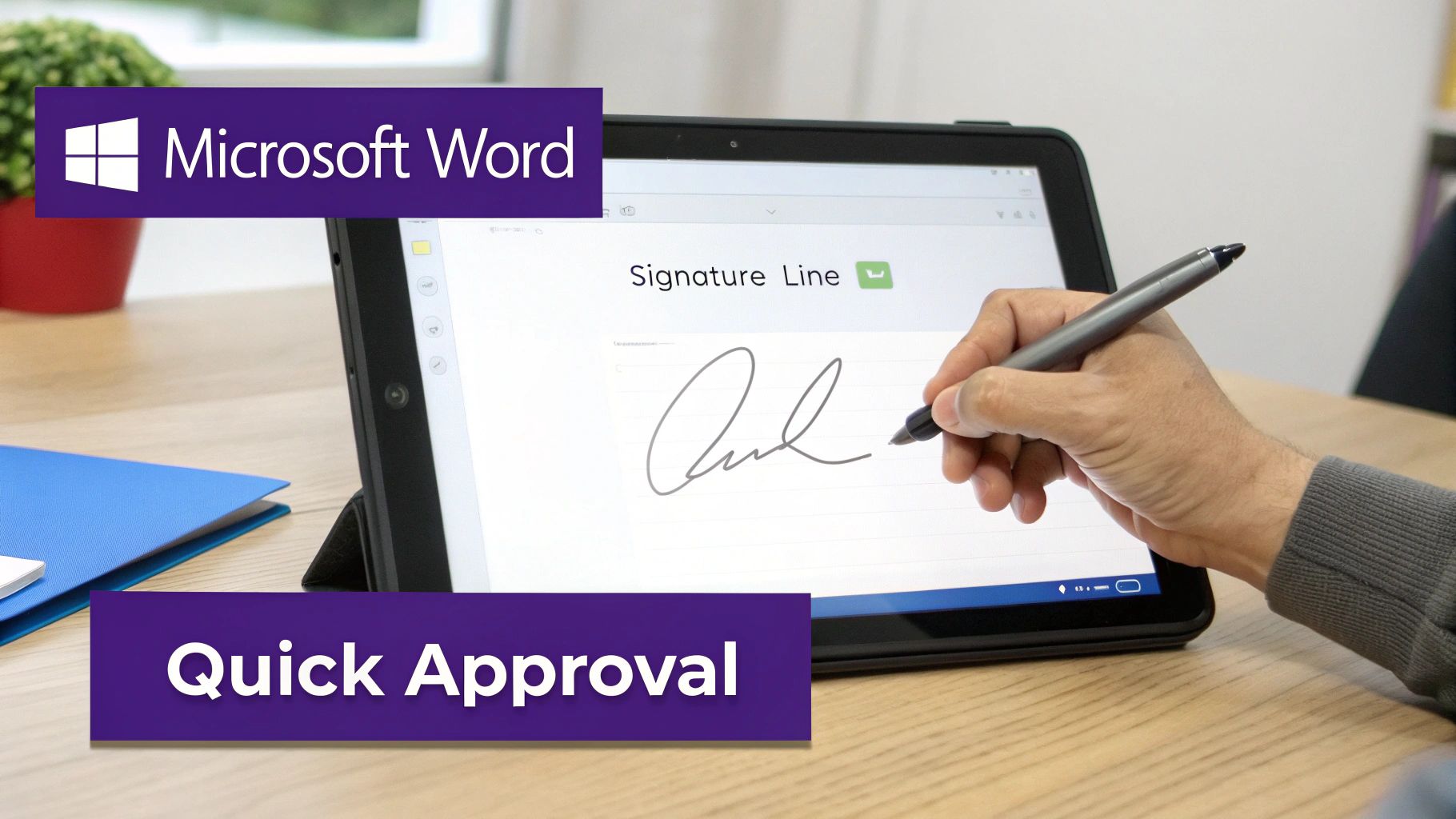
This setup creates a nice, clean placeholder. But without a digital certificate or a secure eSignature platform backing it up, it’s still just a picture on a page.
When Do Word’s Features Fall Short?
The limitations become glaringly obvious in industries where compliance and security are everything.
- Healthcare: A patient consent form requires a HIPAA-compliant signature with an unbreakable audit trail. Word’s tools simply can't provide that.
- Education: Student enrollment forms and financial aid documents need secure, verifiable signatures to protect sensitive personal data. Word’s native options fall short.
- Logistics: A shipping agreement between two companies needs verifiable proof of who signed and when, locking the terms down so they can't be tampered with.
In these cases, the risk of a signature being challenged is just too high. The lack of a clear audit trail, robust identity verification, and tamper-sealing makes Word's built-in features a non-starter for external agreements or regulated documents.
While Word's signing tools are convenient for internal drafts and quick approvals, they lack the security architecture needed for legally binding agreements. For that, you need a solution that prioritizes compliance and creates an undeniable record of consent.
This is exactly why businesses rely on dedicated digital signing solutions. A platform like BoloSign, for instance, closes the security gap that Word's features leave wide open. You can finalize a document in Word, convert it to a secure PDF, and then manage the entire signing process with full legal and compliance backing. It’s the professional way to handle signatures that truly matter.
Adding a Secure Digital Signature in Microsoft Word
When you're dealing with high-stakes documents, just dropping in a picture of your signature isn't going to cut it. For mission-critical agreements in fields like professional services or real estate, you need ironclad proof of who signed what, and that it hasn't been touched since. This is exactly where a secure digital signature in Microsoft Word comes in.
A digital signature is a whole different beast compared to a simple visual one. It leverages a unique, certificate-based digital ID to create an encrypted, tamper-evident seal on your document. The best way to think of it is like a digital notary stamp. It uses cryptography to lock your identity to the document at that exact moment, making any future changes stick out like a sore thumb.
Why Digital Signatures Actually Matter
So, what’s the big deal? The real value of a certificate-based digital signature in Word boils down to trust and legal standing. These signatures deliver on two critical concepts that a basic image of your signature just can't touch:
- Authentication: The digital certificate, which you have to get from a trusted Certificate Authority (CA), is what verifies you are who you claim to be. It's third-party validation.
- Non-Repudiation: Once a document is digitally signed, the signer can’t plausibly deny their involvement. The cryptographic bond is incredibly strong evidence of their intent to sign.
This is the kind of security a lawyer needs when handling sensitive case files, or a financial advisor needs when executing a client agreement. It elevates a simple Word doc from a mutable text file to a secure, verifiable legal record.
A digital signature doesn't just show what was signed; it proves who signed it and confirms that the document hasn't been altered since. This is the gold standard for trust when working directly within Word.
The Trade-Offs and a More Modern Approach
Now for the reality check. While digital signatures are incredibly powerful, getting and managing the required digital IDs can be a real headache for everyone involved. It introduces a layer of technical complexity—and often cost—that can seriously slow things down.
This is why so many businesses are shifting to a more practical workflow that balances security with speed. Modern eSignature platforms like BoloSign give you the best of both worlds. You can draft your agreement in Word, save it as a PDF, and then upload it to a dedicated, secure platform to handle the signing ceremony.
With this approach, every agreement is automatically backed by a comprehensive audit trail and is designed from the ground up to meet strict compliance standards like ESIGN in the US and eIDAS in the EU.
For instance, a healthcare provider can prepare patient intake forms in Word, then use a HIPAA-compliant eSignature solution to gather signatures without compromising patient data. It’s a workflow that delivers the robust security of a digital signature but with the speed and simplicity that today's business world demands.
The Modern Workflow: Integrating Word with an eSignature Platform
While Microsoft Word has some built-in signature features, the real power comes from pairing it with a dedicated eSignature platform. This is the modern, efficient, and legally sound way to handle important documents. You get the best of both worlds: the familiar document creation of Word and the robust security of a specialized signing service.
The process is surprisingly simple. You draft your contract, proposal, or agreement in Word just like you always do. Once it's finalized and ready for signatures, you save it as a PDF. This is a critical step because it locks the content down, preventing any accidental changes and preserving the document's integrity.
From there, you just upload that PDF into a platform like BoloSign to manage the entire signing process. This workflow smartly separates document creation from the act of signing, which is an industry best practice. It guarantees that the version being signed is the final, agreed-upon version of record.
From Simple Document to Legally Binding Agreement
Using a dedicated eSignature platform transforms your static Word file into a dynamic, traceable, and legally enforceable agreement. This is where you see the real value of a modern digital signing solution. You're not just getting a picture of a signature; you're getting a complete, court-admissible package.
BoloSign, for instance, wraps every signing event in layers of security. Every single action—every view, every click, every signature—is time-stamped and logged in a comprehensive audit trail. This trail captures IP addresses, names, and the exact sequence of events, creating undeniable proof of who signed, when they signed, and that the document wasn't tampered with. Word’s native tools just can't offer this level of detail.
The diagram below breaks down the simple yet secure process of getting a digital ID, applying it to your Word document, and sending it off.
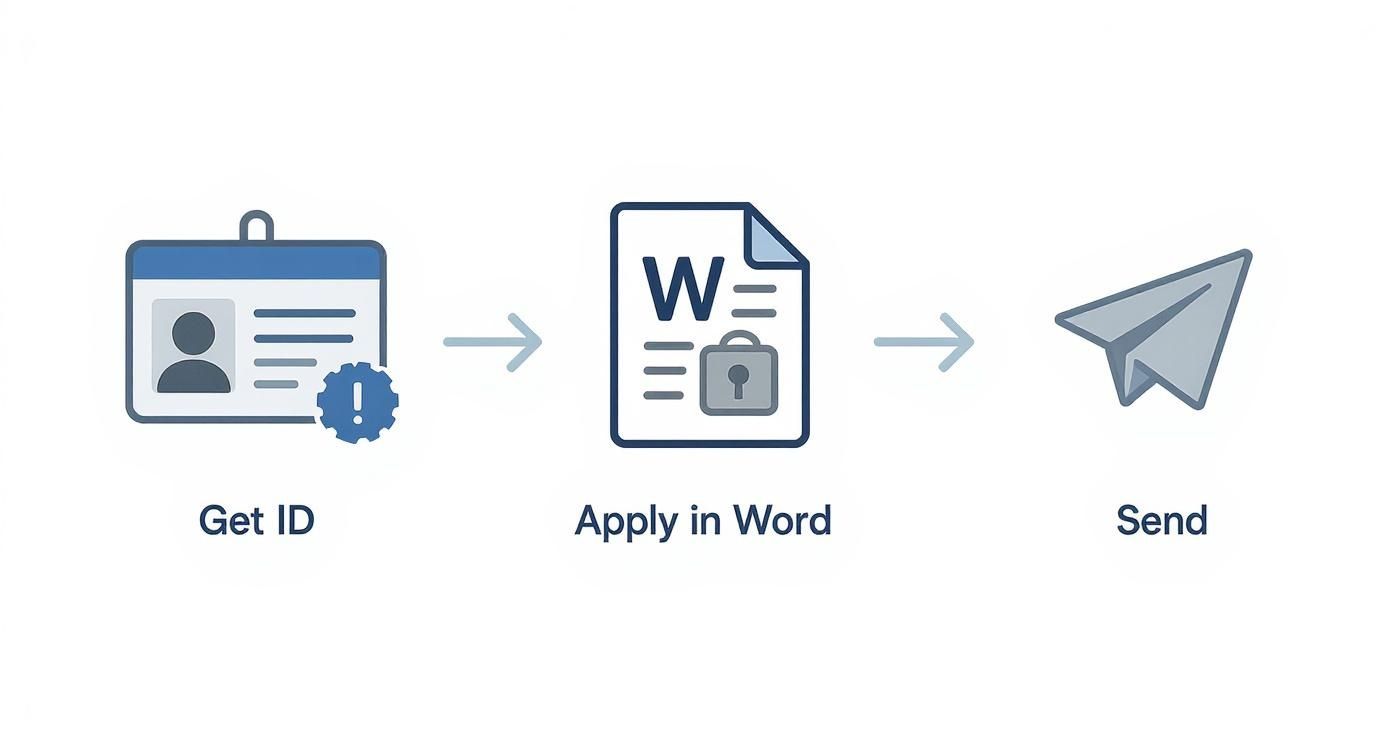
This streamlined flow ensures every signature is backed by solid proof of identity and document integrity, which is absolutely crucial for legal enforceability.
Real-World Applications Across Industries
This isn't just theory—it's how thousands of businesses get things done every day, moving fast without cutting corners on security.
- Staffing Agencies: A recruiter in Canada finalizes a job offer letter in Word, saves it as a PDF, and uploads it to BoloSign. They send it to the candidate for a legally binding eSignature, and AI-powered reminders ensure it gets signed quickly. The completed document, with its full audit trail, is automatically stored.
- Real Estate: An agent in the UAE prepares a tenancy agreement in Word. They use BoloSign to create a reusable template, send it to the new tenants to sign PDFs online, and receive the completed, enforceable contract in minutes.
- Professional Services: A consulting firm creates a detailed Statement of Work (SOW) in Word. Using an eSignature platform, they can send it to the client, see exactly when it's been viewed, and get the signed agreement back in minutes instead of days.
The modern workflow isn't about replacing Word; it's about elevating it. By pairing Word's powerful document creation with a dedicated eSignature platform, you get a process that is both incredibly efficient and legally airtight.
This kind of integration is a game-changer for businesses looking to nail their contract automation. With BoloSign, you can manage unlimited documents, templates, and team members for one fixed price, making enterprise-grade security accessible and 90% more affordable than other tools.
Platforms like ours are built from the ground up to comply with global standards like ESIGN, eIDAS, HIPAA, and GDPR. That means your agreements are valid and enforceable in the US, Canada, Australia, the UAE, and beyond. You can explore our digital signing solutions to see just how simple and secure we make this process.
Understanding the Legal and Compliance Side of Things
So, what actually makes an electronic signature legally binding? It’s a question I hear all the time, and the answer is a lot simpler than you might think. It’s not about how the signature looks; it’s all about the proof behind it.
Slapping a simple typed name or a pasted image into a Word doc just doesn't cut it. Why? Because it lacks the digital evidence to be enforceable if a dispute ever pops up.
For a signature to really hold up in a legal setting, it has to meet specific standards. In the United States, we have the ESIGN Act, and in the European Union, there’s eIDAS. These laws basically say that electronic signatures are just as valid as the old-school ink ones, but only if they meet certain criteria for authentication and proving intent.
This is where the idea of an audit trail becomes an absolute must-have.
The Power of a Comprehensive Audit Trail
A detailed audit trail is the backbone of any legally sound eSignature. Think of it as a digital witness that records every single interaction with the document from start to finish, all time-stamped and secure. It’s the story of the document’s life.
A truly robust audit trail, like the one you get with BoloSign, will capture everything:
- Signer Identity: Who signed the document? This is usually verified through their unique email address.
- Timestamps: The exact date and time for every action—when the document was opened, viewed, and ultimately signed.
- IP Addresses: The geographic location (via IP address) where the document was accessed and signed.
- Document Integrity: A cryptographic hash that proves the document wasn't tampered with in any way after it was signed.
This is the critical difference between a simple signature image and an enforceable one. You’re left with a clear, undeniable record that can be presented as evidence if a contract is ever questioned.
Navigating Industry-Specific Compliance
On top of general legal rules, many industries have their own strict compliance requirements. A healthcare provider in the U.S., for instance, absolutely must use a HIPAA-compliant signing solution for patient consent forms to protect sensitive health information. It’s non-negotiable.
Likewise, financial services, education, and real estate all have their own regulations around data privacy and how documents are handled.
An electronic signature is only as strong as its audit trail. Without verifiable proof of who signed, when they signed, and that the document is secure, you’re left with a signature that’s easy to dispute and difficult to defend.
That’s why choosing a platform built for compliance from the ground up is so important. BoloSign’s AI-powered workflows are designed to meet standards like ESIGN, eIDAS, HIPAA, and GDPR, which takes the worry out of the equation.
Whether you're finalizing a sales contract or a shipping agreement, you need a solution that protects your business from legal risk. To really get into the weeds on this, you can learn more about how to create secure and legally binding contract automation workflows. This ensures every document you send out for signature is fully compliant, every single time.
Making eSignatures Simple and Affordable
When it comes to signing documents, most businesses are chasing the same three things: security, compliance, and a price that makes sense. While you can technically get a signature using Word's built-in tools, they often leave you compromising on one of those key needs. The real goal isn't just to get a signature—it's to find a solution that ticks all three boxes without making your workflow a tangled mess.
This is exactly where dedicated eSignature platforms like BoloSign come in. Instead of you having to wrestle with complicated digital IDs or cross your fingers hoping a simple signature image is legally sound, a proper platform handles all the heavy lifting for you. You can create, send, and get PDFs, templates, and forms signed quickly and securely.
Beyond Per-Envelope Pricing
One of the biggest headaches with traditional eSignature tools is the unpredictable cost. Pricing models based on "per-user" or "per-envelope" fees can spiral out of control fast, basically penalizing you for growing your business. This is where affordability becomes a massive advantage.
BoloSign flips this model on its head by offering unlimited documents, team members, and templates for one fixed price. This approach makes top-tier security and compliance accessible to everyone, not just large enterprises. In fact, it makes BoloSign up to 90% more affordable than the big-name tools. So whether you're a real estate agent juggling dozens of contracts a month or a service firm adding new team members, your costs stay predictable.
Streamlining Your Entire Document Workflow
Real efficiency is about more than just the signature; it's about optimizing the entire journey of a document from creation to storage. This is where smart, AI-powered automation really shines.
Modern eSignature platforms don’t just collect signatures; they automate the entire agreement process. From creating reusable templates to sending automated reminders and securely storing completed contracts, they manage the heavy lifting so you can focus on your business.
Think about a busy staffing agency. They can use BoloSign to create a standard template for their new hire packets. With just a few clicks, they can send out a professional, consistent set of documents to every new employee, see its progress in real-time, and get a fully compliant, signed record automatically filed away. No chasing, no manual follow-ups.
This integrated approach—combining ease of use with powerful automation and transparent pricing—is how you graduate from basic signing. By checking out the full range of BoloSign’s eSignature features, you can see how a modern platform turns a simple electronic signature in Microsoft Word into a streamlined, automated business process.
Ready to see the difference for yourself? Start a 7-day free trial to experience how simple, affordable, and secure your document workflows can be.
Common Questions About E-Signatures in Word
When it comes to getting documents signed in Microsoft Word, a lot of questions pop up. Let's clear up some of the most common points of confusion so you can pick the right signing method for what you need.
Is a Signature I Draw in Word Legally Binding?
This is a big one, and the short answer is: probably not.
A signature you draw with your mouse or type directly into a Word doc is just an image. It lacks the critical security features needed to make it legally defensible. To hold up in court, a signature needs a solid audit trail and verifiable proof of who signed it. It also needs to show the document wasn't changed after the signature was applied.
That's where dedicated digital signing solutions like BoloSign come in. They add that essential layer of security, creating an enforceable agreement.
What’s the Difference Between Electronic and Digital Signatures?
People use these terms interchangeably, but they're not the same thing. It's a key distinction.
- An electronic signature is the broad, general category. It's any electronic mark that shows you agree to something—think a typed name, a scanned image of your signature, or even clicking an "I Agree" button.
- A digital signature is a specific, highly secure type of electronic signature. It uses a certificate-based digital ID to create an encrypted, tamper-evident seal on the document. This verifies the signer's identity and locks the document from any further changes.
So, while every digital signature is an electronic signature, not every electronic signature has the cryptographic security of a digital one.
Should I Send a Word File or a PDF for Signature?
Always, always send a PDF. The standard best practice is to finalize your document in Word, save it as a PDF, and then send that version out for signatures.
Converting to PDF is a crucial step. It locks the document's content, preventing anyone from accidentally (or intentionally) making edits. This ensures the version everyone signs is the final, agreed-upon version of record.
Can I Use an eSignature Platform Directly in Word?
Most professional e-signature workflows involve taking your finalized PDF from Word and uploading it into a secure platform like BoloSign. While some tools offer direct Word integrations, keeping the document creation and the signing "ceremony" separate is a best practice for legal defensibility.
Doing it this way ensures the entire signing process—from the initial request to the final signature—is captured in a compliant system. This generates a complete, court-admissible audit trail, which is the cornerstone of making your contract automation process both efficient and legally sound.
Ready to move beyond the basic, non-binding signatures in Word? BoloSign provides a secure, compliant, and incredibly affordable platform for all your agreements.
Start your 7-day free trial to see how easy it is to manage unlimited documents, users, and templates for one simple, fixed price.

Paresh Deshmukh
Co-Founder, BoloForms
10 Dec, 2025
Take a Look at Our Featured Articles
These articles will guide you on how to simplify office work, boost your efficiency, and concentrate on expanding your business.



