

10 Document Management Best Practices for Peak Efficiency in 2025
Unlock productivity with these 10 document management best practices. Streamline workflows, enhance security, and ensure compliance in your organization.

Tired of nonsense pricing of DocuSign?
Start taking digital signatures with BoloSign and save money.
In today's fast-paced business environment, documents are the lifeblood of every operation. Contracts, invoices, employee records, and project plans flow through organizations daily. Yet, many teams struggle with digital clutter: misplaced files, version control nightmares, and security gaps that put sensitive information at risk. This isn't just an inconvenience; it's a significant drain on productivity and a major compliance liability.
Effective document management is the bedrock of operational excellence, transforming chaotic workflows into streamlined, secure, and intelligent processes. This guide outlines 10 essential document management best practices designed for contract-heavy teams in sectors like staffing, healthcare, and real estate. These principles are fundamental to building a robust operational framework. To delve deeper into foundational strategies, our article on content management best practices provides comprehensive insights that complement the specific actions we will cover here.
We'll explore actionable strategies to create a single source of truth, automate tedious tasks, and fortify your data, setting the stage for scalable growth. We will also show how modern platforms like BoloSign integrate these principles, using AI-powered automation and eSignature capabilities to simplify your entire document lifecycle. From creating and sending PDFs for online signing to ensuring ESIGN and HIPAA compliance, you will learn how to build a system that supports your team instead of holding it back. By implementing these practices, you can turn document chaos into a competitive advantage.
1. Implement a Centralized Document Repository
The foundational step in any effective document management strategy is establishing a centralized repository. This is a single, unified digital location where all organizational documents are stored, indexed, and managed. Moving away from scattered files on local drives, email inboxes, and various cloud storage accounts eliminates dangerous information silos. It ensures every team member, from HR to sales, accesses the most current and approved version of any document, from employment contracts to vendor agreements. This approach is a cornerstone of modern document management best practices.
This centralization is critical for document-heavy teams. A healthcare provider can store patient intake forms securely, a real estate agency can manage property listings and sale agreements, and a logistics company can track all bills of lading from a single source of truth. By unifying your documents, you drastically reduce the risk of errors, enhance collaboration, and accelerate workflows. For example, when your team needs to send a contract for an electronic signature, they can pull the correct, pre-approved template directly from the repository using a tool like BoloSign, ensuring consistency and compliance every time.
How to Implement a Centralized Repository
Successfully transitioning to a centralized system requires a clear plan. Avoid a chaotic "lift-and-shift" migration by following these actionable steps:
- Start with a Pilot Program: Before a company-wide rollout, test your new system with a single department, like HR or procurement. This allows you to identify potential issues, refine your folder structure, and gather valuable feedback in a controlled environment.
- Plan Your Architecture First: Define a logical folder structure and standardized naming conventions before migrating any files. For instance, a procurement team might use a structure like
Vendors > [Vendor Name] > [Year] > [Document Type] > [Document Name]. - Establish Granular Access Controls: Implement role-based permissions to ensure employees can only access the information relevant to their jobs. A sales representative shouldn't have access to sensitive HR documents, and vice-versa.
- Provide Comprehensive Training: Host training sessions to familiarize your team with the new system, policies, and workflows. Ongoing support and accessible documentation are key to long-term adoption. To learn more about building a robust system, explore these best practices for contract repository management.
2. Establish Clear Document Classification and Tagging Standards
Beyond a centralized location, the next critical layer of control involves establishing standardized systems for classifying and tagging documents with consistent metadata. This practice creates an intelligent organizational framework, transforming a simple digital filing cabinet into a powerful, searchable database. By defining what a document is, its status, and its relevance, you enable teams to find critical information instantly, from active sales contracts to archived employee records. This systematic approach is a non-negotiable component of effective document management best practices.
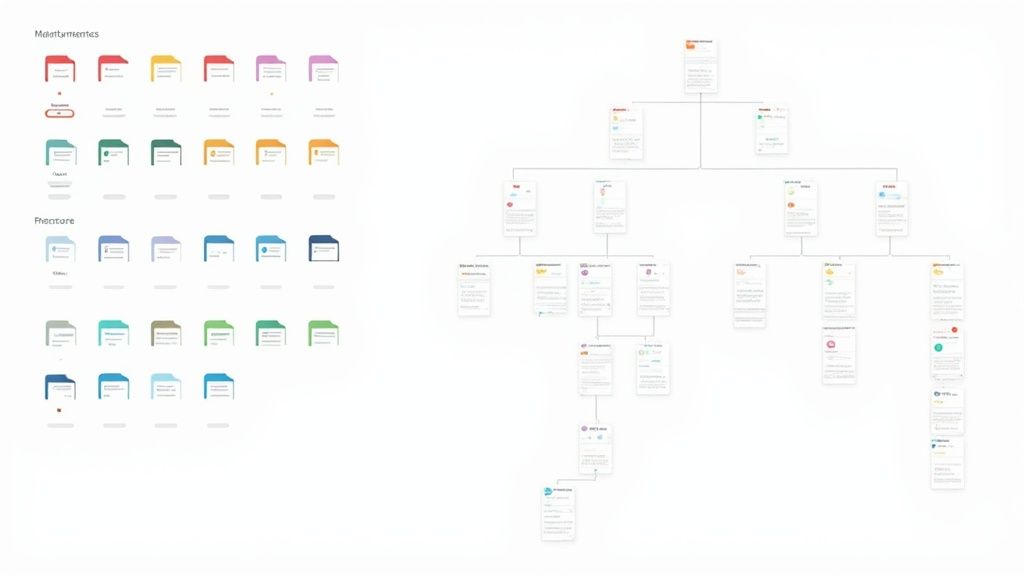
This level of organization is essential for compliance and efficiency. For example, a healthcare provider can tag patient records with metadata like "Patient ID," "Visit Date," and "HIPAA-Protected," ensuring proper handling and quick retrieval for audits. Similarly, a professional services firm can classify client agreements by relevance, project number, and confidentiality level to streamline project management. Without clear classification, your repository becomes a digital landfill, making it impossible to enforce retention policies or find information under pressure. This detailed organization also powers automation, such as routing a document tagged as "Ready for Signature" directly into an eSignature workflow with a tool like BoloSign.
How to Implement Document Classification Standards
A successful classification strategy is built collaboratively and maintained diligently. It requires more than just creating a few folders; it demands a thoughtful, organization-wide approach.
- Involve Cross-Functional Stakeholders: Assemble a team with representatives from legal, HR, finance, and operations to develop a taxonomy that serves the entire organization. This ensures the classification scheme is practical and comprehensive.
- Start Simple and Evolve: Begin with a core set of essential metadata tags (e.g., Document Type, Status, Department, Creation Date). You can add more specific tags as your team becomes comfortable with the system and new needs arise.
- Document and Train: Create a clear, accessible guide that defines your classification standards and provides examples. Train all employees on how to apply tags correctly to ensure consistency from day one.
- Leverage Automation: Use modern document management systems or tools like BoloSign that can automatically suggest or apply tags based on document content or keywords, reducing manual effort and improving accuracy.
3. Enforce Rigorous Version Control Procedures
Without rigorous version control, collaborative documents quickly descend into chaos. This practice involves systematically tracking every change made to a document, noting who made the change and when. It eliminates the all-too-common problem of teams working from outdated drafts, leading to errors, compliance risks, and wasted time. Effective version control is one of the most critical document management best practices for maintaining a single source of truth.
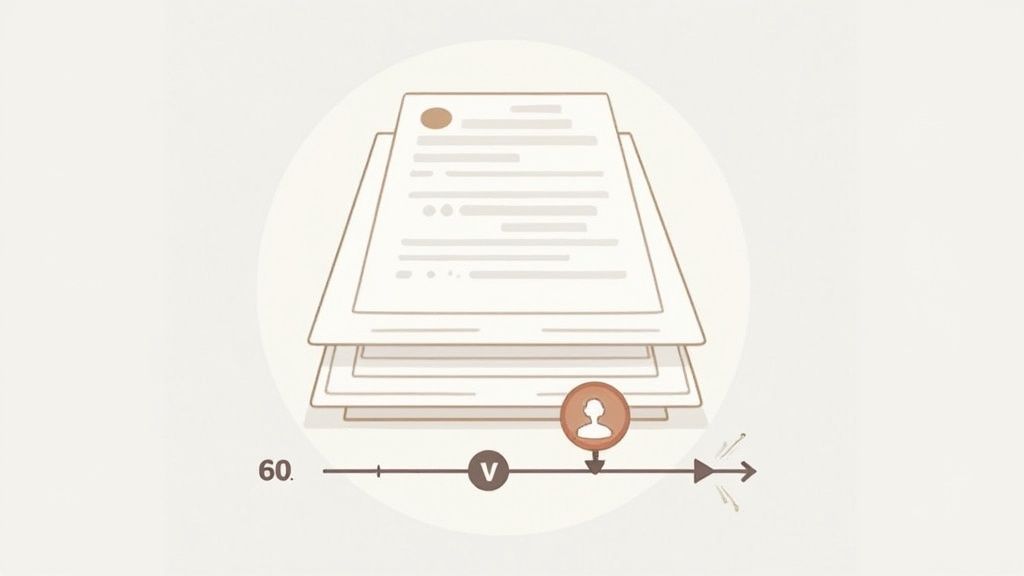
This discipline is non-negotiable for document-heavy teams. A procurement team negotiating a vendor agreement can track redlines from legal, finance, and the vendor, ensuring all changes are captured and approved. Similarly, a real estate agency can manage revisions to a purchase agreement as terms are negotiated between buyer and seller. Using a platform with built-in version history, like BoloSign, ensures that when a contract is ready to be sent for an eSignature, you are always using the final, approved version, preventing costly mistakes.
How to Implement Rigorous Version Control
Establishing a clear and consistent versioning process is key to preventing confusion and maintaining document integrity. Use these steps to build a reliable system:
- Establish a Clear Naming Convention: Define a standardized format for versioning, such as
[DocumentName]_v1.0_[Date]. Use major numbers (e.g., v1.0, v2.0) for significant revisions or milestones and minor numbers (e.g., v1.1, v1.2) for smaller edits. - Leverage Automated Versioning Tools: Use software that automatically creates new versions whenever a document is saved or checked back into the system. This removes the burden from individual users and guarantees a complete audit trail.
- Require Change Summaries: Mandate that users provide a brief description of the changes made with each new version. This context is invaluable for understanding the document's evolution without having to compare versions line by line.
- Train Your Team on the Process: Educate all users on the importance of version control and the specific procedures they must follow. To ensure collaborative efficiency and prevent data loss, it is vital to explore these essential document version control best practices.
4. Implement Comprehensive Access Control and Permissions Management
Controlling who can see, edit, and manage your documents is not just an IT concern; it's a fundamental business necessity. Comprehensive access control involves establishing role-based permissions that grant employees access only to the information they need to perform their jobs. This principle of least privilege is a cornerstone of modern security and a critical document management best practice, preventing unauthorized access to sensitive data, from client financial records to proprietary intellectual property.
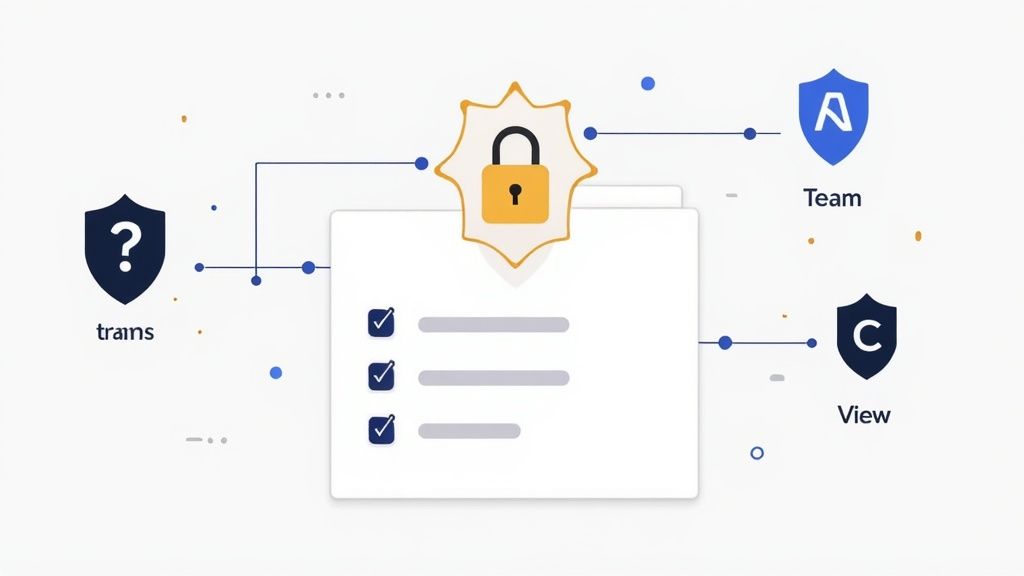
This granular control is essential for regulated industries. For instance, an education provider must restrict student record access to authorized staff to maintain privacy. Similarly, a real estate agency can ensure that only specific agents and transaction coordinators can view or modify a pending sales contract. By implementing robust access controls, you safeguard sensitive information, reduce the risk of human error, and build a secure foundation for all document workflows, including sending contracts for a secure digital signature with a platform like BoloSign.
How to Implement Comprehensive Access Control
Effectively managing permissions requires a systematic and ongoing approach. Instead of granting access on an ad-hoc basis, build a structured framework using these steps:
- Follow the Principle of Least Privilege: Start by granting all users the minimum level of access required for their roles. If a team member only needs to view reports, do not give them editing or deleting capabilities.
- Use Role-Based Access Control (RBAC): Create permission templates for specific job roles (e.g., "HR Manager," "Sales Associate," "Procurement Specialist"). This simplifies onboarding and ensures consistency when new employees join or change roles.
- Conduct Regular Access Audits: Schedule quarterly reviews to audit who has access to what. This process helps identify and remove obsolete permissions for employees who have changed roles or left the company.
- Integrate with Single Sign-On (SSO): Use SSO solutions like Okta or Microsoft Active Directory to centralize user authentication. This enhances security and simplifies access management across all your business applications, including your document repository.
5. Establish Document Retention and Lifecycle Management Policies
A critical component of a mature information governance strategy is establishing clear document retention and lifecycle management policies. This involves defining how long documents are kept, when they are moved to an archive, and when they must be securely destroyed. Failing to manage the document lifecycle exposes your organization to significant legal risks, increases storage costs, and clutters your systems with outdated, irrelevant information. Enforcing these policies is a core tenet of effective document management best practices.
Implementing a robust retention policy is non-negotiable for regulated industries. A healthcare provider must adhere to HIPAA requirements, typically retaining patient records for six years after their last interaction. Similarly, a financial services firm must comply with Sarbanes-Oxley (SOX) regulations, which mandate a seven-year retention period for specific financial documents. A well-defined policy ensures compliance, simplifies audit preparation, and protects the organization during legal discovery by preventing the accidental or malicious destruction of relevant records.
How to Implement Document Retention Policies
Creating an enforceable and compliant retention plan requires collaboration between IT, legal, and operational teams. Use these steps to build a policy that actively manages risk and reduces information overload:
- Map Policies to Document Types: Work with legal and compliance experts to create a retention schedule. Categorize documents (e.g., employee contracts, vendor invoices, patient forms) and assign a specific retention period to each category based on legal and operational requirements.
- Automate the Lifecycle: Modern digital signing solutions can automate retention rules. Configure the system to automatically flag documents for archival or deletion once their retention period expires, sending notifications to relevant stakeholders for final approval.
- Maintain an Audit Trail: Ensure your system logs all lifecycle events, including when a document was created, accessed, modified, and ultimately destroyed. This disposal certificate is crucial for demonstrating compliance during an audit.
- Plan for Legal Holds: Your policy must include a clear process for placing a "legal hold" on documents related to litigation or investigation. This action overrides any scheduled deletion, preserving the information until the hold is lifted. For more insights on managing documents from creation to archival, review these contract lifecycle management best practices.
6. Utilize Full-Text Search and Advanced Indexing Capabilities
A well-organized repository is only as good as your ability to find what you need within it. Implementing sophisticated search technology is a critical document management best practice that transforms a static archive into a dynamic, accessible knowledge base. This involves moving beyond simple filename searches to systems that index the full text of every document, including metadata, comments, and even text within images. This allows users to locate critical information instantly, whether it's a specific clause in a vendor contract or a patient's medical history from a scanned form.
For document-heavy teams, this capability is a game-changer. A professional services firm can search for all contracts containing a specific "limitation of liability" clause, or an HR department can instantly find all employee onboarding documents that mention a particular policy. This eliminates hours of manual searching and ensures that decisions are based on complete and accurate information. When integrated with a system like BoloSign, this powerful search allows you to quickly locate a specific contract template before sending it for an eSignature, saving time and reducing administrative friction.
How to Implement Advanced Search and Indexing
Deploying an effective search solution requires more than just turning on a feature. It needs a strategic approach to ensure accuracy and user adoption.
- Implement Optical Character Recognition (OCR): To make scanned documents and image-based files (like PDFs or JPEGs) searchable, you must use OCR technology. This process converts images of text into machine-encoded text, making every word indexable.
- Enforce Consistent Metadata Tagging: Train your team to apply consistent metadata tags to documents upon creation or ingestion. Tags like
[Contract Type],[Client ID],[Project Name], and[Effective Date]create structured data points that vastly improve search filtering and accuracy. - Provide Search Syntax Training: Modern search tools often support advanced operators (AND, OR, NOT, "exact phrases"). Offer brief training sessions or cheat sheets to empower your team to build more precise and effective search queries, helping them find information faster.
- Monitor Search Analytics: Review search logs and analytics to understand what your users are looking for and whether they are successful. This data can reveal gaps in your document organization or identify high-value documents that may need better tagging.
7. Establish Document Security and Encryption Protocols
Beyond controlling who can access documents, it's crucial to protect the data itself from unauthorized interception and tampering. Establishing robust security and encryption protocols ensures that your sensitive information remains confidential and secure, both when it is stored (at rest) and when it is being shared (in transit). This is a non-negotiable component of modern document management best practices, especially for organizations handling private data.
This practice involves using cryptographic methods to render data unreadable to anyone without the proper decryption key. For a healthcare provider, this means patient records are protected from breaches. For a real estate agency, it secures sensitive client financial data and sale agreements. It’s the digital equivalent of placing your most important files in an unbreakable, sealed safe that only authorized individuals can open. This layer of security is fundamental to maintaining client trust and meeting strict regulatory compliance standards like HIPAA or GDPR.
How to Implement Document Security and Encryption
Protecting your digital assets requires a multi-layered approach that combines technology with clear, enforceable policies. Follow these actionable steps to build a secure document environment:
- Deploy Industry-Standard Encryption: Use strong, widely recognized encryption standards like AES-256 for all sensitive documents. This level of encryption is trusted by banks and governments worldwide to protect classified information.
- Secure Documents in Transit and at Rest: Ensure encryption is applied not just to stored files on your server or cloud but also during transmission via email or file-sharing links. Tools like BoloSign automatically encrypt documents, securing them throughout the entire signing workflow.
- Implement Multi-Factor Authentication (MFA): Add an extra layer of security for accessing your document management system. MFA requires users to provide two or more verification factors, drastically reducing the risk of unauthorized access even if credentials are stolen.
- Conduct Regular Security Audits: Periodically review and update your security protocols, access logs, and encryption methods. This proactive monitoring helps identify potential vulnerabilities before they can be exploited.
8. Create and Enforce Document Naming and Folder Structure Standards
A centralized repository is only effective if its contents are logically organized. Creating and enforcing standardized naming conventions and folder structures transforms a chaotic digital file cabinet into a highly efficient, searchable database. This practice ensures that any document can be located quickly by anyone, without needing to know who created it or when. It brings predictability and order to your digital assets, which is a cornerstone of effective document management best practices.
This systematic approach is essential for teams that manage high volumes of similar documents. A staffing agency, for example, can instantly find client contracts using a convention like [ClientName]_[ContractID]_[DocumentType]_[YYYY-MM-DD]. Similarly, an HR department can organize employee records into folders like [EmployeeName] > [Onboarding], [EmployeeName] > [PerformanceReviews], and [EmployeeName] > [Contracts]. This structured method eliminates ambiguity, saves countless hours otherwise spent searching, and reduces the risk of using an incorrect or outdated file.
How to Implement Document Standards
Rolling out new organizational standards requires a clear, documented approach to ensure company-wide adoption and consistency.
- Design a Scalable Structure: Before creating any folders, map out a logical hierarchy that reflects your business processes. For a procurement team, this might be
[VendorName] > [ContractType] > [Year]. The goal is to create a system that is intuitive and can grow with your organization. - Define Your Naming Convention: Create a simple, descriptive naming formula. Use elements like client name, project number, document type, and date (
YYYY-MM-DDfor chronological sorting). Document this standard with clear examples and share it with the entire team. - Automate Where Possible: Many modern digital signing solutions, including platforms like BoloSign, can help enforce naming conventions automatically. This removes the burden of manual compliance from your team and ensures consistency.
- Train and Audit: Conduct training sessions to explain the new standards and their benefits. Periodically audit your repository to identify and correct files that don't adhere to the convention, providing gentle reminders to reinforce the habit.
9. Implement Regular Document Audits and Quality Assurance Reviews
Even the most well-designed document management system can degrade over time without regular oversight. Implementing periodic document audits and quality assurance reviews is a critical practice to maintain the integrity, compliance, and efficiency of your repository. This process involves systematically examining your documents and processes to ensure they adhere to established policies, identify obsolete or duplicate files, and verify proper classification and data quality. It is a proactive measure that solidifies your document management best practices.
Regular audits are non-negotiable for regulated industries. A healthcare clinic might conduct annual HIPAA compliance audits to ensure patient records are secure, while a professional services firm may perform quarterly reviews to meet stringent regulatory standards. These reviews prevent "digital clutter" from accumulating, which can slow down searches, increase storage costs, and create significant legal risks during e-discovery. By proactively identifying and rectifying issues, you ensure your document repository remains a reliable and valuable asset rather than a disorganized liability.
How to Implement Regular Document Audits
A structured audit process turns a potentially overwhelming task into a manageable and highly effective routine. Follow these steps to build a robust quality assurance framework:
- Establish an Audit Committee: Create a cross-functional team with representatives from legal, IT, and key departments like HR or procurement. This ensures a comprehensive perspective and shared ownership of the process.
- Start with High-Risk Areas: Focus your initial audits on critical document categories, such as active contracts, employee records, or financial statements. This approach delivers the most significant impact on risk mitigation.
- Leverage Automation Tools: Manually sifting through thousands of files is inefficient. Use automated tools to quickly identify duplicates, detect files with missing metadata, and flag documents that have passed their retention date. Modern tools with contract intelligence can even help you find non-compliant clauses. Discover how advanced tools can streamline this process by exploring AI contract review software.
- Schedule and Document Everything: Conduct mini-audits quarterly and a comprehensive review annually. Meticulously document all findings, assign clear action items for remediation, and track their completion to demonstrate continuous improvement and due diligence.
10. Provide Comprehensive User Training and Change Management
Even the most sophisticated document management system will fail if your team doesn't know how to use it correctly. This is why comprehensive user training and a thoughtful change management strategy are not optional add-ons but core components of successful implementation. This process involves more than a one-time webinar; it's about guiding your team through the transition, demonstrating the value of new processes, and building the confidence needed for full adoption. This is a critical step in embedding lasting document management best practices.
For document-heavy teams, this training directly impacts efficiency and compliance. A logistics company can train its staff on the new workflow for digitizing and indexing bills of lading, while an education provider can ensure all administrative staff understand the privacy-compliant procedures for handling student records in the new system. Effective change management minimizes resistance, reduces user error, and accelerates the return on your technology investment. When teams understand the "why" behind the change, they are more likely to embrace tools like BoloSign to automate sending contracts for an eSignature, rather than reverting to old, inefficient habits.
How to Implement Training and Change Management
A structured approach ensures your team feels supported and empowered, not overwhelmed. Proactive planning is key to a smooth and successful rollout.
- Start Training Before Go-Live: Begin communicating and training users before the new system is implemented. This builds anticipation, gives employees time to ask questions, and makes the official launch feel like a natural next step rather than a sudden disruption.
- Create Role-Specific Training Paths: A procurement manager needs different training than a sales representative. Develop customized training modules that focus on the specific workflows, documents, and permissions relevant to each role.
- Establish a Support System: Designate departmental "champions" or "super-users" who receive advanced training and can act as the first line of support for their peers. Supplement this with a dedicated help desk and quick-reference guides.
- Gather Feedback and Iterate: Training is not a one-and-done event. Schedule follow-up sessions, conduct surveys, and actively solicit feedback to identify areas of confusion and continuously improve your training materials and support processes.
10-Point Document Management Best Practices Comparison
| Item | Implementation Complexity 🔄 | Resource Requirements ⚡ | Expected Outcomes 📊 | Ideal Use Cases 💡 | Key Advantages ⭐ |
|---|---|---|---|---|---|
| Implement a Centralized Document Repository | High — migration & change management required | Medium–High — storage, platform, integration effort | High — single source of truth; reduced duplication | Large organizations, cross-department collaboration, compliance-heavy firms | Improved discoverability; unified search; easier backup |
| Establish Clear Document Classification and Tagging Standards | Medium — taxonomy design & stakeholder alignment | Medium — tooling and training for tagging | High — faster retrieval; better compliance evidence | Legal, healthcare, government, large mixed-content orgs | More accurate search; reduced human error; consistent metadata |
| Enforce Rigorous Version Control Procedures | Medium — process rules and tool integration | Low–Medium — storage for versions; user training | High — clear document currency; rollback & audit trails | Collaborative editing, technical docs, legal drafting teams | Accountability; error recovery; streamlined collaboration |
| Implement Comprehensive Access Control and Permissions Management | High — role modelling and policy complexity | Medium–High — IAM systems, audits, ongoing maintenance | High — stronger security and regulatory compliance | Healthcare, finance, government, any sensitive-data environment | Protects confidential data; reduces unauthorized access; auditability |
| Establish Document Retention and Lifecycle Management Policies | High — legal input and organization-wide enforcement | Medium — automation tools, legal/compliance resources | High — compliance assurance; storage cost reduction | Regulated industries, litigation-prone organizations | Ensures legal compliance; lowers storage risk; supports e‑discovery |
| Utilize Full-Text Search and Advanced Indexing Capabilities | Medium — search engine setup and tuning | High — compute/OCR/indexing resources | High — rapid discovery; productivity gains | Large repositories, research, legal discovery, enterprise search needs | Fast retrieval; advanced filtering; cross-repo discovery |
| Establish Document Security and Encryption Protocols | Medium–High — key management and integration complexity | Medium — encryption tools, MFA, key management | High — confidentiality, integrity, non-repudiation | Any org handling sensitive/PPI/IP data, regulated sectors | Prevents breaches; ensures authenticity; meets regulatory standards |
| Create and Enforce Document Naming and Folder Structure Standards | Low–Medium — policy design and enforcement | Low — training and lightweight automation | Medium–High — improved findability; fewer duplicates | Teams undergoing migration or needing consistent organization | Easier navigation; simpler migrations; reduced duplication |
| Implement Regular Document Audits and Quality Assurance Reviews | Medium — planning and periodic execution | Medium — staff time, audit tools, possible consultants | Medium–High — maintained data quality; reduced risk | Compliance-driven orgs, large repositories, post-migration checks | Removes redundancies; identifies vulnerabilities; improves compliance |
| Provide Comprehensive User Training and Change Management | Medium — program design and rollout | Medium–High — trainers, materials, ongoing support | High — higher adoption; fewer errors and support requests | Any organization deploying new DMS or standards | Increased adoption; sustained compliance; reduced user errors |
Elevate Your Document Strategy with AI-Powered Automation
Throughout this guide, we've explored the foundational pillars of effective document management. From implementing a centralized repository and enforcing rigorous version control to establishing clear access permissions and retention policies, each practice is a critical component of a well-oiled operational machine. Mastering these document management best practices isn't just an administrative exercise; it's a strategic imperative that directly impacts your organization's efficiency, security, and bottom-line success.
By systematically applying these principles, you move from a state of document chaos to one of control and clarity. You empower your teams, whether in staffing, professional services, or real estate, to find what they need instantly, collaborate seamlessly, and operate with confidence knowing that sensitive information is secure and regulatory compliance is maintained. This structured approach eliminates bottlenecks, reduces human error, and transforms your documents from static files into dynamic, valuable business assets.
The Next Frontier: From Best Practices to Intelligent Workflows
Adopting these best practices lays a robust foundation, but the true competitive advantage in today's fast-paced environment comes from layering intelligent automation on top of that solid structure. This is where your document management strategy evolves from a passive storage system into an active, intelligent workflow engine. The goal is to not only organize your information but to accelerate the processes that information fuels.
Imagine the impact on your key business functions:
- For Staffing & HR Agencies: Automating the entire hiring workflow, from generating offer letters using pre-approved templates to sending them for an immediate eSignature and automatically archiving the signed contract in the new employee's digital file.
- For Healthcare Providers: Streamlining patient intake by having patients sign consent forms and medical history documents online, ensuring HIPAA compliance and instantly updating patient records without manual data entry.
- For Real Estate Agencies: Accelerating property deals by enabling clients to sign PDFs online, whether it's a lease agreement or a purchase offer, from any device, anywhere in the world.
This level of efficiency is no longer a luxury reserved for massive enterprises. It's achievable through modern, integrated platforms that combine core document management principles with powerful automation and signing capabilities.
Unifying Your Document Ecosystem with BoloSign
The most significant leap forward you can make is to unify these disparate processes within a single, cohesive platform. Juggling a document repository, a separate eSignature tool, and manual workflow processes creates friction and reintroduces the very inefficiencies you're trying to eliminate. This is precisely the challenge BoloSign was built to solve. We integrate AI-powered contract automation with a secure, compliant digital signing solution, creating a seamless end-to-end experience.
With BoloSign, your organization can create, send, and sign an unlimited number of PDFs, templates, and forms, all from one centralized hub. Our platform is built for the workflows of document-heavy teams, ensuring compliance with global standards like ESIGN, eIDAS, HIPAA, and GDPR. More importantly, we believe this power should be accessible. By offering unlimited documents, templates, and team members for one simple, fixed price, we make enterprise-grade tools up to 90% more affordable than alternatives like DocuSign or PandaDoc.
By embracing these document management best practices and empowering them with a tool like BoloSign, you’re not just organizing files. You're building a smarter, faster, and more secure way to do business.
Ready to see how a unified, AI-powered platform can transform your document workflows? Experience how simple, affordable, and secure contract automation can be with BoloSign. Start your 7-day free trial today and take the first step towards mastering your document ecosystem.

Paresh Deshmukh
Co-Founder, BoloForms
11 Dec, 2025
Take a Look at Our Featured Articles
These articles will guide you on how to simplify office work, boost your efficiency, and concentrate on expanding your business.



