

12 Best DocuSign Alternatives for Businesses in 2026
Searching for the best DocuSign alternatives? We compare 12 top eSignature tools on price, features, and security to help you find the right fit.

Tired of nonsense pricing of DocuSign?
Start taking digital signatures with BoloSign and save money.
DocuSign pioneered the eSignature space, but today’s businesses need more than just a digital signature tool. Many are finding that traditional platforms come with unpredictable per-envelope pricing that penalizes growth, along with feature limitations on lower-tier plans that force expensive upgrades. This is especially true for businesses and teams in high-demand sectors like staffing, healthcare, real estate, and professional services, where efficiency, compliance, and cost-effectiveness are critical.
The search for the best DocuSign alternatives is driven by a need for solutions that offer predictable costs, deeper workflow automation, and seamless integrations. The right platform doesn't just collect signatures; it accelerates deal cycles, streamlines client onboarding, and ensures robust compliance with standards like ESIGN, eIDAS, and HIPAA. The move beyond traditional eSignature solutions is part of a larger trend among businesses to adopt advanced technologies, such as AI Tools for Law Firms, to significantly boost efficiency.
This guide provides an in-depth, honest comparison of 12 strong contenders to help you find the perfect fit. We'll analyze each platform's features, pricing, and ideal use cases, giving you a clear picture of how they stack up. Whether you need an affordable solution with unlimited documents and team members, like BoloSign, or a tool with specific enterprise features, this list will help you make an informed decision. Each review includes screenshots and direct links to help you evaluate your options quickly.
1. Closer Innovation Labs Corp.
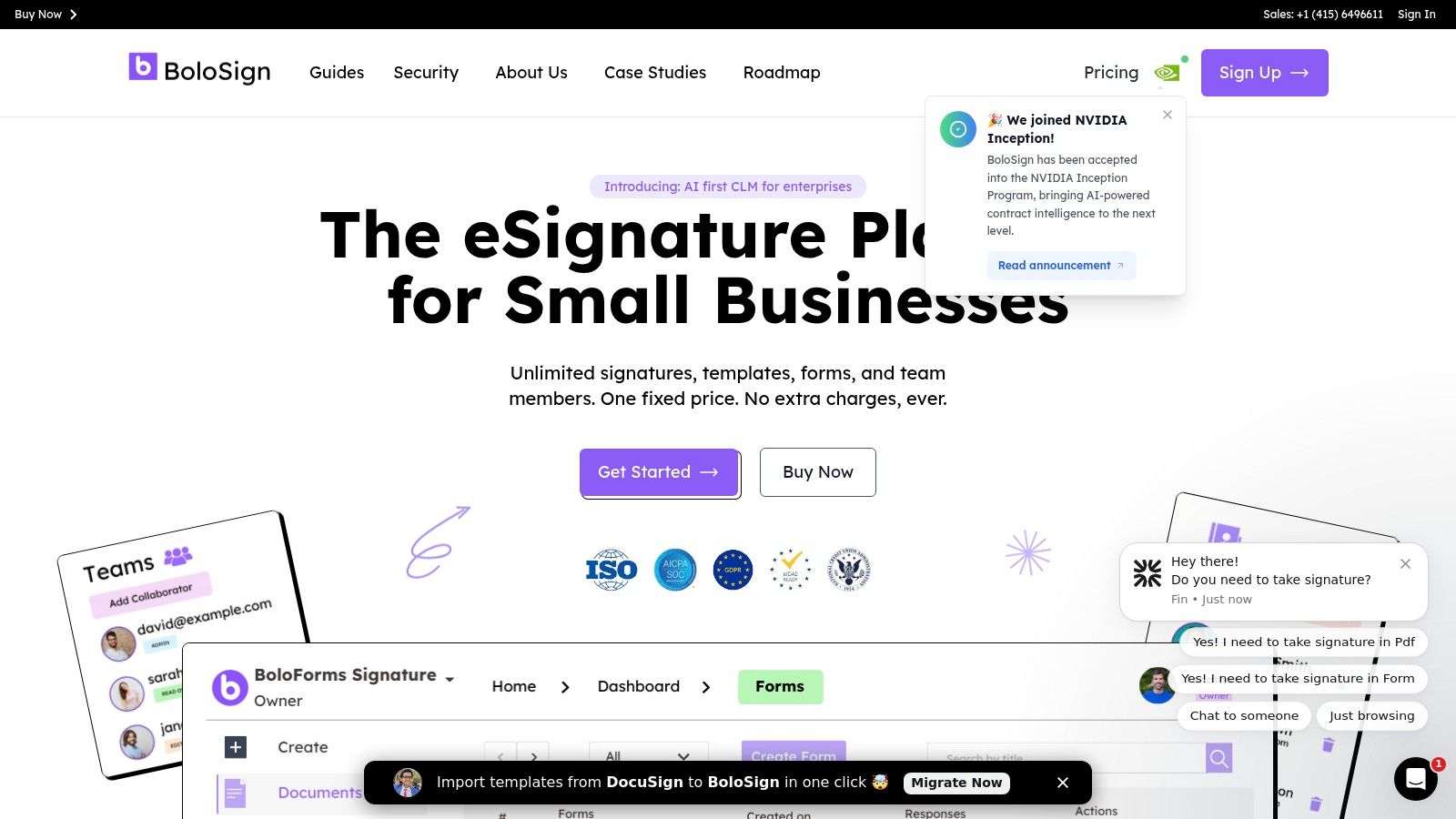
BoloSign, from Closer Innovation Labs Corp., earns its top spot as one of the best DocuSign alternatives by delivering an exceptionally well-rounded eSignature and contract management platform. It is meticulously designed for businesses that demand enterprise-grade security and functionality without the unpredictable, per-user costs. The platform’s core philosophy revolves around simplicity and affordability, offering a powerful suite of AI-powered tools under a single, fixed-price model that includes unlimited documents, team members, and templates—making it up to 90% more affordable than traditional tools.
This approach directly addresses a major pain point for growing teams: budget uncertainty. By eliminating per-envelope fees, BoloSign empowers businesses in sectors like healthcare, staffing, and education to scale their document workflows without worrying about escalating costs. For instance, a staffing agency can create and send hundreds of onboarding PDFs and forms quickly, or a real estate firm can manage client agreements with a secure, compliant workflow, all for one fixed price.
Why BoloSign Stands Out
BoloSign distinguishes itself with a unique combination of unlimited usage, robust security, and deep integrations tailored for modern workflows. A standout feature is its native integration with Google Forms, allowing users to add legally binding signature fields directly within the familiar Google interface. This capability is a game-changer for businesses that rely on Google Workspace for data collection and client intake, making it simple to add a signature to a Google Form.
Furthermore, the platform simplifies the transition from other providers with a one-click DocuSign template import tool, minimizing downtime and accelerating adoption. Backed by the NVIDIA Inception Program, BoloSign is also infused with AI-powered contract intelligence, helping teams review documents and make decisions faster.
Key Features and Capabilities
- Affordable, Predictable Pricing: One fixed price for unlimited signatures, documents, templates, and team members, making it 90% more affordable.
- AI-Powered Automation: Create, send, and sign PDFs, templates, and forms quickly with intelligent workflows.
- Advanced Security and Compliance: Adheres to ESIGN, eIDAS, HIPAA, and GDPR standards, with ISO 27001 and SOC 2 certifications ensuring data is protected.
- Seamless Integrations: Connects with essential business tools like Zapier, HubSpot, Salesforce, Google Drive, and Slack for complete contract automation.
Pros and Cons
| Pros | Cons |
|---|---|
| Unlimited Everything: No per-user or per-envelope fees provides exceptional value and predictable budgeting. | Vague Public Pricing: Specific pricing tiers are not listed publicly; requires contacting sales for exact costs. |
| Powerful Integrations: Native Google Forms support and connections to major CRMs and automation platforms. | SMB Focus: Very large enterprises may need to verify if specific, advanced features or custom SLAs meet their complex needs. |
| Robust Compliance: Meets stringent security and legal standards (ESIGN, eIDAS, HIPAA), making it ideal for regulated industries. | |
| Ease of Migration: One-click import for DocuSign templates makes switching simple and efficient. |
Best For: Small to medium-sized businesses, HR and ops teams, and sales teams in sectors like staffing, real estate, and healthcare seeking a powerful, scalable, and affordable digital signing solution.
Website: https://boloforms.com/
2. Adobe Acrobat Sign
Adobe Acrobat Sign is an enterprise-grade powerhouse and a natural choice for organizations deeply integrated into the Adobe or Microsoft ecosystems. More than just an e-signature tool, it’s a comprehensive PDF management suite. This integration allows users to edit, protect, and sign documents within a single, familiar interface, eliminating the need to switch between different applications for document preparation and execution. Its robust feature set is designed for complex, multi-party signing workflows and stringent compliance requirements, making it one of the more formidable best docusign alternatives for large-scale operations.
Key Features & Use Cases
Adobe Acrobat Sign excels in environments that demand high security and detailed workflow control. For instance, a legal team can use it to prepare a contract by editing the PDF directly, then route it for multi-stage internal and external approvals with specific signing orders. Its deep integrations with Microsoft 365 mean you can initiate signing requests directly from SharePoint, Outlook, or Teams, streamlining processes for employees who already live in those applications.
- Integrated PDF Editing: Edit text and images in your documents right before sending for signature.
- Enterprise-Grade Compliance: Meets standards like HIPAA, FERPA, and FedRAMP, suitable for regulated industries.
- Advanced Workflows: Build custom signing workflows that route documents to multiple people in a specific sequence.
- Microsoft 365 Integration: A key strength for enterprises using Microsoft’s productivity suite.
Pricing & Platform Analysis
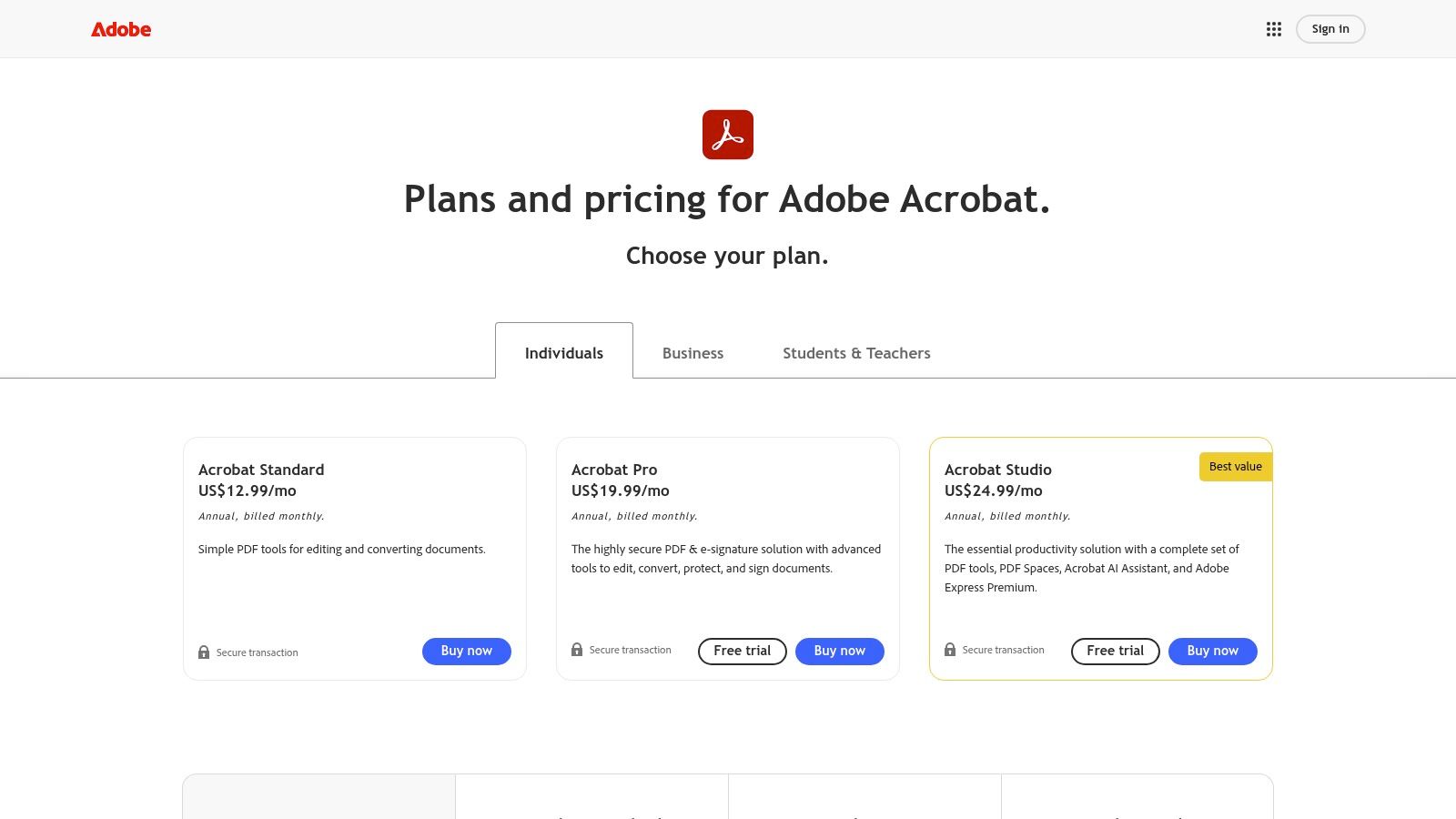
Adobe's pricing is tiered, starting with "Acrobat Pro" for individuals at around $19.99/month (billed annually), which includes unlimited e-signatures. Team and Enterprise plans offer advanced features like reusable templates, web forms, and enhanced security. While powerful, this structure can become costly for small businesses or startups that need multiple users but not the full suite of enterprise features. For those seeking simpler, more affordable digital signing solutions, platforms like BoloForms offer a compelling alternative. For a detailed comparison of features and affordability, you can explore the BoloForms Signature platform.
- Pros:
- Unified PDF editing and signing experience.
- Extensive security and compliance certifications.
- Familiar interface for existing Adobe users.
- Cons:
- Can be significantly more expensive than SMB-focused tools.
- Advanced workflow features are locked behind higher-priced tiers.
3. Dropbox Sign (formerly HelloSign)
Dropbox Sign, formerly known as HelloSign, is a user-friendly e-signature solution that excels in simplicity and deep integration with cloud storage. Its primary strength lies in its clean, intuitive interface that makes both sending and signing documents a straightforward process, reducing friction for all parties involved. This focus on ease of use, combined with its seamless connection to Dropbox and other cloud drives, positions it as a strong contender among the best docusign alternatives, particularly for teams that prioritize speed and efficiency in their document workflows.
Key Features & Use Cases
Dropbox Sign is ideal for small to mid-sized teams that need a quick and reliable way to manage agreements without a steep learning curve. For instance, a marketing agency can easily send client contracts directly from a shared Google Drive folder, or a startup's HR department can streamline new hire onboarding by using simple, reusable templates for offer letters and NDAs. The platform is designed for rapid deployment, allowing teams to get up and running in minutes.
- Cloud Storage Integration: Natively connects with Dropbox, Google Drive, OneDrive, and Box for easy document access.
- Intuitive User Experience: Features a clean, uncluttered interface for both senders and signers, simplifying the entire process.
- Reusable Templates: Save frequently used documents like sales contracts or onboarding paperwork to expedite sending.
- Admin Controls: Manage team members, track document status, and maintain oversight from a central dashboard.
Pricing & Platform Analysis
Dropbox Sign offers several pricing tiers, including a limited free plan and paid plans starting around $15 per user/month. While it is often bundled with certain Dropbox business subscriptions, offering added value, its pricing can escalate. Critical integrations, like the one for Salesforce, are often reserved for higher-cost enterprise plans, which may be a drawback for growing teams needing advanced automation. User caps on lower-tier plans can also become restrictive. For businesses seeking unlimited usage without user-based pricing, platforms like BoloForms Signature offer a more predictable and scalable cost structure.
- Pros:
- Exceptionally fast to set up and easy to use.
- Excellent integration with major cloud storage services.
- Often included in existing Dropbox business plans.
- Cons:
- Advanced CRM integrations are locked behind expensive tiers.
- User limits on standard plans can be restrictive for growing teams.
4. PandaDoc
PandaDoc is an all-in-one document automation platform designed to streamline sales and revenue operations. It moves beyond simple e-signatures, offering a rich drag-and-drop document builder to create proposals, quotes, and contracts from scratch. This makes it one of the best docusign alternatives for teams that need to generate dynamic, visually appealing sales documents and manage them through to signing and payment, all within a single integrated environment.
Key Features & Use Cases
PandaDoc is purpose-built for revenue-focused teams. For example, a sales representative can use the platform to build a custom proposal using a pre-approved content library, incorporate a dynamic pricing table with CPQ (Configure, Price, Quote) functionality, and send it for client signature. Once signed, the platform can even collect payment, providing a seamless quote-to-cash workflow. Its strong CRM integrations with tools like Salesforce and HubSpot are central to its value.
- Drag-and-Drop Document Builder: Create beautiful proposals, quotes, and contracts without needing a separate design tool.
- Built-in CPQ and Payments: Simplify the quoting process and collect payments directly within the signed document.
- Content Library and Analytics: Maintain brand consistency with a content library and track document engagement to see when prospects open or view proposals.
- Strong CRM Integrations: A major advantage for sales teams using platforms like HubSpot, Salesforce, or Pipedrive.
Pricing & Platform Analysis
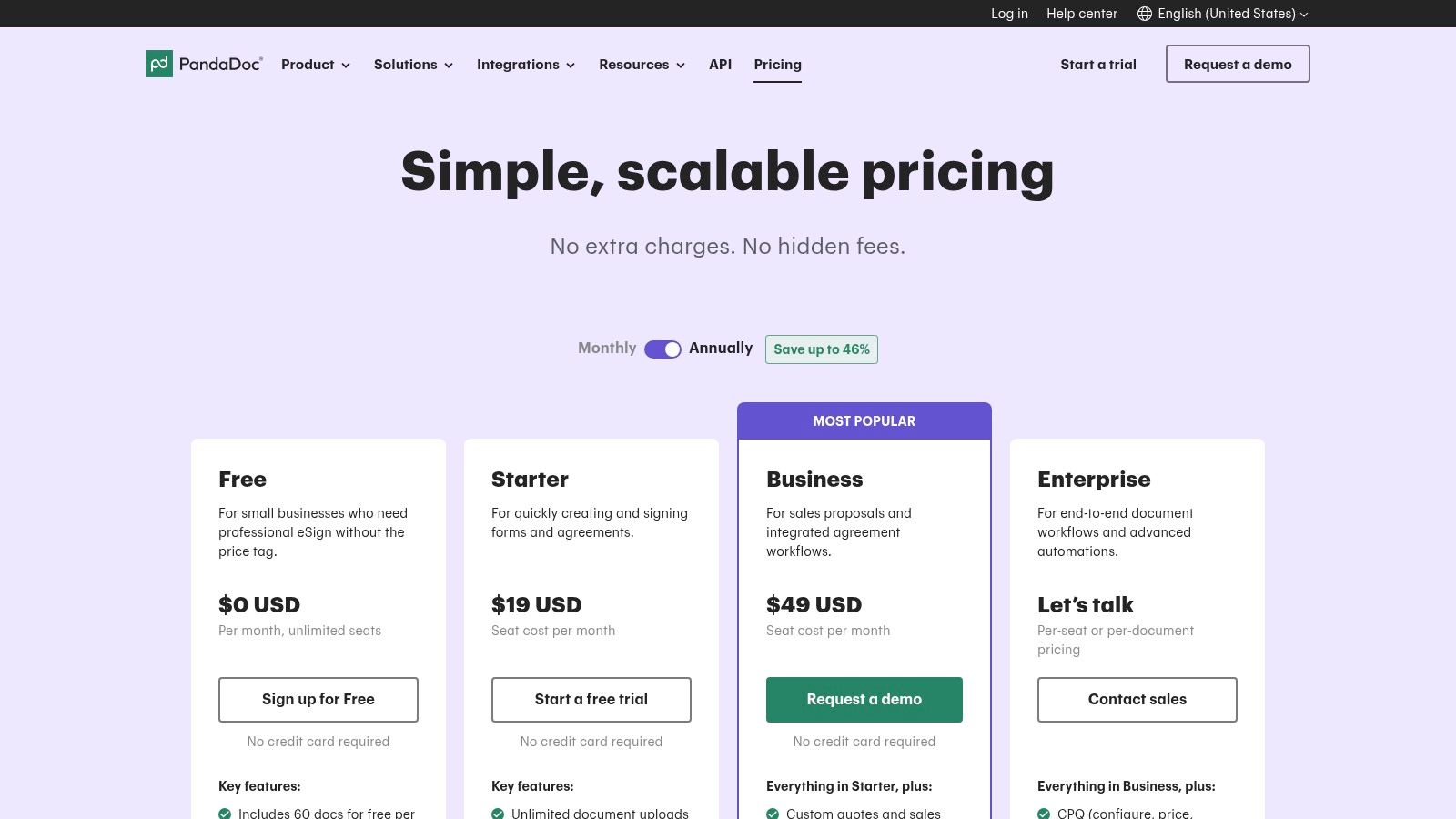
PandaDoc offers a free eSign plan with limited features like unlimited signatures and payment processing. Paid plans start at around $19/user/month (billed annually) for the "Essentials" tier, which unlocks templates and document analytics. The more powerful features, including CRM integrations and automated workflows, are reserved for the "Business" and "Enterprise" tiers, which come at a significantly higher cost. While excellent for sales, businesses needing straightforward, affordable e-signatures for broader use cases, like HR or legal, might find platforms like BoloForms more cost-effective.
- Pros:
- Excellent for creating and managing the full lifecycle of sales documents.
- Unified platform for proposals, contracts, signatures, and payments.
- Role-based approvals and robust analytics provide deep insights.
- Cons:
- Can be expensive, with the best features locked behind high-tier plans.
- May be overly complex for users who only need a simple e-signature tool.
5. Zoho Sign
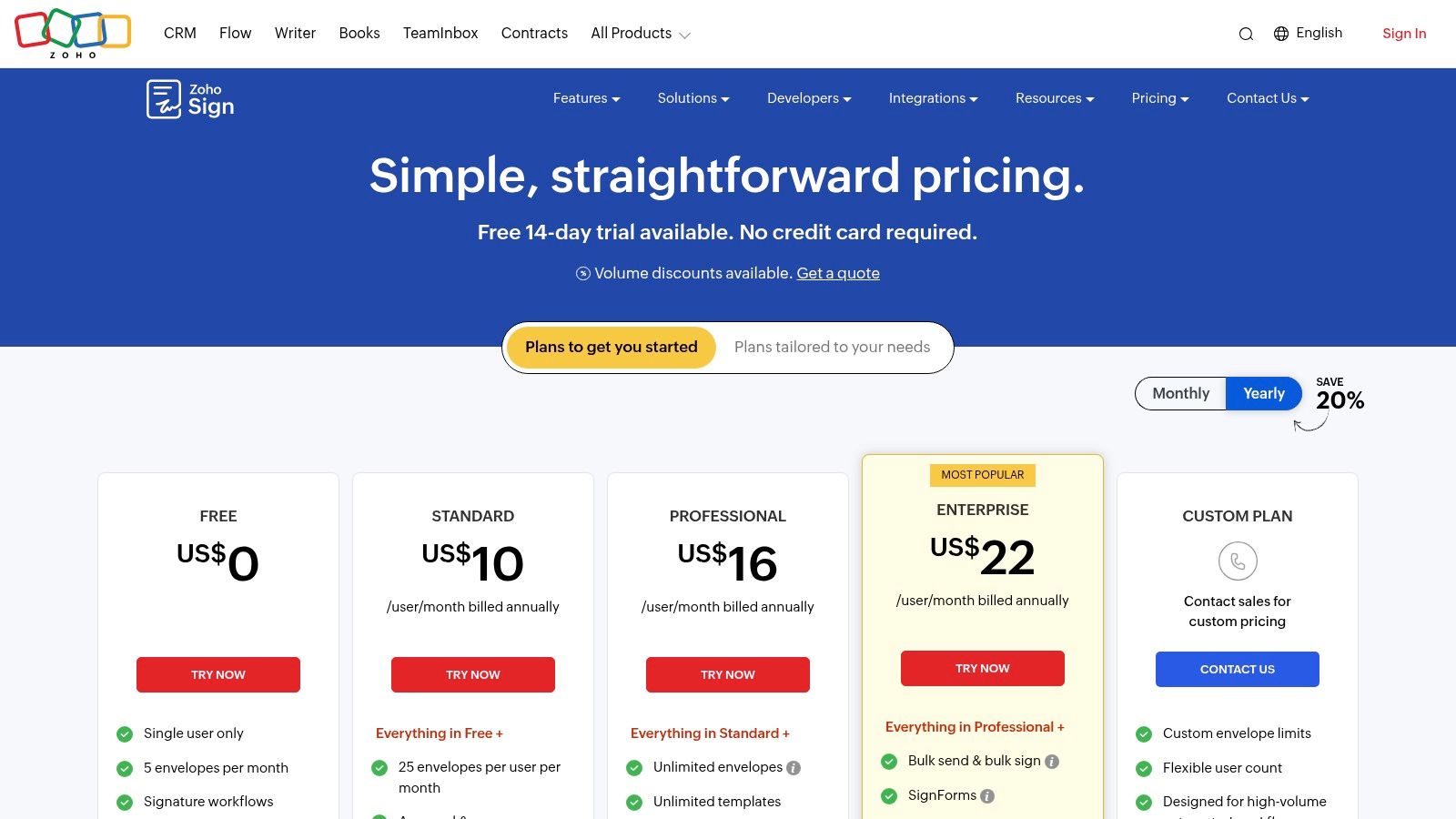
Zoho Sign is a highly accessible and affordable e-signature solution, particularly for small and mid-sized businesses already invested in the Zoho ecosystem. It offers a balanced mix of core signing features and seamless connectivity with other Zoho applications like CRM, Books, and People. This tight integration allows for streamlined workflows, such as automatically triggering a contract for signature when a deal stage is updated in the CRM. As one of the most cost-effective best docusign alternatives, it provides significant value without requiring a large budget.
Key Features & Use Cases
Zoho Sign is ideal for businesses that need a simple, integrated signing tool that works well both on its own and within a larger software suite. For example, an HR department using Zoho People can automate the entire onboarding process, sending offer letters and policy documents for signature directly from their HR management system. The platform's support for external storage like Google Drive and Dropbox also makes it versatile for teams that don't use Zoho's full suite.
- Zoho Ecosystem Integration: Deeply connects with Zoho CRM, Books, and other apps for end-to-end process automation.
- Multi-Platform Support: Offers dedicated mobile and desktop applications for signing on the go.
- External Storage Sync: Integrates with Google Drive, OneDrive, Dropbox, and Box for flexible document management.
- Pay-as-you-go Credits: Add-on credits are available for features like SMS-based delivery and advanced identity verification.
Pricing & Platform Analysis
Zoho Sign’s pricing is one of its main attractions, with a free plan for very light usage and a Standard plan starting around $10 per user/month (billed annually). While the free plan is limited to five envelopes per month, the paid tiers offer excellent value. However, some advanced features, like identity verification, consume credits that must be purchased separately, which can add to the cost. For organizations seeking straightforward, all-inclusive pricing, platforms like BoloForms offer unlimited documents and templates without a credit system. For a better understanding of how signatures can be integrated into your existing tools, explore our guide on how to add a digital signature on Google Forms.
- Pros:
- Excellent value pricing for SMBs.
- Powerful integrations within the Zoho suite.
- Functions well as a standalone tool.
- Cons:
- Advanced features like ID verification require paid add-on credits.
- The free plan is highly restrictive for business use.
6. OneSpan Sign
OneSpan Sign is a bank-grade, security-centric platform trusted by organizations in highly regulated sectors like finance, insurance, and government. It distinguishes itself by prioritizing robust identity verification, detailed audit trails, and stringent compliance, making it an excellent choice for businesses handling high-stakes transactions. Rather than being a general document editor, OneSpan focuses purely on securing the agreement process, which positions it as one of the best docusign alternatives for enterprises where security is non-negotiable.
Key Features & Use Cases
OneSpan Sign excels in scenarios requiring strong signer authentication. For example, a financial institution can use it for loan applications, leveraging multi-factor authentication (MFA) and third-party identity checks to verify a borrower's identity before they sign. Its comprehensive audit trails capture every action, providing irrefutable evidence for legal and compliance purposes. This focus on governance makes it ideal for public sector agencies managing official forms or insurance companies processing claims.
- Bank-Grade Security: Emphasizes advanced authentication, encryption, and tamper-evident seals.
- Comprehensive Audit Trails: Creates detailed, legally enforceable records of the entire signing process.
- White-Labeling: Offers extensive branding options to create a seamless customer experience.
- Regulated Industry Focus: Built to meet the compliance needs of finance, insurance, and government.
Pricing & Platform Analysis
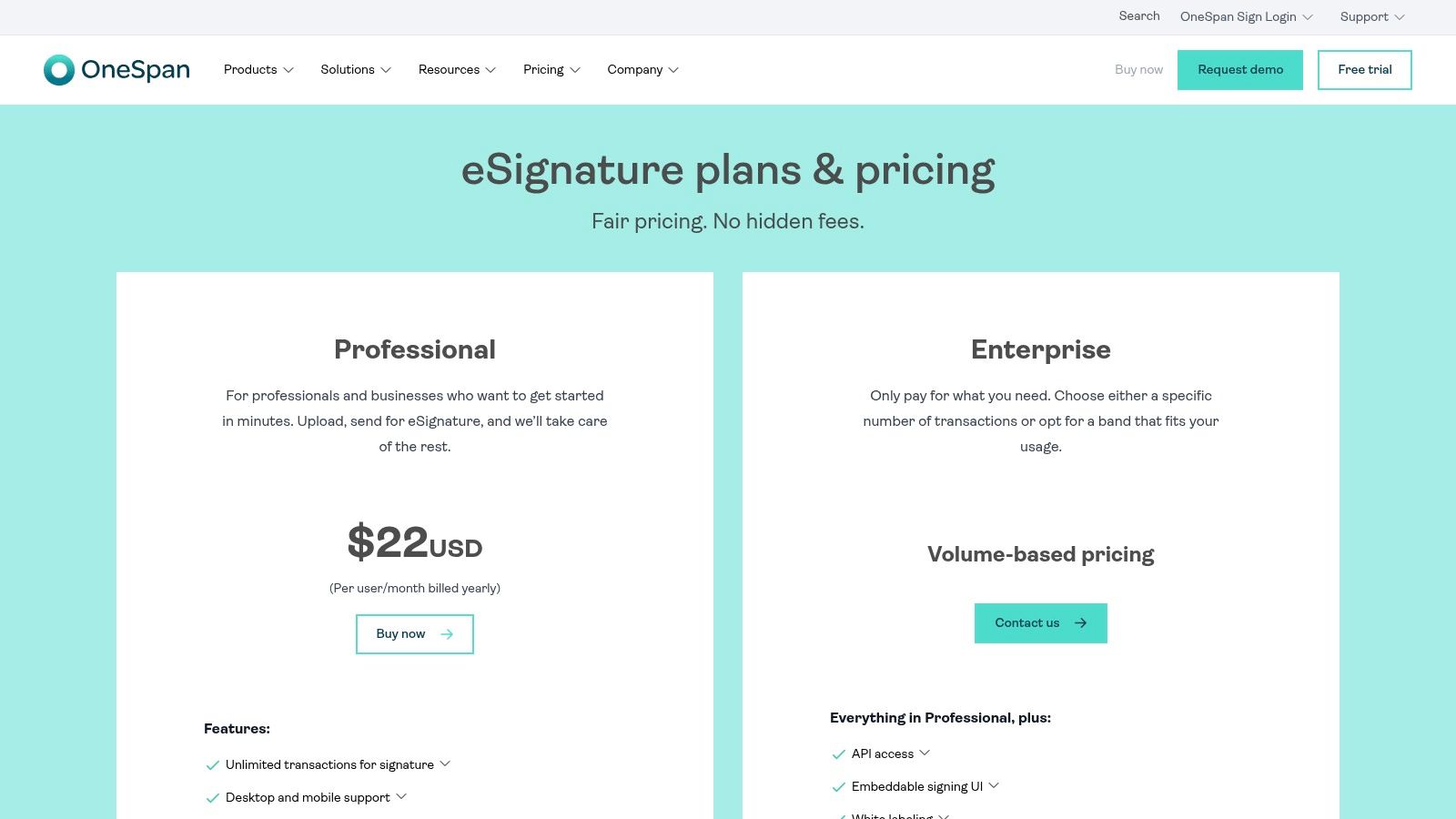
OneSpan Sign’s pricing starts with a Professional Plan at around $22/user/month, which notably includes unlimited transactions. However, more advanced features like APIs and enhanced identity verification are reserved for its custom Enterprise plans. This can make it a costly option for small businesses that don't require its intense security features but still need efficient e-signatures. For SMBs and startups seeking a balance of strong security, affordability, and ease of use, platforms like BoloForms Signature offer a more accessible solution with predictable, fixed pricing.
- Pros:
- Top-tier security and compliance features.
- Strong reputation in regulated industries.
- Desktop and mobile signing with robust verification options.
- Cons:
- Fewer built-in document creation tools compared to all-in-one suites.
- Advanced features can significantly increase the cost.
7. Foxit eSign
Foxit eSign is an excellent choice for small to medium-sized businesses already utilizing the Foxit PDF product family. It provides a cohesive and cost-effective e-signature solution that integrates smoothly with familiar document management tools. By offering competitive annual pricing and essential features like document tracking and templates, it positions itself as a practical and accessible platform. Its straightforward approach makes it one of the more compelling best docusign alternatives for teams seeking functionality without enterprise-level complexity.
Key Features & Use Cases
Foxit eSign is particularly useful for organizations that need reliable e-signature capabilities integrated into their existing PDF workflows. For example, a small consulting firm can use Foxit PDF Editor to draft client proposals and then seamlessly send them for signature using Foxit eSign, all within the same ecosystem. This eliminates the friction of exporting and importing documents between different applications. The platform's reminders and tracking features ensure that contracts don't fall through the cracks.
- Part of the Foxit PDF Product Family: Provides a unified experience for users of Foxit PDF Editor.
- Document Tracking & Reminders: Keep track of signing progress and send automated follow-ups to non-signers.
- Attractive Annual Pricing: Offers cost-effective plans tailored for SMBs with clear feature tiers.
- Enterprise Options: Scales with your business, offering SSO, API access, and CFR Part 11 compliance for regulated industries.
Pricing & Platform Analysis
Foxit eSign’s pricing starts with the "eSign" plan at around $8/month (billed annually), which includes a generous number of documents per year. The "eSign Pro" and "eSign Enterprise" tiers add more features like advanced fields, branding, and bulk sending. While the document and template limits on lower tiers might be a constraint for high-volume users, the overall value is strong for SMBs. However, for businesses that prioritize unlimited sending and team members at a single fixed cost, platforms like BoloForms deliver a more predictable and scalable pricing model.
- Pros:
- Strong price-to-feature ratio, especially for small businesses.
- A natural and easy transition if your team already uses Foxit PDF tools.
- Legally binding and compliant with key regulations.
- Cons:
- Lower-tier plans have limits on the number of documents and templates.
- Advanced enterprise features require custom quotes, making pricing less transparent.
8. Signeasy
Signeasy positions itself as a straightforward, mobile-first e-signature solution designed for speed and simplicity. It appeals to small businesses and individuals who need a reliable tool without the complexity or high costs of enterprise-grade platforms. The core value proposition is its ease of use, particularly through its highly-rated iOS and Android apps, which allow users to send, sign, and track documents from anywhere. This focus on accessibility makes it one of the more practical best docusign alternatives for teams that are frequently on the move.
Key Features & Use Cases
Signeasy excels in scenarios requiring quick document turnaround from mobile devices. For example, a real estate agent can get a sales agreement signed on the spot using their tablet, or a field technician can have a work order approved by a client directly on their phone. Its lightweight contract workflows are ideal for simple, sequential signing without needing complex conditional logic. For small businesses, this means streamlining everyday tasks like signing NDAs, client proposals, and new-hire paperwork with minimal setup.
- Robust Mobile Apps: Industry-leading iOS and Android applications for a seamless mobile signing experience.
- Simple Workflows: Easy-to-use sequential and parallel signing options for standard agreements.
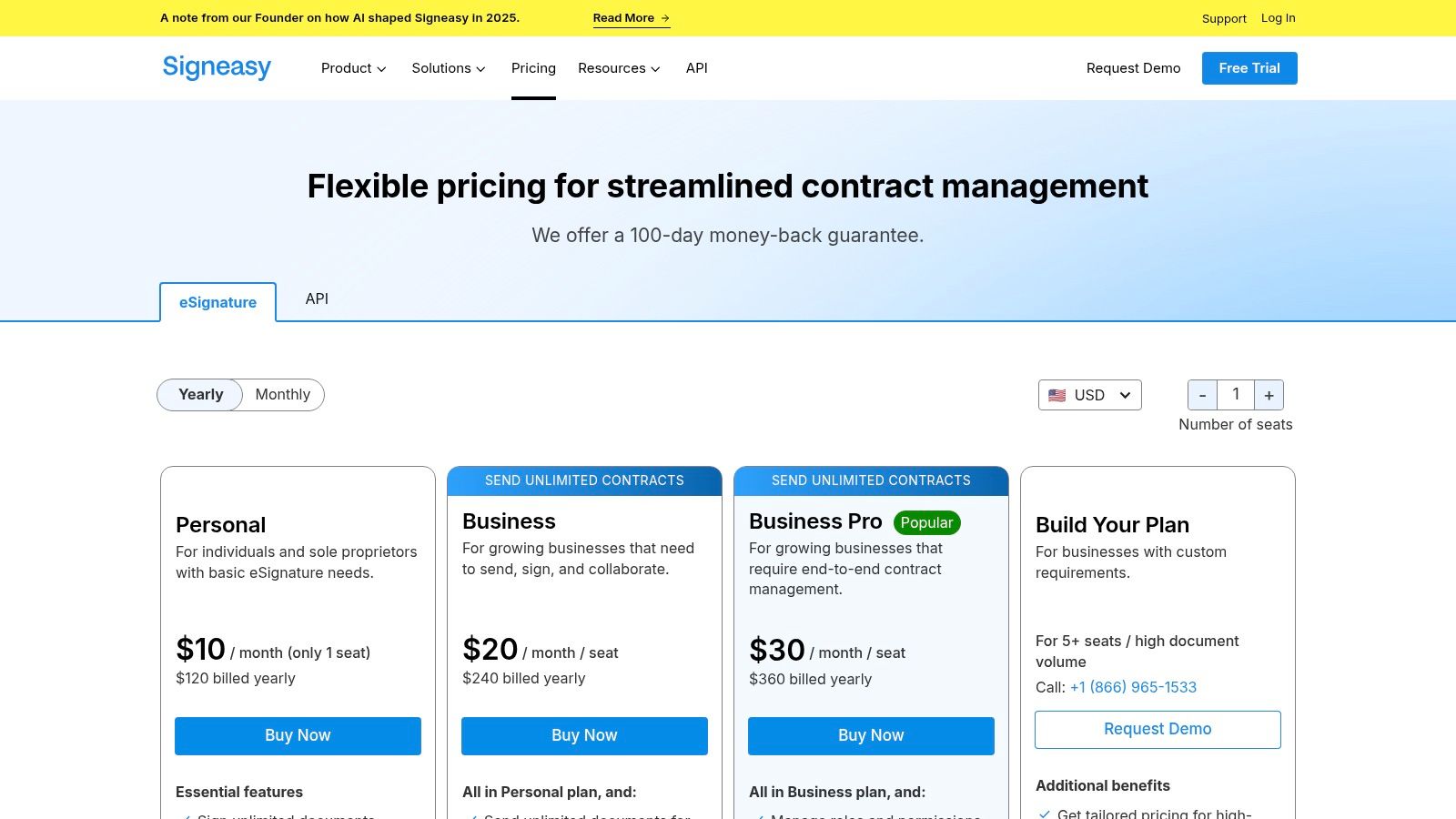
- Unlimited Documents: The Business plan offers unlimited document sending, which is great for high-volume users.
- Integrations: Connects with popular cloud storage (Dropbox, Google Drive) and business apps (Salesforce, Outlook).
Pricing & Platform Analysis
Signeasy’s pricing is transparent and accessible, with an individual plan starting at around $8/month (billed annually). The Business plan, at about $20/user/month, unlocks unlimited documents and key team features. While this is competitive, certain capabilities like bulk sending and advanced compliance options (HIPAA) are reserved for higher-priced plans or sold as add-ons, which can increase the total cost. For businesses seeking a single, fixed-price plan with all-inclusive features like unlimited documents and templates, a platform like BoloForms Signature offers a more predictable and often more affordable solution.
- Pros:
- Exceptional mobile experience on both iOS and Android.
- Clear, user-friendly interface that is easy to learn.
- Transparent pricing with a good entry-level offering.
- Cons:
- Advanced compliance and workflow features are locked behind expensive tiers.
- Some essential business features, like bulk sending, require add-on purchases.
9. DocHub
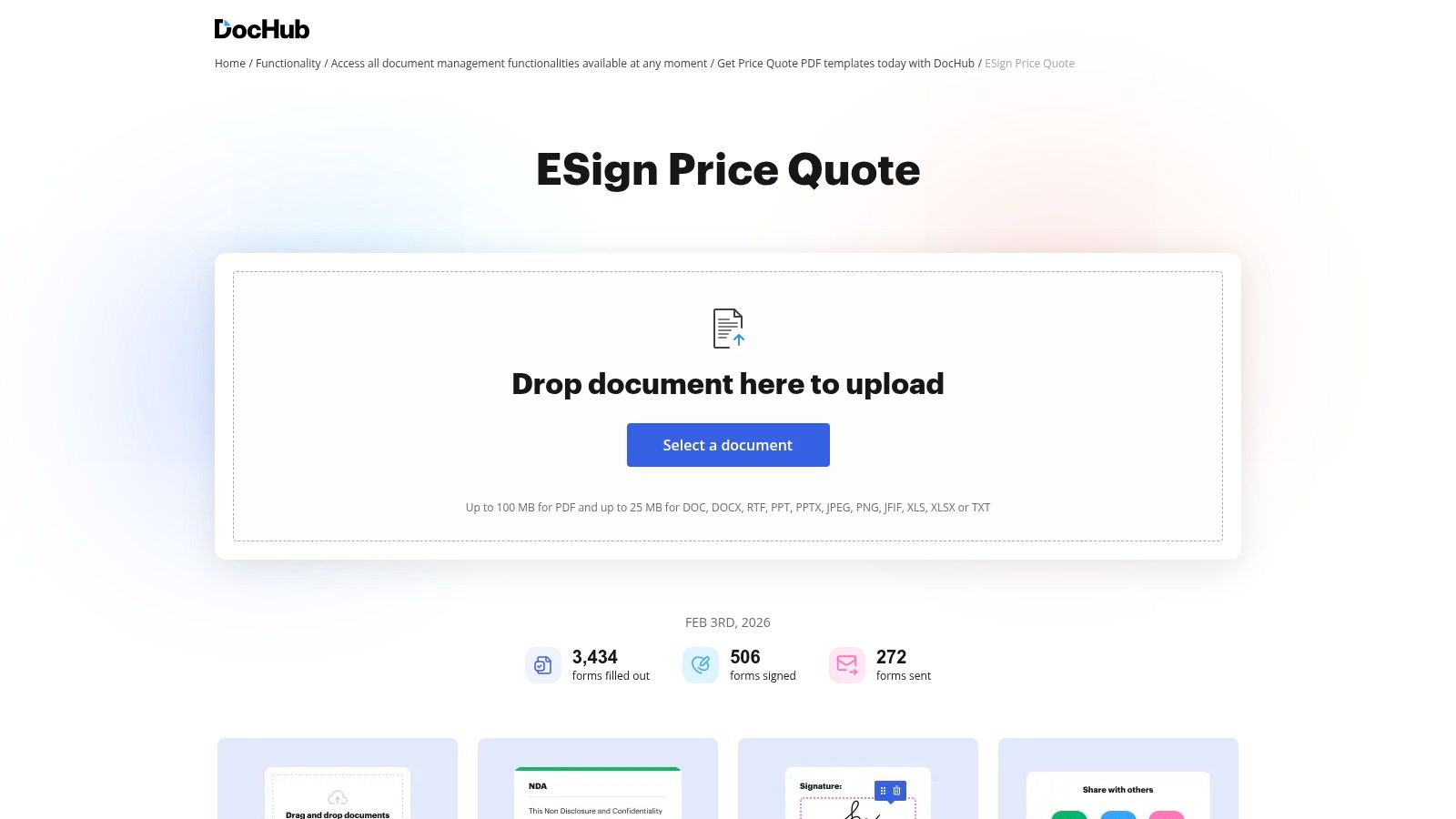
DocHub stands out as a highly accessible, browser-based solution that combines PDF editing and e-signatures in one simple interface. It’s a popular choice for individuals, educational institutions, and small businesses that prioritize ease of use and affordability. Its deep integration with Google Workspace allows users to open, edit, and sign documents directly from Gmail or Google Drive, making it an efficient tool for teams already operating within the Google ecosystem. As one of the more straightforward best docusign alternatives, DocHub effectively bridges the gap between basic PDF annotation and essential signing functionalities.
Key Features & Use Cases
DocHub is ideal for quick-turnaround document workflows where minor edits and signatures are needed simultaneously. For example, a small HR team can receive a candidate's resume as a PDF, add annotation notes directly in the browser, and then send out an offer letter from the same platform for a signature. Its free tier is particularly useful for freelancers or micro-businesses with sporadic signing needs, while its security posture, including HIPAA and SOC 2 compliance, provides assurance for handling sensitive information.
- In-Browser PDF Editing: Annotate, add text, whiteout sections, and manage pages without leaving your browser.
- Google Workspace & Microsoft Integrations: Edit and sign documents directly from Google Drive, Gmail, and Microsoft Word.
- Generous Free Tier: Includes a limited number of free signature requests, making it great for light users.
- Strong Security Posture: Adheres to standards like HIPAA, SOC 2, and GDPR.
Pricing & Platform Analysis
DocHub offers a very competitive pricing model, with a free plan that supports basic functions and a Pro plan at around $10 per user/month (billed annually). This affordability makes it an excellent choice for startups and SMBs. However, organizations requiring advanced workflow automation, enterprise-level governance, or unlimited signing without per-user costs may find it limiting. For businesses seeking a more scalable solution with one fixed price for unlimited documents and users, a platform like BoloForms Signature offers a compelling, budget-friendly alternative.
- Pros:
- Affordable and easy to learn with a clean user interface.
- Seamless integration with Google Workspace is a major advantage.
- Good fit for education and small business use cases.
- Cons:
- Lacks the advanced enterprise governance of larger suites.
- Feature depth is less comprehensive than full contract lifecycle management platforms.
10. SignWell
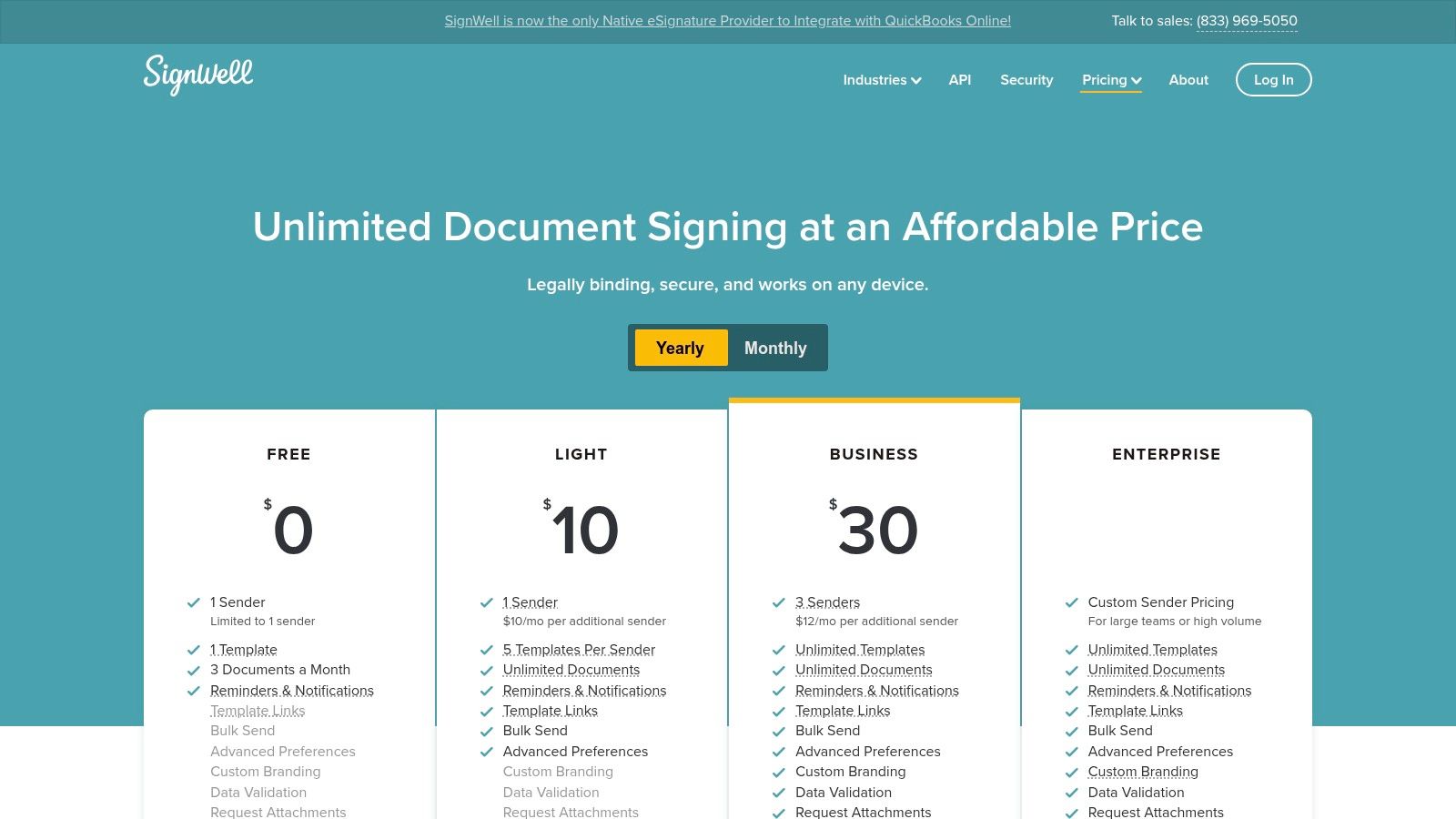
SignWell is a lean, value-driven e-signature tool designed for freelancers, startups, and small to medium-sized businesses. Its core appeal lies in a simplified, predictable pricing model that eliminates the per-envelope fees common with other providers. By offering unlimited documents on its paid plans, SignWell stands out as an excellent choice for teams that need to send a high volume of contracts or agreements without worrying about escalating costs. This focus on straightforward functionality and affordability makes it one of the most practical best docusign alternatives for cost-conscious organizations.
Key Features & Use Cases
SignWell shines in scenarios where speed, simplicity, and volume are key. For instance, a small recruitment agency can use its bulk-send feature to dispatch offer letters to multiple candidates simultaneously. A freelance designer can create and reuse a standard client agreement template for every new project, streamlining their onboarding process. The platform’s ease of use ensures that even non-technical users can prepare and send documents for signature in just a few minutes, making it ideal for fast-paced environments.
- Unlimited Documents: All paid plans include unlimited document sending, providing predictable costs.
- Templates & Bulk Send: Create reusable templates and send a single document to numerous recipients at once.
- Pay-as-you-go API: Offers flexibility for developers to integrate e-signatures into custom applications without a large upfront commitment.
- Data Validation: Ensure signers fill out required fields correctly before they can finalize the document.
Pricing & Platform Analysis
SignWell’s pricing starts with a free plan for one user and three documents per month. Paid plans begin at just $8 per month for one user and offer unlimited documents, making it highly accessible. While its pricing is a major advantage, the platform has fewer native enterprise integrations and less sophisticated administrative controls compared to larger suites. This makes it a better fit for SMBs than for large corporations with complex compliance and reporting needs. For businesses seeking a balance of affordability and advanced features like AI-powered automation, a solution like BoloForms Signature offers a compelling alternative with fixed-price unlimited usage.
- Pros:
- Extremely low entry cost and transparent pricing.
- Unlimited document sending on paid plans is a key differentiator.
- Clean, straightforward, and easy-to-navigate user interface.
- Cons:
- Lacks the extensive native integrations found in enterprise-focused platforms.
- Reporting and admin features are lighter, less suitable for large-scale management.
11. eSignatures.io
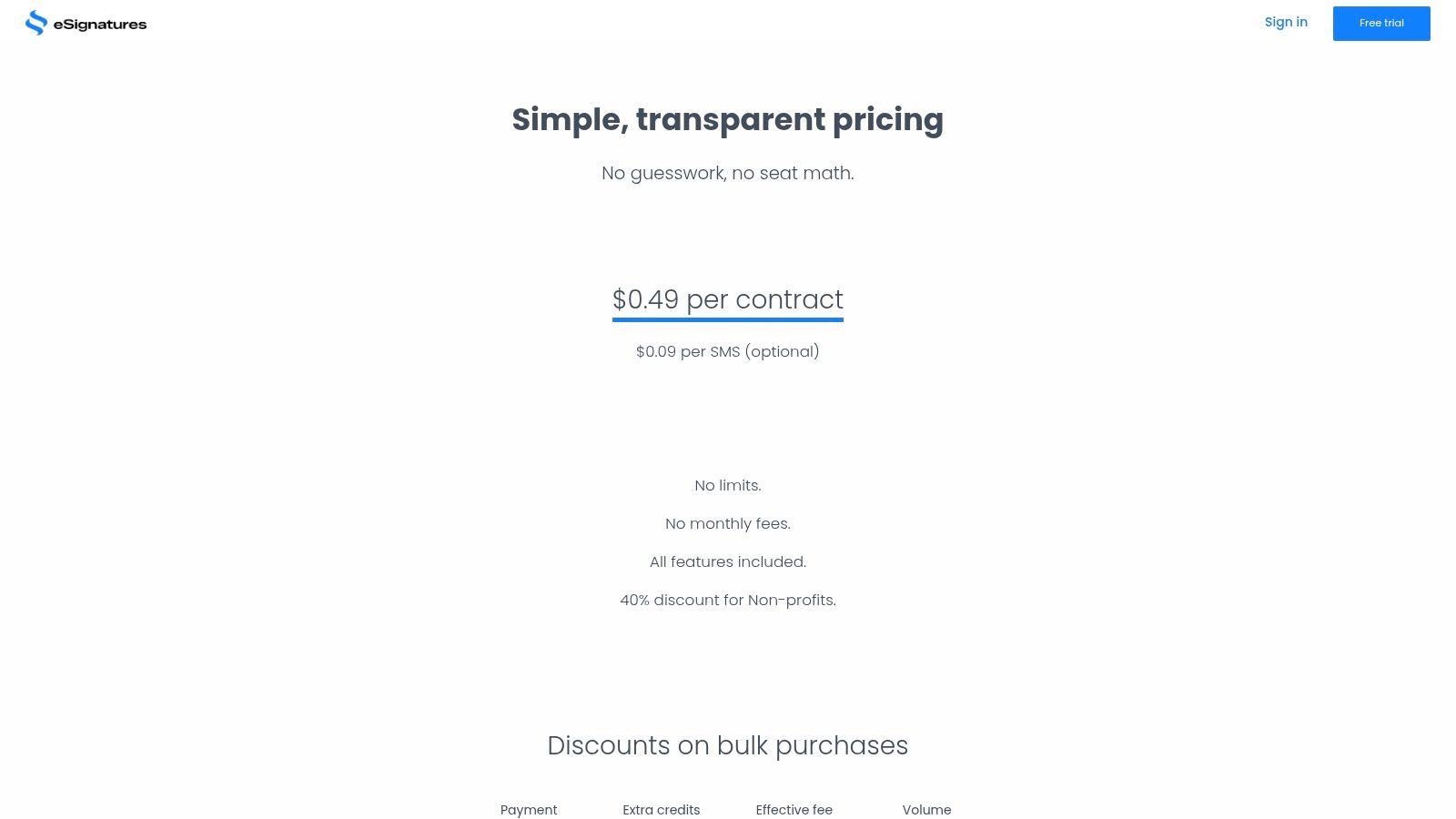
eSignatures.io breaks from the traditional subscription model by offering a pure pay-as-you-go service, making it an excellent choice for businesses with fluctuating or seasonal signing needs. Instead of per-user seat fees, it charges a flat rate per contract sent, allowing unlimited users and templates on every account. This transparent, credit-based system is ideal for startups and organizations that want to avoid monthly commitments while still accessing powerful features, positioning it as one of the most flexible best docusign alternatives for scaling on demand.
Key Features & Use Cases
The primary strength of eSignatures.io lies in its simplicity and developer-friendliness. For example, a tech company can use its robust API or Zapier integration to completely automate the generation and sending of user agreements or sales contracts directly from their CRM. This model also benefits event management companies that may send thousands of vendor contracts one month and very few the next, without being locked into an expensive annual plan.
- Pay-As-You-Go Pricing: Pay a flat fee per contract, with credits that never expire.
- Unlimited Users & Templates: Every account can add unlimited team members and create reusable templates at no extra cost.
- Strong Integration Capabilities: Offers a powerful API, Zapier, and Make (formerly Integromat) integrations for workflow automation.
- SMS Delivery: Send signing links via text message for faster turnaround times (additional cost).
Pricing & Platform Analysis
eSignatures.io pricing is straightforward: you purchase credits, and each sent contract consumes one credit, typically starting around $0.49 per contract with volume discounts available. This is highly cost-effective for teams with many users but inconsistent document volume. However, the lack of advanced contract lifecycle management (CLM) features may be a drawback for enterprises needing deep post-signature analytics. For businesses seeking predictable, all-inclusive pricing with unlimited documents and users, a solution like the BoloForms Signature platform provides a compelling fixed-cost alternative.
- Pros:
- Extremely transparent and predictable per-contract cost.
- No seat licenses, making it easy to scale users.
- Ideal for API-driven, automated workflows.
- Cons:
- SMS delivery costs extra.
- Lacks the comprehensive CLM features of larger platforms.
12. G2 — DocuSign Alternatives hub
Instead of being a single product, G2 serves as a vital research hub for businesses evaluating their options. It aggregates real-user reviews, feature comparisons, and satisfaction ratings into a dynamic grid, allowing you to vet dozens of best docusign alternatives side-by-side. This platform is invaluable for moving beyond marketing claims and understanding how different tools perform in real-world scenarios across various industries and company sizes. It empowers you to discover niche vendors with specific strengths that might otherwise be overlooked.
Key Features & Use Cases
G2 is the starting point for any thorough software selection process. A small business owner, for instance, can filter alternatives by pricing models suitable for startups, while a large enterprise can focus on tools with specific compliance certifications like HIPAA or robust API capabilities. The platform's grids and user-written pros and cons provide a quick, scannable overview, helping you build a shortlist of contenders for deeper evaluation, such as running a free trial or scheduling a demo.
- Real-User Ratings: Access authentic feedback from verified users, detailing their experiences with features, support, and implementation.
- Competitive Comparison Grids: Visually compare products across key metrics like "Ease of Use," "Quality of Support," and "Meets Requirements."
- Advanced Filtering: Narrow down options by company size, industry, specific features, and available integrations.
- Vendor Profiles: Dive into individual product pages for detailed feature lists, pricing notes, and screenshots.
Pricing & Platform Analysis
Access to G2's comparison data is free for buyers. However, it's important to use it as a directional tool rather than a final source for pricing, as some data may be user-reported or reflect broad ranges. Always verify final costs on the vendor's official website. While G2 excels at broad market comparison, a platform like BoloForms Signature offers a clear, fixed-price model with unlimited documents and users, providing the transparency and affordability many businesses seek after their initial research. For a direct look at a simple and powerful solution, explore the BoloForms Signature platform.
- Pros:
- Unbiased, aggregated reviews from a large user base.
- Powerful filters help quickly create a relevant shortlist.
- Helps discover lesser-known but highly effective tools.
- Cons:
- Sponsored placements can influence vendor visibility on the page.
- Pricing information can be outdated or presented as a range; requires verification.
Top 12 DocuSign Alternatives — Feature Comparison
| Solution | Core features | UX & Rating (★) | Pricing / Value (💰) | Target audience (👥) | Unique selling points (✨) |
|---|---|---|---|---|---|
| Closer Innovation Labs Corp. 🏆 | Unlimited signatures/templates/forms/team; reusable PDF templates; Google Forms e-sign; integrations; AI contract intelligence; audit trail | ★★★★★ · 50k+ customers | 💰 One fixed price — unlimited usage, predictable budgeting | 👥 Small businesses, HR/ops, regulated sectors, sales teams | ✨ Google Forms signature fields, one-click DocuSign import, NVIDIA-backed AI, enterprise compliance |
| Adobe Acrobat Sign | PDF editing + e-sign, workflow controls, strong M365 integrations | ★★★★☆ · enterprise-favored | 💰 Tiered — powerful but can be pricier for advanced tiers | 👥 Enterprises, Adobe/M365 users, teams needing deep PDF tools | ✨ Deep PDF authoring + enterprise workflow controls |
| Dropbox Sign | Clean sender/signer UX; Dropbox/Drive/HubSpot/Salesforce integrations; fast setup | ★★★★☆ · easy UX | 💰 Mid-priced; often bundled with Dropbox plans | 👥 SMBs, Dropbox users, teams needing simple, fast signing | ✨ Tight cloud-drive integration; quick deployment |
| PandaDoc | Drag-and-drop document builder; CPQ, payments, analytics (upper tiers); e-sign | ★★★★☆ · sales-focused | 💰 Tiered — best features in Business/Enterprise | 👥 Sales/revenue teams, proposals & CPQ workflows | ✨ Rich builder + payments & analytics for revenue teams |
| Zoho Sign | Affordable e-sign; Zoho & external storage integrations; mobile apps | ★★★★☆ · value-friendly | 💰 Competitive SMB pricing; free trial available | 👥 SMBs, Zoho ecosystem users | ✨ Native Zoho integration; add-on credits for IDV/SMS |
| OneSpan Sign | Security-first e-sign; identity verification; robust audit trails | ★★★★☆ · bank-grade trust | 💰 Enterprise-priced; custom plans & SLAs | 👥 Finance, insurance, public sector, regulated orgs | ✨ Strong identity verification & compliance controls |
| Foxit eSign | Part of Foxit PDF suite; tracking, reminders, templates; enterprise add-ons | ★★★★☆ · cost-effective | 💰 Attractive annual SMB pricing; enterprise quotes for advanced features | 👥 SMBs using Foxit PDF tools | ✨ Good price-to-feature for existing Foxit users |
| Signeasy | Simple e-sign + lightweight workflows; strong iOS/Android apps; unlimited docs on Business | ★★★★☆ · mobile-first | 💰 Low entry cost; money-back on annual plans | 👥 SMBs, mobile-first teams, freelancers | ✨ Excellent mobile UX; unlimited docs at Business tier |
| DocHub | In-browser PDF editing, annotation & e-sign; Google Workspace add-on; free tier | ★★★★☆ · education-friendly | 💰 Free tier + affordable paid plans | 👥 Education, small teams, light users | ✨ Browser-based editing + Google Workspace integration |
| SignWell | Unlimited docs (paid); templates, bulk send, pay-as-you-go API | ★★★★☆ · simple UI | 💰 Very low entry cost; predictable sending without envelopes | 👥 Freelancers, SMBs, low-volume teams | ✨ Pay-as-you-go API & unlimited document sending on paid plans |
| eSignatures.io | Flat per-contract pricing (credits); unlimited users/templates; API & Zapier/Make | ★★★★☆ · flexible billing | 💰 Per-contract pricing — scalable without subscriptions | 👥 Startups, seasonal or variable-volume orgs | ✨ Transparent per-contract billing; credits never expire |
| G2 — DocuSign Alternatives hub | Aggregated user reviews, filters, competitive grids, vendor pages | ★★★★☆ · review-driven | 💰 Free research tool; links to vendor trials | 👥 Buyers researching e-sign alternatives | ✨ Real-user ratings & filters to shortlist vendors quickly |
Find Your Perfect eSignature Fit with BoloSign
Navigating the landscape of electronic signature solutions can feel overwhelming, but as we've explored, the market is rich with powerful and accessible options. Moving beyond a one-size-fits-all approach is no longer just a possibility; it's a strategic business decision. The journey to find the best DocuSign alternatives is about identifying a platform that aligns perfectly with your specific operational needs, budget constraints, and growth ambitions.
From the enterprise-grade security of OneSpan Sign to the document management prowess of PandaDoc and the seamless ecosystem integration of Zoho Sign, each tool offers a unique value proposition. Adobe Acrobat Sign provides robust PDF-native workflows, while Dropbox Sign excels in user-friendly API integrations. Solutions like Signeasy and SignWell prove that simplicity and power can coexist, offering intuitive experiences for businesses of all sizes. The key takeaway is that the "best" solution is the one that solves your problems most effectively.
From High Costs to High Value: Making the Right Choice
The core motivation for seeking an alternative often boils down to a few critical factors: unpredictable costs, feature limitations on lower-tier plans, and a lack of agility for growing teams. Many businesses, especially in high-volume sectors like staffing, healthcare, logistics, and education, find themselves trapped by per-envelope pricing models that penalize growth. As your document volume increases, so do your expenses, creating an unsustainable operational burden.
This is where a fundamental shift in thinking is required. Instead of asking, "How much will this signature cost me?" the question should be, "How much value can this platform deliver?" A modern eSignature solution should be a business accelerator, not a cost center. It should empower you to automate tedious paperwork, secure sensitive information, and delight clients and new hires with a frictionless experience.
Consider these final guiding principles as you make your decision:
- Scalability: Choose a platform with pricing that supports your growth. Will your costs skyrocket as you hire more people or send more contracts? Look for predictable, flat-rate models.
- Workflow Integration: How well does the tool fit into your existing processes? Prioritize solutions that offer seamless integrations with your CRM, HRIS, or cloud storage to create a truly automated contract automation workflow.
- Compliance and Security: For regulated industries, this is non-negotiable. Verify that the platform meets standards like ESIGN, eIDAS, HIPAA, and GDPR to protect your business and your clients.
Why BoloSign is the Smart Alternative for Growing Businesses
Throughout this analysis, a clear need emerges for a solution that combines robust functionality with predictable, affordable pricing. BoloSign was built to fill this exact gap. We directly address the primary pain points of traditional eSignature tools by eliminating the per-user and per-document fees that stifle growth.
With BoloSign, you get unlimited documents, unlimited team members, and unlimited reusable templates for one simple, fixed price. This model makes us up to 90% more affordable than many alternatives, providing complete budget predictability whether you're a real estate agency processing dozens of agreements or a logistics firm handling hundreds of delivery confirmations. Our platform simplifies how you sign PDFs online, allowing you to create secure, legally binding documents in minutes.
Our AI-powered automation and deep integration capabilities, including the unique ability to add a signature to a Google Form, empower you to streamline everything from client onboarding to internal approvals. By choosing BoloSign, you’re not just selecting a tool; you’re adopting a smarter, more efficient way to manage your most important documents.
Ready to break free from unpredictable costs and unlock powerful, unlimited eSignatures? BoloSign offers all the enterprise-grade features you need at a price that supports your growth. Start your 7-day free trial today and discover a simpler, more affordable way to manage your digital signing solutions.

Paresh Deshmukh
Co-Founder, BoloForms
3 Feb, 2026
Take a Look at Our Featured Articles
These articles will guide you on how to simplify office work, boost your efficiency, and concentrate on expanding your business.



