

7 Best Contract Management Software Solutions for Businesses in 2025
Discover the 7 best contract management software options for 2025. Compare features, pricing, and find the right fit to automate your workflows.

Tired of nonsense pricing of DocuSign?
Start taking digital signatures with BoloSign and save money.
Contracts are the lifeblood of any business, from a staffing agency onboarding new talent to a real estate firm closing a deal. But managing them manually through drafting, negotiating, signing, storing, and tracking can quickly become a bottleneck. Manual processes are slow, prone to costly errors, and introduce significant security risks. This is where the best contract management software steps in, transforming a chaotic process into a streamlined, automated workflow.
Choosing the right tool is a competitive advantage. This guide is designed to cut through the noise and provide a clear, side-by-side comparison of the top platforms available today. We’ll dive into their features, pricing models, compliance standards, and ideal use cases to help you find the perfect fit for your specific needs, whether you're in healthcare, logistics, education, or professional services. We'll explore how modern platforms can help you sign PDFs online, automate approvals, and maintain a secure digital trail for every agreement.
This comprehensive roundup will give you the actionable insights needed to make an informed decision. For each platform, you'll find direct links and screenshots to see the software in action. While many solutions focus on general contract lifecycle management, some industries have highly specific needs. Beyond general CLM platforms, specialized applications can cater to unique industry demands, such as finding the best property management apps for handling lease agreements and tenant-landlord contracts. Our focus here, however, remains on versatile solutions that can adapt to a wide range of business operations, empowering you to secure deals and manage obligations with confidence.
1. BoloSign by Closer Innovation Labs Corp.
BoloSign, developed by Closer Innovation Labs Corp., earns its top spot by fundamentally rethinking how small and growing businesses should approach contract management. Instead of complex, tiered pricing that penalizes growth, BoloSign offers a powerful, all-in-one solution built on radical simplicity and affordability. Its core value proposition is one fixed price for unlimited documents, unlimited team members, and unlimited templates, making it an exceptional choice for businesses demanding enterprise-grade power without unpredictable costs.
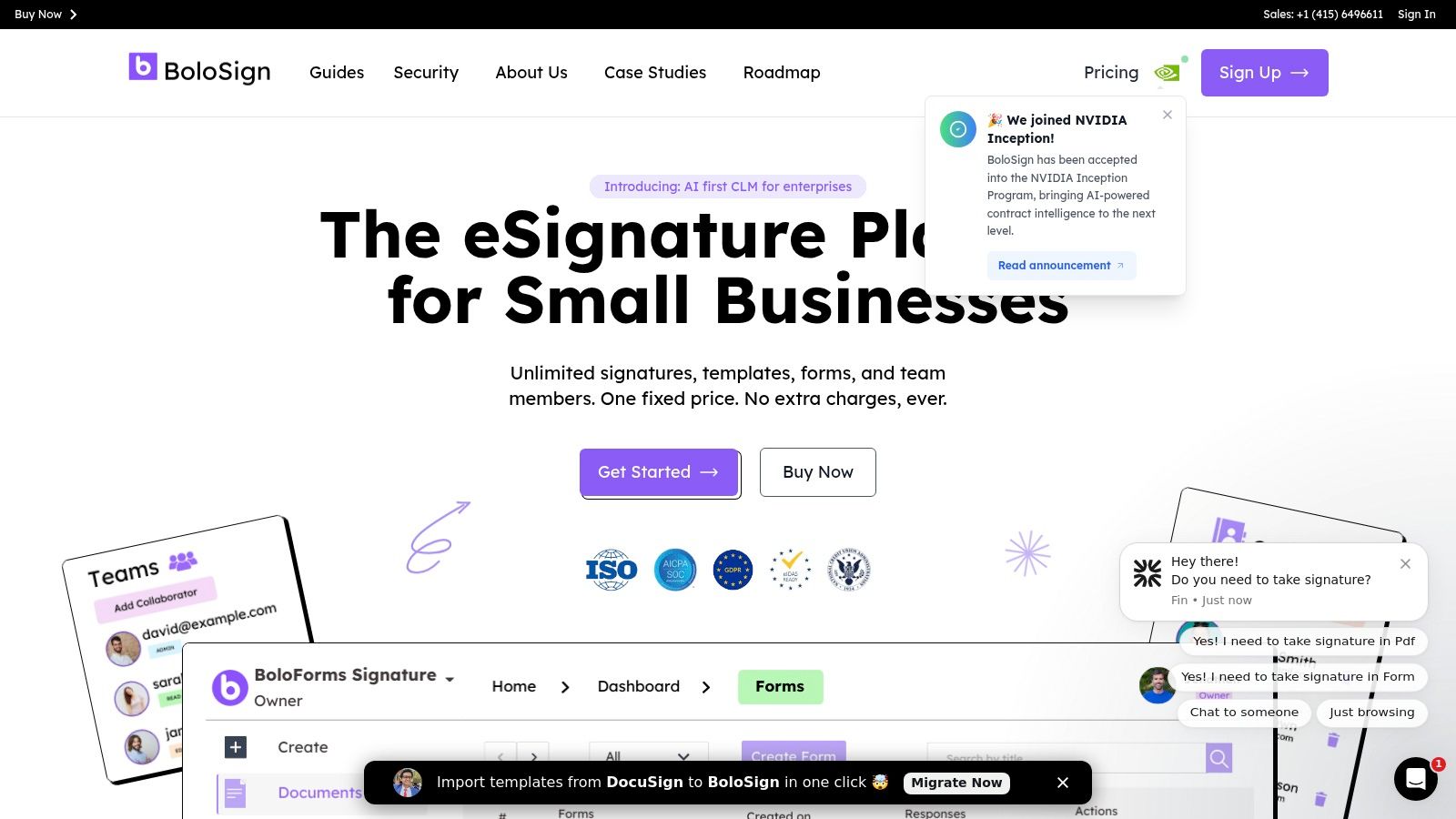
This predictable billing model is a game-changer for scaling teams. A logistics company in the UAE, for example, can onboard dozens of new drivers with vendor agreements without worrying about hitting a user or document limit. Similarly, a real estate firm in Canada can process unlimited client contracts during a busy season without incurring surprise overage fees, a common pain point with traditional eSignature tools. This approach makes BoloSign up to 90% more affordable than platforms that charge per user or per envelope.
Key Features and Capabilities
BoloSign is more than just an eSignature tool; it's a comprehensive platform for creating, sending, and managing legally binding documents with speed and precision. Its feature set is designed to eliminate manual bottlenecks and accelerate workflows across departments.
- Unlimited Everything Model: The platform’s standout feature is its flat-rate pricing. This covers unlimited documents, signatures, reusable templates, and team members, providing unparalleled value and budget predictability.
- AI-Powered Automation: As an official NVIDIA partner, BoloSign leverages cutting-edge AI to streamline contract reviews. This helps legal and compliance teams identify risks, ensure consistency, and accelerate the approval process.
- Advanced Workflow Tools: Users can create reusable PDF templates for frequently used documents like NDAs or sales contracts. Features like multi-recipient signing, customizable email reminders, and a real-time dashboard with a full audit trail provide complete visibility and control over the entire contract lifecycle.
- Seamless Integrations: BoloSign fits directly into your existing tech stack with one-click import from DocuSign and robust integrations with Salesforce, HubSpot, Zapier, Google Drive, and Slack. This ensures that contract data flows smoothly between your CRM, cloud storage, and communication tools.
- Robust Security and Compliance: BoloSign is engineered for trust, adhering to rigorous global standards including ESIGN, eIDAS, HIPAA, GDPR, ISO 27001, and SOC 2. This makes it a secure and reliable choice for businesses in highly regulated industries like healthcare and finance.
BoloSign vs. Traditional eSignature Platforms
The platform's unique model offers clear advantages over incumbent solutions.
| Feature | BoloSign | Traditional Platforms (e.g., DocuSign) |
|---|---|---|
| Pricing Model | Fixed, Flat-Rate Fee | Per-User or Per-Envelope Tiers |
| Users & Documents | Unlimited | Capped based on pricing tier |
| Cost Scalability | Predictable, grows with your business | Costs increase with team size & usage |
| AI Capabilities | NVIDIA Partner (Advanced AI) | Often limited to higher-priced enterprise plans |
| Support | Dedicated support | Tiered, may require premium plan for faster response |
| Target Audience | SMBs, Startups, Mid-Market | Primarily Enterprise-focused |
Ideal Use Cases
BoloSign's flexibility makes it a powerful asset for various industries. A staffing agency in Australia can create a single onboarding packet and send it to 50 new hires simultaneously, tracking each signature from a central dashboard. Healthcare providers in the US can securely manage patient intake forms while maintaining HIPAA compliance. Sales teams can close deals faster by integrating BoloSign directly with their CRM to automate contract generation and signing.
Pros:
- One flat price for unlimited signatures, templates, and team members.
- Feature-rich workflow tools reduce manual work and accelerate processes.
- Extensive integrations ensure it fits into any existing tech stack.
- Strong security and compliance, including HIPAA and GDPR.
Cons:
- Exact pricing is not listed publicly; requires contacting sales.
- Smaller market footprint compared to long-established competitors.
To explore how BoloSign can streamline your contract management, you can start a 7-day free trial and experience its powerful features firsthand.
2. G2 – Contract Management / CLM Categories
When starting your search for the best contract management software, the sheer volume of options can be overwhelming. This is where a B2B software marketplace like G2 becomes an invaluable resource. Instead of being a single software solution, G2 is a comprehensive discovery platform that aggregates verified user reviews, allowing you to compare dozens of tools based on real-world experiences. It acts as a crucial first step in building your shortlist.
G2 helps buyers navigate the market by providing detailed category pages for both Contract Management (focused on storage, tracking, and renewals) and Contract Lifecycle Management (CLM) (covering the entire end-to-end process from creation to expiration). These pages offer detailed write-ups that explain core features, outline key selection criteria, and present side-by-side vendor comparisons.
How to Use G2 for Your Software Search
The platform’s strength lies in its powerful filtering and transparent review data. You can narrow your search by business size (SMB, mid-market, enterprise), specific features you need, and even pricing model visibility. This granular control helps you quickly eliminate tools that don’t fit your budget or operational requirements.
G2’s user-generated pros and cons are particularly useful, providing an unfiltered look at a platform's strengths and weaknesses. This transparency can reveal insights you wouldn’t find on a vendor’s marketing site, such as hidden costs, customer support quality, or implementation challenges.
Pro Tip: Pay close attention to the "Highest Rated" and "Easiest to Use" lists within each category. These rankings are based on user satisfaction scores and can help you identify platforms that deliver a great user experience and strong ROI.
Pros and Cons of Using G2
While G2 is an excellent research tool, it’s important to understand its limitations.
Pros:
- Broad Vendor Coverage: Access a vast directory of tools, from niche SMB solutions to enterprise-grade platforms.
- Verified User Reviews: Gain authentic insights from real users about product performance and customer support.
- Free to Browse: There is no cost to use the platform for research and shortlisting vendors.
Cons:
- Sponsored Listings: Be aware that some vendor placements are sponsored, which can influence their ranking on certain pages.
- Inconsistent Pricing Data: Not all vendors list their pricing, often requiring you to request a quote directly.
By using G2, you can effectively map the landscape of available tools. This research is a critical step before choosing a specific platform, as it helps you understand the different features and pricing structures available. For example, after comparing options, many businesses seek a solution that combines powerful features with a predictable cost. Understanding these options is a key part of learning how to choose the best approval management system for your organization and ensuring it aligns with your contract workflows.
Website: https://www.g2.com/categories/contract-management
3. Capterra – Contract Management Software
Similar to G2, Capterra is another top-tier software directory that provides a comprehensive overview of the contract management landscape. As one of the longest-running B2B software review sites, it offers a massive, regularly updated database of tools, making it an essential resource for businesses comparing their options. Capterra excels at providing clear, scannable information, including user ratings and detailed buyer’s guides.
Capterra’s dedicated Contract Management Software category is particularly useful for its direct approach to pricing and feature comparison. The platform often provides budget context for both entry-level and premium solutions, helping you quickly estimate costs and determine which vendors align with your financial constraints before you even start a demo.
How to Use Capterra for Your Software Search
Capterra's strength lies in its user-friendly interface and robust filtering system. You can easily sort and compare the best contract management software by features, user ratings, company size, or industry. The platform uses consistent feature tags, allowing for straightforward side-by-side analysis of different vendors.
The platform’s shortlist view is especially effective for quickly identifying popular and well-rated solutions. This feature lets you save and compare your top choices in a dedicated view, streamlining the decision-making process. User reviews often provide practical insights into the day-to-day usability of a platform, which is critical for ensuring high adoption rates within your team.
Pro Tip: Use Capterra’s buyer’s guide (updated as recently as June 2025) to understand the key features and terminology in the contract management space. It’s a great educational resource that helps you create a more informed requirements checklist before engaging with sales teams.
Pros and Cons of Using Capterra
While Capterra is a powerful research tool, it’s important to use it as a starting point rather than the final word.
Pros:
- Helpful Budget Context: Provides pricing guidance for U.S. buyers to help qualify solutions and set realistic budget expectations.
- Easy Feature Scanning: Consistent feature tags and filters make it simple to scan and compare dozens of options at a glance.
- Free to Use: Offers free access to all its research tools, with direct links to vendor websites for trials and demos.
Cons:
- Sponsored Placements: Top listings are often sponsored, which can influence their visibility and may not always reflect their true market ranking.
- Requires Vendor Validation: It’s always necessary to validate features, pricing, and other details directly on the vendor's site, as directory information can become outdated.
By leveraging Capterra, you can efficiently build a shortlist of potential vendors that meet your core needs and budget. This groundwork helps you identify solutions that not only manage contracts but also integrate with your existing systems. Understanding how a tool fits into your overall process is key when you want to learn how to automate your company's approval workflow and create a seamless operational environment.
Website: https://www.capterra.com/contract-management-software/
4. Salesforce AppExchange – CLM and Contract Apps Marketplace
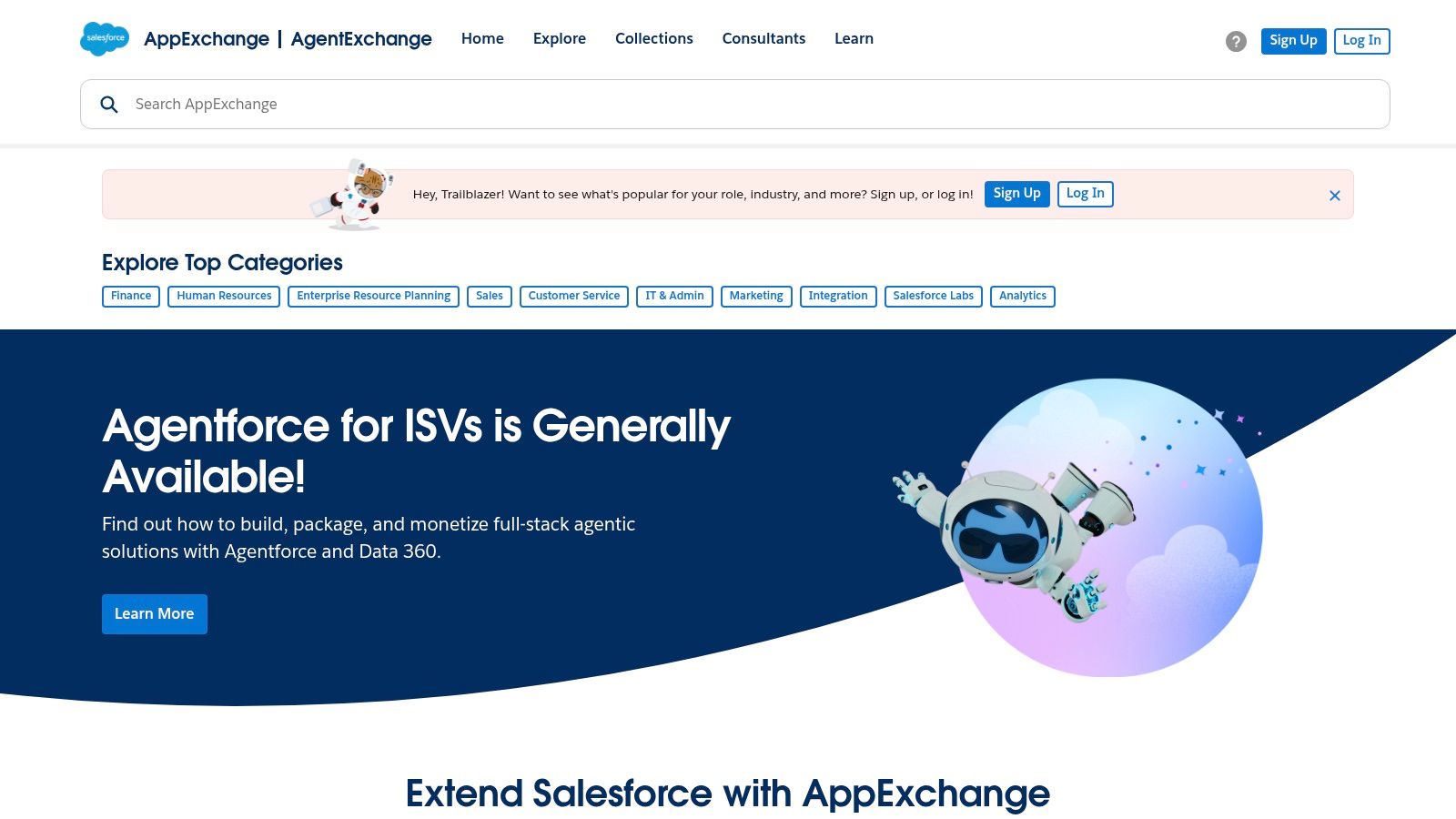
For organizations deeply embedded in the Salesforce ecosystem, the official Salesforce AppExchange is the definitive starting point for finding the best contract management software. Instead of being a standalone tool, the AppExchange is a comprehensive marketplace for vetted, Salesforce-native, and integrated applications. It is the most direct path for businesses using Sales Cloud, Service Cloud, or Revenue Cloud to discover CLM solutions that seamlessly extend their existing workflows without complex, custom integrations.
The AppExchange provides detailed listings that allow you to check release notes, confirm edition compatibility, and, in some cases, see starting prices. This environment simplifies discovery by gathering tools specifically designed to work within your Salesforce organization, from contract generation and eSignature to full lifecycle management.
How to Use AppExchange for Your Software Search
The AppExchange excels at connecting you with solutions that live directly inside your CRM. You can filter the extensive catalog by category, price, user rating, and specific Salesforce edition to quickly find a compatible CLM or contract management app. Listings often include verified user reviews, detailed feature breakdowns, and demos.
Many apps offer a trial period or a "Get It Now" button, allowing you to install a sandboxed version directly into your Salesforce org for hands-on testing. This immediate deployment capability is a major advantage, as it lets you evaluate a tool’s performance with your actual data and user profiles, ensuring it meets your team's specific needs for contract automation.
Pro Tip: Look beyond the CLM category. The AppExchange also lists complementary partner apps for CPQ (Configure, Price, Quote), eSignature, and document generation. Evaluating these can help you build a complete, end-to-end contract workflow within Salesforce.
Pros and Cons of Using Salesforce AppExchange
While it is the best source for Salesforce-integrated tools, understanding its marketplace nature is key.
Pros:
- Seamless Salesforce Integration: Offers the fastest route to finding a CLM solution that fits perfectly into your existing CRM workflows.
- Simplified Procurement: Streamlines the deployment and management process directly within your Salesforce organization.
- Rich Partner Ecosystem: Provides access to a wide variety of vetted apps that support every stage of the contract lifecycle.
Cons:
- Broad Catalog: The sheer number of apps can be overwhelming and requires careful filtering to find the right fit.
- Inconsistent Pricing: Not all listings provide transparent pricing, often requiring you to contact the vendor for a quote.
Using the AppExchange is ideal for identifying powerful, integrated solutions. However, many businesses find that these enterprise-focused apps come with complex, per-user pricing models that are not suitable for teams needing predictable costs. For example, a solution like BoloSign offers a refreshing alternative by providing unlimited users and documents for a single fixed price, making it a more scalable and affordable choice for businesses that need robust compliance and AI features without the enterprise-level expense. Understanding how to choose the best approval management system involves weighing the benefits of native integration against the total cost of ownership.
Website: https://appexchange.salesforce.com/
5. Microsoft AppSource – Contract Management / CLM Solutions
For organizations deeply embedded in the Microsoft ecosystem, AppSource is the logical starting point for finding the best contract management software. Rather than a single vendor, AppSource is Microsoft's official marketplace for business applications, featuring a curated selection of Contract Lifecycle Management (CLM) add-ins and SaaS solutions. These tools are specifically designed to integrate seamlessly with platforms like Microsoft 365, Dynamics 365, and the Power Platform.
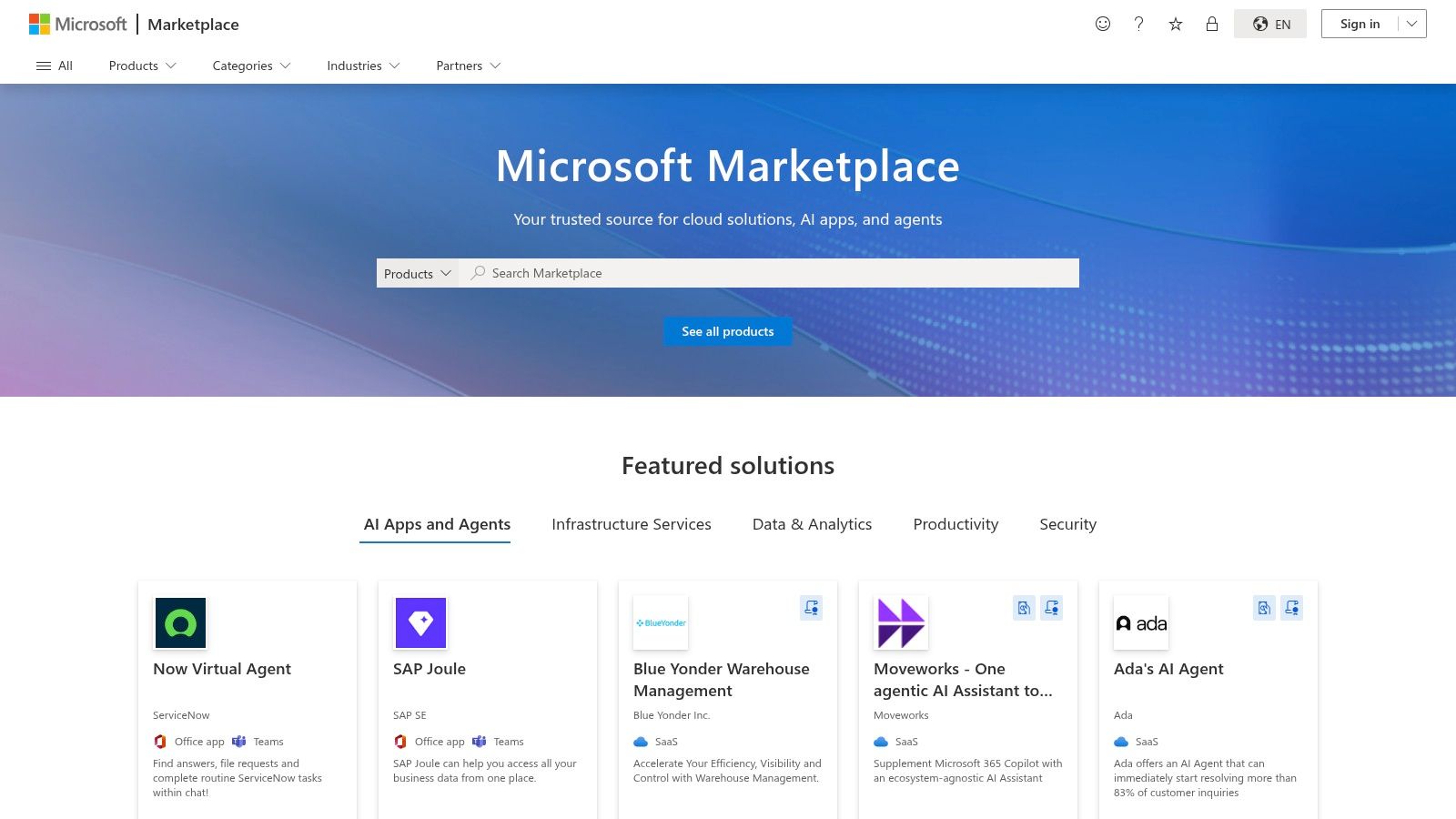
This marketplace is ideal for businesses that have standardized their operations around Microsoft technologies. It offers applications that provide native integrations with SharePoint for document storage, Outlook for communication, Teams for collaboration, and Dynamics for CRM. This ensures that any solution you choose will feel like a natural extension of your existing workflow, minimizing disruption and user training time.
How to Use AppSource for Your Software Search
AppSource simplifies the discovery process for Microsoft-centric businesses. You can browse listings from various vendors, each vetted to work within the Microsoft environment. Listings typically include user ratings, supported product editions (e.g., SharePoint Online, Dynamics 365 Sales), and deployment details. This helps you identify tools that match your current technology stack.
Many applications on AppSource, such as CLM365 or Dock 365, offer free trials and straightforward tenant deployment options. This allows IT administrators to test a solution's functionality and integration capabilities in a controlled environment before committing to a full-scale rollout. You can filter solutions based on the specific Microsoft products you use, ensuring compatibility from the start.
Pro Tip: Look for applications with the "Microsoft Preferred Solution" badge. This indicates that the solution has been validated by Microsoft experts for its quality, performance, and ability to meet the needs of specific industries.
Pros and Cons of Using AppSource
While AppSource offers a streamlined path for Microsoft users, it's essential to recognize its specific focus and limitations.
Pros:
- Vetted and Integrated Solutions: All listed apps are designed to align with Microsoft security, identity, and integration standards.
- Straightforward Tenant Deployment: Simple deployment for organizations already using Microsoft 365 or Azure AD.
- Good for Departmental Rollouts: Excellent for leveraging existing platforms like Teams and SharePoint for departmental contract management.
Cons:
- Opaque Pricing: Many vendors list pricing as “Contact me,” requiring direct engagement to get an exact quote.
- Vendor-Specific TCO: The total cost of ownership can be difficult to calculate without speaking to multiple vendors directly.
Using AppSource is an effective way to find a CLM solution that complements your existing Microsoft investment. However, as you research, you might find that many solutions come with complex, per-user pricing models. This is where understanding alternatives that offer predictable costs becomes valuable. For businesses seeking powerful contract automation without the enterprise price tag, a platform like BoloSign provides a compelling fixed-price model, ensuring you get unlimited users and documents without budget surprises.
Website: https://appsource.microsoft.com/
6. DocuSign CLM – Official Product Site
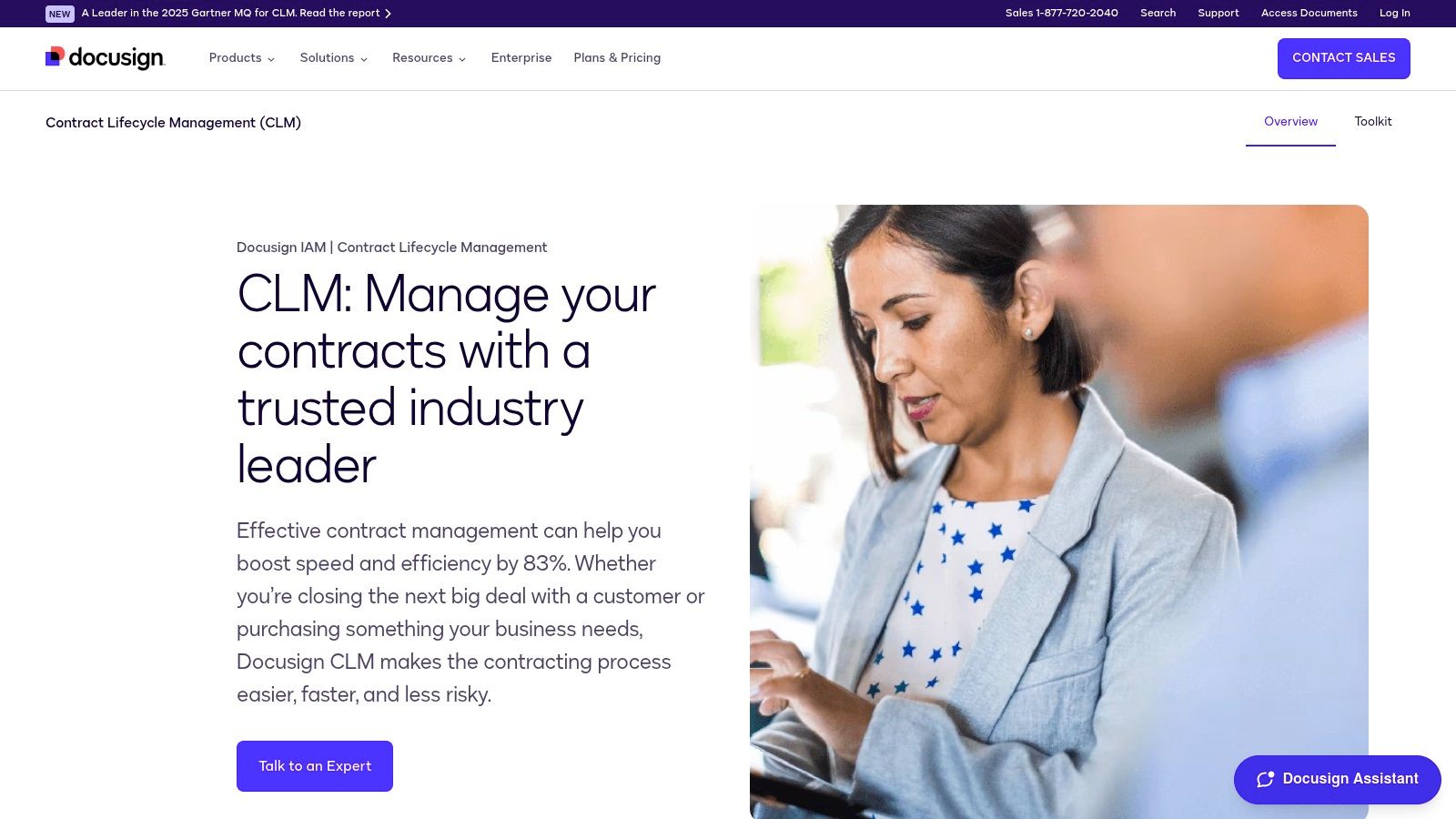
For organizations seeking a comprehensive, enterprise-grade solution that extends far beyond simple e-signatures, the official DocuSign CLM product site is a key destination. While many know DocuSign for its market-leading electronic signature technology, this platform represents the company's full-scale Contract Lifecycle Management (CLM) offering. It's designed to automate and connect the entire contract process, from creation and negotiation to post-signature analysis.
The website serves as an informational hub for mid-market and enterprise buyers, detailing how the platform can streamline complex agreement workflows. It moves the conversation from just signing documents to actively managing them as strategic assets, showcasing advanced features powered by its Iris AI engine for review and analytics.
How to Use the DocuSign CLM Site for Your Research
The primary purpose of the site is to educate potential customers on the platform's extensive capabilities and encourage them to request a tailored demo. You can explore detailed feature pages covering workflow automation, dynamic template creation with pre-approved clause libraries, and AI-assisted contract review. The site highlights deep integrations with enterprise systems like Salesforce and SAP Ariba, which is a critical consideration for larger businesses.
Its content is structured to demonstrate ROI by focusing on risk reduction, accelerated sales cycles, and improved compliance. This makes it a valuable resource for building a business case for a significant software investment.
Pro Tip: Look for customer case studies and references to market recognition, such as Gartner Magic Quadrant leadership. This information provides third-party validation and real-world examples of how large organizations have successfully deployed the system.
Pros and Cons of Using DocuSign CLM
DocuSign CLM is a powerful tool, but it's important to understand where it fits in the market.
Pros:
- Robust, Enterprise-Grade CLM: Offers an end-to-end solution that goes well beyond basic e-signature capabilities.
- Strong Ecosystem: Provides deep integrations and professional services for complex, large-scale deployments.
- Unified Platform: Combines market-leading e-signature functionality with mature CLM features in one package.
Cons:
- Opaque Pricing: CLM pricing is not published and requires a custom quote, making it difficult to budget without a formal sales engagement.
- High Total Cost of Ownership (TCO): Generally positioned for the mid-market and enterprise sectors, with a significantly higher TCO than tools designed for SMBs.
While DocuSign CLM is a leader in the enterprise space, its complexity and pricing model may not be suitable for all businesses. As you research the best contract management software, it's crucial to evaluate alternatives that offer transparent, predictable pricing. For a deeper understanding of contract management functionalities and how they can be applied in different business scenarios, you can learn more about managing digital contracts and find a solution that fits your specific needs and budget.
Website: https://www.docusign.com/products/clm
7. Icertis – Icertis Contract Intelligence (ICI)
For large, global enterprises navigating complex regulatory landscapes, Icertis offers a powerful solution that goes beyond standard CLM. The Icertis Contract Intelligence (ICI) platform is designed to transform contracts from static documents into strategic assets. It leverages advanced AI to provide deep insights into risk, obligations, and financial performance, making it a cornerstone for data-driven decision-making in complex organizations.
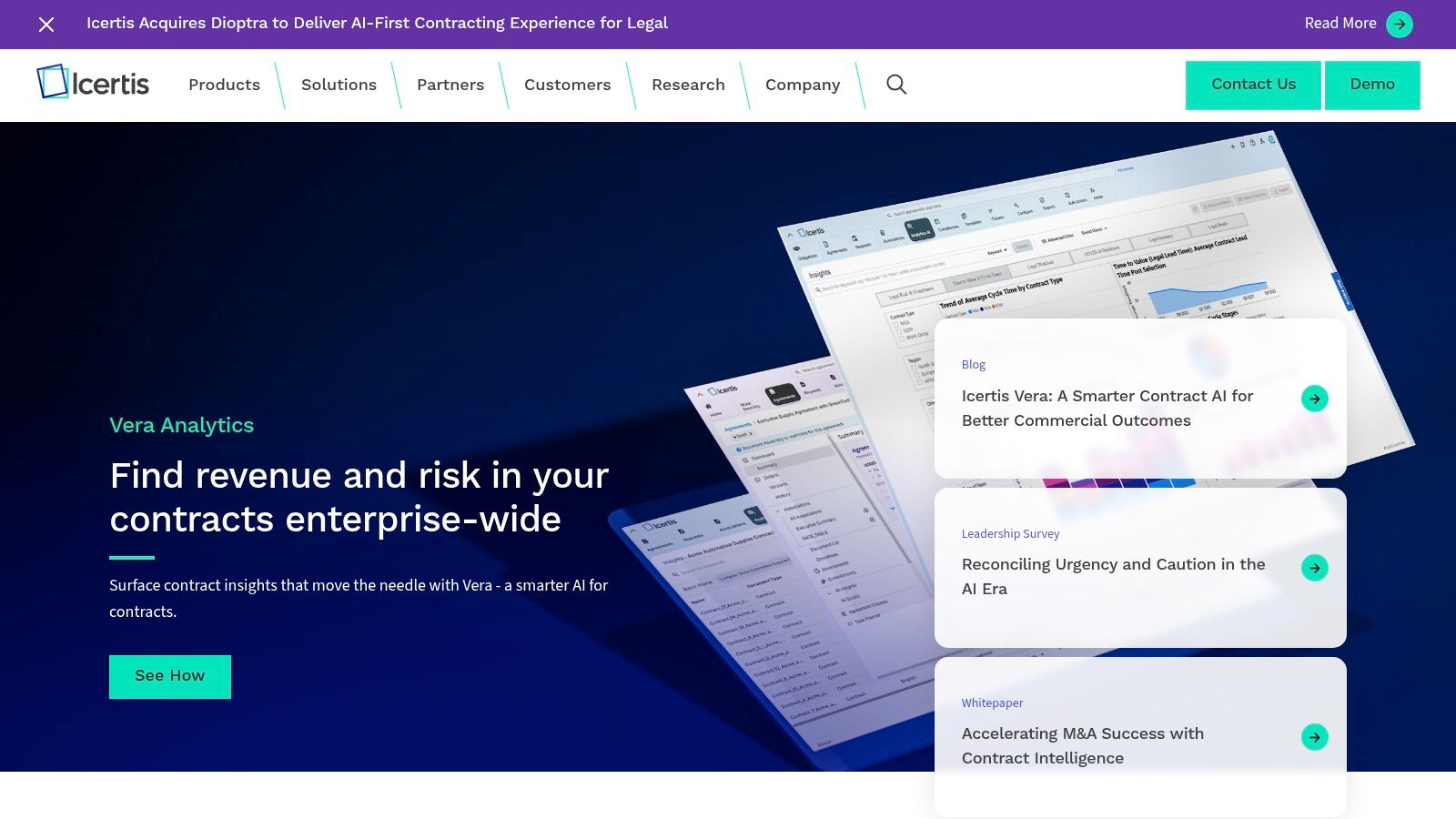
Icertis excels at connecting contract data to core business systems like ERP and CRM, with deep, native integrations for SAP and Microsoft. This allows businesses to track post-signature obligations, manage performance against contract terms, and uncover opportunities to reduce revenue leakage or optimize spend. The platform’s focus is on delivering measurable ROI, which is why it is often considered one of the best contract management software choices for enterprise-level governance.
How to Use Icertis for Your Software Search
Evaluating Icertis requires a different approach than assessing SMB-focused tools. The platform is not a self-service solution; engagement begins with a consultation and a tailored demo to understand your specific business processes, industry challenges, and integration needs. The goal is to see how its AI-driven analytics can address high-stakes problems like supply chain disruptions, regulatory compliance, or M&A due diligence.
The platform's strength is its configurability. During the evaluation, focus on its industry-specific toolkits and enterprise playbooks. These resources are designed to accelerate value realization and ensure the platform aligns with established governance frameworks. You can assess its ability to manage complex supplier relationships, track multi-faceted customer commitments, and provide executive-level visibility into contractual risk.
Pro Tip: Ask for case studies and ROI frameworks relevant to your industry. Icertis excels at building business cases, and their team can help you articulate the platform’s potential financial impact to key stakeholders and secure executive buy-in.
Pros and Cons of Using Icertis
Icertis is a top-tier solution, but its enterprise focus means it's not a fit for every organization.
Pros:
- Enterprise-Grade Scalability: Built to handle the volume and complexity of global operations with robust governance features.
- Powerful AI-Driven Insights: Goes beyond basic tracking to provide analytics on risk, obligations, and financial performance.
- Deep Integrations: Offers best-in-class integrations with SAP, Microsoft, and other enterprise systems.
Cons:
- Premium Pricing: TCO is significant and requires a custom enterprise proposal; no public pricing is available.
- Complex Implementation: Deploying the platform is an enterprise-grade project that requires dedicated resources and time.
While Icertis provides immense power for large corporations, many small and medium-sized businesses need a more agile and cost-effective solution. Organizations in sectors like healthcare, staffing, and logistics often prioritize speed, ease of use, and predictable costs over complex analytics. A platform like BoloSign, with its fixed-price model for unlimited users and documents, offers a compelling alternative for teams that need robust compliance and contract automation without the enterprise-level overhead.
Website: https://www.icertis.com/
Top 7 Contract Management Software Comparison
| Item | Implementation Complexity 🔄 | Resource Requirements ⚡ | Expected Outcomes 📊⭐ | Ideal Use Cases 💡 | Key Advantages ⭐ |
|---|---|---|---|---|---|
| Closer Innovation Labs Corp. (BoloSign) | Low 🔄 Quick setup; one‑click migrations | Low ⚡ Minimal IT; flat single price that scales | 📊⭐ Predictable costs, faster approvals, centralized templates; AI contract insights | 💡 SMBs, HR/ops, sales, regulated teams needing compliance & predictable billing | ⭐ Unlimited signatures/users (flat price); broad integrations; strong compliance; AI features |
| G2 – Contract Management / CLM Categories | Very Low 🔄 Browse & filter; no install | Very Low ⚡ Time to research; web access | 📊 Aggregate verified user reviews and side‑by‑side comparisons | 💡 Vendor discovery and shortlisting across SMB to enterprise | ⭐ Large review volume; transparent user feedback; free to browse |
| Capterra – Contract Management Software | Very Low 🔄 Directory browsing; buyer’s guide | Very Low ⚡ Time to compare; budget context provided | 📊 Faster pre‑qualification with pricing guidance | 💡 Early‑stage research and budget estimation for buyers | ⭐ Extensive directory; pricing/buyer guide; easy scanning of options |
| Salesforce AppExchange – CLM & Contract Apps | Medium 🔄 Requires Salesforce org and compatibility checks | Medium ⚡ Salesforce admin skills and possible licensing | 📊 Fast, native deployment inside Salesforce; CRM‑aligned workflows | 💡 Salesforce‑centric sales/service teams and CPQ integrations | ⭐ Salesforce‑native apps; streamlined “Get It Now” installs and trials |
| Microsoft AppSource – CLM / Contract Solutions | Medium 🔄 Tenant deployment and MS integration checks | Medium ⚡ Microsoft 365/Dynamics admin and tenant setup | 📊 Integrated CLM with Teams/SharePoint; straightforward tenant rollout | 💡 Organizations standardized on Microsoft stack (Teams/SharePoint/Dynamics) | ⭐ Native MS integrations; vetted listings and tenant deployment options |
| DocuSign CLM – Official Product Site | High 🔄 Enterprise deployment, configuration and services | High ⚡ Professional services, integration effort, custom quoting | 📊⭐ End‑to‑end CLM: workflow automation, negotiation tools, analytics | 💡 Mid‑market to enterprise with complex CLM and ERP/CRM integration needs | ⭐ Mature CLM + leading e‑signature; deep enterprise integrations and services |
| Icertis – Icertis Contract Intelligence (ICI) | Very High 🔄 Large‑scale enterprise implementation and governance | Very High ⚡ Significant IT, change management, and budget; custom engagement | 📊⭐ Advanced contract intelligence, obligation/risk tracking, measurable ROI | 💡 Global enterprises needing analytics, SAP/MS integrations and governance | ⭐ Enterprise‑grade configurability, analytics, and ROI/value frameworks |
Choosing the Right Partner for Your Contract Workflow
Navigating the landscape of contract management platforms can feel overwhelming. We've explored enterprise-grade solutions like DocuSign CLM and Icertis, powerful marketplaces like Salesforce AppExchange and Microsoft AppSource, and valuable review aggregators like G2 and Capterra. Each offers unique capabilities, but the central takeaway is clear: the best contract management software is the one that aligns perfectly with your business’s specific needs, budget, and growth trajectory.
For large enterprises with complex global operations and deep pockets, a feature-heavy platform might be the right fit. However, for the vast majority of small and medium-sized businesses, startups, and agile teams, the most critical factors are often affordability, ease of use, and scalability without financial penalty. This is where traditional per-user or per-envelope pricing models become a significant barrier, stifling growth and creating unpredictable costs.
Key Factors to Guide Your Decision
Before you commit to a platform, it's crucial to move beyond feature lists and assess the true impact on your workflow and bottom line. Your evaluation process should be as structured as your contracts. To ensure you're asking the right questions and comparing vendors effectively, creating a detailed request for proposal is a smart first step. A well-structured document, like a perfect RFP IT template, can help you clearly outline your technical requirements, security needs, and expected outcomes.
Consider these pivotal questions during your evaluation:
- Scalability and Cost: Does the pricing model support your growth? Will you be penalized for adding new team members or as your document volume increases? Predictable, flat-rate pricing models offer significant advantages for planning and budgeting.
- Compliance and Security: Does the software meet the specific regulatory standards of your industry, such as HIPAA for healthcare in the US or GDPR for handling European data? Look for certifications like ESIGN, eIDAS, and robust security protocols.
- Integration and Workflow: How well does the platform integrate with your existing tools, like your CRM (Salesforce, HubSpot), HRIS, or cloud storage? A seamless connection is key to creating a truly automated and efficient contract lifecycle.
- User Experience: Is the platform intuitive for all users, from legal experts to sales representatives and new hires? A complex system that requires extensive training can negate the efficiency gains you hope to achieve.
Why BoloSign Delivers Unmatched Value
While many platforms offer powerful features, BoloSign distinguishes itself by addressing the core challenges faced by growing businesses. It rejects the complex, tiered pricing structures that dominate the market. Instead, it provides a refreshingly simple and powerful proposition: one fixed price for unlimited documents, unlimited templates, and unlimited team members. This makes it up to 90% more affordable than traditional solutions without compromising on enterprise-grade security or functionality.
As an official NVIDIA partner, BoloSign leverages cutting-edge AI to power its automation features, simplifying everything from document creation to routing and signing. Its platform is built on a foundation of strict compliance, meeting key global standards like ESIGN, eIDAS, HIPAA, and GDPR, making it a trusted choice for regulated industries in the US, Canada, Australia, and the UAE. Whether you're a staffing agency onboarding candidates, a healthcare provider managing patient forms, or a SaaS company closing deals, BoloSign provides a secure, efficient, and incredibly cost-effective digital signing solution.
Choosing the right contract management partner is a strategic decision that impacts your operational efficiency, legal standing, and financial health. By focusing on transparent pricing, robust security, and user-centric design, you can empower your team to manage agreements with confidence and clarity, turning contracts from a bottleneck into a business accelerator.
Ready to transform your contract management without breaking your budget? Closer Innovation Labs Corp., the innovative company behind BoloSign, offers a powerful, secure, and affordable platform designed for modern business needs. Experience the freedom of unlimited signatures and users at one fixed price by starting your 7-day free trial of BoloSign today.

Paresh Deshmukh
Co-Founder, BoloForms
11 Dec, 2025
Take a Look at Our Featured Articles
These articles will guide you on how to simplify office work, boost your efficiency, and concentrate on expanding your business.



