

Top 12 Best Affordable DocuSign Alternative Solutions for 2026
Searching for the best affordable DocuSign alternative? Explore our 2026 guide to 12 top eSignature platforms with transparent pricing and powerful features.


Tired of nonsense pricing of DocuSign?
Start taking digital signatures with BoloSign and save money.
For years, DocuSign set the standard for digital signatures. But as business needs evolve, its per-user, per-envelope pricing models are becoming a significant bottleneck for growing companies. The unpredictable costs can stifle workflows, forcing teams in sectors like staffing, healthcare, and real estate to ration essential documents like client contracts, patient intake forms, and lease agreements. This constraint directly impacts efficiency and can delay crucial business operations, from onboarding new hires in a professional services firm to finalizing logistics contracts.
The search for the best affordable DocuSign alternative is about more than just cutting costs; it’s about regaining control over your document workflows. Businesses need predictable, transparent pricing that supports growth instead of penalizing it. This guide dives into the 12 best digital signing solutions for 2026, focusing on platforms that offer robust features, enterprise-grade security, and straightforward subscription models. We'll explore options that empower your team to sign PDFs online, automate contracts, and streamline workflows without the fear of a surprise bill. For businesses also exploring other digital solutions to avoid restrictive subscription models, consider researching modern pay-as-you-go document solutions like online fax services that offer similar flexibility.
In this comprehensive listicle, you will find a detailed breakdown of each platform, complete with screenshots and direct links. We’ll cover key aspects like:
- Unlimited Signing: Platforms that don’t charge you per envelope.
- Core Features: Analysis of templates, forms, and audit trails.
- Pricing & Value: A clear comparison of costs and what you get.
- Use Cases: Specific examples for industries like logistics and education.
We’ll highlight platforms like BoloSign, which offers unlimited documents, team members, and templates for a single fixed price, helping you find the perfect fit for your budget and operational needs.
1. Closer Innovation Labs Corp.
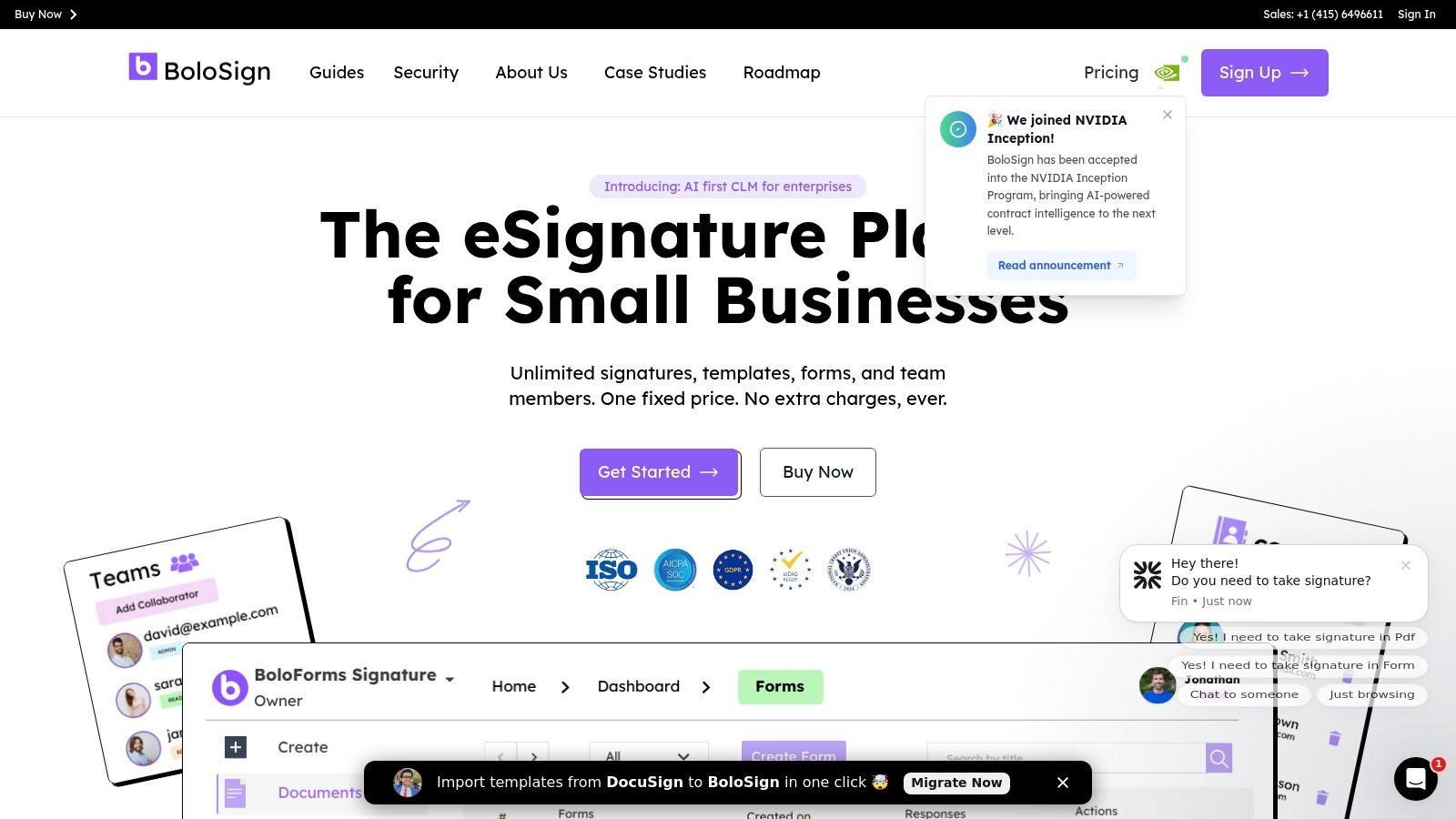
BoloSign from Closer Innovation Labs Corp. emerges as a powerful and strategically positioned best affordable DocuSign alternative, designed for small businesses yet scalable enough for enterprise demands. It directly addresses the most significant pain point of traditional eSignature platforms: unpredictable, escalating costs. BoloSign's core value proposition is its straightforward, fixed-price model that includes unlimited signatures, templates, forms, contracts, and team members, making it up to 90% more affordable than traditional tools. This approach eliminates the per-user or per-envelope fees that often penalize growing teams, offering true cost predictability.
The platform excels at streamlining document workflows and reducing administrative overhead. Users can create, send, and sign PDFs, templates, and forms quickly. For example, a real estate agency can create a reusable template for lease agreements and send it to multiple tenants at once, tracking each signature in real-time. A healthcare provider can use BoloSign to send HIPAA-compliant patient intake forms for digital signing before an appointment, speeding up the check-in process.
Why It's a Top Choice
BoloSign isn't just about affordability; it’s a comprehensive contract automation solution backed by robust technology and security. Its AI-powered features, supported by the NVIDIA Inception Program, help accelerate contract reviews and automate data extraction. Furthermore, its extensive integration capabilities with tools like Zapier, HubSpot, Salesforce, and Google Drive ensure it fits seamlessly into existing tech stacks, making it a highly practical choice for modern businesses. Migration is also simplified with a one-click DocuSign template import tool.
Security and Compliance
Security is paramount, and BoloSign meets enterprise-grade standards. It is fully compliant with major regulatory frameworks including ESIGN, UETA, eIDAS, GDPR, and HIPAA, and holds both ISO 27001 and SOC 2 attestations. This makes it a reliable option for organizations in regulated industries like healthcare, education, and finance, ensuring all secure document workflows are protected.
- Best For: Small to mid-sized businesses, startups, and teams within larger organizations (especially in HR, sales, and operations) seeking a feature-rich, cost-predictable eSignature solution.
- Pros:
- True fixed pricing with unlimited everything (signatures, users, templates)
- Enterprise-level security and compliance (ISO 27001, SOC 2, HIPAA)
- Unique Google Forms signature integration and easy DocuSign migration
- AI-powered automation and a broad integration ecosystem
- Cons:
- Public pricing is not listed line-by-line; requires contact for a quote
- Newer than legacy platforms, so large enterprises may need to verify advanced CLM features
Website: https://boloforms.com
2. BoloSign (Closer Innovation Labs Corp.)
BoloSign positions itself as a powerful, yet remarkably affordable DocuSign alternative designed specifically for small to medium-sized businesses that require predictable costs without sacrificing enterprise-grade features. Its core value proposition is a fixed-price model that includes unlimited documents, templates, team members, and forms. This makes it an ideal choice for high-volume teams in sectors like staffing, logistics, and sales who face unpredictable overage charges with other platforms.
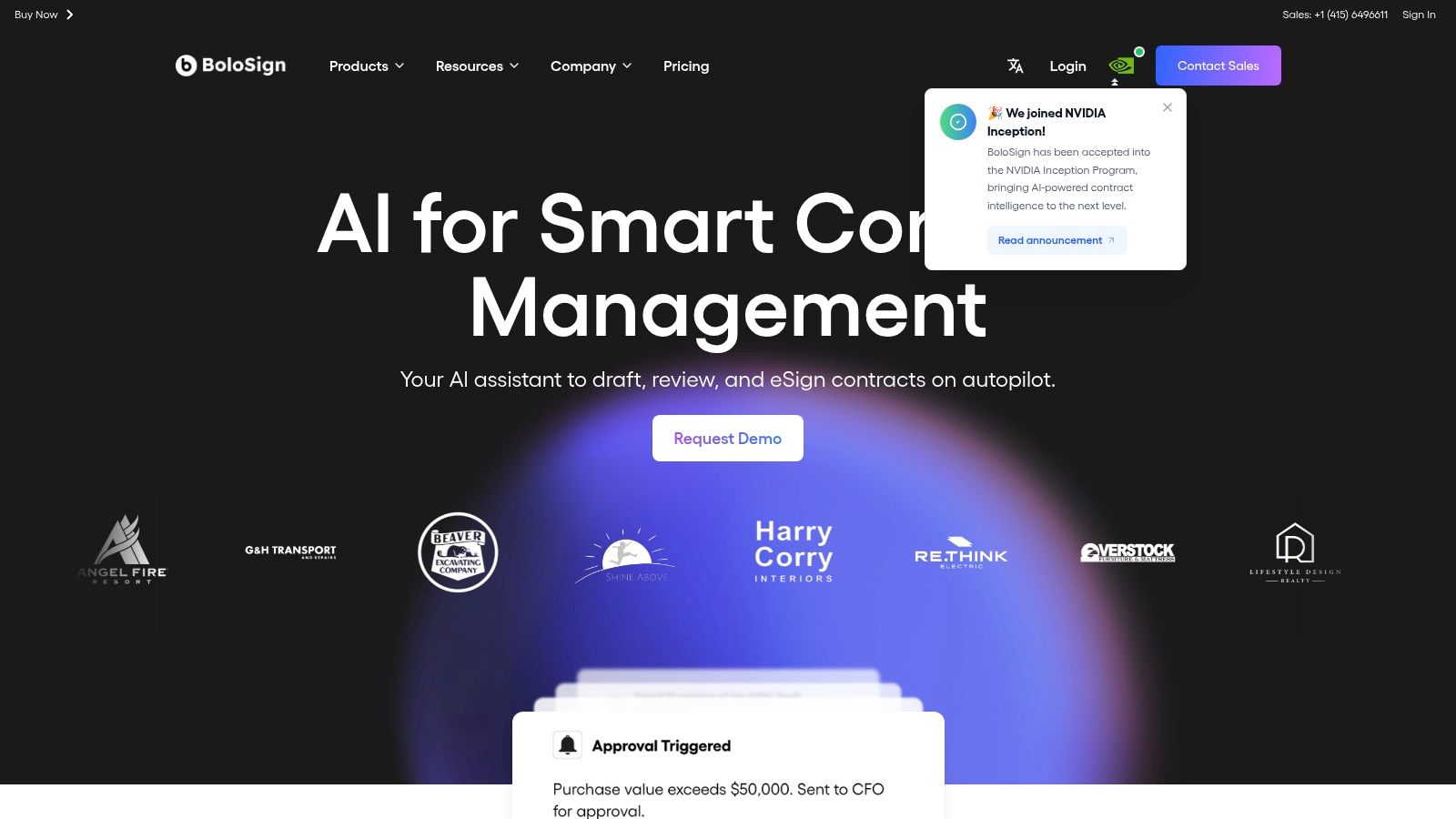
With BoloSign, businesses can create, send, and sign PDFs, templates, and forms quickly. For instance, a logistics company can automate the signing of delivery confirmation slips, or an educational institution can manage student enrollment forms digitally, all under one fixed price. For businesses migrating from other services, BoloSign provides a one-click DocuSign template import feature to ensure a smooth transition.
Key Features and Considerations
BoloSign is built for scalability and robust security, making it a reliable choice for businesses handling sensitive information.
- Cost Predictability: The fixed-price plan for core features eliminates surprise bills, a major advantage for budget-conscious teams and making it up to 90% more affordable.
- Unlimited Everything: Offers unlimited documents, templates, and users on its main plan, promoting team-wide adoption without financial penalties.
- Compliance Posture: The platform is fully compliant with major standards, including ESIGN, eIDAS, HIPAA, GDPR, SOC 2, and ISO 27001, making it suitable for regulated industries.
- AI-Powered Automation: Emphasizes AI-driven workflows to streamline contract management and reduce manual tasks.
While it's a newer player compared to legacy brands, its feature set and pricing model present a compelling case. You can explore the platform's full capabilities and learn more about BoloSign’s eSignature solutions.
3. Dropbox Sign (formerly HelloSign)
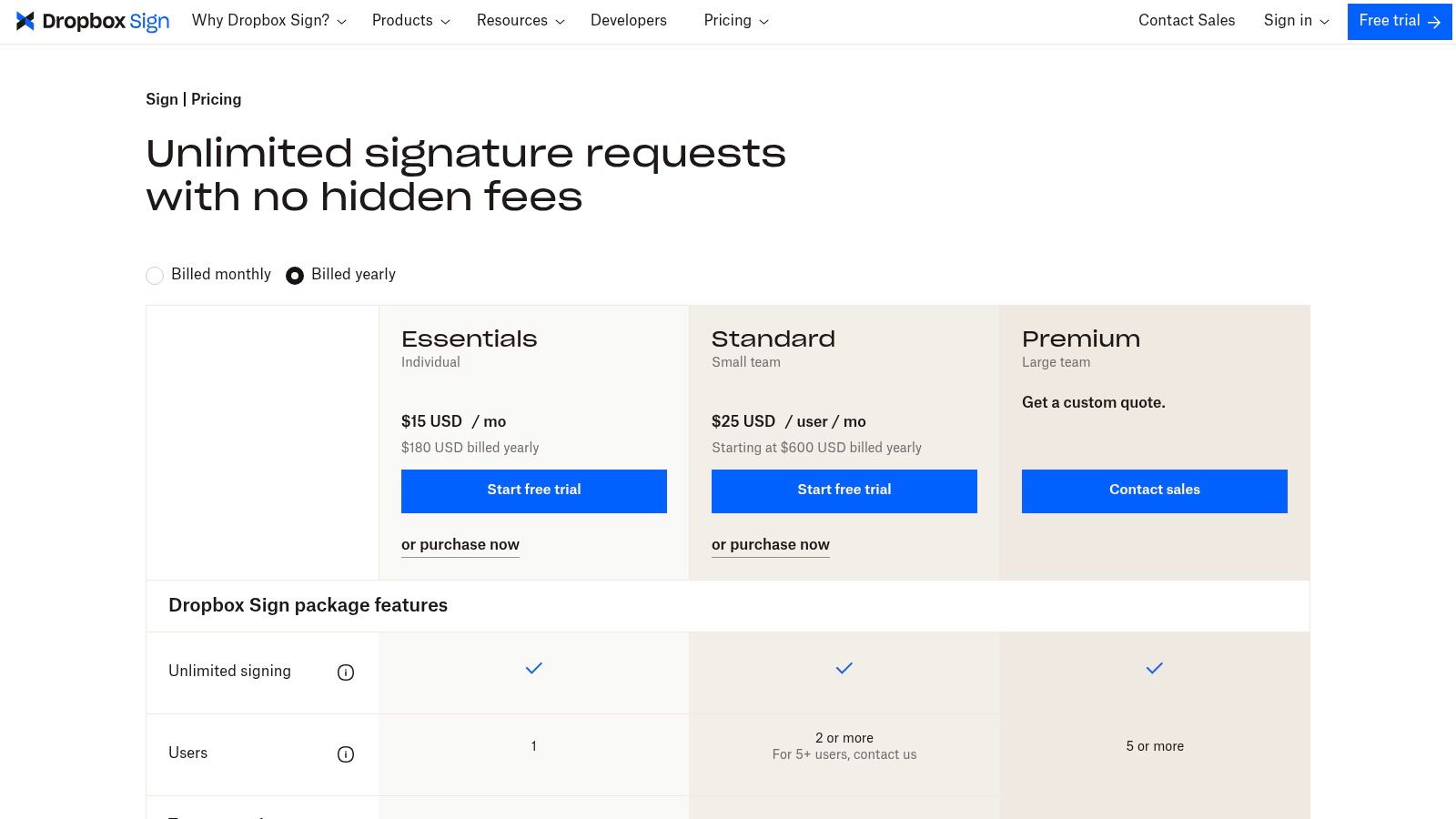
Dropbox Sign, formerly known as HelloSign, establishes itself as a highly user-friendly and affordable DocuSign alternative, particularly for small to medium-sized businesses already integrated into the Dropbox ecosystem. Its value lies in transparent, low-entry pricing and an intuitive interface that simplifies the eSignature process. The platform is an excellent starting point for businesses needing reliable audit trails, reusable templates, and seamless document management without a steep learning curve or significant upfront investment.
What makes Dropbox Sign stand out is its deep integration with Dropbox storage, allowing teams to send, sign, and store critical documents within a single, unified workflow. This native connection minimizes friction and enhances productivity for existing Dropbox users. While its plans are tiered, they offer clear delineations, and the platform provides tooling to help migrate templates from DocuSign, though plan limits may apply. This focus on simplicity and ecosystem synergy makes it a strong contender for teams prioritizing ease of use.
Key Features and Considerations
Dropbox Sign is designed for accessibility and reliability, offering a solid feature set for common business use cases.
- User Experience: Known for its clean, simple interface that makes sending and signing documents straightforward for all users, regardless of technical skill.
- Dropbox Integration: Offers best-in-class integration with Dropbox, making it the natural choice for teams who use the platform for cloud storage and collaboration.
- Transparent Plans: Provides clearly defined Essentials and Standard plans with free trials, allowing businesses to test the platform before committing.
- Compliance and Security: Adheres to major e-signature laws like ESIGN and UETA, providing legally binding signatures and secure audit trails for all documents.
While it is a powerful tool, many advanced team features and branding options are reserved for the higher-priced Standard tier, and its API access is priced separately from the core product plans. You can review the platform's pricing and learn more about Dropbox Sign's features.
4. airSlate SignNow
airSlate SignNow is a long-standing player in the eSignature market, positioning itself as a cost-effective and powerful alternative to DocuSign. It appeals to small and medium-sized businesses that need more than just simple signing, offering robust workflow automation, bulk sending capabilities, and integrations. Its value lies in providing enterprise-grade features at a more accessible price point, particularly for teams in regulated industries.
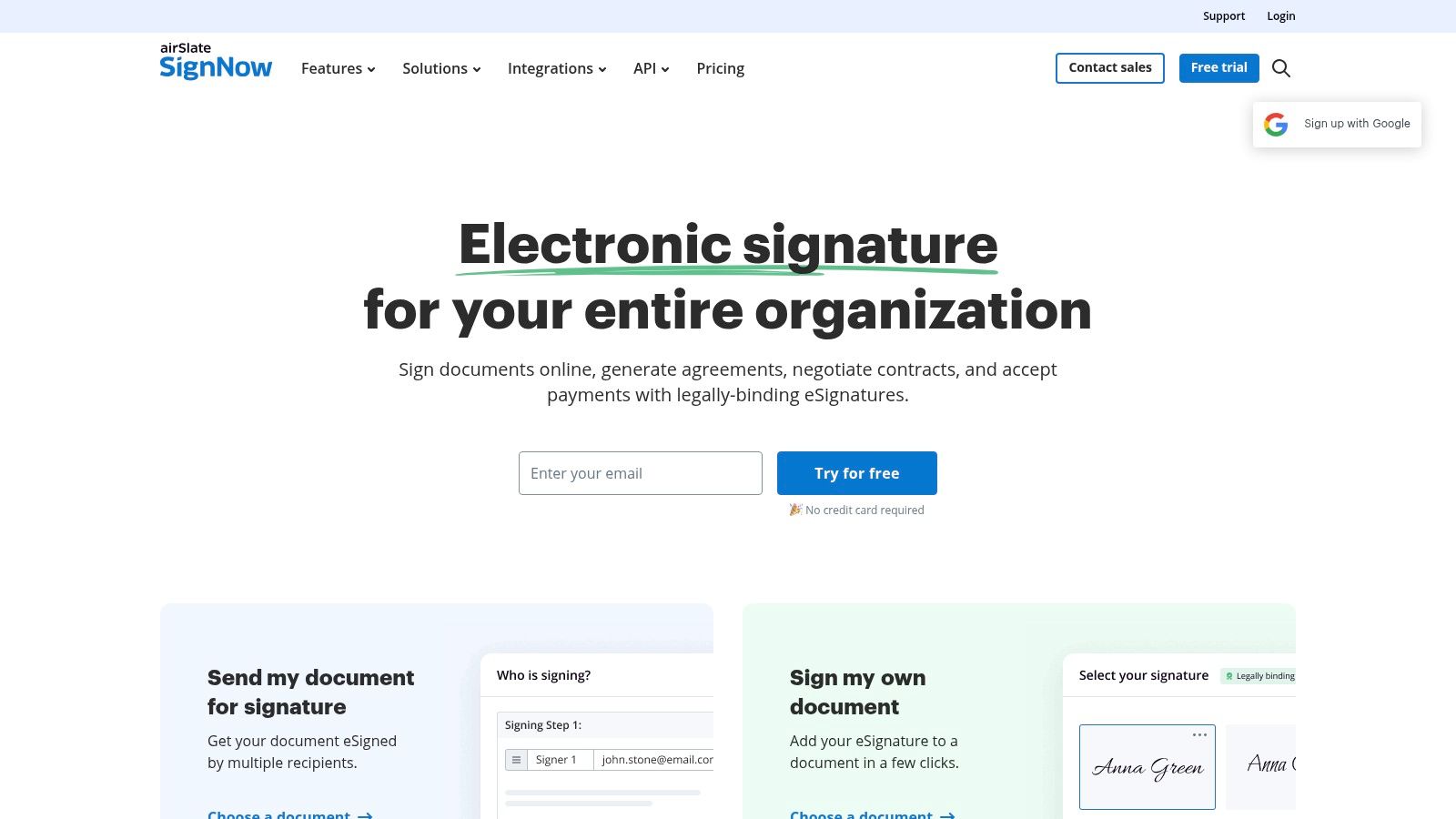
What makes SignNow a strong contender is its emphasis on compliance and team management. The platform is designed for businesses that require features like HIPAA and 21 CFR Part 11 compliance, complete with Business Associate Agreements (BAAs). This focus makes it a reliable choice for healthcare, life sciences, and other sectors where data security and regulatory adherence are non-negotiable.
Key Features and Considerations
SignNow balances affordability with a feature set that supports complex business processes and stringent security requirements.
- Compliance for Regulated Industries: Offers specialized compliance options, including HIPAA and 21 CFR Part 11, which are critical for healthcare and pharmaceutical sectors.
- Workflow Automation: Enables users to build and automate multi-step document workflows to streamline approvals and data collection across departments.
- Team and Enterprise Tools: Provides features like bulk sending, shared templates, and detailed audit trails to support larger teams and high-volume signing needs.
- Integrations: Connects with popular business applications, allowing teams to integrate eSignatures directly into their existing CRM, cloud storage, and productivity tools.
While its starting prices are competitive, businesses should carefully review plan limits, as some tiers may have caps on the number of sends. You can explore how SignNow handles different types of contracts and agreements.
5. Zoho Sign
Zoho Sign is a budget-friendly DocuSign alternative that stands out for its seamless integration within the extensive Zoho ecosystem. It is an excellent choice for small businesses and teams already leveraging Zoho products like Zoho CRM, WorkDrive, or Books, as it provides a cohesive workflow without needing third-party connectors. The platform offers a functional free tier and transparently priced paid plans, making it accessible for organizations with varying needs and budgets.
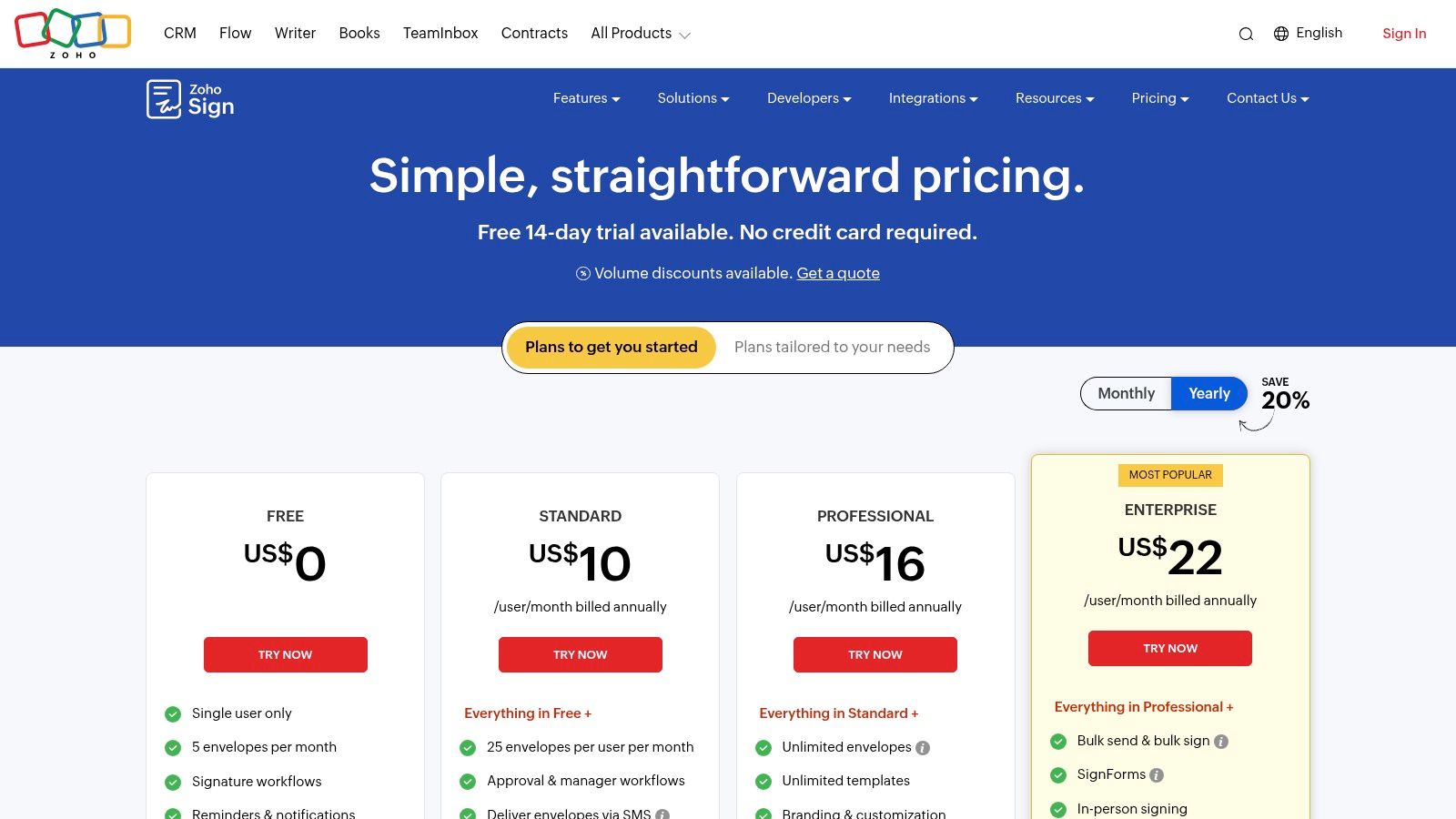
The platform is built for convenience, offering dedicated desktop and mobile apps that allow users to manage signing workflows from anywhere. Users can easily import documents from cloud storage services and track every action with a comprehensive audit trail. A unique feature is the ability to send signature requests via SMS, although this functionality operates on a credit-based system. This makes Zoho Sign a strong contender for teams that prioritize ecosystem connectivity and mobile accessibility.
Key Features and Considerations
Zoho Sign balances affordability with a solid feature set, particularly for businesses embedded in its software suite.
- Ecosystem Integration: Its primary strength lies in its native integrations with the entire Zoho suite, streamlining processes for existing Zoho customers.
- Tiered Pricing: Offers multiple plans, including a free option, allowing businesses to scale their usage as their needs grow.
- Multi-Platform Access: Provides dedicated apps for both desktop and mobile, ensuring users can send, sign, and manage documents on the go.
- Compliance and Security: Adheres to major e-signature laws like ESIGN and UETA and provides detailed audit trails and tamper-proof documents.
While its deepest integrations are within its own ecosystem, and some advanced features are gated behind higher tiers, its pricing model presents significant value. You can review the plans and learn more about Zoho Sign’s features.
6. PandaDoc
PandaDoc carves out a niche as an all-in-one document workflow platform, making it a compelling, affordable DocuSign alternative for sales-focused teams. It extends beyond simple eSignatures by integrating robust document creation, proposal generation, and quoting tools directly into its system. This makes it ideal for sales, marketing, and success teams who need to create, send, track, and get signatures on documents like quotes, proposals, and contracts within a single, unified environment.
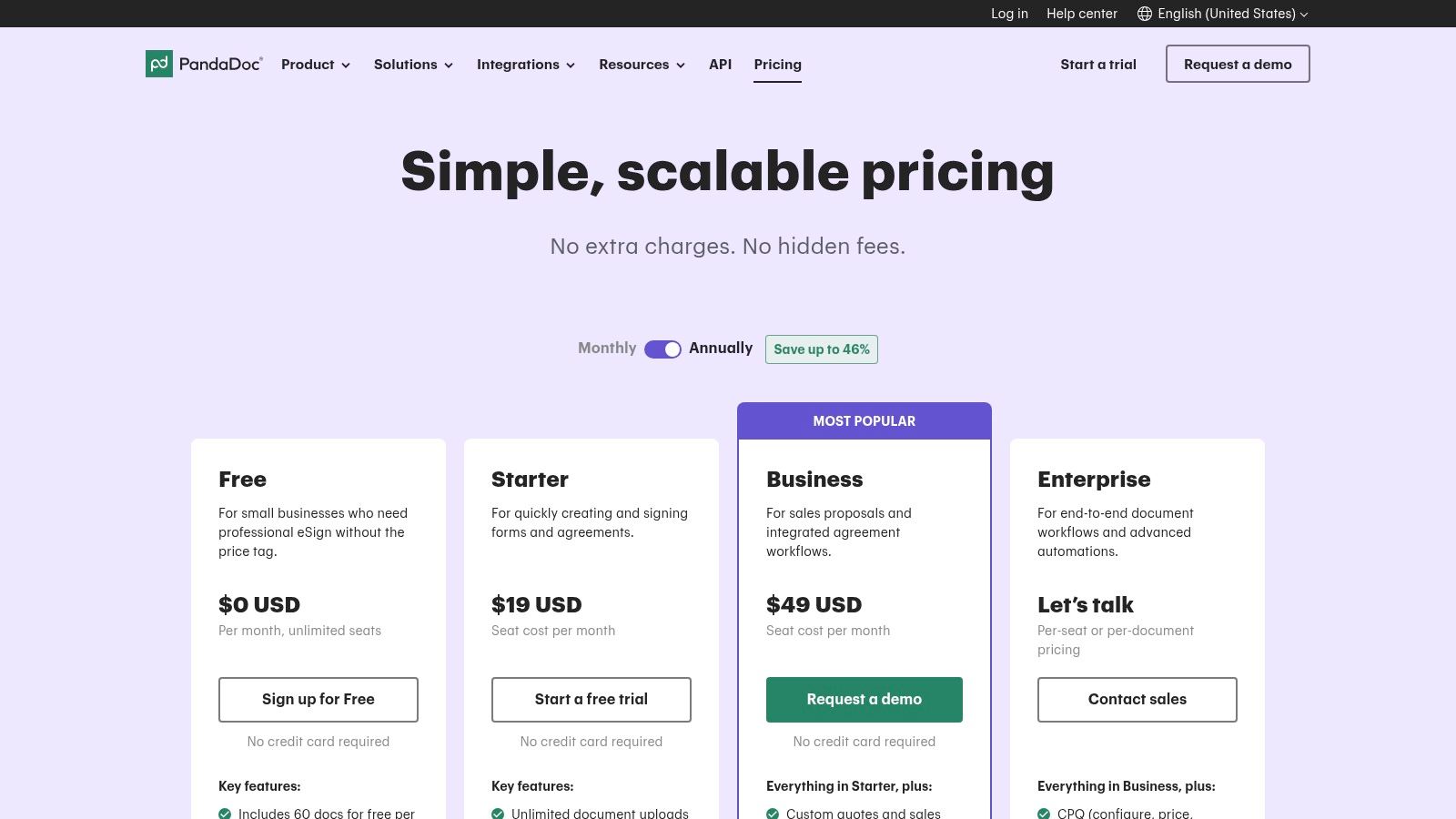
What sets PandaDoc apart is its rich, drag-and-drop document editor and extensive template library, allowing users to build visually appealing, interactive documents without leaving the platform. Its real-time tracking and analytics provide valuable insights into when a recipient opens, views, and completes a document, empowering sales teams to follow up at the perfect moment. The platform also shines with its deep CRM and payment integrations, streamlining the entire quote-to-cash process.
Key Features and Considerations
PandaDoc is built for speed and efficiency, particularly for revenue-generating teams who rely on professional-looking documents.
- All-in-One Document Workflow: Combines a powerful document editor, quoting tools, and eSignatures, eliminating the need for multiple applications.
- Rich Templates and Editor: Offers a vast library of customizable templates and a drag-and-drop editor for creating branded proposals and contracts.
- Advanced Analytics: Provides detailed engagement tracking, giving senders visibility into recipient interactions with the document.
- Strong Integrations: Features native integrations with popular CRMs like HubSpot and Salesforce, as well as payment gateways to collect payments upon signing.
While its entry-level plan includes a cap on documents and may incur overage fees, its comprehensive feature set for sales teams is a major advantage. While PandaDoc focuses on sales documents, businesses looking for solutions to embed signatures in everyday tools might find it interesting to learn more about adding digital signatures to Google Forms. You can review all features and plans on the official PandaDoc pricing page.
7. Xodo Sign (formerly eversign)
Xodo Sign, the rebranded eversign, presents a compelling case as a best affordable DocuSign alternative, especially for individuals and small businesses looking for robust features at a competitive price point. Backed by Apryse, a leader in document processing technology, Xodo Sign emphasizes a feature-rich experience that includes unlimited documents even on its entry-level paid plans. This makes it an attractive option for users who need to manage a steady flow of agreements without worrying about per-envelope costs.
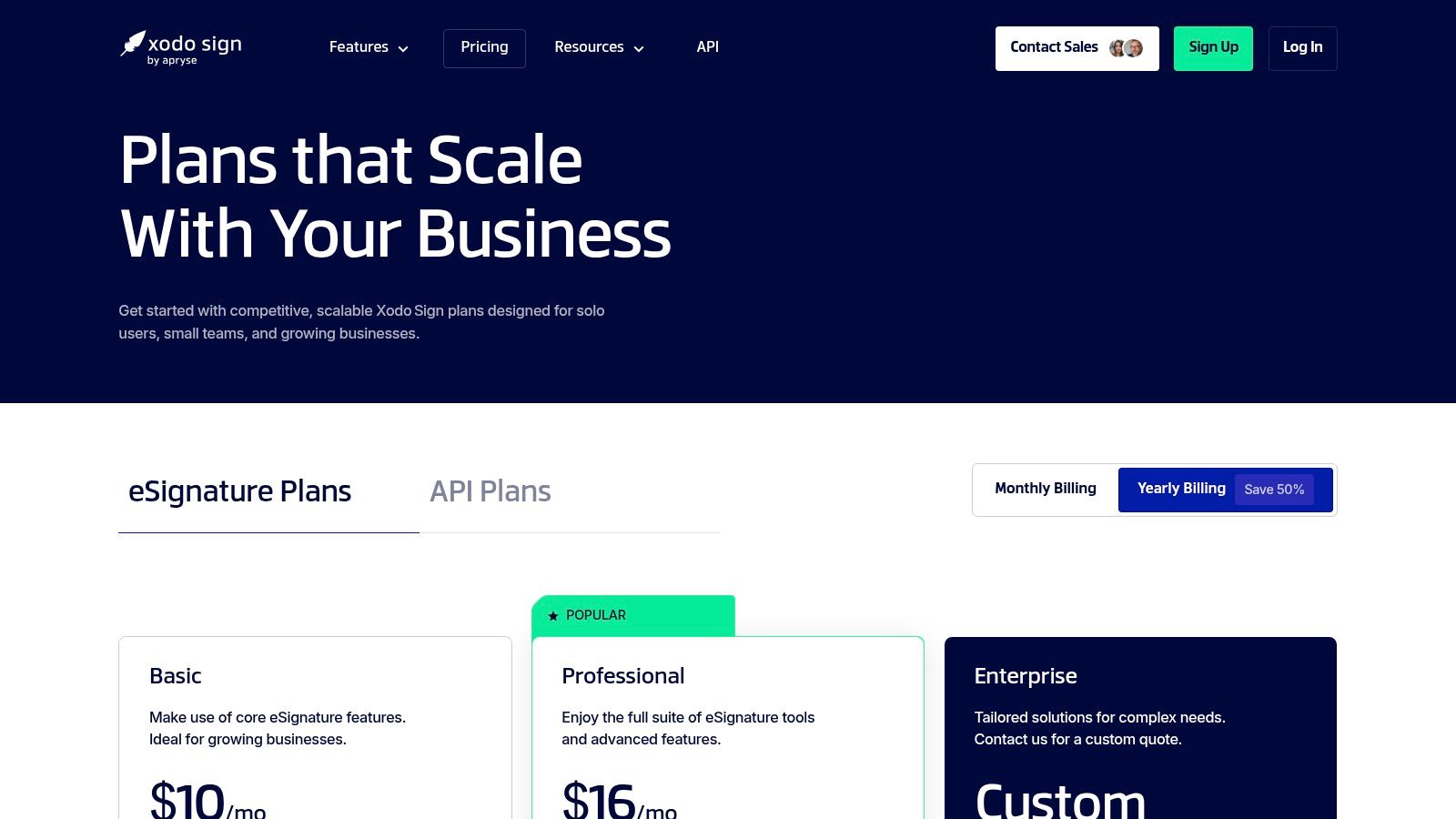
What distinguishes Xodo Sign is its blend of core eSignature functionality with emerging AI-powered tools like document summarization on higher-tier plans. The platform supports essential workflows through integrations with Zapier, Dropbox, and Gmail, and offers practical features like in-person signing and detailed audit trails. For organizations needing reliable security, its enterprise-grade compliance claims, including SOC 2, provide an added layer of trust.
Key Features and Considerations
Xodo Sign is designed for users who want advanced capabilities without a steep learning curve or prohibitive cost.
- Generous Entry Tiers: The Basic plan starts with unlimited documents, making it highly valuable for solo entrepreneurs and small teams with consistent signing needs.
- Advanced Features: Higher tiers unlock unlimited templates, bulk sending, advanced authentication options like SMS, and innovative AI tools for document analysis.
- In-Person Signing: A useful feature for field services, real estate, or any scenario where a signer is physically present but needs to sign a document digitally.
- Compliance and Security: The platform provides detailed audit trails for every document and claims adherence to major security standards, including SOC 2.
While its value is strong, some users have reported mixed experiences with third-party support, so teams with mission-critical uptime needs should verify service level agreements. You can review all plans and learn more about Xodo Sign’s pricing.
8. SignEasy
SignEasy is designed for businesses that prioritize speed, simplicity, and mobile accessibility in their eSignature workflows. It stands out as a user-friendly and affordable DocuSign alternative, focusing on getting teams up and running quickly without a steep learning curve. Its core strength lies in its intuitive, mobile-first design, which allows users to send, sign, and manage documents from anywhere, making it ideal for field teams, remote workers, and fast-moving sales professionals.
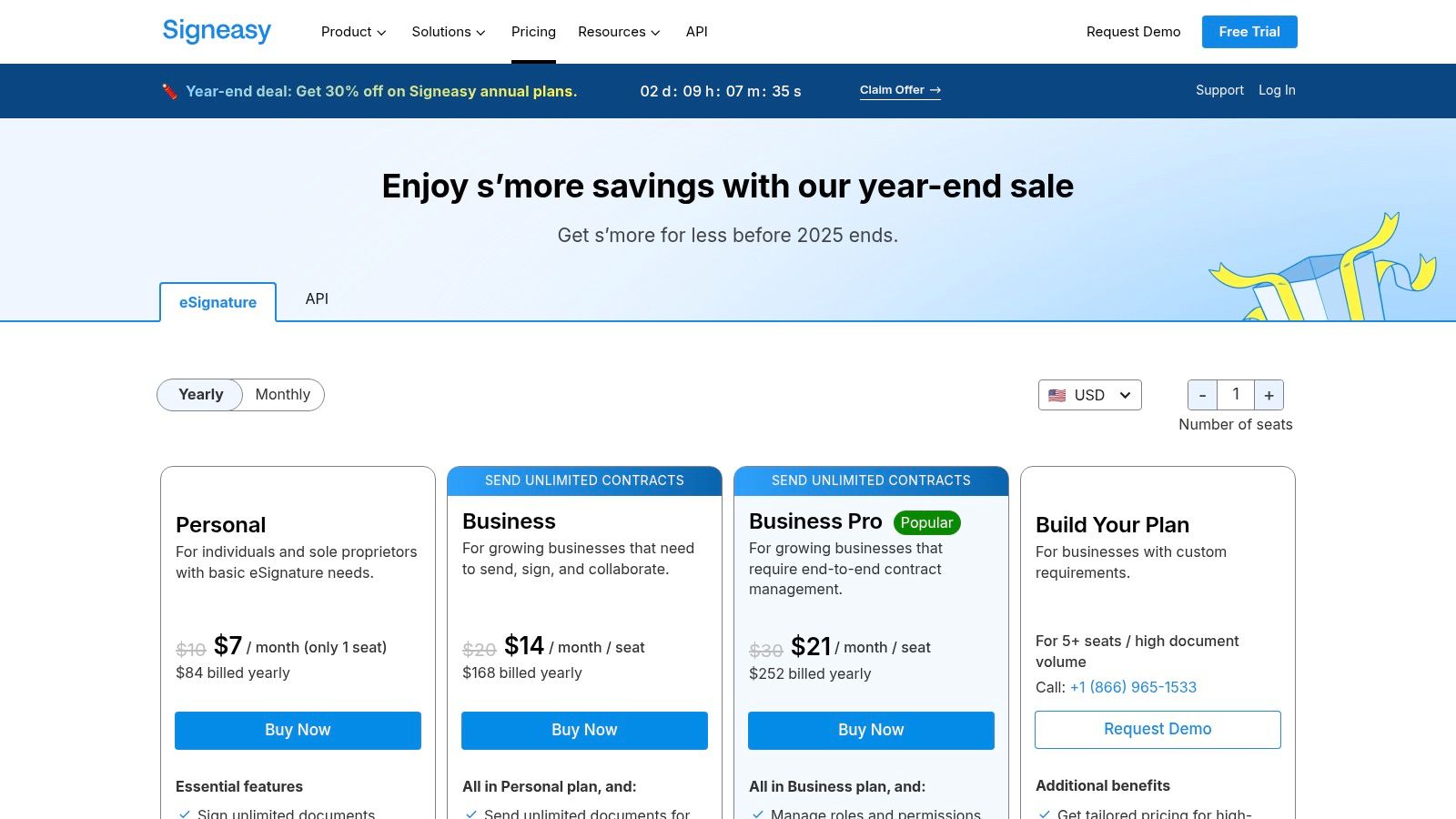
The platform offers a clean user experience and integrates well with popular business tools like Google Workspace, Microsoft 365, and major CRMs. For businesses seeking value, the Business tier provides unlimited document sends, a critical feature for high-volume teams in HR, legal, or operations. This predictable pricing helps organizations avoid the surprise overage fees common with other eSignature providers.
Key Features and Considerations
SignEasy balances ease of use with essential business features, including options for organizations in regulated industries.
- Mobile-First Experience: The platform is optimized for smartphones and tablets, ensuring a seamless signing process for all parties, regardless of their device.
- Transparent Pricing: Features clear monthly and annual billing options, with a money-back guarantee on annual plans, providing financial peace of mind.
- Compliance Options: Higher-tier plans offer compliance with HIPAA and 21 CFR Part 11, catering to healthcare and life sciences industries.
- Key Integrations: Connects with everyday tools like Salesforce, HubSpot, and Google Drive to embed signing directly into existing workflows.
While the entry-level plan limits document sends and advanced automation is reserved for higher tiers, its core offering presents a strong case for teams needing a straightforward, reliable signing solution. You can review its plans and learn more about SignEasy's eSignature solutions.
9. Foxit eSign
Foxit eSign emerges from the well-established Foxit PDF ecosystem, offering a mature and reliable e-signature solution that is a strong, affordable DocuSign alternative for businesses already integrated with Foxit’s suite of tools. It provides core e-signature capabilities alongside valuable add-ons like on-demand remote online notarization and deep Salesforce integration, making it a versatile choice for teams with specific, advanced workflow requirements. Its pricing is positioned to be competitive against larger players in the market.
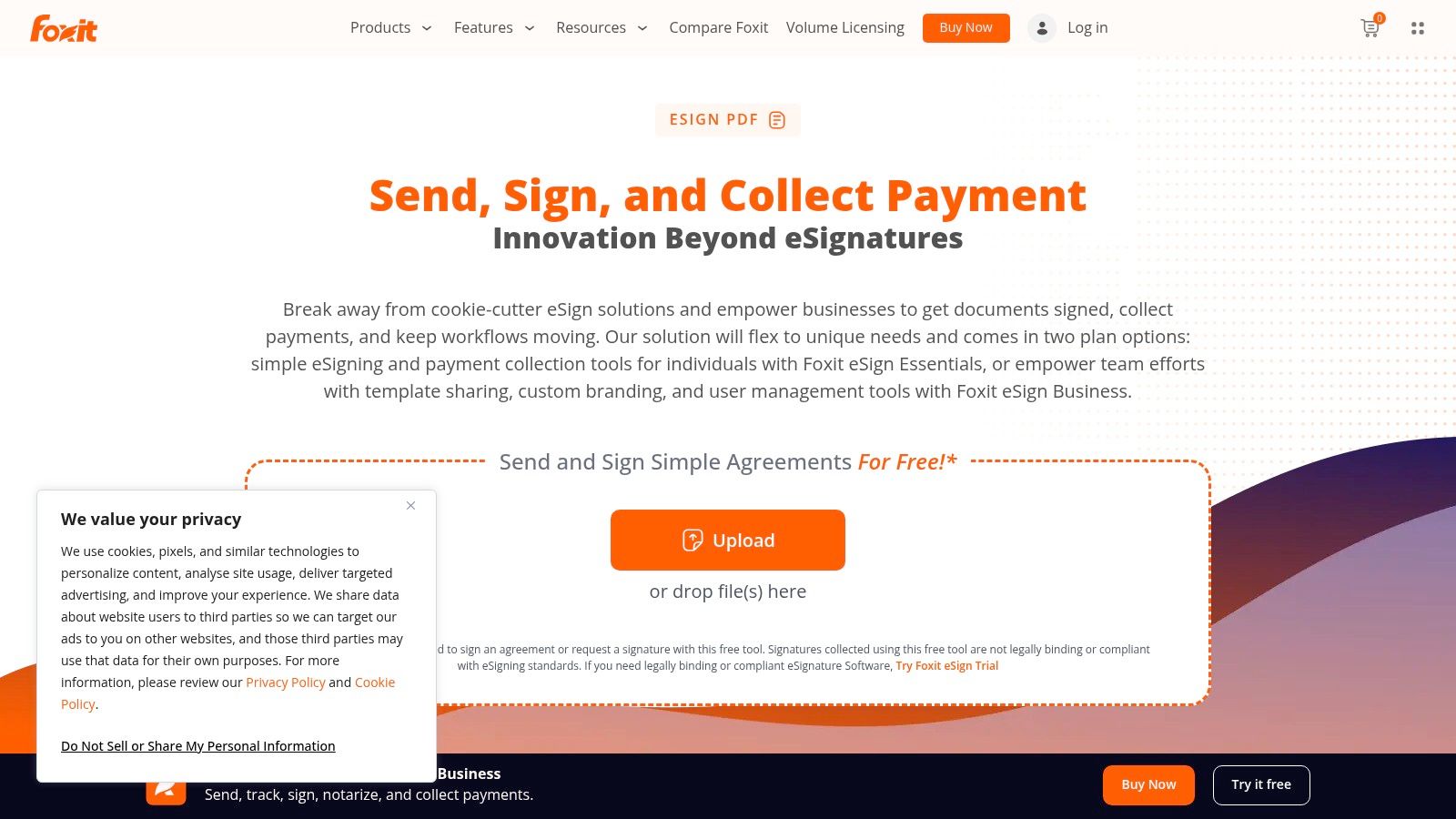
What makes Foxit eSign stand out is its seamless connection to the widely used Foxit PDF Editor, creating a unified document management experience. For sales-driven organizations, its advanced Salesforce add-ons and document generation capabilities can significantly streamline quote-to-cash cycles. The integration with NotaryLive also provides a unique, 24/7 remote online notarization service, a critical feature for legal, real estate, and financial transactions that require a higher level of verification.
Key Features and Considerations
Foxit eSign is built to serve both general and specialized business needs, from simple signing to complex, regulated workflows.
- Existing Ecosystem Integration: An excellent choice for the millions of users already relying on Foxit PDF tools for document creation and editing.
- Specialized Add-Ons: Offers powerful, optional features like 24/7 remote online notarization and sophisticated Salesforce document generation that are not standard on many platforms.
- Compliance and Security: Adheres to key industry standards, including ESIGN, UETA, and offers features to support HIPAA compliance.
- Competitive Plan Tiers: The Essentials and Business plans provide a strong feature set at a price point designed to attract small to medium-sized businesses.
While its core offering is robust, prospective users may find the pricing information slightly fragmented across different web pages and could need to contact sales to confirm current plan limits. You can explore the platform's full capabilities and learn more about Foxit eSign's solutions.
10. Smallpdf + Sign.com
Smallpdf positions itself as an all-in-one PDF solution, offering a bundled package that provides significant value for teams needing more than just eSignatures. By subscribing to their Pro or Team plans, users gain unlimited access to Sign.com, their dedicated eSignature platform, alongside a suite of over 30 PDF tools. This makes it an excellent affordable DocuSign alternative for businesses that frequently edit, convert, compress, and manage PDF documents as part of their daily workflow, consolidating two essential business needs into a single, cost-effective subscription.
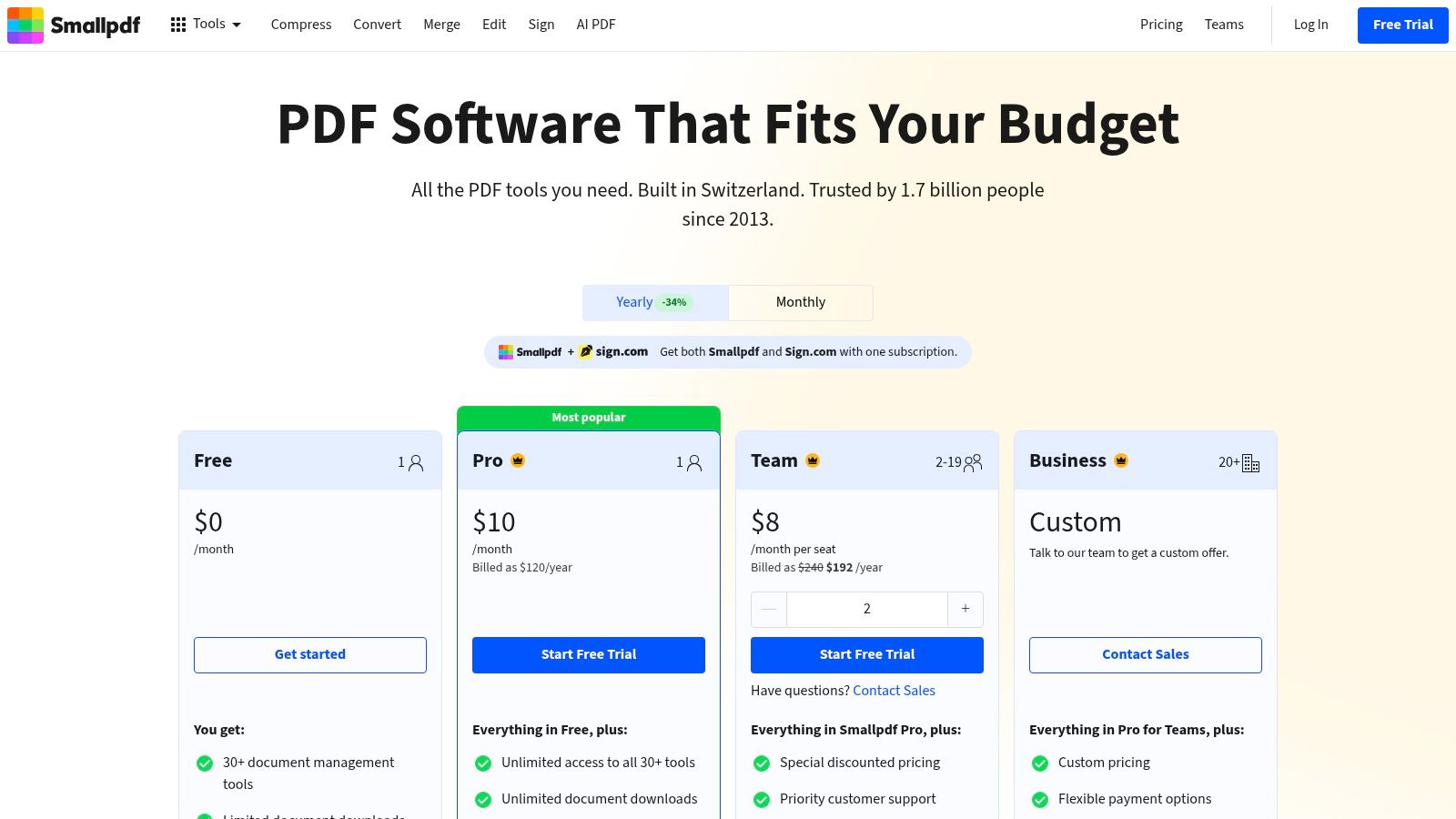
What sets this bundle apart is the sheer utility it offers beyond signing. Users can perform OCR on scanned documents, merge multiple files, or use AI-powered features to summarize long contracts before sending them for signature. For teams, the centralized billing and user management simplify administration. This two-for-one approach is ideal for marketing departments, administrative staff, and small businesses where employees wear multiple hats and require versatile digital tools without managing separate subscriptions.
Key Features and Considerations
The Smallpdf and Sign.com bundle is built for practicality, combining powerful document management with straightforward eSignature functionality.
- Dual Functionality: A single subscription provides full access to a comprehensive PDF toolkit and an unlimited eSignature service.
- Team Management: Business and Team plans offer centralized billing and administration, making it easy to manage licenses across an organization.
- Wide Range of Tools: Includes PDF editing, conversion, compression, OCR, and AI-powered document analysis to streamline pre-signing workflows.
- Potential Limitations: While the bundle is a great value, Sign.com may lack the advanced, high-volume automation and deep CRM integrations found in dedicated eSignature platforms like BoloSign.
For those whose work heavily involves PDF manipulation in addition to signing, this package presents a compelling and economical choice. You can explore the bundled features and view Smallpdf's pricing plans.
11. Adobe Acrobat (with eSign)
Adobe Acrobat Pro positions its eSign capabilities as part of a comprehensive document management ecosystem, making it a powerful choice for organizations already invested in Adobe's suite. Its core value is bundling robust PDF editing, creation, and management with legally binding e-signatures. This integrated approach is ideal for teams that need to do more than just sign documents, such as redacting text, converting formats, and preparing complex files before sending them for signature.
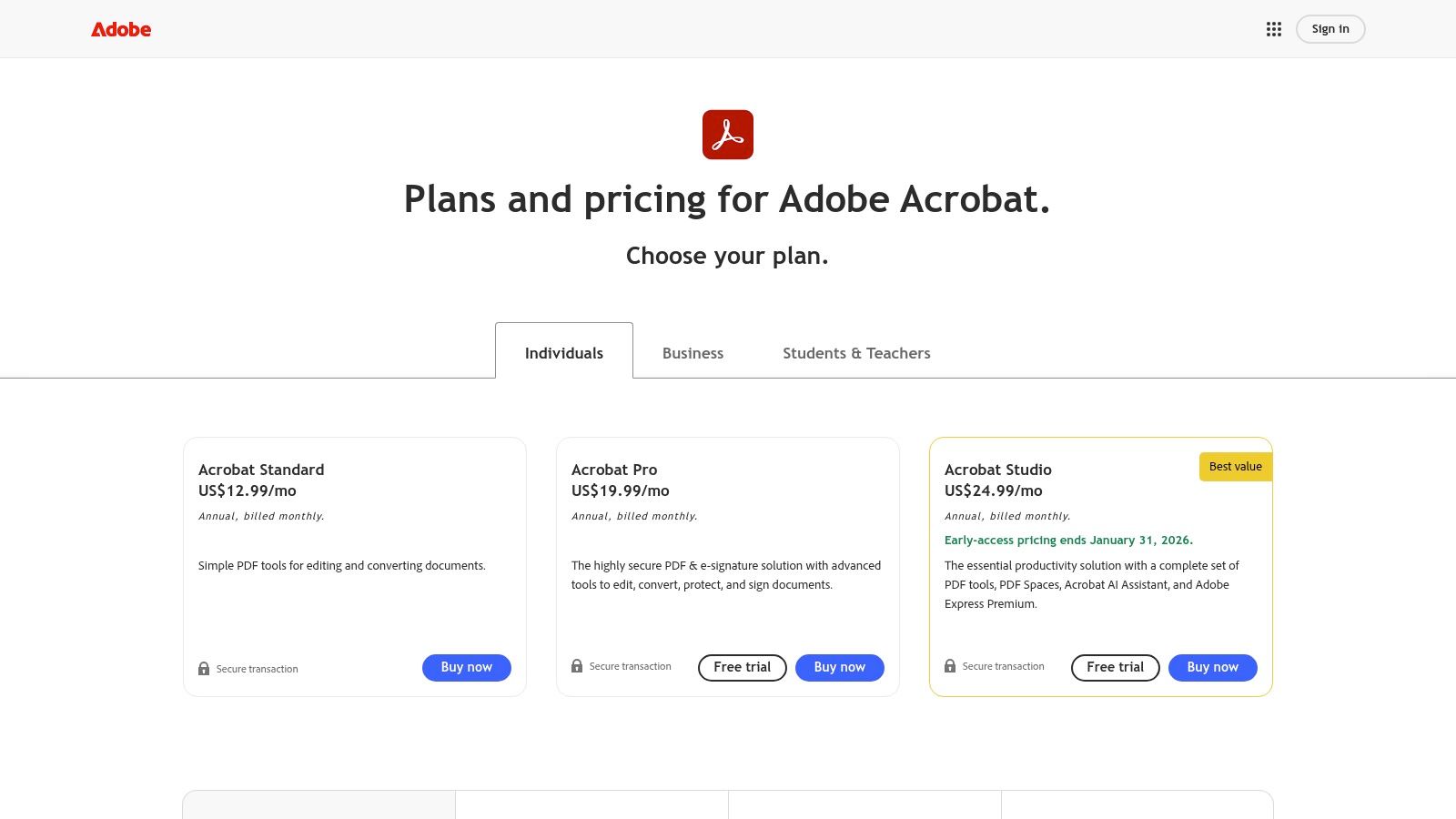
What sets Acrobat Pro apart is its deep integration with the ubiquitous PDF format and its powerful editing tools. For teams in legal, design, or marketing, the ability to modify a contract or creative brief and then seamlessly send it for signing within the same application is a significant workflow advantage. While it serves as a strong DocuSign alternative, its true strength lies in being an all-in-one document solution, not just a standalone eSignature tool.
Key Features and Considerations
Adobe’s established reputation for security and enterprise-readiness makes it a trusted choice, though its pricing structure requires careful consideration.
- All-in-One Document Hub: Combines industry-leading PDF editing with reliable eSignature collection, eliminating the need for separate software.
- Enterprise Credibility: As the creator of the PDF, Adobe offers unmatched compatibility, security, and trust, which is critical for large organizations.
- AI Assistant: An optional add-on provides AI-powered summaries and insights for long contracts, helping teams quickly digest complex information.
- Pricing Tiers: E-signature features are included in Acrobat Pro and Standard plans, but advanced capabilities like collecting payments or advanced form fields require higher-tier business plans, which can increase costs.
While its feature set is extensive, teams seeking a more straightforward and affordable signing solution with predictable costs might find it overly complex. You can explore the platform’s full capabilities and review Adobe Acrobat’s pricing plans.
12. Capterra: DocuSign Alternatives (comparison directory)
Instead of a single product, Capterra offers a continuously updated comparison directory of DocuSign competitors. It serves as a valuable starting point for businesses looking to build a shortlist of potential eSignature providers. The platform aggregates pricing snapshots, feature lists, pros, cons, and verified user reviews, allowing you to quickly gauge the market and compare value propositions across dozens of tools. This makes it an efficient resource for narrowing down your search before committing to free trials.
What makes Capterra useful is its curated "Top Alternatives" list, which often highlights solutions with significant review volumes and a strong market presence. The ability to filter results and read feedback from peers in similar industries can provide practical insights that marketing materials might miss. For businesses looking to optimize their entire software stack, exploring directories like this can uncover significant savings. This strategy is also discussed in an article about powerful free software alternatives to save money.
Key Features and Considerations
Capterra is best used as a research tool to inform your final decision rather than the decision-maker itself.
- Broad Coverage: The directory provides a wide-ranging overview of the eSignature market, helping you discover niche players you might otherwise overlook.
- Verified User Reviews: Access to genuine user feedback is crucial for understanding real-world performance, implementation challenges, and customer support quality.
- Pricing Snapshots: Offers a quick, high-level comparison of pricing models, though these may not always be up-to-date.
- Potential for Outdated Information: Directory summaries and pricing details can lag behind vendor updates. It's essential to always verify specifics on the official product pages.
While Capterra is a great starting point, always cross-reference its data with the vendor's own site. You can begin your research and explore the DocuSign alternatives on Capterra.
Top 12 Affordable DocuSign Alternatives — Features & Pricing
| Product | Core features / UX | Security & compliance | 👥 Target audience | 💰 Pricing / value | ✨ Unique selling point / Rating |
|---|---|---|---|---|---|
| 🏆 Closer Innovation Labs Corp. — BoloSign | Fixed‑price unlimited signatures, templates, forms, reusable PDFs, multi‑recipient flows, Google‑style form signing | ESIGN, UETA, eIDAS, GDPR, HIPAA, ISO 27001, SOC 2 | 👥 Small businesses scaling to enterprise | 💰 Single fixed price (unlimited) — contact sales | ✨ Google Forms in‑form signing; AI contract intelligence (NVIDIA); ★4.9 |
| Dropbox Sign (HelloSign) | Easy setup, templates, audit trails, Dropbox integrations | ESIGN/UETA, audit trails | 👥 Teams using Dropbox & SMBs | 💰 Transparent entry plans; free trials | ✨ Tight Dropbox storage integration; simple UX |
| airSlate SignNow | Bulk send, templates, workflows, integrations | HIPAA & 21 CFR Part 11 options; audit trails | 👥 SMBs needing bulk/regulated workflows | 💰 Lower starting prices; good value | ✨ Bulk send + regulated‑industry BAAs |
| Zoho Sign | Free tier, desktop/mobile apps, cloud imports, SMS delivery | Standard eSign laws, audit trails; Zoho ecosystem integrations | 👥 Zoho customers & budget‑conscious teams | 💰 Free tier + low‑cost paid plans | ✨ SMS delivery credits; integrated with Zoho suite |
| PandaDoc | Document creation + quoting, drag‑drop editor, analytics, CRM/payments | Standard eSign compliance (audit trails) | 👥 Sales teams needing proposals & eSign | 💰 Starter options; some plans include unlimited eSign | ✨ Rich editor, quoting and payment integrations |
| Xodo Sign (eversign) | Unlimited entry‑tier docs, integrations, in‑person signing | SOC 2 claimed; audit trails | 👥 Value‑focused teams & growing SMBs | 💰 Entry ~$10–$16/mo (core needs) | ✨ AI summarizer on higher tiers; strong entry value |
| SignEasy | Mobile‑first signing, templates, reminders, AI summaries | HIPAA / 21 CFR Part 11 options on higher tiers | 👥 Mobile teams and quick‑rollout users | 💰 Transparent monthly/annual billing | ✨ Fast mobile UX; money‑back guarantee on annual |
| Foxit eSign | eSign + PDF tooling, online notary, Salesforce add‑ons | Standard eSign controls; enterprise claims | 👥 Teams using Foxit PDF tools & Salesforce | 💰 Competitive plans with add‑ons (notary) | ✨ On‑demand online notarization (NotaryLive) |
| Smallpdf + Sign.com | Full PDF toolset + unlimited Sign.com eSign | Standard eSign protections; team billing | 👥 Teams needing PDF editing + eSign | 💰 One subscription covers PDF + unlimited eSign | ✨ 30+ PDF tools (OCR, compress, edit) bundled |
| Adobe Acrobat (with eSign) | Full PDF editing + eSign, AI Assistant (add‑on) | Enterprise‑grade compliance & controls | 👥 Organizations standardized on Adobe | 💰 Higher price; add‑ons for AI features | ✨ Deep PDF toolset + AI contract assistant |
| Capterra: DocuSign Alternatives | Vendor directory, verified reviews, pricing snapshots | N/A (directory) | 👥 Buyers shortlisting eSign vendors | 💰 Free resource | ✨ Aggregated reviews, pricing & comparison notes |
Ready to Simplify Your Workflows and Cut Costs by 90%?
The journey to find the best affordable DocuSign alternative reveals a fundamental shift in the eSignature market. It’s no longer about paying exorbitant per-envelope fees that penalize you for growing your business. Instead, the modern digital signing landscape is defined by platforms that offer predictable pricing, robust features, and seamless integration without the enterprise-level price tag.
As we've explored, tools like Dropbox Sign, airSlate SignNow, and PandaDoc each offer compelling features for specific use cases. Whether you need deep CRM integration for your sales team or advanced form-building capabilities for complex data collection, there is a solution tailored to your needs. However, the recurring theme for small businesses, startups, and agile teams is the need for simplicity, scalability, and cost-effectiveness. The hidden costs of per-document or per-user pricing models can quickly erode your budget, creating friction where you need efficiency.
Key Takeaways for Choosing Your eSignature Platform
Making the right choice comes down to aligning a tool’s core strengths with your operational priorities. Before you commit, here are the most important factors to revisit:
- Pricing Model: Is it predictable? A fixed-price model that includes unlimited documents and users, like BoloSign’s, eliminates surprise bills and allows your entire organization to adopt digital workflows without hesitation. Avoid platforms that force you to constantly monitor usage.
- Core Feature Set: Does it cover your non-negotiables? Ensure the platform offers unlimited templates, reusable forms, and a comprehensive audit trail. Features like BoloSign’s one-click template import can dramatically reduce the friction of migrating from a legacy system.
- Compliance and Security: Is it built for trust? Your chosen solution must adhere to global standards like ESIGN, UETA, and eIDAS. For sectors like healthcare or finance, look for HIPAA or GDPR compliance to ensure your secure document workflows meet stringent regulatory requirements.
- User Experience (UX): Is it intuitive for everyone? The best eSignature tool is one that your team, clients, and partners can use without extensive training. A clean interface that simplifies how you create, send, and manage documents is paramount for high adoption rates.
Your Actionable Next Steps
Armed with this information, you can now move forward with confidence. Start by shortlisting two or three platforms from this guide that best match your budget and feature requirements. Next, sign up for a free trial for each. This is the most critical step; use this trial period to test real-world scenarios.
For example, a staffing agency should try creating and sending an entire candidate onboarding packet. A sales team should test integrating the tool with their CRM to automate contract generation. This hands-on experience will quickly reveal which platform truly simplifies your processes. It’s the only way to find the best affordable DocuSign alternative for your unique operational DNA. By choosing a partner that champions transparent pricing and powerful, user-friendly features, you empower your team to focus on growth, not administrative overhead.
Ready to experience a digital signing solution designed for clarity and affordability? Closer Innovation Labs Corp. developed BoloSign to provide businesses with a powerful, all-in-one platform that is 90% more affordable than traditional alternatives. Start your 7-day free trial of BoloSign today and transform your document workflows.

Paresh Deshmukh
Co-Founder, BoloForms
7 Jan, 2026
Take a Look at Our Featured Articles
These articles will guide you on how to simplify office work, boost your efficiency, and concentrate on expanding your business.



