

The Best Alternative to DocuSign for Secure, Affordable E-Signatures
Discover the best alternative docusign options, secure and scalable e-signatures with predictable pricing for growing teams.

Tired of nonsense pricing of DocuSign?
Start taking digital signatures with BoloSign and save money.
If you're hunting for a reliable alternative to DocuSign, the search probably started with one simple, frustrating question: "Why is my eSignature bill so high?" It's a common story. The answer often boils down to complex pricing models that end up penalizing you for growing your business. For any company that pushes a high volume of documents, these unpredictable costs can quickly turn from a minor annoyance into a major headache.
Why are businesses seeking a DocuSign alternative?

DocuSign has been a big name in eSignatures for a long time, but its pricing structure often feels like a puzzle you can't solve. With fees for each user and each "envelope" you send, every new hire and every new contract adds to your monthly bill. This makes budget forecasting a nightmare and can actually discourage you from scaling.
This variable cost model is especially tough on industries swimming in paperwork. Think about a staffing agency onboarding dozens of new hires a week, a real estate firm juggling multiple contracts daily, or a logistics company managing countless vendor agreements. Their expenses can spiral out of control with zero warning. The result? They start looking for a more predictable path forward.
What is the problem with per-envelope pricing?
The "per-envelope" model charges you every single time you send a document out for signature. On the surface, it seems straightforward, but it has some serious downsides:
- It punishes growth: The more successful your business gets and the more documents you send, the higher your bill climbs.
- It creates budget uncertainty: Guessing your exact monthly cost becomes nearly impossible, making financial planning a constant challenge.
- It discourages usage: To keep costs down, teams might hesitate to use the platform for everything they need, which defeats the whole purpose of having a digital signing solution in the first place.
For many growing companies, the realization hits hard: they are paying a premium for a service that limits their ability to operate efficiently. This is the main reason so many are searching for a simpler, more cost-effective digital signing solution.
How do fixed-cost solutions offer a better way?
In stark contrast, a fixed-cost platform like BoloSign offers a clear, predictable alternative. By giving you unlimited documents, team members, and templates for one flat price, it completely removes the financial penalties tied to growth. This model empowers businesses to fully embrace contract automation and streamline their document workflows without ever worrying about surprise charges.
While DocuSign still holds a huge piece of the market, its pricing model is opening the door for more agile and affordable platforms. DocuSign market statistics show that customer retention can be a real issue due to high costs and rising competition, leaving plenty of room for innovative solutions to step in.
Choosing an alternative isn’t just about saving money—it’s about finding a partner that actually supports your success. With BoloSign, an NVIDIA-backed platform, you get a powerful eSignature solution that is up to 90% more affordable without cutting corners on security or functionality. You can create, send, and sign PDFs or templates quickly and securely.
Ready to see how simple and effective eSignatures can be? Start your 7-day free trial and experience the platform firsthand.
What features should a great DocuSign alternative have?
When you're searching for an alternative to DocuSign, it’s easy to get buried in endless feature lists. But what really matters for your day-to-day work? The best platforms don't just mimic pen and paper; they actively build efficiency into your process with powerful automation.
To make the right call, you need to look at both the foundational tools and the more advanced capabilities that help your business grow. Let's break down what you should actually be looking for.
What are the must-have foundational features?
Every solid digital signing solution is built on a few core pillars. These are the non-negotiables that handle the heavy lifting of your document tasks, from creation to collection. If a platform can't do these things well, it's a non-starter.
Three features really form the bedrock of any useful eSignature system:
- Creating and Sending PDFs: This is the absolute baseline. You have to be able to upload a PDF, drag and drop signature fields onto it, and fire it off to your recipients. It’s the first step away from the print-and-scan nightmare.
- Building Reusable Templates: Think about high-volume tasks like client onboarding or new hire paperwork. Creating those documents from scratch every single time is a huge waste of time. A good platform lets you build a template once and reuse it forever, saving you countless hours.
- Simple Form-Based Signing: A lot of businesses kick off processes by collecting information in a form. The ability to add signature to Google Form or a similar tool instantly transforms a simple survey into a binding agreement, connecting data collection and contract execution in one clean step.
This is an area where BoloSign really shines by offering unlimited documents and unlimited templates for one flat price. Imagine a real estate firm that needs templates for dozens of different property types. They can send out hundreds of lease agreements a month without ever worrying about hitting a cap or getting hit with surprise fees. It's a foundation built for scale.
Which advanced features drive real business growth?
Once you've got the basics covered, it's time to look for the features that automate your processes and give you deeper insights. These are the tools that separate a simple signing app from a true workflow automation platform.
Advanced features aren't just "nice-to-haves"—they are the engine of efficiency. They turn a cost center into a strategic asset by accelerating approvals, ensuring compliance, and giving you a clear view of your entire contract lifecycle.
Here are the advanced features that make a real difference:
- AI-Powered Workflows and Routing: Can you set a specific signing order for multiple people? Automated routing ensures a document moves from person to person without you having to manually nudge it along. This is absolutely critical for complex approvals in fields like logistics or professional services.
- Legally Binding Audit Trails: For anyone concerned with compliance, this is non-negotiable. A detailed audit trail logs every single action taken on a document—who viewed it, when they signed, and from what IP address. This creates a court-admissible record that proves the integrity of the agreement.
- Seamless Integrations: Your eSignature tool shouldn't be an island. It needs to connect with your CRM, cloud storage, and other business apps. Strong integration capabilities through tools like Zapier or Make are crucial for building end-to-end automated processes.
BoloSign builds these advanced capabilities directly into its platform. For example, a healthcare clinic can set up a workflow where a patient consent form is automatically sent from the patient to the doctor, and then filed away, all while maintaining a strict, HIPAA-compliant audit trail. You can explore our complete eSignature solution to see exactly how these features work together.
This combination of foundational and advanced features, all wrapped up in a simple, affordable plan, is what makes BoloSign such a powerful alternative to DocuSign. The NVIDIA-backed AI helps automate document workflows, while seamless integrations and a one-click migration tool for your old DocuSign templates make switching completely painless. Ready to see the difference? Start a 7-day free trial and experience it firsthand.
How does DocuSign pricing compare to alternatives?
Let's cut right to the chase. The number one reason businesses start looking for a DocuSign alternative is almost always the price. While DocuSign is a powerful, well-known tool, its pricing can quickly become a source of unpredictable expenses, especially for growing teams.
To find a better fit, you first have to understand why those costs can spiral out of control.
Why does DocuSign's pricing penalize growth?
DocuSign runs on a tiered pricing model that charges you based on users and "envelopes." This means your bill is directly tied to three things:
- How many people on your team need to send documents.
- Which features you need (the good ones are on higher tiers).
- How many "envelopes" you send out each month.
This structure creates a direct link between your business activity and your monthly bill. If you're a logistics company managing hundreds of vendor contracts or a real estate agency closing dozens of deals, those costs can balloon without warning. Every new hire who needs access and every new client you sign just adds another line item to the invoice, making it nearly impossible to forecast your budget.
This is a problem because the very features that make these platforms useful—like templates and workflows—are often locked behind the more expensive plans.
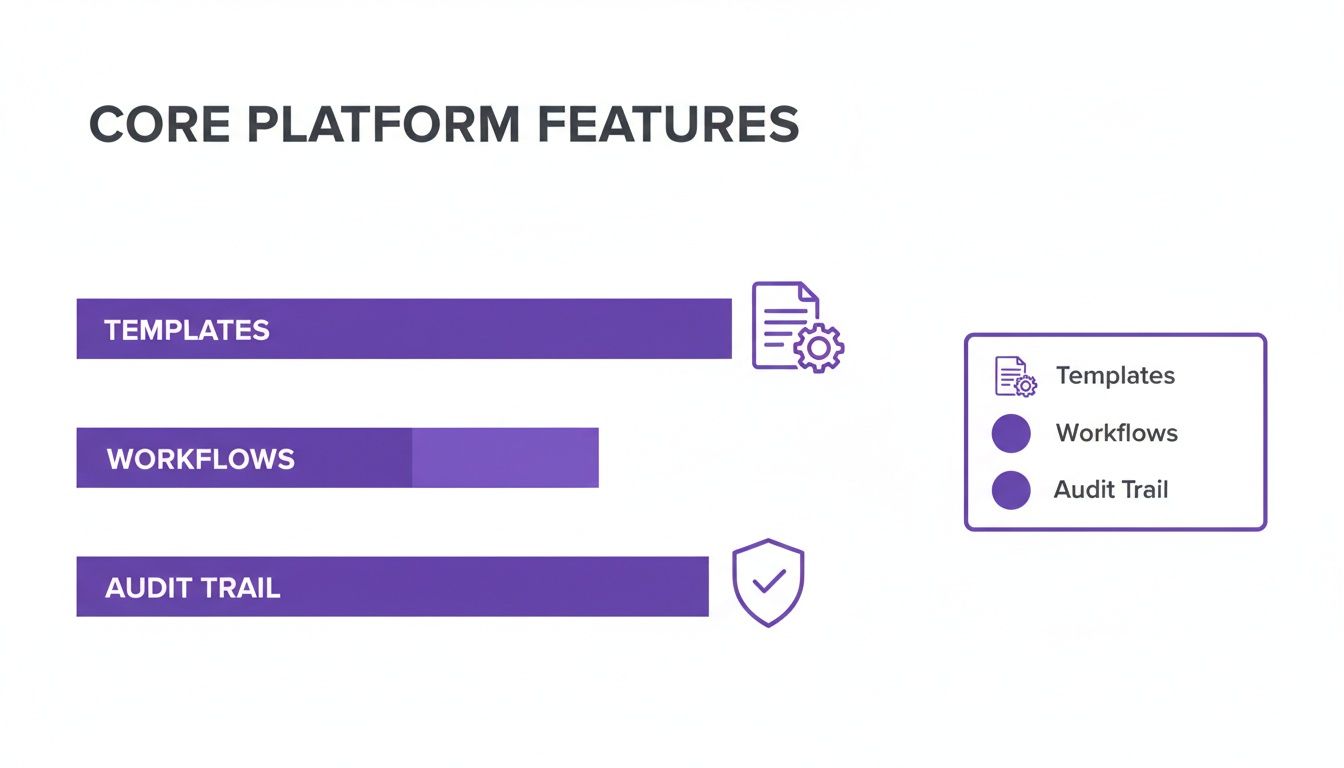
As you can see, tools that drive real efficiency are fundamental to any serious digital signing solution, and you shouldn't be penalized for using them.
How do fixed-price models offer budget certainty?
This is where a true DocuSign alternative like BoloSign really changes the game. Instead of a complicated, variable cost structure, BoloSign offers a simple, fixed-price model.
For one predictable monthly fee, you get everything you need, no strings attached:
- Unlimited documents and envelopes
- Unlimited team members
- Unlimited reusable templates
This approach completely decouples your growth from your expenses. You can bring your entire sales team on board, send as many proposals as you need to hit your targets, and build out a full library of templates for every department without ever seeing a surprise on your bill. It’s all about budget certainty.
With a fixed-cost model, your eSignature platform transforms from a fluctuating operational expense into a predictable, strategic asset. You are empowered to maximize its use across the entire organization, driving efficiency everywhere.
How does this translate into real savings?
Let's look at a real-world scenario. A small staffing agency sends around 200 onboarding packets a month with a team of five recruiters. With a per-envelope and per-user model, their costs could easily run into the hundreds of dollars each month.
Here's how that breaks down:
Cost Comparison: DocuSign vs. BoloSign
| Cost Factor | DocuSign (Estimated) | BoloSign (Fixed Price) |
|---|---|---|
| User Licenses (5 users) | Variable cost per user | Included in one plan |
| Document Volume (200) | Per-envelope fees or plan limitations | Unlimited documents included |
| Advanced Features | Often requires higher-priced tiers (e.g., Pro) | All features included |
| Total Monthly Cost | $200 - $400+ | One fixed, predictable price (saves ~90%) |
With BoloSign, the cost remains the same flat fee, potentially saving them up to 90% on their eSignature expenses. It’s not a small difference.
This significant cost gap is exactly why so many businesses are looking for alternatives. While DocuSign's latest financial results show they are still growing, it also highlights that the market is hungry for more cost-effective solutions.
BoloSign, an NVIDIA-backed platform, delivers affordability without compromising on enterprise-grade security and compliance (ESIGN, eIDAS, HIPAA, GDPR). Features like AI-powered automation and seamless contract automation are standard, not locked away in an expensive tier. It’s a transparent approach that guarantees you get maximum value.
If you’re tired of unpredictable software bills, you can review BoloSign's straightforward pricing plans and see the difference for yourself.
How do you evaluate security, compliance, and integrations?
When you're looking for an alternative to DocuSign, you aren't just buying software. You're handing over your most critical agreements to a new partner. For any serious business, especially those in regulated industries like healthcare or finance, security and compliance are the bedrock of that partnership. A digital signature is worthless without a rock-solid legal and security framework backing it up.
This is why getting a handle on compliance standards is everyone's job, not just the legal team's. Regulations like the ESIGN Act and UETA in the U.S., along with eIDAS in the European Union, are what make electronic signatures legally binding and hold up in court.
How can you verify a platform's security and compliance?
Beyond the legal basics, real security comes down to technical certifications and a deep respect for data privacy laws. If you're in healthcare, HIPAA compliance is absolutely non-negotiable. If you handle data from anyone in the EU, GDPR is the gold standard you have to meet.
A key thing to look for is proof of international security standards, like an ISO 27001 accreditation. These aren't just logos on a website; they signal a serious, audited commitment to protecting your data with stringent security controls.
BoloSign was built with this exact enterprise-grade security at its core. It's fully compliant with ESIGN, eIDAS, HIPAA, and GDPR. This level of security is standard for us, not a pricey add-on, ensuring your document workflows are secure and legally sound.
Why do integrations matter so much?
A secure platform is table stakes. But a well-integrated one? That’s what completely changes the game for your team's efficiency. An e-signature tool that operates in a silo is a productivity killer. It has to talk to the other software you live in every single day.
Just think about a sales contract. It might get its start in your CRM (like Salesforce), get drafted in Google Drive, and trigger a celebration message in Slack once it's signed. An integrated e-signature tool connects all those dots, making the process flow without anyone having to manually push things along.
A truly effective digital signing solution does more than just capture a signature—it speeds up the entire lifecycle of an agreement. When integrations are seamless, your eSignature tool transforms from a simple utility into the automation hub for all your contracts.
This is where connectivity becomes a superpower. BoloSign plugs right into the tools that modern businesses depend on. With native integrations and powerful connections through Zapier, Make, and Pabbly, it can link up with thousands of other apps, from HubSpot to your favorite project management tool. You can learn more about setting up these systems in our guide on how to streamline document approval processes.
While DocuSign is a giant in the enterprise space, its premium pricing can feel like a penalty for smaller businesses. In fact, that enterprise focus is exactly what has opened the door for more agile and innovative alternatives to flourish. You can read more about DocuSign's market position and future growth prospects on docusign.com.
With BoloSign, an NVIDIA-backed platform, you don't have to choose between security, features, and price. You get a fully compliant, seamlessly integrated, and AI-powered platform designed to fit right into your existing tech stack. Curious to see how it works with your tools? Start a 7-day free trial and see for yourself.
How easy is it to migrate from DocuSign?
The thought of switching software can bring on a headache. Visions of lost data, team-wide retraining, and weeks of disruption are enough to make anyone hesitate. But moving to a better alternative to DocuSign doesn’t have to be a massive overhaul. With the right platform, it’s a quick, straightforward project that starts paying off almost immediately.
Modern solutions were built to solve this exact problem. The goal is to get you up and running in hours, not days, proving that a switch to a more affordable and efficient system is an upgrade, not a hassle.
Can you import your existing DocuSign templates?
Yes, and honestly, this is a game-changer for making a smooth switch. The single most time-consuming part of moving between eSignature platforms is rebuilding your document library. Think about all those sales contracts, NDAs, and new-hire packets you’ve perfected over the years. Recreating them from scratch is a tedious task that kills momentum.
BoloSign gets rid of that roadblock entirely with its one-click DocuSign template import tool. This isn’t a partial import—it pulls your entire document workflow, fields and all, directly into the new system. This feature alone saves countless hours and lets your team keep working without skipping a beat.
By importing your templates instantly, you preserve the institutional knowledge and workflows you’ve already built. It’s the fastest way to get your team comfortable and productive on a new platform, ensuring a seamless continuation of business operations.
What does the migration process look like?
Making the switch to a platform like BoloSign is designed to be simple and fast. You can get your whole team moved over and fully operational with very little friction.
Here’s what the typical migration path looks like:
- Set Up Your Account: First things first, create your new workspace. With BoloSign, this takes just a few minutes and gives you immediate access to everything.
- Import Your Templates: Use the one-click tool to bring over your library of DocuSign templates. All your custom fields and settings come with them.
- Invite Your Team Members: Add everyone on your team to the platform. Since BoloSign has a fixed-price model, you can add unlimited team members without your bill creeping up.
- Connect Your Integrations: Link BoloSign to the tools you already use, like Google Drive, HubSpot, or Salesforce. You can use Zapier, Make, or Pabbly to keep all your automated workflows running smoothly.
- Start Sending Documents: With your templates and team in place, you’re ready to go. You can start creating, sending, and managing your agreements right away.
The whole process is backed by BoloSign’s NVIDIA-powered AI, which can help speed up contract reviews and initial setup, making the transition even easier. It’s a clean break from complicated software, designed to deliver immediate savings and efficiency.
Ready to see how easy it is to move to a more powerful and affordable digital signing solution? Start a 7-day free trial and experience the seamless migration process firsthand.
Which DocuSign alternative fits your industry?
Picking the right alternative to DocuSign isn't just about comparing features or chasing the lowest price. It’s about finding a tool that actually gets the unique pressures and workflows of your industry. A platform built for a real estate agency, for example, is going to fall short for a healthcare provider with strict compliance needs.
The real challenge is matching the solution to your specific operational demands. This is where a more flexible, unlimited platform like BoloSign really changes the game. Its fixed-price model for unlimited documents, templates, and team members means businesses in high-volume sectors can finally scale without watching costs explode.
Let’s see how that works in the real world.
How can staffing agencies accelerate onboarding?
In staffing and recruitment, speed is everything. The time it takes to get candidate paperwork signed can mean the difference between placing a top contender and losing them to a competitor. Agencies blast out hundreds of documents a month—offer letters, NDAs, background check consents, you name it.
With BoloSign, an agency can create reusable templates for every single document type. A recruiter can then send out an entire onboarding packet in a few clicks and track its progress in real-time. Since there are no per-envelope fees, they can process as many candidates as they need without their software bill spiraling out of control.
What do healthcare providers need for compliance?
Healthcare is an industry defined by iron-clad compliance and incredibly sensitive data. Providers need a digital signing solution that’s not only secure but also fully HIPAA compliant to handle things like patient intake forms and medical release authorizations. The cost of a compliance slip-up is massive, but so is the price tag on most enterprise-grade eSignature tools.
BoloSign delivers enterprise-level security and HIPAA compliance without the enterprise price tag. This allows clinics and private practices to digitize patient workflows confidently, knowing their data is protected and their agreements are legally sound.
This means even a small clinic can automate its entire patient intake process. From scheduling to form completion and signature, it all happens within a secure, compliant environment, with a detailed audit trail for every document ready at a moment's notice.
How can logistics and sales teams close deals faster?
For logistics and sales teams, efficiency has a direct line to revenue. Logistics companies are constantly juggling vendor agreements, bills of lading, and delivery confirmations. Sales teams live and die by how quickly they can get proposals and contracts signed to hit their targets. Both worlds benefit hugely from seamless contract automation.
BoloSign connects directly with tools like HubSpot and Salesforce via Zapier. A sales rep can automatically generate and send a contract right from their CRM. A logistics manager can set up workflows that route a new vendor agreement to the legal team, then to finance for approval, all without anyone lifting a finger.
For any industry, the ability to sign PDFs online is just the starting point. The real value comes from a platform that can grow with you. As an NVIDIA-backed platform, BoloSign is also using AI to make document management even smarter, making it a forward-thinking choice for any business.
Ready to see how a fixed-price model can transform your team's workflows? Start your 7-day free trial and see what unlimited eSignatures can do for you.
Frequently Asked Questions About DocuSign Alternatives
Thinking about moving away from a tool you know well? It’s only natural to have a few questions. Making the right call on a DocuSign alternative means getting straight answers about everything from legal standing to the features you rely on every day.
Are signatures from alternative platforms legally binding?
Yes, absolutely. The leading DocuSign alternatives, including BoloSign, are built to comply with major international e-signature laws. This includes the ESIGN Act in the United States and eIDAS in the European Union. Every document you get signed comes with a complete, court-admissible audit trail. This log tracks every single action—who opened it, when they signed, and where they were—making your agreements just as ironclad as with any other major provider.
Will I lose critical features if I switch to an alternative?
Not at all. In fact, you might even gain a few. Modern alternatives like BoloSign are designed with robust, enterprise-level functionality. You get unlimited documents, reusable templates, team access, and advanced workflows right out of the box. You can also tap into powerful tools like AI-powered automation, seamless integrations with tools like Salesforce and HubSpot, and a one-click migration feature for your existing templates, all for a single fixed price. You can get a better sense of our AI-powered approval workflows on our site.
Switching doesn't mean compromising. The best alternatives provide the core features you rely on, plus the added benefits of unlimited usage and predictable pricing, empowering you to do more without spending more.
How much downtime should I expect when migrating?
The migration process is designed to be incredibly quick. With BoloSign's one-click import feature, you can pull your existing DocuSign templates directly into the new system, saving hours of manual setup. Thanks to an intuitive interface, most businesses are fully operational—inviting team members and sending documents—within a single afternoon.
Can I try a DocuSign alternative before committing?
Of course, and you absolutely should. BoloSign offers a 7-day free trial that gives you full access to every feature on the platform. This is your chance to see how everything works in your real-world environment. You can create templates, explore our eSignature tool, and set up integrations with the software you already use. It's the best way to see firsthand how an affordable, unlimited digital signing solution can fit into your business, risk-free.
Ready to see how BoloSign makes eSignatures simple, affordable, and secure? Start your 7-day free trial and experience the power of unlimited documents, team members, and templates at one fixed price.

Paresh Deshmukh
Co-Founder, BoloForms
3 Jan, 2026
Take a Look at Our Featured Articles
These articles will guide you on how to simplify office work, boost your efficiency, and concentrate on expanding your business.



