

Google Forms Electronic Signature: A Guide to Secure Signing
Discover how to get a legally binding Google Forms electronic signature. Learn about add-ons, integrations, and secure solutions for compliant workflows.

Tired of nonsense pricing of DocuSign?
Start taking digital signatures with BoloSign and save money.
You can absolutely add a field to a Google Form that looks like a signature, but let's be crystal clear: it won't be legally binding for any serious agreement. A simple typed name or a drawn image inside a form just doesn't have the security, identity verification, or audit trails required by laws like the ESIGN Act and eIDAS.
The Hidden Risks of Basic Google Forms Signatures
Look, Google Forms is a fantastic tool for gathering basic information. Customer feedback, event sign-ups, quick polls—it's simple, familiar, and gets the job done. But this ease of use can create a dangerous false sense of security when you need a real signature on an important document.
When someone just types their name into a text field, that’s all it is—text. You have no real proof of who signed it or any guarantee that the document wasn't tweaked afterward. For anything with legal weight, like contracts, consent forms, or new-hire paperwork, this approach falls alarmingly short. You're basically operating on trust, and that’s a risky business strategy.
The Compliance Gap You Can’t Ignore
Major electronic signature laws, like the ESIGN Act in the United States and eIDAS in the European Union, are pretty specific about what makes an eSignature legally enforceable. These regulations are there to ensure the integrity and authenticity of digital agreements.
A native Google Forms setup, unfortunately, fails to meet these critical standards in a few key ways:
- No Identity Verification: There’s no solid way to confirm the signer is who they claim to be.
- Missing Audit Trail: It doesn't generate a complete, tamper-proof log of every action taken—from the moment the form was viewed to when it was submitted.
- Poor Document Integrity: The form and its data can be easily copied or changed without a secure, digital seal protecting the final version.
Imagine a staffing agency using a Google Form to send a contract to a new temporary hire. If a payment dispute arises later, the agency would struggle to prove the signature's validity in court. That missing audit trail makes the entire agreement vulnerable.
To quickly see the difference, here’s a breakdown of what a basic Google Form offers versus a true eSignature platform.
Google Forms Native Signature vs Legally Binding eSignature
| Feature | Google Forms Native Signature | Legally Binding eSignature |
|---|---|---|
| Legal Status | Not legally binding for most contracts | Compliant with ESIGN, eIDAS, and UETA |
| Identity Verification | None; relies on email address only | Multi-factor authentication, IP tracking, etc. |
| Audit Trail | Basic submission timestamp only | Comprehensive, tamper-evident log of all actions |
| Document Security | Data can be altered after submission | Tamper-sealed documents with cryptographic security |
| Enforceability | Very low; easily disputed in court | High; provides strong evidence of intent and consent |
This table makes it clear: while Google Forms is great for casual data collection, it's not built for the security and compliance that legally binding agreements demand.
Industry-Specific Dangers
This isn't just a theoretical problem; it has serious real-world consequences across different fields. A healthcare provider gathering patient consent on a standard Google Form could face major HIPAA compliance violations. A real estate agent using one for a client agreement might find their contract is completely unenforceable if a dispute arises.
These high-stakes situations demand a dedicated, secure, and compliant digital signing solution. Relying on a simple form workaround not only opens your business up to legal challenges but also chips away at the trust you're trying to build with clients and partners. True peace of mind comes from using a platform that was engineered for security from the ground up, ensuring every signature is authenticated, tracked, and legally sound.
Using Add-Ons for Simple Internal Approvals
When you just need a quick signature on a low-stakes, internal task, reaching for a Google Workspace add-on can feel like the path of least resistance. These tools plug right into your Google Forms environment, offering what seems like a simple way to drop in a signature field without really changing your workflow.
The process itself is pretty straightforward. You browse the Marketplace directly from your form, find an e-signature add-on, and install it in a couple of clicks. From there, you can usually pop open the add-on, tweak a few settings, and add a signature box. It's a popular method for simple acknowledgments where the legal stakes are basically zero.
When Add-Ons Make Sense
Think of these add-ons as the digital equivalent of an initial or a checkmark for simple, internal processes. They get the job done for tasks that don't carry any real legal or financial weight.
For instance, a logistics company might use an add-on to have drivers acknowledge they’ve read a new safety brief. Or an education provider could use one for an internal poll to confirm staff has seen the updated academic calendar. In these kinds of situations, you're just looking for a simple confirmation, not building a legally defensible contract.
The key takeaway is this: add-ons provide a handy way to capture an acknowledgment, but they are not a substitute for a secure eSignature. They're for internal handshakes, not external agreements.
The Hidden Trade-Offs and Limitations
That convenience, however, comes with some pretty big trade-offs. The main problem with most Google Forms add-ons is the lack of serious security and a comprehensive audit trail. Plain and simple, they just don't offer the layers of verification and documentation you absolutely need for a legally binding agreement.
Most of these tools are missing a few critical pieces:
- Strong Identity Authentication: They can't prove the signer is who they say they are beyond their Google account login.
- Tamper-Evident Seals: The final document and its data aren't cryptographically sealed, which leaves them vulnerable to being altered after the fact.
- Detailed Audit Trails: You won't get a complete, time-stamped log of every single action taken on the document—a non-negotiable feature for legal enforceability.
For anything client-facing or legally sensitive—like a sales contract, an NDA, or a new patient form—relying on a basic add-on is just asking for trouble. While they have a place for internal checklists, you can find much better, more structured solutions for multi-step form approval workflows that give you far more control without overcomplicating things.
When real peace of mind is on the line, especially with anyone outside your company, a more secure method is the only way to go.
Use an Integration to Connect Google Forms to Your Signing Platform
For businesses that rely on the simplicity of Google Forms for gathering information but need ironclad signature security, automation is the answer. Instead of trying to awkwardly fit a signature feature into a Google Form, this approach uses the form to collect the initial data and then kicks off a secure signing process in a dedicated platform like BoloSign.
This method gives you the best of both worlds. You get to keep your familiar, easy-to-use form on the front end for clients or new hires. Meanwhile, the actual signature process happens on the back end, ensuring it's fully compliant, secure, and legally binding.
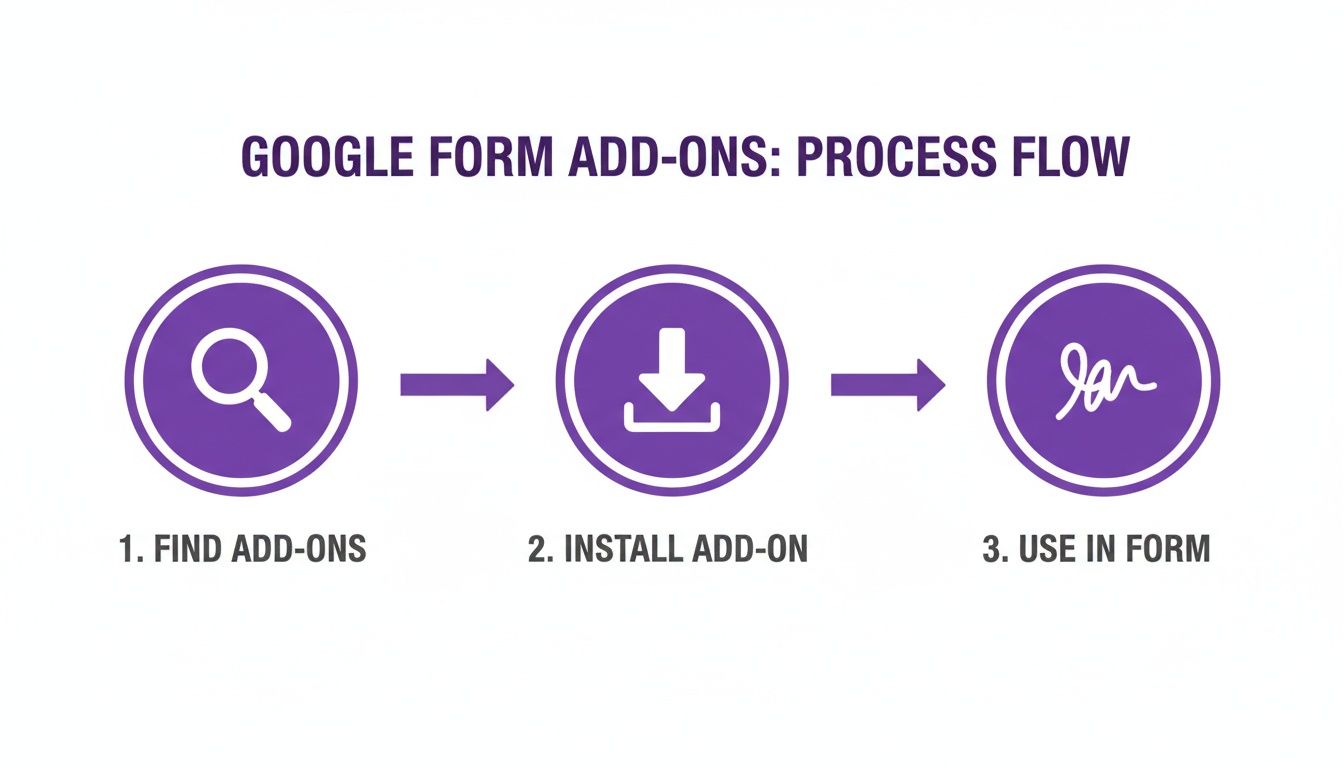
While add-ons can extend Google Forms' basic functions, a more powerful connection is needed for true contract automation.
Create an Automated Document Workflow
This is where integration tools like Zapier and Make come in. They act as a bridge between your Google Form and your eSignature platform. You can set up a simple workflow that says, "When this happens in Google Forms, do that in BoloSign."
Let’s see how this works for a professional services firm:
- A new client fills out an onboarding Google Form with their company name, contact info, and the service package they want.
- The moment they hit "submit," Zapier instantly grabs this data.
- The data is used to automatically fill out a service agreement template in BoloSign, personalizing it with the client's details and service terms.
- BoloSign then securely emails the finalized agreement to the client for their legally binding electronic signature.
This all happens in seconds, without a single person having to manually copy and paste information. You completely eliminate the risk of typos and dramatically accelerate your onboarding or sales cycle. This speed is a massive advantage, especially given how common digital agreements have become.
The number of electronic signature transactions is projected to surge from 198 million in 2020 to 4,754 million by 2025—that's a 24-fold increase. This explosive growth shows that integrated, automated workflows are quickly becoming the standard for modern business.
The Real Benefits of Integration
Connecting your forms to a purpose-built signature platform offers serious advantages. You aren't just getting a signature; you're getting a complete, secure document workflow. This includes a tamper-evident audit trail, signer identity verification, and full compliance with laws like the ESIGN Act and eIDAS. Our guide on how to add a digital signature to Google Forms dives deeper into these technical setups.
This approach transforms a basic data collection tool into the launchpad for a secure, professional, and incredibly efficient contract automation system. For any business that needs to move fast without compromising on security or compliance, this is the most effective way to handle a Google Forms electronic signature.
How to Create Genuinely Secure Signable Documents
This kind of interface signals a crucial shift—moving away from basic forms and into a dedicated, secure environment built for signing.
The moment an agreement involves real stakes, it’s time to graduate from the workarounds. I'm talking about client contracts, a new hire's employment terms, or a critical patient consent form. While Google Forms add-ons and integrations have their place for simple data collection, they can't match the security and peace of mind you get from a platform purpose-built for legally binding eSignatures.
This is where tools like BoloSign step in. They transform your entire document workflow from a potential headache into a secure, professional, and airtight process.
Creating a genuinely secure document to sign PDFs online is a completely different ballgame than trying to jury-rig a Google Form. You start with your actual document—no need to waste time rebuilding it as a form. Just upload your PDF or Word file, or even grab a pre-built template to get started.
Effortless Setup with AI-Powered Assistance
Once your document is in the system, getting it ready for signatures is surprisingly simple. Modern platforms use AI to automatically detect where fields for signatures, dates, and initials should go, saving you from the tedious task of placing them all by hand. From there, you can drag and drop any extra fields you need, like text boxes, checkboxes, or dropdown menus.
This is a massive time-saver for any business that deals with a high volume of similar documents. Imagine a staffing agency. They can create one master employment contract template. When a new candidate is hired, they generate a personalized version in seconds, add the specific fields, and send it out for a secure signature—all from within a single, controlled platform.
With BoloSign, you can manage an unlimited number of documents, team members, and templates for one fixed price. It’s a model that makes professional-grade eSignature tools up to 90% more affordable than traditional solutions that nickel-and-dime you per user or per envelope.
The Anatomy of a Secure Signing Process
When you send a document for signature through a dedicated platform, a whole series of security measures kick in behind the scenes. These are the critical features that separate a professional eSignature from a simple form submission.
- Bank-Grade Security: Your documents are protected with serious encryption, both when they're being sent and while they're stored. This keeps sensitive information locked down and confidential.
- Comprehensive Audit Trails: Every single action is logged. From the moment the document is sent to when it’s viewed, signed, and completed, you get a detailed, time-stamped audit trail. This creates a tamper-evident record that holds up in court.
- Guaranteed Compliance: A true eSignature solution is built from the ground up to comply with major laws like the ESIGN Act in the US and eIDAS in the EU. It also meets industry-specific regulations like HIPAA. This isn't just an add-on feature; it's part of the core foundation.
This level of security is quickly becoming the standard. Experts predict that by 2025, between 60-80% of organizations in the US and Europe will have adopted electronic signatures as their primary method for agreements. We're already seeing it in healthcare, where eSignatures are essential for patient consent in telemedicine, and in real estate, where over 65% of property deals are expected to be e-signed. You can dive deeper into these eSignature trends on Certinal.com.
Real-Time Tracking and Management
After a document is sent, you’re never left wondering about its status. A central dashboard gives you a real-time view of every document you have out for signature. You can instantly see who has opened it, who has signed, and who might need a gentle nudge—which you can often send with just one click.
For a logistics company managing dozens of vendor agreements, this means no more chasing down signatures through endless email chains. They can track all their contracts at a glance, spot bottlenecks immediately, and get their procurement cycle moving much faster. This complete, end-to-end management is what really defines a modern digital signing solution.
Ready to see how a secure, streamlined workflow can change the way you do business? BoloSign makes it simple to create, send, and sign any document with AI-powered automation and bank-grade security.
What Makes an Electronic Signature Legally Binding?
An electronic signature is only useful if it actually holds up. When you're finalizing a sales deal or onboarding a new hire, the signature's legal standing is what gives your agreement its teeth. So, what separates a simple checkmark in a Google Form from an ironclad, legally enforceable signature?
It all boils down to a few core principles laid out in laws like the ESIGN Act in the U.S. and eIDAS in the European Union. These aren't just technical details; they are the very foundation of digital trust. Without them, you're left with a digital "he said, she said" scenario—and that's not a great way to protect your business.
The Pillars of a Legally Sound Signature
For an electronic signature to be taken seriously in a legal context, it generally needs to tick a few key boxes. Think of this as your checklist for compliance and peace of mind.
- Demonstrable Intent: The signer has to clearly show they meant to sign. This usually happens when they click a button labeled "I Agree" or actively draw or type their signature in a dedicated field. It’s an explicit action.
- Signer Authentication: You need a reliable way to verify who is actually doing the signing. This can be handled through email verification, unique access links that only the recipient has, or even IP address tracking.
- Record Integrity: Once signed, the document must be sealed to prevent any sneaky edits or tampering. Any change, no matter how small, has to be immediately obvious.
- Complete Audit Trail: A comprehensive, time-stamped log must track every single action tied to the document—when it was sent, when it was viewed, the exact moment it was signed, and when it was completed.
That last point is a big one. A solid audit trail is your proof, providing a step-by-step story of the signing process that you can present if an agreement is ever questioned. For anyone managing important legally binding contracts, this is completely non-negotiable.
How BoloSign Automates Compliance for You
Understanding these legal requirements is one thing, but putting them into practice is another challenge entirely. This is where a dedicated platform like BoloSign really shines. It's built from the ground up to handle all this complexity for you, automatically.
When you use BoloSign for your contract automation, you’re not just collecting a signature. You're getting a fully compliant workflow that builds a legally defensible record right from the start.
Every document signed through BoloSign is secured with a tamper-evident seal and comes with a detailed audit trail. This ensures your agreements meet the strict standards of ESIGN, eIDAS, and even industry-specific regulations like HIPAA and GDPR.
People expect this level of security. In fact, research shows that 83% of users in major markets see security features like identity verification as a top priority, which in turn boosts trust and compliance. You can dig into more insights about the digital signature market on MordorIntelligence.com.
Whether you're a real estate agent finalizing a property sale or an education provider managing student enrollment forms, BoloSign ensures every document is signed within a legal framework that protects your business. This lets you focus on your work, confident that your agreements are both secure and enforceable.
Common Questions About Google Forms Signatures
It's natural to have questions when you start exploring how to add electronic signatures to your Google Forms. Getting straight answers is the first step to protecting your business and picking the right tools. Let's dig into some of the most common questions we hear.
Is a Signature in a Standard Google Form Legally Binding?
The short answer is no. A simple typed name or a drawn image inside a regular Google Form doesn’t hold up legally because it’s missing the key ingredients required by laws like the ESIGN Act and eIDAS.
For a signature to be legally defensible in court, it needs robust security, clear signer authentication, and a complete audit trail. A standard form just doesn't provide that. For any important agreement, you absolutely need a dedicated eSignature platform to handle the signing.
Can I Use a Free Add-On for Client Contracts?
I would strongly advise against it. Free add-ons might seem like a quick fix for internal approvals, but they are a risky bet for anything client-facing.
They almost always lack the heavy-duty security, detailed audit logs, and compliance certifications (like HIPAA for healthcare) that are non-negotiable for real contracts. Using one for an important agreement exposes your business to unnecessary risk and can leave you vulnerable if a dispute arises.
How Is BoloSign More Secure Than a Google Form?
This is where the difference becomes crystal clear. A platform like BoloSign adds multiple layers of security that a basic form can't even begin to touch.
It works by creating a tamper-evident seal on every finished document, so you know it hasn't been altered. It also generates a detailed, time-stamped audit trail that logs every single action taken—from viewing to signing. The entire platform is built from the ground up to comply with major international eSignature laws, creating a legally sound record you can actually rely on.
A smart workflow is to use Google Forms for what it’s great at—initial data collection—and then hand off to a dedicated platform like BoloSign for the actual signing. This gives you a secure, professional, and automated process from start to finish.
For any business that needs to move fast without cutting corners on security, a proper digital signing solution is the only way to go. It’s the difference between just getting a signature and getting one that’s fully compliant and legally sound.
Ready to see how a secure, automated workflow can transform your business? BoloSign makes eSignatures simple and affordable with unlimited documents, users, and templates for one fixed price. Experience the difference for yourself and start your 7-day free trial today.

Paresh Deshmukh
Co-Founder, BoloForms
20 Dec, 2025
Take a Look at Our Featured Articles
These articles will guide you on how to simplify office work, boost your efficiency, and concentrate on expanding your business.



