

A Guide to the Archiving of Documents for Modern Businesses
Discover how archiving of documents can protect your business. Learn to build a compliant retention policy, choose the right storage, and boost security.

Tired of nonsense pricing of DocuSign?
Start taking digital signatures with BoloSign and save money.
When we talk about the archiving of documents, we’re talking about a smart, strategic process. It’s about taking files that are no longer in daily use and moving them to a secure, long-term home. But—and this is the important part—they still need to be easy to find for legal, compliance, or historical reasons. This isn't about hitting the delete key. It’s about carefully preserving vital information throughout its entire lifespan, protecting your business from risk, and making sure you can pull up exactly what you need, right when you need it.
Understanding Document Archiving in the Real World
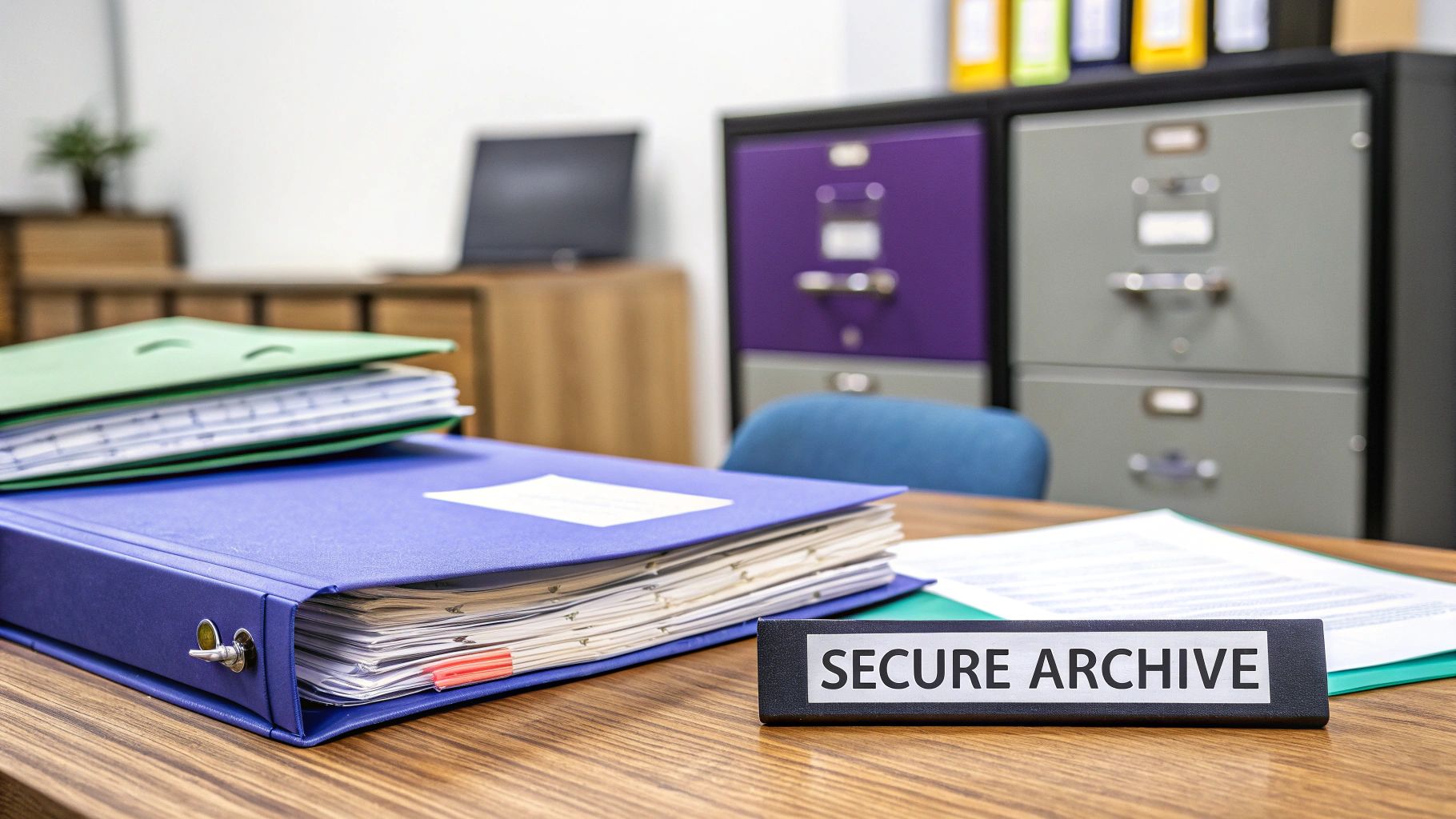
Think of document archiving as your company's secure, long-term memory. It's much more than just shoving old files into a dusty cabinet or dragging them to a forgotten folder on a server. A proper archiving strategy is a core part of how modern businesses operate, protecting critical information and ensuring you meet your legal obligations.
A simple analogy helps here: your active files are like the tools on your workbench—you use them every day to get the job done. Your archive, on the other hand, is the organized, secure tool chest in the garage. That’s where you keep specialized or historical tools, all kept safe, in perfect condition, and ready for a future project or a sudden audit.
Why Archiving Is a Non-Negotiable Strategy
Having an effective system for the archiving of documents is essential for a few key reasons. First and foremost is legal and regulatory compliance. Many industries have strict rules about how long you must keep certain records.
Just look at these real-world examples:
- Healthcare: A clinic must hold onto patient records for many years to comply with regulations like HIPAA. This ensures a complete medical history is always available for future care or legal questions.
- Real Estate: A brokerage must archive all transaction files—contracts, closing documents, and disclosures—for a legally mandated period to handle any potential disputes down the road.
- Staffing: An agency needs to keep signed candidate agreements and client contracts accessible to verify terms and prove compliance with labor laws.
Beyond just staying compliant, a well-organized archive is a huge asset. It becomes your single source of truth, letting you pull up critical information to resolve disputes, answer client questions, or analyze historical performance. This accessibility can save countless hours that would otherwise be wasted digging for misplaced files.
Building an Archive-Ready Foundation from Day One
The best archiving strategies don't start when a project is over; they start the moment a document is created. Modern digital signing solutions are built with this entire long-term lifecycle in mind. When you use an eSignature platform to create, send, and sign PDFs online, you’re not just collecting a signature—you’re creating a secure, verifiable record from the very beginning.
A document's journey doesn't end when it's signed. That's when its role as a permanent record begins. A robust audit trail is the backbone of a trustworthy archive, providing indisputable proof of a document's history.
This is exactly where BoloSign brings so much value. Every single document processed through our platform comes with a comprehensive, tamper-proof audit trail. This log details every action—who viewed it, the exact time they signed, and from what location—creating a self-contained, verifiable history. This built-in security and compliance (adhering to ESIGN, eIDAS, and HIPAA standards) means that every signed agreement is primed for long-term archiving without any extra work.
By using a platform that bakes security and verifiability right into the document itself, you simplify the entire process. This modern approach to contract automation transforms a complex compliance headache into a simple, automated part of your daily workflow and lays the groundwork for a flawless archive.
Navigating the Complex World of Compliance
Let’s be honest, the world of compliance can feel like an alphabet soup of acronyms—GDPR, HIPAA, ESIGN, eIDAS. But these aren't just bureaucratic hurdles. They’re the legal frameworks that build trust with your clients and shield your business from very real financial and reputational damage.
Getting this right isn't just a box-ticking exercise; it's a cornerstone of a well-run business. For many, these regulations dictate the very foundation of their document archiving strategy. The penalties for getting it wrong are steep, so understanding what these rules mean in practice is the first step toward building a resilient operation.
Compliance in the Real World
So, what does this look like day-to-day? Let's move beyond the acronyms and see how these rules apply to actual businesses. Each industry has its own unique responsibilities, especially when managing documents with sensitive personal information.
- For a staffing agency in the EU: Under GDPR, you must keep candidate consent forms to prove you have permission to store and process their data. If an audit happens and you can't produce that consent, you're looking at significant fines.
- For a healthcare provider in the US: HIPAA is non-negotiable. It mandates that patient records be securely kept for a specific number of years. A solid archive means you can pull a complete medical history for continuity of care or legal inquiries, protecting both the patient and the clinic.
- For a professional services firm in Canada or Australia: Local electronic transaction acts give eSignatures their legal weight. Properly archiving digitally signed contracts, complete with a clear audit trail, is what makes them enforceable if a dispute ever arises.
These examples show that compliance isn't a roadblock; it’s a critical business function. It's no surprise that the global enterprise information archiving market is projected to hit USD 26.2 billion by 2033, a boom driven by the need to manage a flood of data under these strict rules. You can discover more insights on the rapid growth of enterprise archiving from IMARC Group.
Common Document Retention Periods by Industry
Keeping track of how long you need to store different documents can be a headache. To make it a bit easier, here’s a quick-reference table outlining some common retention requirements across key industries.
| Industry/Regulation | Document Type | Typical Retention Period |
|---|---|---|
| Healthcare (HIPAA) | Patient Medical Records | 6 years from the last date of service |
| Finance (FINRA) | Customer Account Records | 6 years after the account is closed |
| Human Resources | Employee Records (post-termination) | 3-7 years (varies by state and federal law) |
| General Business | Contracts and Agreements | 7 years after the contract terminates |
| Tax (IRS) | Tax Returns and Supporting Docs | 3-7 years, depending on the specifics |
This table is just a starting point, of course. Always consult with legal counsel to ensure you're meeting the specific requirements for your location and industry, but it gives you a good idea of what's expected.
How Modern Tools Simplify Compliance
Meeting these strict requirements used to be a painful, manual process ripe for human error. Thankfully, today’s eSignature platforms are built to automate compliance, embedding legal and security standards right into your workflows.
Compliance shouldn't be an afterthought. It should be an automated, built-in feature of your document management process, working silently in the background to protect your business.
This is exactly how a platform like BoloSign approaches the problem. It’s engineered to meet global standards, turning the chore of archiving documents into a much simpler task.
Here’s how BoloSign helps you stay compliant automatically:
- Legally Binding Signatures: By following the tough requirements of ESIGN and eIDAS, BoloSign ensures every signature you collect is legally recognized and enforceable in courts across the US, Canada, Australia, and the UAE.
- Detailed Audit Trails: Every document comes with a comprehensive, tamper-proof audit log. This log records every single action—who viewed the document, when they signed it, their IP address—creating an unshakeable record for any compliance check or legal need.
- Secure Document Workflows: With built-in security designed to support regulations like HIPAA and GDPR, you can handle sensitive information with confidence. Many businesses are now exploring how to add a signature to Google Forms to securely collect consent, a process that must be handled carefully to stay compliant.
When you choose a tool with these standards baked in, you turn compliance from a source of anxiety into a manageable, automated part of your day. Instead of manually tracking retention periods or losing sleep over a signature's validity, you can rely on a system built to do it for you, ensuring your archive is secure and legally sound from the moment a document is created.
How to Build a Practical Document Retention Policy
With a firm grasp on compliance, it's time to put that knowledge into practice. A document retention policy isn't just an academic exercise—it's the official rulebook for your company's memory. It guides your team on exactly what to do with business records, from the moment they're created to when they’re finally disposed of.
This policy is the foundation of your strategy for the archiving of documents. Get it right, and you'll prevent both the accidental deletion of critical files and the expensive habit of hoarding data you no longer need. A clear, well-communicated policy takes the guesswork out of the equation and shields your business from unnecessary risks.
Step 1: Catalog Your Critical Documents
You can't decide how long to keep something if you don't know what you have. The first step is to take inventory. Identify and categorize every type of document your business creates and receives, covering everything from contracts and invoices to employee files and marketing collateral.
Group these documents into logical buckets. For a professional services firm, that might look like this:
- Client Contracts and Agreements: Scopes of work, signed proposals, and MSAs.
- Financial Records: Invoices, receipts, expense reports, and tax filings.
- Human Resources Files: Employment contracts, performance reviews, and payroll records.
- Operational Documents: Internal policies, project plans, and important correspondence.
This initial audit gives you the clarity you need to make smart decisions in the next steps.
Step 2: Assign Retention Timelines
With your documents neatly categorized, it's time to assign a specific retention period to each group. This timeline should be driven by two things: legal requirements and your own operational needs. A deep dive into mastering record retention guidelines can provide more context, but the core idea is to balance compliance with practicality.
For example, tax records generally need to be kept for 7 years to satisfy IRS rules. A client contract, on the other hand, might need to be retained for 7 years after the contract ends, just in case a legal dispute pops up down the road. The goal here is a clear "keep until" date for every document type.
Step 3: Define Archiving and Disposal Procedures
Now we get to the "how." This part of your policy needs to spell out the exact procedures for moving documents into the archive and, just as importantly, securely destroying them when their time is up.
That means answering questions like:
- Archiving: How do documents get archived? Is it an automated workflow for digital files or a manual process for paper?
- Access: Who can access archived documents? How is that access logged and tracked?
- Disposal: What’s the approved method for destruction? Is it professional shredding for paper or secure digital deletion for electronic files?
Defining these procedures brings consistency and security to your entire organization. No more ambiguity, no more risk of sensitive data being handled the wrong way.
A great retention policy is more than a document—it's a living process. It requires clear roles, simple procedures, and the right tools to make compliance a natural part of your daily operations, not a burdensome chore.
Step 4: Clarify Team Roles and Responsibilities
Finally, a policy is useless if no one knows who's supposed to do what. You need to clearly assign responsibility for overseeing and executing the retention policy. This could fall to one person, like an office manager or compliance officer, or even a small committee.
Everyone on the team needs to understand their specific role. The sales team must know how to properly file a signed contract, and the HR department needs to be an expert on the rules for employee records. This is where a system like BoloSign can be a game-changer. By offering unlimited team members and templates at one fixed price, you can give everyone access to the same standardized tools.
This ensures every critical document, from a sales agreement to an onboarding form, starts its life in a consistent, archivable format. It's a huge advantage, making it 90% more affordable than tools that charge per user or per envelope, and it makes training and enforcement ridiculously simple.
Choosing the Right Storage: Cloud vs. On-Premise
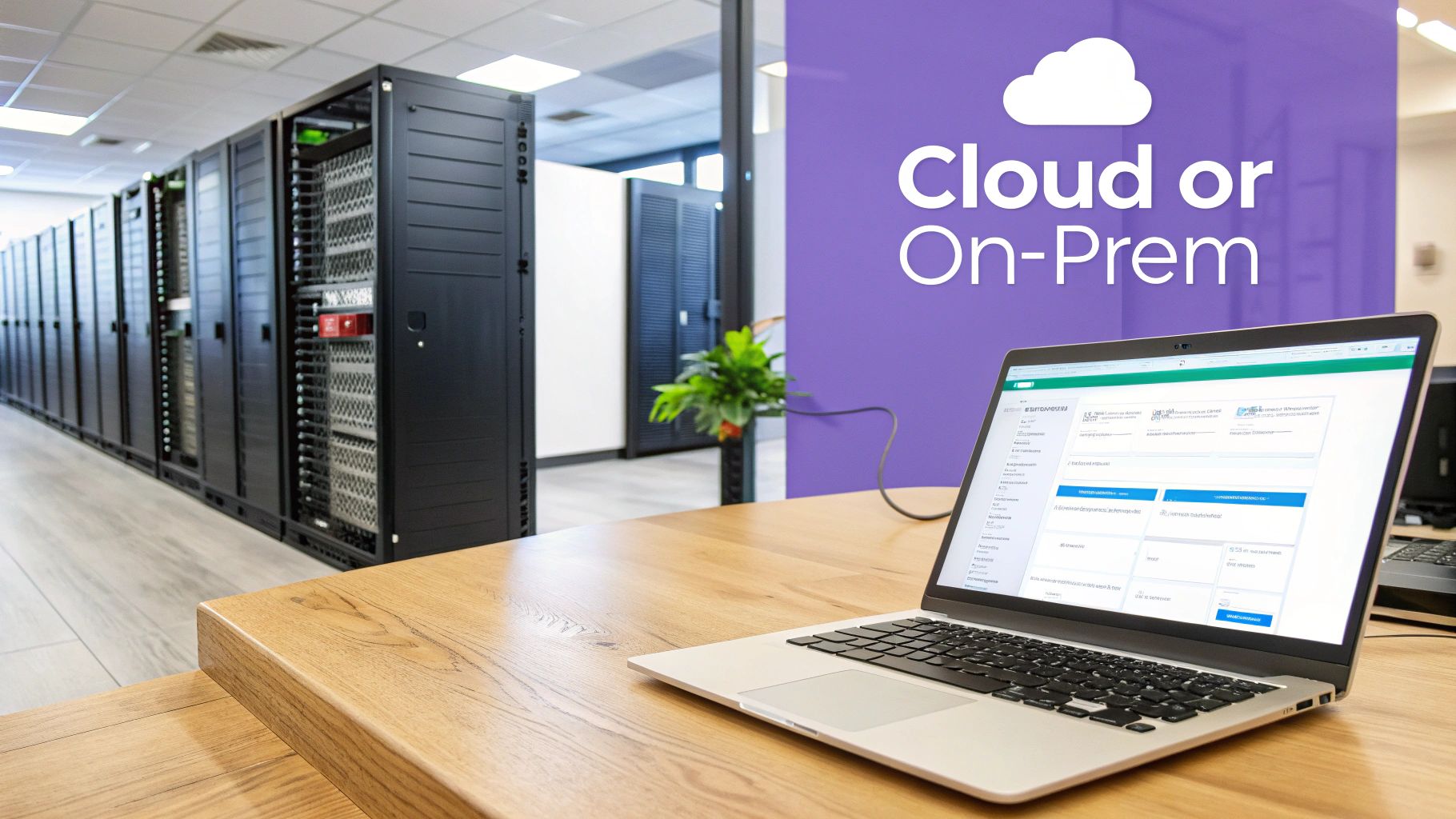
One of the biggest forks in the road when building your archiving of documents strategy is deciding where they’ll actually live. The decision really comes down to two models: running your own servers on-premise or storing everything in the cloud.
Think of it like this: you can either build your own secure warehouse from the ground up, or you can lease a spot in a state-of-the-art facility that's fully managed for you. Each path has real-world consequences for your budget, security, and how easily your team can pull up a file when they need it. A deep dive into Cloud vs On-Premises storage solutions can help you weigh the pros and cons for your specific situation.
Getting this choice right is critical. Recent survey data reveals a painful reality in many workplaces: 48% of workers admit they can't find documents quickly, and 47% say their company's digital filing systems are just plain confusing. This isn't just an annoyance; it eats up a staggering 21% of an employee's time, which translates directly into lost productivity.
On-Premise Storage: The Traditional Approach
Going the on-premise route means you own, operate, and maintain all the hardware and software right in your own building. The big appeal here is total control. If you have extremely specific security needs or operate in an industry with strict data sovereignty laws, keeping everything in-house can feel like the safest bet.
But that control comes with a hefty price tag. You're on the hook for everything—the massive upfront cost of servers, the constant maintenance, software licenses, power bills, and physical security. You also need a dedicated IT team to manage backups, install security patches, and fix things when they break. And when you grow? Scaling up means buying more expensive hardware, a process that’s both slow and costly.
Cloud Storage: The Modern Alternative
Cloud storage flips the model on its head. Instead of owning the hardware, you store your archived documents on servers managed by a third-party provider like Amazon Web Services (AWS) or Microsoft Azure. For most businesses today, this is the smarter path, offering a powerful mix of security, flexibility, and predictable costs.
You trade a huge capital expense for a manageable subscription fee. The cloud provider handles all the grunt work—maintenance, security, and infrastructure—so your team can focus on what they do best.
Cloud storage isn't just about saving files online; it’s about accessing enterprise-grade security, scalability, and compliance features that were once only available to the largest corporations. It democratizes secure document archiving.
The scalability is seamless. If your document volume doubles overnight, your cloud storage can expand instantly without you having to buy a single piece of new equipment. For growing businesses, especially in fields like logistics or education where document flow is unpredictable, this kind of agility is a game-changer.
Why the Cloud Is the Future for Document Archiving
The cloud just makes sense for a modern archiving strategy. It delivers robust security features, like advanced encryption and automated backups, that often go far beyond what a small or medium-sized business could afford to implement on its own.
This is precisely why a digital signing solution like BoloSign is built on a secure cloud foundation. It ensures every document is not only signed in a legally compliant way but is also stored with enterprise-grade protection from the moment it's created.
By using the cloud, BoloSign delivers a compliant, accessible, and scalable platform for all your important document workflows. Better yet, it connects smoothly with other cloud tools your team already relies on, like Google Drive. This lets you automatically save signed contracts right to your preferred storage, automating the first and most crucial step of your archiving process and building a secure, digital-first foundation for every document.
Your Step-by-Step Implementation Plan
Here is your step-by-step plan for turning your document archiving strategy into a reality. Think of this as your hands-on checklist, designed to break a huge project down into small, manageable steps. By following along, you'll build a solid system that not only secures your information but also makes your whole operation run smoother.
Phase 1: Audit and Planning
This first phase is all about assessment and strategy. It’s where you lay the groundwork for a successful rollout by getting a crystal-clear picture of your current situation and defining exactly where you want to go.
Conduct a Thorough Document Audit: First things first, take a complete inventory of every document you have—both physical and digital. Figure out where they’re stored, who can access them, and what condition they're in. For a real estate agency, this means hunting down every client contract, property deed, and compliance form scattered across filing cabinets, local servers, and even individual employee hard drives.
Define Your Archiving Goals: What are you actually trying to achieve here? Maybe your goal is to tighten up compliance with HIPAA in a healthcare setting, or perhaps you want to help your logistics team find documents faster. It could be as simple as cutting down on physical storage costs. Having clearly defined goals will steer every decision you make from here on out.
Select the Right Software Tools: With your audit and goals in hand, it’s time to pick your technology. This includes your main storage solution (cloud vs. on-premise) and other essential tools for your workflow. A platform that handles contract automation and secure digital signing is a non-negotiable piece of this puzzle.
Phase 2: Execution and Digitization
With a solid plan in place, it’s time to get to work. This phase is all about turning that mountain of paper into a secure, digital archive and setting up the systems that will keep it organized.
Digitize Essential Paper Records: Start scanning your paper documents, but do it strategically. Prioritize your most critical files first—think active contracts, HR records, and financial statements. Use high-quality scanners to make sure everything is readable and look into using optical character recognition (OCR) technology to make the text inside those scanned documents fully searchable.
Establish a Naming and Indexing System: Consistency is everything. Create a logical, standardized naming convention for every single file. For example, a file name could look like
ClientName_ContractType_YYYY-MM-DD. When you combine a clean structure like this with metadata tags (like a project number or department), finding any document becomes incredibly fast and intuitive.
Your digital archive is only as good as your ability to find what's inside it. A well-planned indexing system acts as the digital card catalog, turning a chaotic data dump into an organized, accessible library of information.
- Migrate Digital Files to the Central Archive: Once your system is ready, start moving all those scattered digital files into your new, centralized archive. This is the moment you finally break down data silos and create a single source of truth for your entire organization. The information archiving market has ballooned to nearly USD 10 billion globally, all because companies need solutions to manage this kind of consolidation. With experts from IDC predicting data volumes will hit an unbelievable 175 zettabytes by 2025, having a unified system is more critical than ever.
Phase 3: Training and Optimization
A great system is useless if your team doesn’t use it correctly. This final phase is all about empowering your employees and continuously refining the process.
Train Your Team on New Procedures: Run some clear, practical training sessions. Show your team exactly how to use the new system, follow the naming rules, and understand their role in keeping the archive clean. For instance, walk the professional services team through how to correctly save a final project report, or show the education department the right way to file student consent forms.
Embrace 'Born-Digital' Workflows: The single most powerful step you can take is to stop creating so much paper in the first place. When you use a modern eSignature platform like BoloSign, documents are 'born digital.' Think about it: a new hire at a staffing agency signs their onboarding packet, and that document is instantly indexed, time-stamped, and comes with a full audit trail. It's ready for long-term archiving without ever touching a printer or scanner, which drastically cuts down on manual work and the risk of human error. Using an online PDF signer this way simplifies your entire workflow from day one.
The Future of Archiving Is Smart and Automated
Looking at the horizon, document archiving is evolving from a dusty digital basement into an active, intelligent business asset. This shift is driven by AI and automation, which are transforming static file repositories into living sources of insight.
The future isn't just about storing files; it's about making those files work for you. AI can now look at an incoming document, instantly classify it, and apply the correct retention rules without a human ever touching it. It can even sift through millions of files in seconds to help with legal discovery. This isn't some far-off concept—it’s happening right now and becoming more accessible every day.
This automated future is built on a solid foundation: the core steps of auditing, digitizing, and indexing your documents.
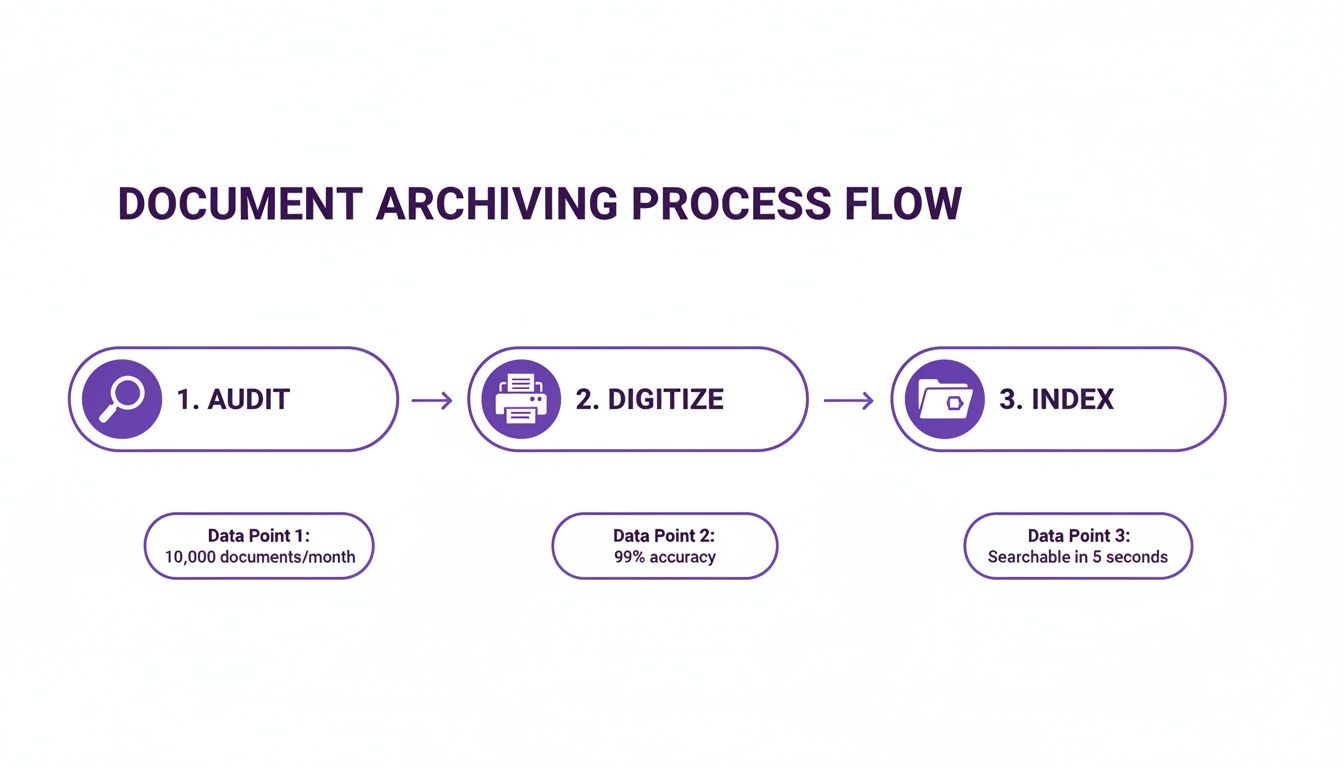
This process flow shows you exactly what it takes to build a searchable, secure archive. When you systematically audit, digitize, and index your documents, you’re creating a clean, structured dataset that AI and automation tools can actually understand and manage.
Unlocking Value with Intelligent Automation
A smart approach to archiving doesn't just protect you from risk—it unlocks real, tangible value.
Imagine an AI that can analyze thousands of archived supplier contracts to pinpoint cost-saving opportunities. Or one that automatically flags documents nearing their expiration date for secure disposal. This level of insight used to be either impossible or would require a massive manual effort.
A modern archiving strategy transforms your historical data from a liability you have to store into an asset you can analyze. It’s the foundation for a secure, efficient, and scalable business ready for whatever comes next.
BoloSign's platform is a perfect example of this kind of accessible intelligence. Our AI-powered features can speed up contract analysis and review, giving teams the critical information they need without the manual slog. By embracing tools that handle the heavy lifting, you can automate your business workflow from the moment a document is created to its final resting place in the archive.
The bottom line is this: your archiving strategy is a direct investment in your company’s future. It builds a secure, efficient, and scalable operation, and the best place to start is by modernizing how your documents begin their lifecycle.
Ready to see how simple and affordable a smart workflow can be? BoloSign offers unlimited documents, team members, and templates at one fixed price, making it 90% more affordable than traditional tools. Experience the power of compliant, AI-driven document management for yourself.
Start your 7-day free trial of BoloSign today and see how easy it is to create, send, and sign PDFs online, building an archive-ready foundation from day one.
Frequently Asked Questions
Let's tackle some of the most common questions business owners have about getting their document archiving in order.
What Is the Difference Between a Backup and an Archive?
It's a great question, and the distinction is crucial. Think of a backup as the spare key to your office—it's an exact copy of your current, active data, designed for one purpose: quick recovery if something goes wrong.
An archive, on the other hand, is more like a secure, off-site vault for your company's historical records. It’s a separate, protected space for inactive documents you no longer need day-to-day but are required to keep for legal, compliance, or business reasons.
Documents handled through a compliant eSignature platform like BoloSign are prime candidates for archiving. They're born digital with a complete, unchangeable history already built-in.
How Long Should My Business Keep Documents?
There's no single answer here, as retention periods vary wildly depending on the industry and the type of document. For instance, the IRS generally requires you to keep tax records for seven years, while HIPAA might mandate that certain healthcare records stick around for six years or even longer.
This is why having a formal retention policy isn't just a good idea—it's critical. You need to base your policy on the specific legal and regulatory rules for your sector. When in doubt, always chat with a legal professional to make sure you're fully compliant.
Can I Use Google Drive for Document Archiving?
Absolutely. Cloud storage services like Google Drive can play a valuable role in your archiving strategy, especially for accessibility and cost-effectiveness.
However, it's important to understand what you're getting. Dedicated archiving solutions are built with advanced compliance features—like data immutability (making files unchangeable) and legal holds—that standard cloud storage often lacks.
A smart approach is to pair the two. By integrating a compliant tool like BoloSign with Google Drive, you automate the process. Securely signed documents are saved directly to your cloud storage, creating a robust, organized foundation for long-term archiving of documents. Best of all, every file automatically comes with a complete audit trail from the moment it's created.
Ready to build a secure, archive-ready foundation for your most important agreements? With BoloSign, you get unlimited documents, team members, and templates at one fixed price, making it 90% more affordable than traditional tools.

Paresh Deshmukh
Co-Founder, BoloForms
15 Jan, 2026
Take a Look at Our Featured Articles
These articles will guide you on how to simplify office work, boost your efficiency, and concentrate on expanding your business.



